
ElevenLabs AI Voice Generator
One of the most popular AI voice generation platforms The use of AI tools is growing rapidly these days. Whether it’s YouTube videos, podcasts, Reels, audiobooks, or dubbing, the demand for realistic AI voices has surged across the board. However, the issue is that standard AI voices often sound robotic and boring.
ElevenLabs AI Voice Generator.
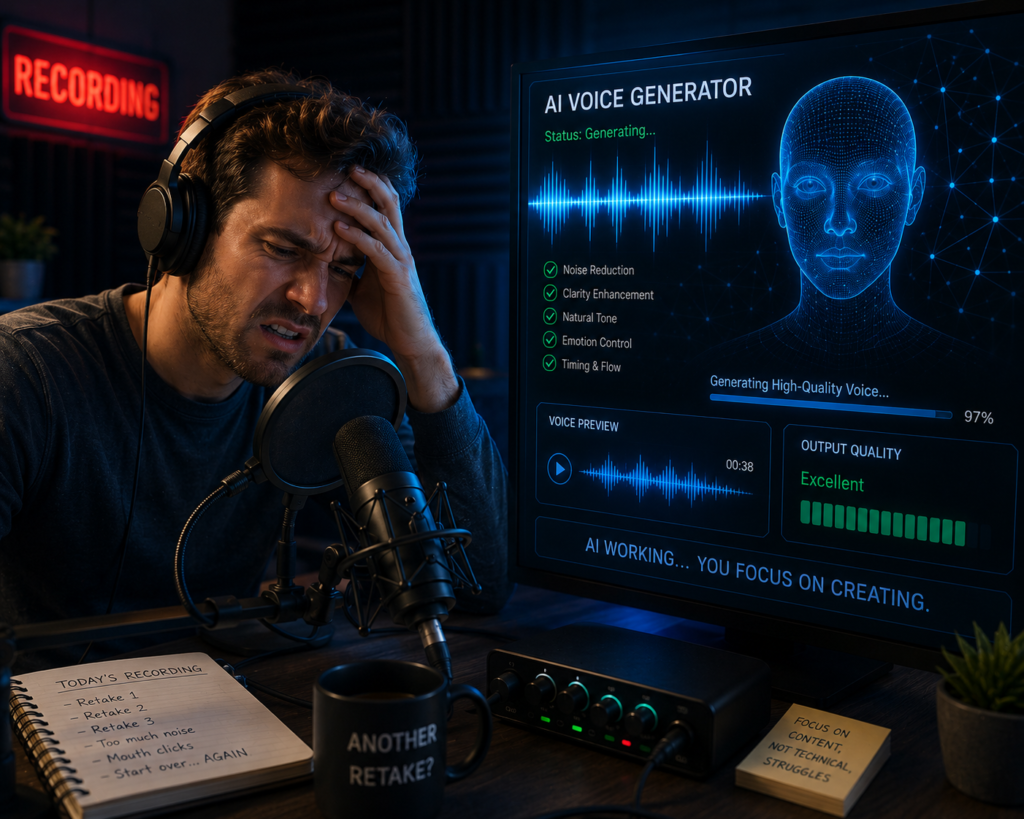
If you’re looking for realistic AI-generated voices for videos, podcasts, audiobooks, or business projects, ElevenLabs offers features designed to produce natural-sounding speech with support for multiple languages and voice styles. The platform includes features such as text-to-speech, voice cloning, AI dubbing, and voice translation. Depending on your subscription plan, additional capabilities and usage limits may apply.
What is ElevenLabs AI Voice Generator?
ElevenLabs is an AI voice platform that converts text into natural-sounding speech using artificial intelligence. It also provides features such as voice cloning, multilingual dubbing, and AI voice generation for creators, businesses, educators, and developers.
| Feature | What It Does |
|---|---|
| Text-to-Speech | Converts written text into AI-generated speech |
| Voice Cloning | Creates a synthetic voice based on a supported voice sample |
| AI Dubbing | Translates and voices content in different languages |
| Voice Library | Provides a selection of AI voices for different use cases |
| Multilingual Support | Generates speech in multiple supported languages |
| Suitable For | Example Use Cases |
|---|---|
| YouTubers | Narration for videos |
| Podcasters | Voiceovers and storytelling |
| Businesses | Product demos and training content |
| Educators | E-learning materials |
| Developers | Voice-enabled applications |
In this article, we will explore in detail what ElevenLabs is, how it works, and why it has become so popular among creators.
Important: While AI-generated voices can save time, reviewing the generated audio for pronunciation, tone, and factual accuracy before publishing is recommended. Features and usage limits may vary depending on the subscription plan and future platform updates.
ElevenLabs AI Voice Generator: The Complete Beginner’s Guide to Creating Human-Like AI Voices in 2026
Artificial Intelligence (AI) is changing how digital content is created by helping creators automate tasks such as writing, image generation, video editing, and voice production. From AI writing tools to AI image generators, creators now have access to powerful technologies that save time and boost productivity.
What is ElevenLabs AI Voice Generator?
ElevenLabs is an AI-powered voice generation platform that converts text into natural-sounding speech. It also supports features such as voice cloning, AI dubbing, multilingual speech generation, and customizable voices for different types of content.
| Feature | Description |
|---|---|
| Text-to-Speech | Converts written text into spoken audio |
| Voice Cloning | Creates AI-generated voices from supported samples |
| AI Dubbing | Generates translated voiceovers in supported languages |
| Multilingual Support | Produces speech in multiple languages |
| Custom Voice Settings | Adjusts voice style and delivery (where supported) |
AI voice generation has become an increasingly popular technology for creating natural-sounding digital speech across a wide range of industries.
For many creators, AI voice generation can reduce production time and simplify the process of creating voiceovers for YouTube videos, podcasts, audiobooks, online courses, advertisements, and social media content.
Among the many AI voice platforms available today, ElevenLabs is widely recognized for its natural-sounding speech generation and multilingual capabilities.
The platform offers features such as text-to-speech, voice cloning, multilingual dubbing, and AI voice generation, making it suitable for a variety of content creation workflows.
In this detailed guide, you will learn everything about the ElevenLabs AI voice generator, including its features, benefits, use cases, pricing, pros and cons, and step-by-step instructions on how to use it.
Note: Features, pricing, and availability may change over time. Before choosing a plan, review the latest information on the official ElevenLabs website and test the free version if it meets your needs.
What is ElevenLabs AI Voice Generator?
ElevenLabs AI Voice Generator is an advanced text-to-speech (TTS) platform that uses artificial intelligence to convert written text into highly realistic human-like voices.
Unlike traditional robotic text-to-speech tools, ElevenLabs generates voices characterized by:
- Natural emotions
- Human-like pronunciation
- Realistic pauses
- Accurate intonation
- Support for multiple languages
- Voice cloning capabilities
| Feature | Benefit |
|---|---|
| Natural Speech | Produces more lifelike narration for videos and podcasts |
| Voice Cloning | Creates custom AI voices from supported voice samples |
| Multilingual Support | Generates speech in multiple supported languages |
| Realistic Intonation | Makes narration sound more natural |
| Text-to-Speech | Converts written text into spoken audio |
| Common Use Case | Example |
|---|---|
| YouTube Videos | AI narration for tutorials and reviews |
| Podcasts | Episode narration |
| Audiobooks | Voice generation for chapters |
| Online Courses | Educational voiceovers |
| Marketing | Product demos and promotional videos |
The platform uses advanced AI and deep learning models to generate natural-sounding speech with realistic pronunciation, pacing, and intonation. The quality of the output may vary depending on the selected voice, language, and input text.
Because of its feature set and ease of use, ElevenLabs is widely used by content creators, educators, developers, and businesses for a variety of voice generation tasks.
What is ElevenLabs?
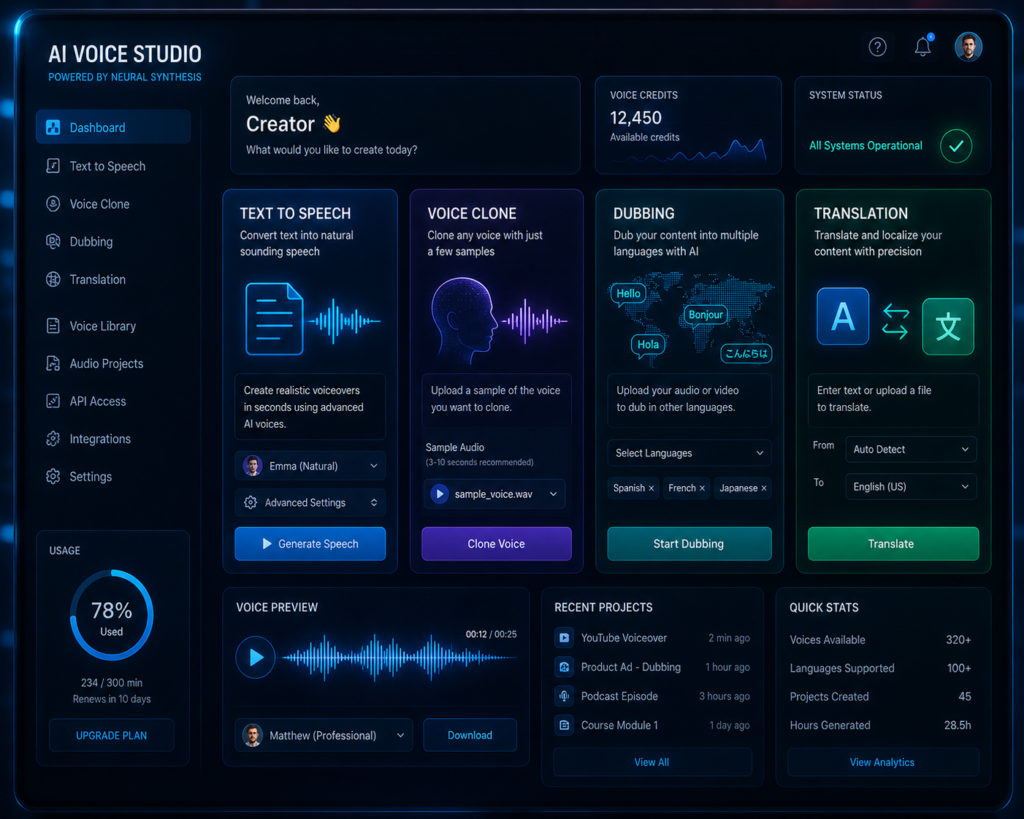
ElevenLabs is an advanced AI voice generator platform that produces realistic, human-like voices. It uses advanced AI and deep learning models to generate natural-sounding speech with realistic pronunciation, pacing, and voice expression.
With it, you can:
- Convert written text into natural-sounding speech.
- Create AI voices using supported voice cloning features.
- Generate dubbed audio for videos in supported languages.
- Translate and generate AI voices in multiple languages.
| Feature | What It Does |
|---|---|
| Text-to-Speech | Converts written text into spoken audio |
| Voice Cloning | Creates AI-generated voices from supported samples |
| AI Dubbing | Generates voiceovers for translated content |
| Voice Translation | Produces speech in multiple supported languages |
| Natural Voice Styles | Provides different voice options and speaking styles |
Example: A YouTube creator can write a script, generate an AI voice using ElevenLabs, review the pronunciation, and use the audio as narration for a tutorial or review video.
Depending on the selected voice model and language, the platform can generate speech with natural variations in tone and expression, making the audio more engaging for many types of content.
Note: Some features, including voice cloning and language support, may vary depending on the subscription plan and platform updates. Always review the generated audio before publishing.
How ElevenLabs AI Voice Generator Solves These Problems
ElevenLabs helps reduce many of the common challenges involved in voice production by combining AI-powered text-to-speech, voice cloning, dubbing, and multilingual voice generation into a single platform.
With just a few clicks, users can:
- Create professional voiceovers – Generate narration for videos, presentations, and educational content.
- Clone voices – Create a digital voice based on supported voice samples.
- Translate speech – Produce translated voiceovers in supported languages.
- Create content in multiple languages – Reach audiences across different regions.
- Produce audiobook narrations – Generate narration for books and long-form content.
- Create podcast intros – Prepare consistent introductions and outros.
- Generate voiceovers for social media – Create audio for short-form videos and promotional content.
| Common Challenge | How ElevenLabs Helps |
|---|---|
| Recording voice manually | Converts text into AI-generated speech |
| Hiring voice actors | Provides AI-generated voice options for many projects |
| Creating multilingual content | Supports speech generation in multiple languages |
| Time-consuming narration | Automates much of the voice generation process |
| Producing consistent audio | Helps maintain a consistent voice style across projects |
Example: A YouTube creator producing tutorials in English can use ElevenLabs to generate narration and, where supported, create additional versions for other languages without recording every script manually
By automating several voice production tasks, the platform can help creators reduce manual work, improve production efficiency, and support multilingual content creation. The actual results may vary depending on the project and workflow.
Example: A YouTube creator producing tutorials in English can use ElevenLabs to generate narration and, where supported, create additional versions for other languages without recording every script manually
ElevenLabs Text-to-Speech Hindi
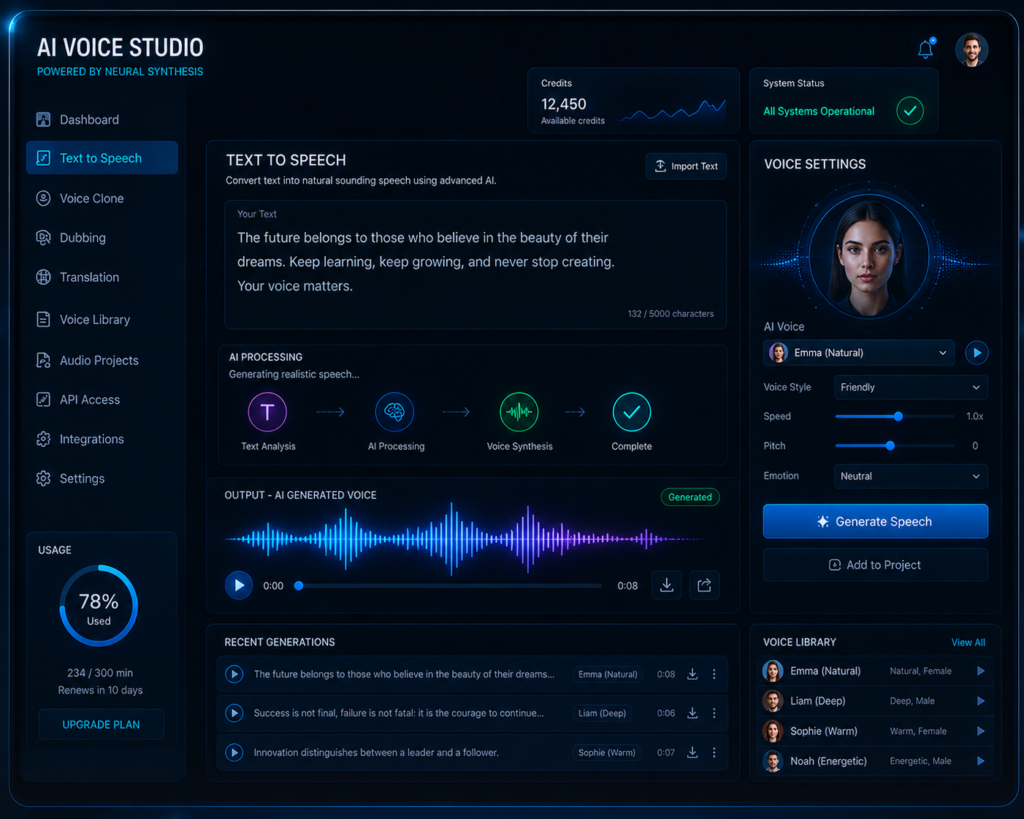
ElevenLabs uses AI to generate speech with more natural pronunciation, pacing, and voice expression than many traditional text-to-speech systems. The quality of the output may vary depending on the selected voice and language.
Is Feature Ke Benefits
- YouTube Narration – Generate voiceovers for tutorials, reviews, and explainer videos.
- Audiobooks – Convert written content into spoken audio for listeners.
- Podcast Voiceovers – Create narration for podcast episodes without recording manually.
- Reels and Shorts – Produce AI voiceovers for short-form social media videos.
| Use Case | How Text-to-Speech Helps |
|---|---|
| YouTube Videos | Generates narration without manual recording |
| Audiobooks | Converts written chapters into spoken audio |
| Podcasts | Creates AI-generated voiceovers |
| Reels & Shorts | Produces narration for short-form videos |
| Educational Content | Creates voiceovers for lessons and presentations |
Example: A creator writing a product review can paste the script into ElevenLabs, generate an AI voiceover, review the pronunciation, and use the audio in a YouTube video or social media post without recording their own voice.
If you prefer not to record your own voice, text-to-speech can be a practical option for creating narrated content such as tutorials, explainers, podcasts, and short-form videos.. Text to Speech
Note: Voice quality, supported languages, and available text-to-speech features may vary depending on the selected voice model and subscription plan. Reviewing the generated audio before publishing helps ensure accurate pronunciation and natural delivery.
How does the voice clone feature work?
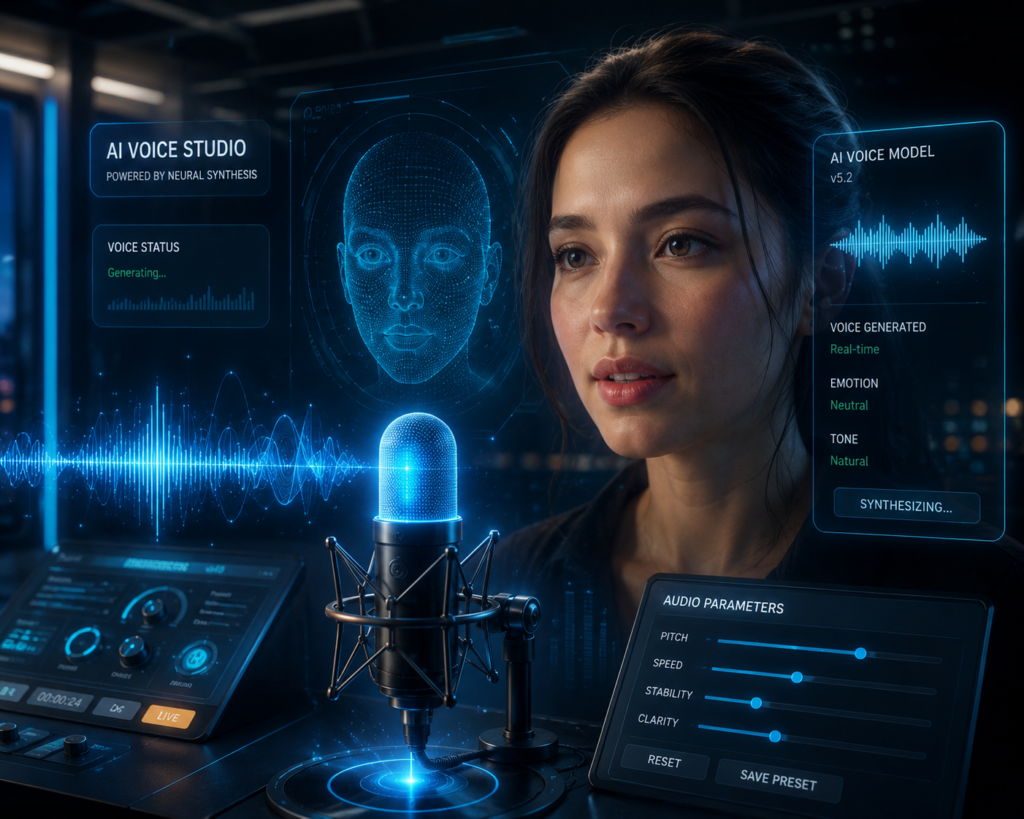
Voice cloning is one of the fastest-growing AI applications, allowing supported voice samples to be used for generating similar AI voices in various content creation workflows.
With ElevenLabs, eligible voice samples can be used to create AI-generated voices, subject to the platform’s requirements and applicable permissions. After uploading a supported voice sample, the platform analyzes speech characteristics such as tone, pronunciation, and speaking style to generate a similar AI voice. The quality of the result depends on factors such as the audio sample and supported features.
| Step | What Happens |
|---|---|
| 1 | Upload a supported voice sample |
| 2 | The AI analyzes voice characteristics |
| 3 | A similar AI voice is generated |
| 4 | Review the output and make adjustments if needed |
| Use Case | Example |
|---|---|
| Video Narration | YouTube explainers and tutorials |
| Audiobooks | AI-generated book narration |
| Podcasts | Voiceovers for episodes |
| E-learning | Course narration |
| Business Content | Product demos and presentations |
Important: Before cloning a voice, ensure that you have the necessary permission to use the voice sample and comply with the platform’s terms of use. Responsible use of voice cloning helps protect privacy and intellectual property rights.
Voice Clone Use Cases
YouTubers Ke Liye
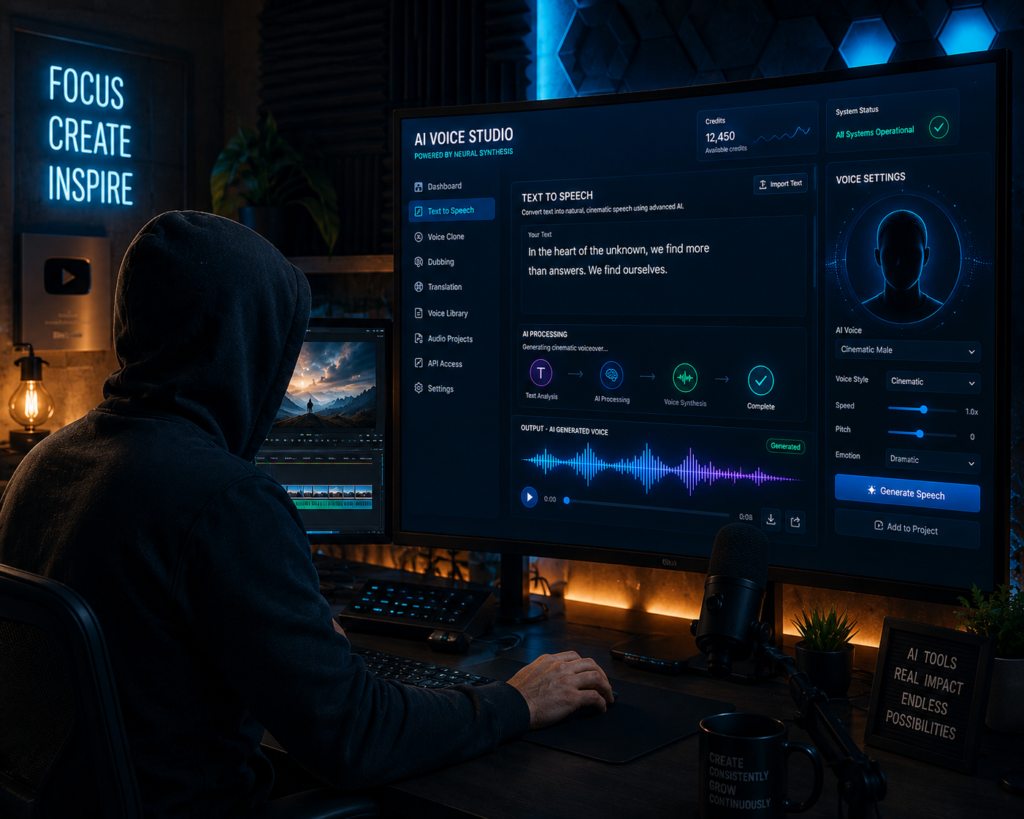
Creators who publish videos regularly can use a cloned AI voice for narration when appropriate. This can help maintain a consistent voice style across videos while reducing the need to record every script manually.
Businesses Ke Liye
Creators who publish videos regularly can use a cloned AI voice for narration when appropriate. This can help maintain a consistent voice style across videos while reducing the need to record every script manually.
Content Creators Ke Liye
Businesses can create a consistent AI voice for product demonstrations, customer education videos, and marketing content, helping maintain the same brand voice across different projects
| User Type | How Voice Cloning Can Help |
|---|---|
| YouTubers | Create consistent narration for regular video uploads |
| Businesses | Maintain a unified brand voice across marketing content |
| Podcasters | Produce introductions, updates, or narration more efficiently |
| Educators | Create audio lessons and training materials |
| Content Creators | Adapt voiceovers for supported languages and audiences |
Example: A training company can create a branded AI voice for course narration, allowing future lessons to maintain a consistent speaking style while reducing repetitive recording work.
Important: Only clone voices when you have the necessary permission or legal rights to use the original voice. Following platform policies and respecting privacy helps ensure responsible use of AI voice cloning.
Key Features of ElevenLabs AI Voice Generator
1. Ultra-Realistic Text-to-Speech
ElevenLabs’ greatest strength is its natural voice quality.
AI understands these elements:
Context
Emotions
Sentence structure
Speech rhythm
This helps produce natural-sounding voiceovers with realistic pronunciation, pacing, and expression. The final quality may vary depending on the selected voice model, language, and input text.
Example
Unlike the robotic voices of older TTS systems, Depending on the selected voice model and available controls, ElevenLabs can generate speech with different tones and speaking styles, making narration more engaging for many types of content.
2. Voice Cloning
With the help of voice cloning, users can create a digital version of a real voice.
This feature is useful for:
Content creators
Podcasters
Businesses
Educators
Users can utilize their cloned voice to create voiceovers for future use without needing to record again.
Important: Voice cloning should only be used with appropriate permission or legal rights to the original voice. Always follow the platform’s terms of use and applicable laws.
3. Multilingual Support
ElevenLabs supports multiple languages.
This enables businesses and creators to reach global audiences without hiring separate voice actors.
Benefits include:
- International marketing
- Global customer support
- Multilingual YouTube channels
- Language learning applications
The availability of supported languages, voices, and translation capabilities may differ across features and subscription plans.
4. AI Dubbing
AI dubbing helps translate and recreate spoken content in other languages.
This is especially useful for:
- YouTube videos
- Educational courses
- Training materials
- Marketing campaigns
Example: A creator can produce an English tutorial and, where supported, generate dubbed versions for audiences in other languages without recording every narration manually.
5. Voice Library
The platform includes numerous ready-made voices.
Users can choose voices based on:
- Gender
- Tone
- Accent
- Age
- Style
This flexibility helps match voiceovers to specific projects.
Previewing multiple voices before selecting one can help you choose the style that best matches your project’s audience and tone.
6. Speech-to-Speech Technology
Users can convert a voice recording into a different voice style while maintaining a natural conversational tone.
This feature can help adapt an existing recording into a different speaking style while preserving much of the original delivery, depending on the selected settings and supported capabilities.
7. API Access
Developers can integrate ElevenLabs directly into:
- Applications
- Websites
- SaaS products
- Chatbots
- Virtual assistants
This makes it attractive for businesses and software developers
API integration can help automate voice generation in applications such as customer support systems, learning platforms, and content creation tools.
| Feature | Primary Benefit | Common Use Case |
|---|---|---|
| Text-to-Speech | Converts text into natural-sounding speech | YouTube narration, podcasts |
| Voice Cloning | Creates AI-generated voices from supported samples | Personal narration, branded voices |
| Multilingual Support | Produces content for different languages | Global marketing, education |
| AI Dubbing | Generates translated voiceovers | International video content |
| Voice Library | Offers a variety of voice styles | Marketing, storytelling |
| Speech-to-Speech | Changes speaking style while preserving delivery | Audio adaptation |
| API Access | Integrates voice generation into software | SaaS, chatbots, automation |
Tip: Before publishing AI-generated audio, review pronunciation, pacing, and names to ensure the narration sounds natural and accurate for your audience.
Note: Some features, voice models, supported languages, API access, and usage limits may depend on the subscription plan and future platform updates.
ElevenLabs AI Voice Generator vs Traditional Voice Recording
Choosing between ElevenLabs AI Voice Generator and traditional voice recording depends on your project, budget, workflow, and quality requirements. While AI voice generation can speed up content creation, traditional voice recording may still be preferred for projects that require unique human performance or highly customized delivery.
| Feature | ElevenLabs AI Voice Generator | Traditional Voice Recording |
|---|---|---|
| Speed | Generates voiceovers in minutes | Requires recording and editing time |
| Cost | Can reduce production costs for many projects | May involve recording equipment or voice talent costs |
| Editing | Text can be edited and regenerated quickly | Often requires re-recording sections |
| Multilingual Content | Supports multiple languages and AI voice generation (where available) | Usually requires separate recordings for each language |
| Consistency | Can maintain a similar voice style across projects | Voice may vary between recording sessions |
| Human Emotion | Natural-sounding, but depends on the selected voice model | Offers authentic human performance and emotional nuance |
| Best For | Tutorials, explainers, podcasts, social media | Films, acting, live narration, personalized performances |
WHEN TO USE WHICH
| Choose ElevenLabs When… | Choose Traditional Recording When… |
|---|---|
| You need fast voiceovers | You need a unique human performance |
| You create multilingual content | You require live interaction or improvisation |
| You publish content regularly | Your project depends on subtle emotional acting |
| You want easy script updates | You are recording interviews or live events |
Tip: Many creators use a hybrid workflow—AI voice generation for drafts or routine content, and traditional recording for projects that require a personal or highly expressive voice.
AI Dubbing Aur Voice Translation
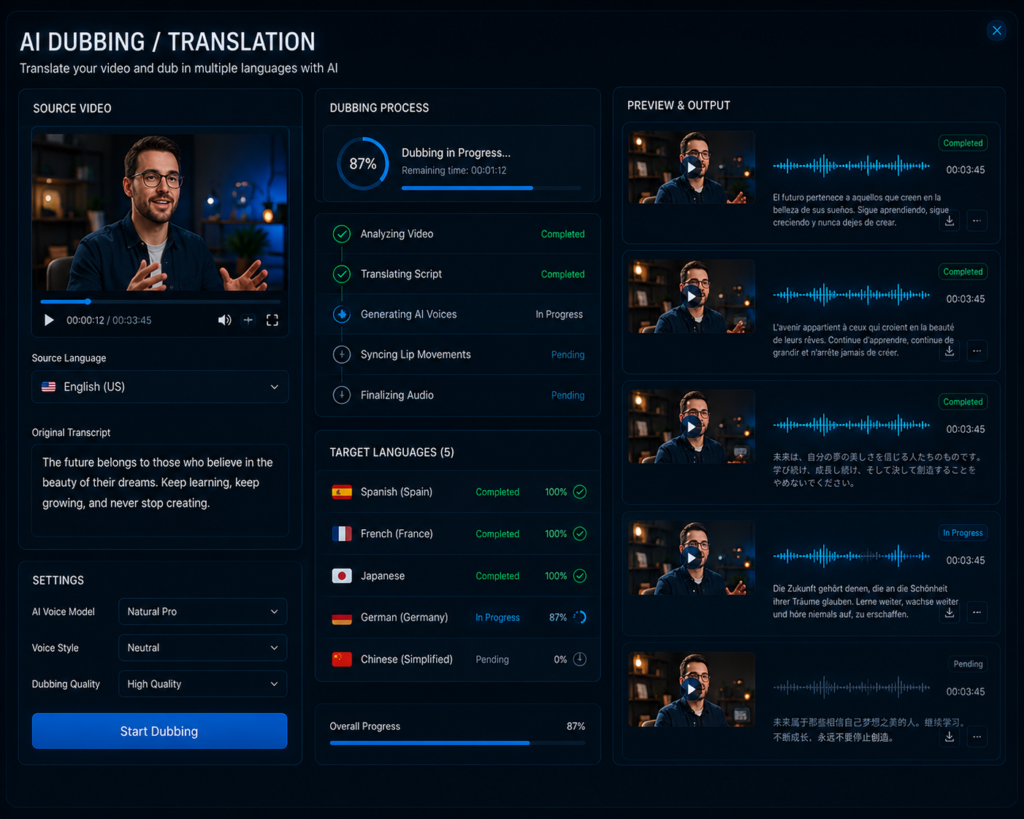
ElevenLabs AI Dubbing Feature
Ye feature videos ko dusri language me dub karne me help karta hai.
Example:
- Hindi video ko English me convert kar sakte ho
- English content ko Spanish ya French me dub kar sakte ho
Sabse amazing baat?
Depending on the selected voice model and supported language, the platform aims to preserve elements such as tone and speaking style, although the final result may vary and should be reviewed before publishing
Voice Translation Kyu Important Hai?
Voice translation helps creators and businesses reach audiences who speak different languages without recording every script again. It can save time, simplify multilingual content production, and make educational or marketing content more accessible to a wider audience.
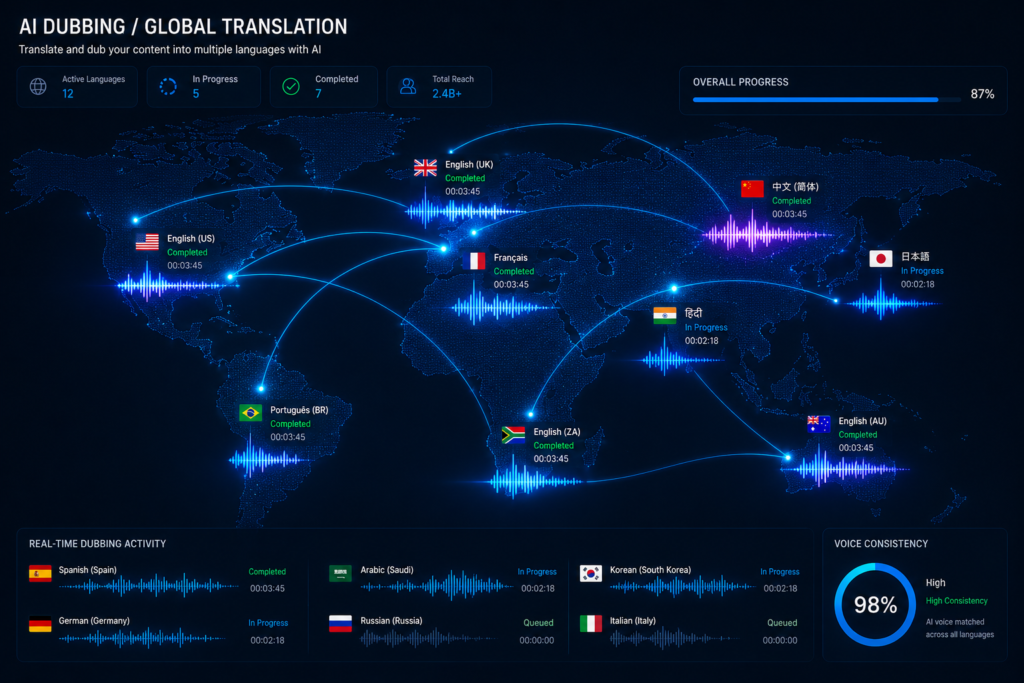
Today, creators want to target a global audience. With the help of voice translation, you can reach a worldwide audience with your content.
| Use Case | How AI Dubbing Helps |
|---|---|
| YouTube Videos | Create versions for different language audiences |
| Online Courses | Deliver lessons in multiple supported languages |
| Marketing Campaigns | Reach international customers |
| Product Tutorials | Make instructional content easier to understand globally |
| Training Videos | Reuse the same content for different regions |
Example: A creator who publishes tutorials in Hindi can generate an English version for international viewers, reducing the need to record a separate narration from scratch where the feature is supported.
Note: Available dubbing languages, voice translation features, and output quality may vary depending on the selected language pair, voice model, and subscription plan. Always review translated audio for pronunciation and accuracy before publishing.
ElevenLabs AI Voice Generator Kaise Use Kare?
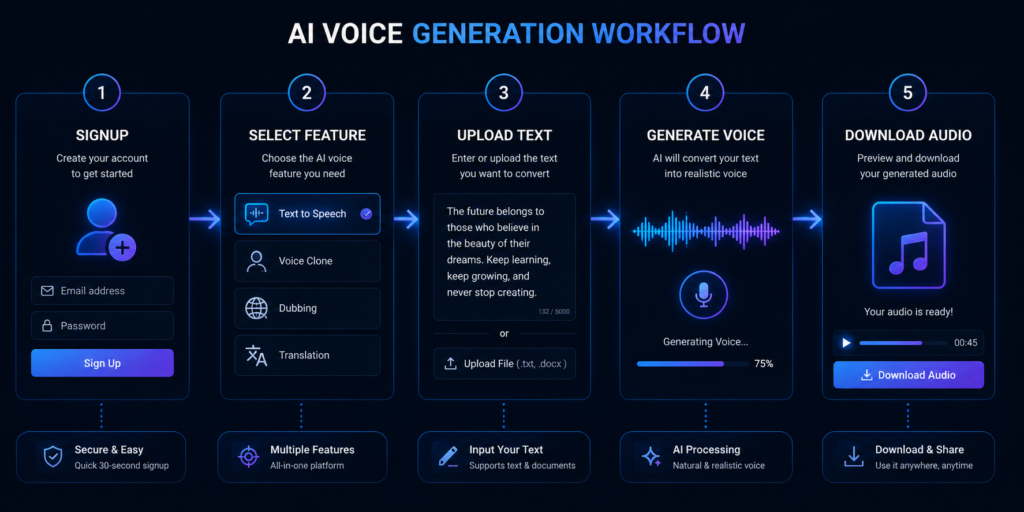
Step 1: Account Create Karo
Official website par jaakar signup karo.
Step 2: Feature Select Karo
Aap choose kar sakte ho:
- Text to Speech
- Voice Clone
- Dubbing
- Translation
Step 3: Text Ya Audio Upload Karo
Simple text paste karo ya voice sample upload karo.
Step 4: Voice Customize Karo
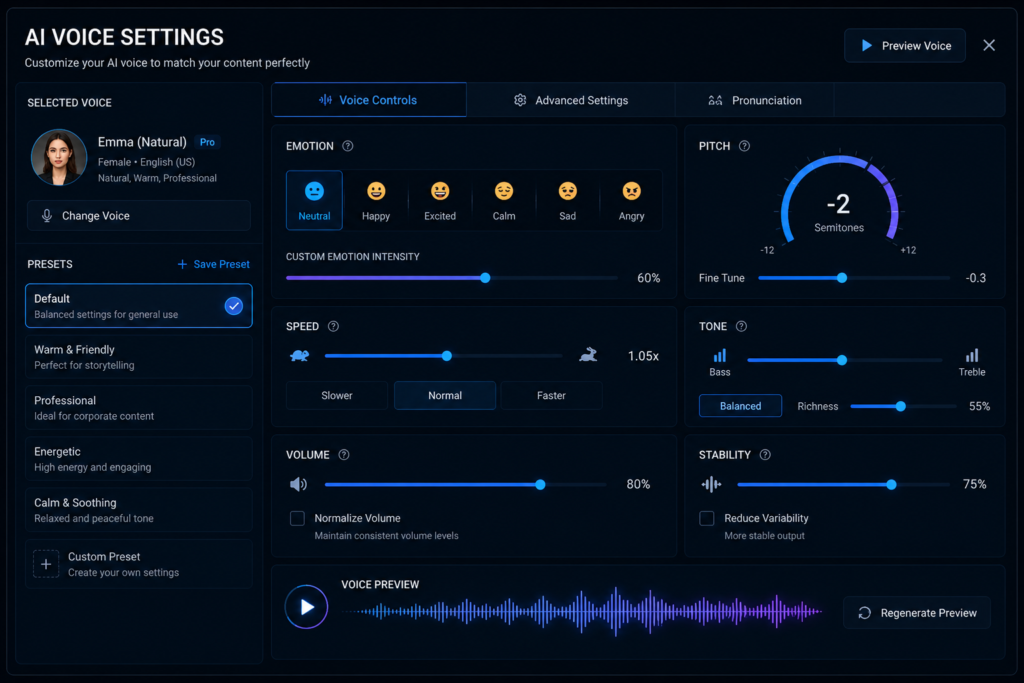
Aap:
- You can change the tone
- Speed can be adjusted
- Depending on the selected feature, voice model, and available controls, you may be able to adjust settings such as speaking style, stability, speed, or other supported voice parameters.
Step 5: Audio Export Karo
Generated voice ko MP3 format me download kar lo.
The workflow is straightforward for beginners. Before exporting the final audio, listen to the generated voice and review pronunciation, pacing, and names to ensure the output matches your requirements.
Step 6: Review the Output
Play the generated audio and check pronunciation, pacing, and overall clarity. If needed, adjust the text or voice settings and generate the audio again before downloading.
| Step | What You Do | Result |
|---|---|---|
| 1 | Create an account | Access the platform |
| 2 | Choose a feature | Select Text-to-Speech, Voice Cloning, Dubbing, or another supported option |
| 3 | Enter text or upload audio | Provide the content for processing |
| 4 | Adjust available settings | Customize the generated voice |
| 5 | Review the output | Check pronunciation and quality |
| 6 | Export the audio | Download the finished file in a supported format |
Beginner Tips
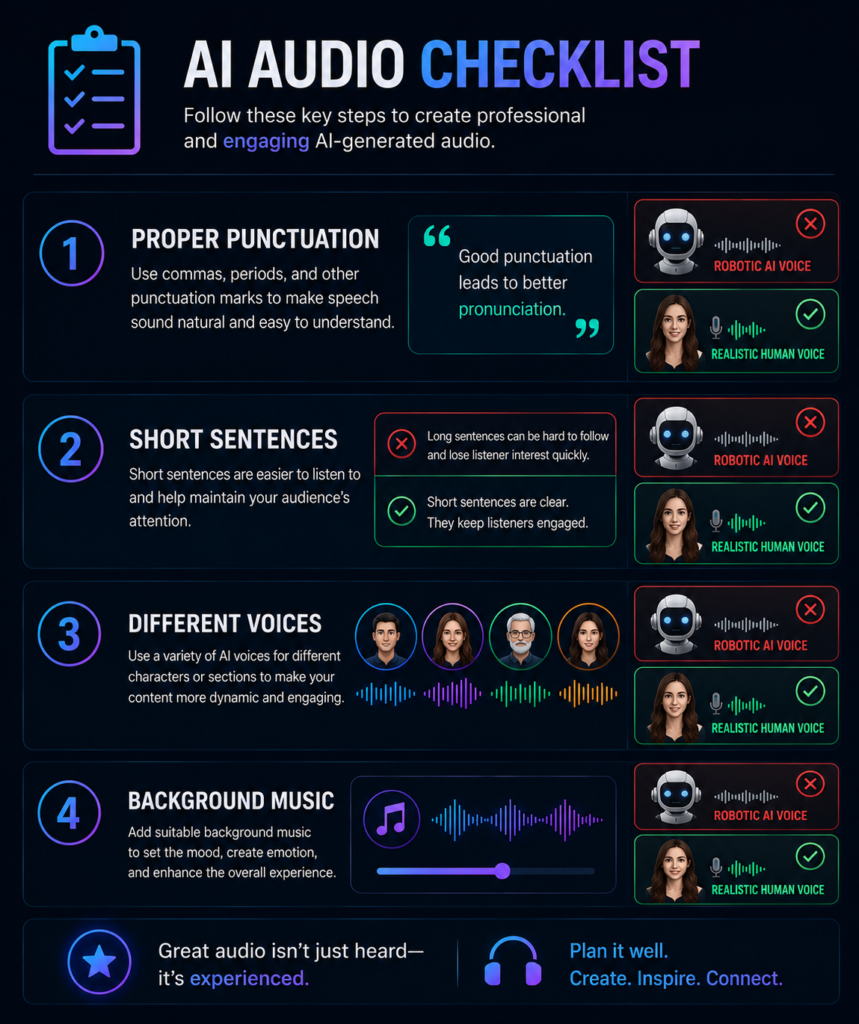
- Use clear punctuation for more natural pauses.
- Review names, numbers, and technical terms before exporting.
- Test different supported voices to find the best fit for your project.
- Keep your original script for quick edits if regeneration is needed.
Note: Available features, export formats, voice controls, and usage limits may vary depending on the selected tool, subscription plan, and future platform updates.
Practical Examples
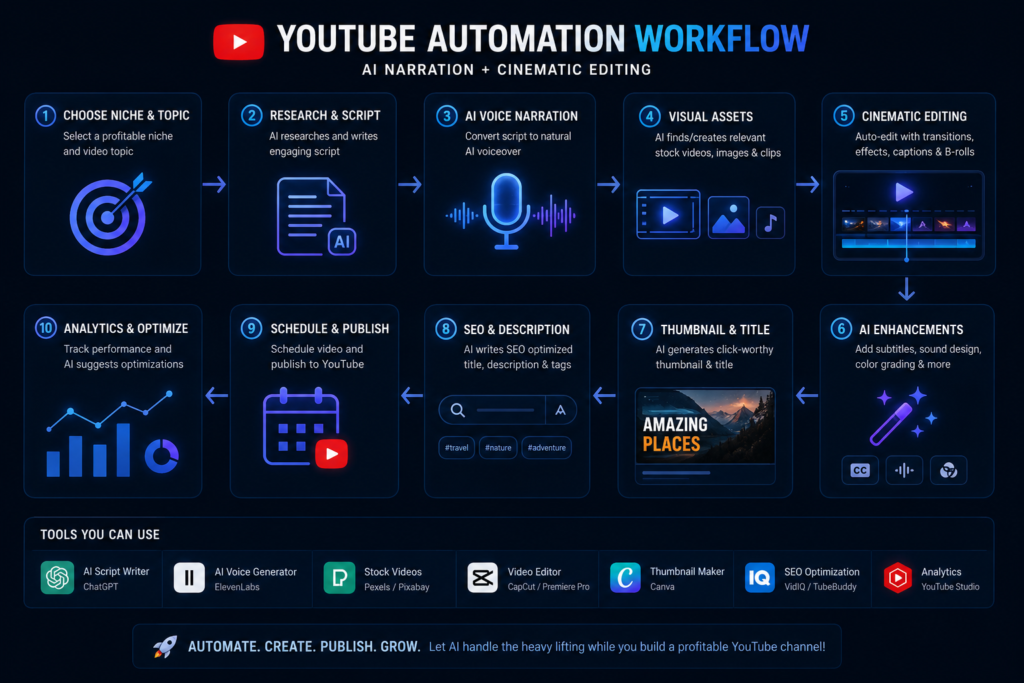
Example 1: YouTube Automation Channel
Creators running a faceless YouTube channel can use ElevenLabs to generate AI narration for tutorials, explainers, product reviews, and educational videos. This can reduce the need to record every script manually while keeping the narration style consistent across videos.
Example 2: Audiobook Creation
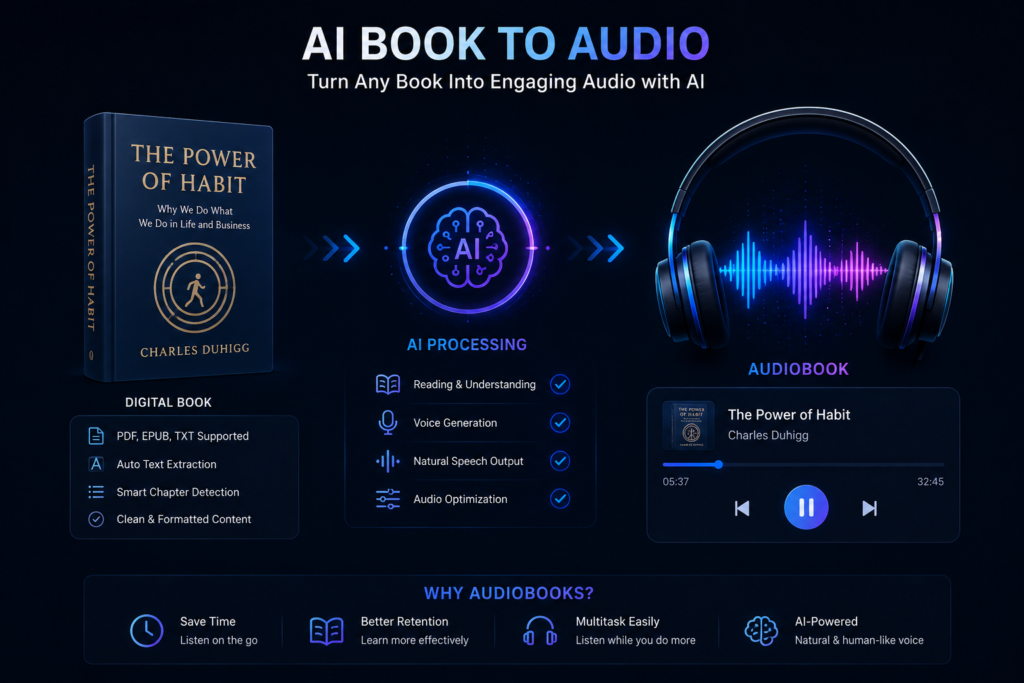
Authors and publishers can convert written books into AI-generated narration for audiobooks or sample chapters. Before publishing, it is recommended to review pronunciation, names, and pacing for accuracy.
Example 3: Instagram Reels
Short-form creators can use AI-generated narration for Instagram Reels, YouTube Shorts, and other social media videos. Choosing a voice that matches the content style may help create a more consistent viewing experience.
Example 4: Online Courses
Educators can generate voiceovers for lessons, presentations, and training materials, making it easier to update content without recording every lecture again.
Example 5: Business Presentations
Businesses can use AI-generated narration for product demonstrations, onboarding videos, and internal training materials while maintaining a consistent brand voice.
| Use Case | How ElevenLabs Can Help |
|---|---|
| YouTube Videos | Generate narration for tutorials, reviews, and explainers |
| Audiobooks | Convert written chapters into spoken audio |
| Instagram Reels | Add AI narration to short-form videos |
| Online Courses | Create voiceovers for educational content |
| Business Presentations | Produce narration for demos and training materials |
Tip: Test different voices and speaking styles before publishing. A voice that works well for educational content may not be the best choice for storytelling or promotional videos.
Note: The quality of AI-generated narration depends on factors such as the selected voice model, script quality, pronunciation settings, and supported language. Reviewing the final audio before publishing is recommended.
ElevenLabs Use Karne Ke Tips
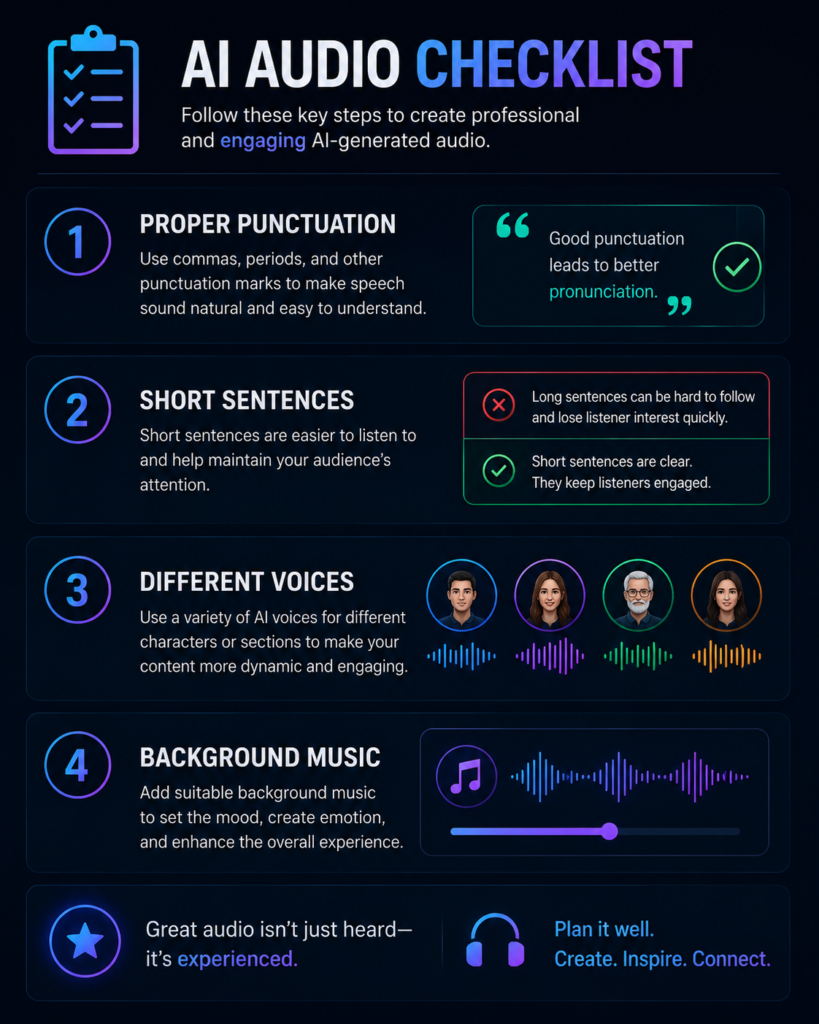
1. Short Sentences Use Karo
The voice will sound more natural. Short and well-structured sentences are generally easier for AI voice systems to read naturally, especially in tutorials, explainers, and educational content.
2. Proper Punctuation Add Karo
Proper punctuation, such as commas and full stops, can help AI voice systems determine natural pauses and improve the flow of narration
3. Different Voices Test Karo
Preview multiple voices before choosing one. A voice that suits storytelling may not be the best option for business presentations or technical tutorials.
4. Background Music Add Karo
If appropriate for your project, background music can enhance the overall listening experience. Make sure the music does not overpower the narration
| Best Practice | Why It Helps |
|---|---|
| Use short sentences | Makes narration easier to follow |
| Add proper punctuation | Creates more natural pauses and pacing |
| Test different voices | Helps match the narration style to the content |
| Review the generated audio | Identifies pronunciation or pacing issues before publishing |
| Use suitable background music | Enhances the listening experience without reducing voice clarity |
| Common Mistake | Better Approach |
|---|---|
| Very long paragraphs | Break content into shorter sections |
| Ignoring punctuation | Add commas and full stops where appropriate |
| Using the first generated voice without testing | Compare multiple voices before finalizing |
| Publishing without reviewing | Listen to the complete audio before export |
Testing different voices, speaking styles, and settings can help you identify the option that best matches your content and audience.
Note: Voice quality may vary depending on the selected voice model, language, script quality, and available settings. Reviewing the final output before publishing helps ensure accurate pronunciation and a natural listening experience.
❌ Common Mistakes Jo Avoid Karni Chahiye
Overusing AI Voice
Using the same AI voice for every type of content may make your videos or audio projects feel repetitive. Testing different voices or speaking styles for different content formats can help create a better listening experience.
Wrong Pronunciation Ignore Karna
Always listen to the generated audio before publishing. Pay special attention to names, technical terms, numbers, and abbreviations, as they may require changes to the script or pronunciation settings.
Ethical Rules Ignore Karna
Only clone or use a voice when you have the necessary permission or legal rights. Following platform policies and respecting privacy helps ensure responsible use of AI voice technology.
Publishing Without Reviewing
Review the complete audio before exporting or publishing to catch pronunciation errors, awkward pauses, or missing words
Using Low-Quality Voice Samples
For voice cloning, clearer and higher-quality audio samples generally produce better results than noisy or distorted recordings.
| Common Mistake | Better Practice |
|---|---|
| Using the same voice everywhere | Match the voice style to the type of content |
| Ignoring pronunciation | Review names, numbers, and technical terms before publishing |
| Cloning voices without permission | Use only authorized voice samples |
| Publishing without listening | Check the complete audio before export |
| Using poor-quality audio samples | Upload clear recordings for better voice generation |
Quick Checklist Before Publishing
- ✔️ Listen to the complete audio.
- ✔️ Check pronunciation of names and technical terms.
- ✔️ Verify pacing and natural pauses.
- ✔️ Confirm you have permission for any cloned voice.
- ✔️ Export only after the final review.
Future of AI Voice Technology
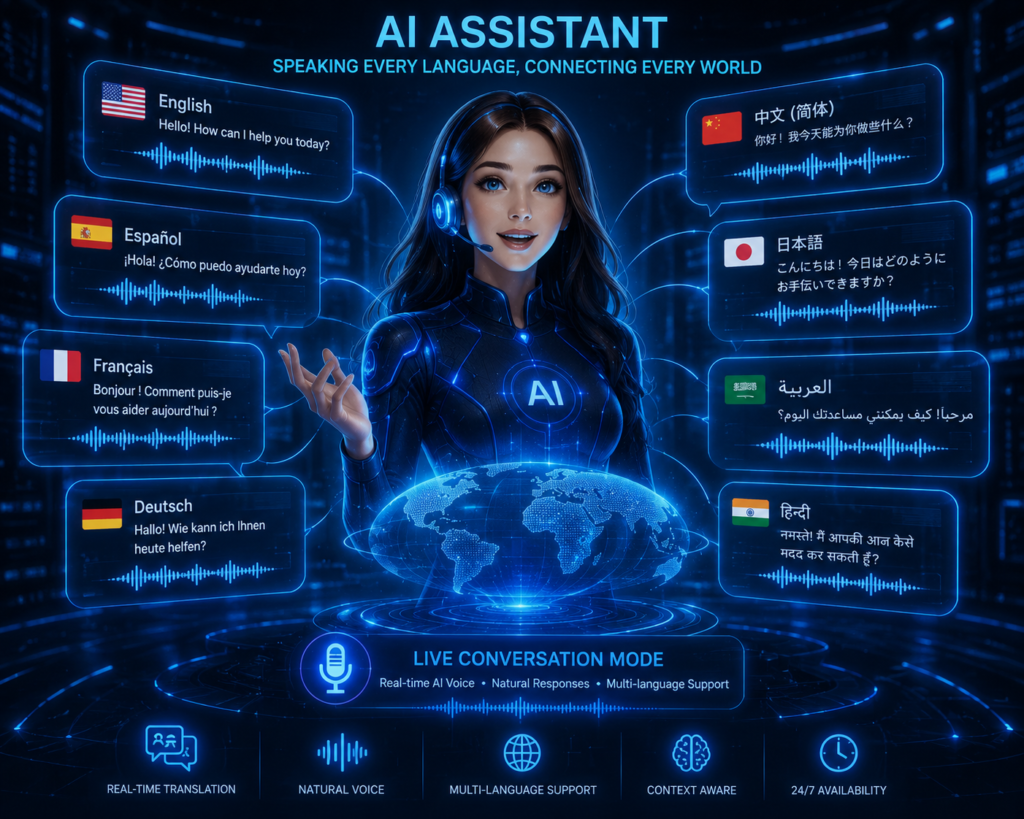
AI voice technology is evolving rapidly, and many experts expect new features and broader adoption across content creation, education, entertainment, and business in the coming years.
Aane wale time me:
- Real-time AI dubbing is expected to become more widely available as speech processing technology continues to improve.
- More media companies may explore AI-assisted voice workflows for dubbing, localization, and production, alongside human voice professionals where appropriate.
- AI assistants are expected to become more natural in conversation and offer improved voice interaction as underlying models continue to evolve.
- AI tools may further simplify multilingual content creation by improving translation, dubbing, and voice generation capabilities
For many creators and businesses, AI voice technology can help streamline repetitive voice production tasks. However, reviewing the final output and using AI responsibly will remain important for quality and accuracy.
Future Trends in AI Voice Technology
| Trend | Potential Impact |
|---|---|
| Real-time AI Dubbing | Faster multilingual content production |
| Improved Voice Quality | More natural-sounding narration |
| Smarter AI Assistants | Better voice interactions and accessibility |
| Multilingual Support | Easier localization for global audiences |
| AI-Assisted Media Production | Faster workflows for creators and businesses |
What This Means for Creators: As AI voice technology improves, creators may be able to produce content for multiple languages and platforms more efficiently. Even so, human review remains important to ensure accurate pronunciation, appropriate tone, and overall quality.
Note: Future developments depend on advances in AI technology, product updates, industry adoption, and applicable laws or platform policies. The pace of change may vary across regions and use cases.
AI Voice cloning software
Voice Cloning Software: AI Se Real Human-Like Voice Kaise Banaye?
AI voice cloning software uses machine learning to generate a synthetic voice that can resemble a speaker after being trained on suitable voice samples. The technology is commonly used for content creation, accessibility, education, and media production, while responsible use and appropriate permissions remain important.
In simple terms, the software analyzes voice characteristics such as tone, pitch, rhythm, and speaking patterns to generate a synthetic voice with similar qualities. The quality of the output depends on the voice sample, the AI model, and the platform being used. Today, voice cloning tools are used across a variety of industries, including YouTube content creation, podcast production, audiobook narration, educational content, accessibility solutions, and media localization.
For creators who regularly produce voice content, voice cloning software can help reduce repetitive recording tasks, maintain a consistent narration style, and simplify updates to existing projects. The generated audio should always be reviewed before publishing to ensure accuracy and natural pronunciation.
What is Voice Cloning Software?
| Question | Answer |
|---|---|
| What is Voice Cloning Software? | AI voice cloning software analyzes voice characteristics to generate a synthetic voice with similar speaking patterns. It is commonly used for narration, accessibility, media production, and educational content, subject to applicable permissions and platform policies. |
Responsible Use: Always obtain the necessary permission before cloning or using another person’s voice. Following platform policies and applicable laws helps ensure ethical and responsible use of AI voice technology.
In this article, we will explore in detail what voice cloning is, how it works, and the impact it is likely to have in the future.
Common Uses of Voice Cloning Software
| Use Case | Example |
|---|---|
| YouTube Narration | Faceless videos and explainers |
| Podcasts | Consistent episode narration |
| Audiobooks | AI-assisted narration for books |
| E-learning | Training videos and online courses |
| Accessibility | Assistive voice solutions where appropriate |
🤖 Voice Cloning Software Kya Hota Hai?
Voice Cloning Software ek AI-based tool hota hai jo kisi insaan ki voice ko digitally recreate karta hai.
Ye software:
- Voice patterns analyze karta hai
- It attempts to generate a synthetic voice that mimics the original by analyzing tone, pitch, rhythm, and other speech characteristics.
- Fir same style me new speech generate karta hai
Modern AI voice cloning tools can generate natural-sounding audio. The quality of the output depends on the voice sample, the AI model, and the settings; therefore, it is essential to review the final audio before publishing it.
Voice Cloning Software at a Glance
| Feature | Description |
|---|---|
| Purpose | Generate a synthetic voice based on voice characteristics |
| Input | Voice sample or recording |
| Output | AI-generated speech with similar speaking patterns |
| Common Uses | Narration, audiobooks, podcasts, accessibility, content creation |
How Does It Work?
In simple terms, the software analyzes voice characteristics from a sample recording and uses AI models to generate new speech with similar vocal qualities. The final quality depends on the recording quality, the AI model, and the available voice controls.
Note: Voice cloning should only be used with the necessary permission or legal rights. Responsible use helps protect privacy and supports ethical use of AI technology.
Voice Cloning Software Kaise Kaam Karta Hai?
Step 1: Voice Sample Record Karo
Sabse pehle software ko kisi voice ka sample diya jata hai.
Usually:
- Many AI voice cloning tools can work with relatively short, clear voice samples, although the required recording length may vary depending on the platform and the quality level you want to achieve.
- AI tools can generate clear and natural-sounding audio. The final quality depends on the voice sample, AI model, recording quality, and selected settings.
Step 2: AI Voice Analyze Karta Hai
Software:
- Pitch
- Accent
- Tone
- Speaking style
sab analyze karta hai.
Step 3: AI New Voice Generate Karta Hai
Ab aap jo bhi text likhoge, AI us cloned voice me bolkar audio create kar dega.
👉 Ye process bahut fast hota hai aur kuch minutes me complete ho sakta hai.
🚀 Voice Cloning Software Ke Benefits
1. Time Bachata Hai
Agar aap daily content banate ho, to har baar voice record karne ki zarurat nahi hoti.
2. Professional Voiceovers
AI voice clean aur studio-quality output deti hai.
3. Multiple Languages Support
Some AI platforms support multilingual voice generation or dubbing features, although supported languages and capabilities vary by platform.
4. Content Creation Easy Ho Jata Hai
YouTube automation channels ke liye ye bahut helpful hai.
👉 Many creators use AI voice tools to simplify repetitive voice production tasks, while still reviewing the final audio before publishing to ensure accuracy and quality. Read our complete guide to AI Voice Cloning
Before publishing, listen to the generated audio carefully to check pronunciation, pacing, and names. If needed, update the script or settings and generate the audio again.
How Voice Cloning Works
| Step | What Happens |
|---|---|
| 1 | Upload or record a clear voice sample |
| 2 | AI analyzes voice characteristics such as pitch, rhythm, and speaking style |
| 3 | Enter new text for narration |
| 4 | AI generates synthetic speech |
| 5 | Review the output before exporting |
Benefits of Voice Cloning Software
| Benefit | Practical Advantage |
|---|---|
| Saves Time | Reduces repetitive recording work |
| Consistent Narration | Helps maintain a similar voice style across projects |
| Multilingual Workflows | Supports localization where available |
| Faster Content Production | Useful for creators, educators, and businesses |
Best Practices
- Use a clear, noise-free voice sample.
- Review pronunciation before publishing.
- Test different settings for the best result.
- Use voice cloning only with appropriate permission.
- Save the original script for future updates.
Where is voice cloning software used?
🎥 YouTube Videos
Many faceless YouTube creators use AI voice tools to generate narration for explainers, educational videos, and reviews, while reviewing the final output before publishing.
🎙️ Podcasts
Podcast creators can use AI-generated narration for selected segments or projects, depending on their workflow and platform requirements.
📚 Audiobooks
AI voice tools can help convert written content into narrated audio, although pronunciation and pacing should be reviewed before publication.
🎬 Dubbing Industry
AI-assisted dubbing is being explored in media production to help streamline localization workflows, alongside human voice professionals where appropriate.
📱 Social Media Content
Instagram reels aur shorts Creators use AI-generated narration for short-form videos such as Instagram Reels and YouTube Shorts.
🛠️ Best Voice Cloning Software Features
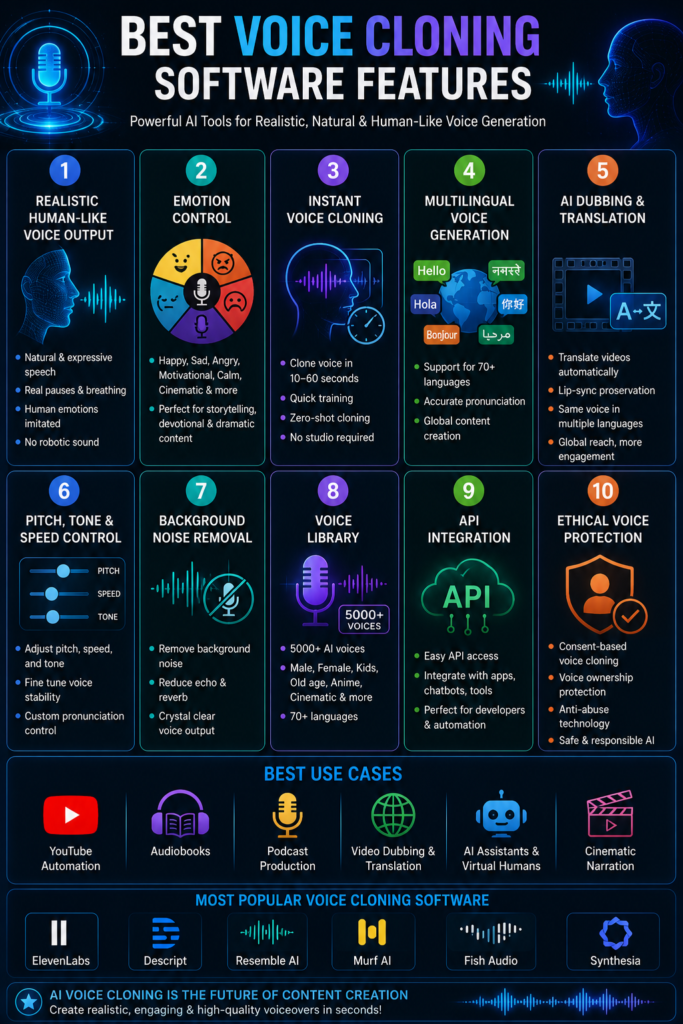
Agar aap koi AI voice cloning tool choose kar rahe ho, to in features ko check zarur karo:
Natural Sounding Voice
Voice robotic nahi lagni chahiye.
Emotion Control
Look for tools that provide supported voice customization options such as speaking style, stability, or expressive controls where available.
Multi-Language Support
Check which languages and voice features are supported, as availability varies between platforms.
Fast Processing
Audio jaldi generate ho.
Easy Interface
Beginners bhi easily use kar sake.
A simple interface can reduce the learning curve and make everyday workflows easier for beginners.
🔥 Voice Cloning Software Use Karne Ke Tips
Clear Audio Sample Do
Noise-free recording best results deti hai.
Small Sentences Use Karo
AI voice zyada natural lagegi.
Proper Punctuation Add Karo
Comma aur full stop voice flow improve karte hain.
Emotion Settings Try Karo
Test the available voice settings and compare multiple outputs to find the version that best matches your content.
Testing different voices and reviewing the generated audio can help improve overall quality over time.
❌ Common Mistakes Jo Avoid Karni Chahiye
Low Quality Audio Upload Karna
Poor audio se cloning quality kharab ho sakti hai.
Overusing AI Voice
Same voice har jagah repetitive lag sakti hai.
Ethical Rules Ignore Karna
Kisi ki permission ke bina voice clone nahi karni chahiye.
Publishing Without Listening
Always listen to the complete generated audio before publishing to identify pronunciation, pacing, or clarity issues.
👉 Responsible use hi long-term success deta hai.
🔮 Future of Voice Cloning Technology
Aane wale time me AI voice technology aur bhi powerful hone wali hai.
Future me:
- Real-time AI dubbing is expected to become more widely available as speech generation technology continues to improve.
- More media companies may adopt AI-assisted voice workflows for dubbing and localization, depending on production needs and industry practices.
- Personalized AI assistants realistic lagenge
- AI voice technology is expected to play a larger role in education, customer support, and accessibility as tools continue to evolve
AI voice cloning is becoming an increasingly important tool for digital content creation, education, accessibility, and business workflows, although responsible use and human review remain essential.
| Industry | Example Use |
|---|---|
| YouTube | AI narration for explainers and educational videos |
| Podcasts | AI-assisted narration for selected content |
| Audiobooks | Narration of books and sample chapters |
| Media & Localization | AI-assisted dubbing and translation workflows |
| Education | Online courses and training videos |
| Customer Support | Automated voice responses where appropriate |
| Feature | Why It Matters |
|---|---|
| Natural-Sounding Voice | More realistic listening experience |
| Voice Controls | Greater flexibility in narration |
| Language Support | Wider audience reach |
| Fast Processing | Saves production time |
| Easy Interface | Simpler workflow for beginners |
Before Publishing
- ✅ Review pronunciation.
- ✅ Check names and numbers.
- ✅ Listen to the full audio.
- ✅ Confirm you have permission for any cloned voice.
- ✅ Export only after the final review.
🎯 Conclusion
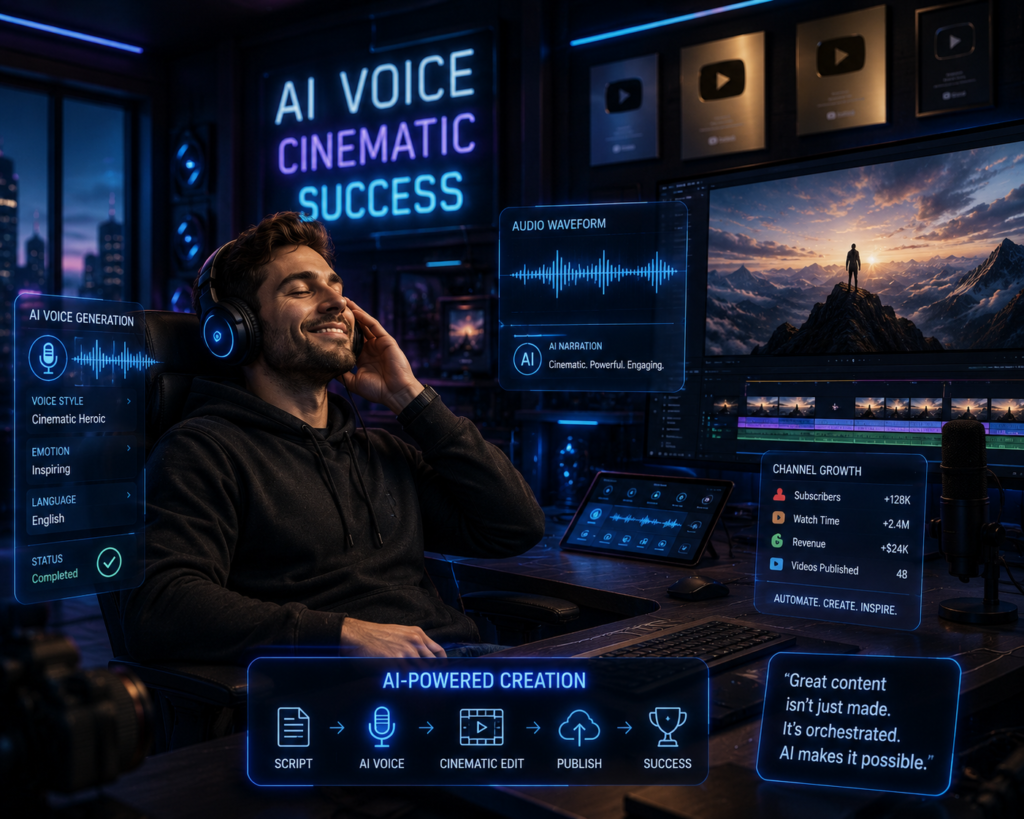
ElevenLabs AI Voice Generator is a widely used AI voice platform that offers features such as Text-to-Speech, Voice Cloning, Dubbing, and Voice Translation for a variety of content creation workflows. Its features—such as Text-to-Speech, Voice Cloning, Dubbing, and Voice Translation—are incredibly useful for creators.
If you are a YouTuber, content creator, podcaster, or business owner, If these features match your workflow, the platform can help simplify voice production and multilingual content creation. The final results will depend on your script quality, voice settings, and review process.
Using AI tools thoughtfully, together with consistent publishing and high-quality content, can help streamline your production workflow and support your long-term content strategy.
Final Tip: Before publishing AI-generated audio, always review pronunciation, pacing, and overall clarity. If you use voice cloning, make sure you have the necessary permission and follow applicable platform policies.
If you found this guide helpful, consider sharing it with other creators who are exploring AI voice technology. You can also explore our other articles on AI tools, SEO, and content creation to learn more about practical workflows and best practices.