

Best AI Voice Tools 2026
AI technology is changing how creators produce audio content. In the past, creating a professional voiceover could involve recording equipment, a suitable recording environment, voice talent, and audio editing. Today, AI voice generators can convert written scripts into natural-sounding speech without requiring a traditional recording setup.
Whether you are a YouTuber, blogger, freelancer, podcaster, educator, or digital marketer, AI voice tools can help simplify voiceover production. Depending on the platform, they can provide different voices, languages, speaking styles, and customization options.
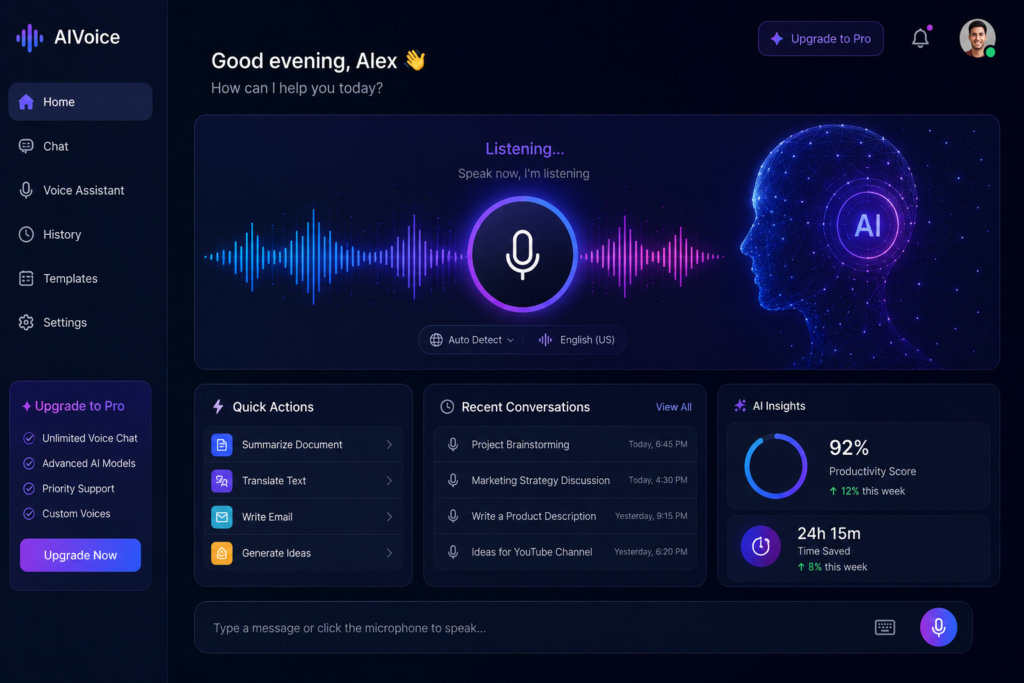
One reason AI voice generators have become increasingly popular is the improvement in voice quality. Modern tools can produce expressive and natural-sounding speech, although the quality and realism can vary depending on the tool, voice, language, and type of content.
Some AI voice generators also support Hindi text-to-speech and other languages, making them useful for creators producing multilingual content.
In this detailed guide, we will explore the best AI voice tools of 2026, compare their features and use cases, discuss their benefits and limitations, and explain how to choose the right AI voice generator for your needs.
Why AI Voice Tools Are Growing So Fast
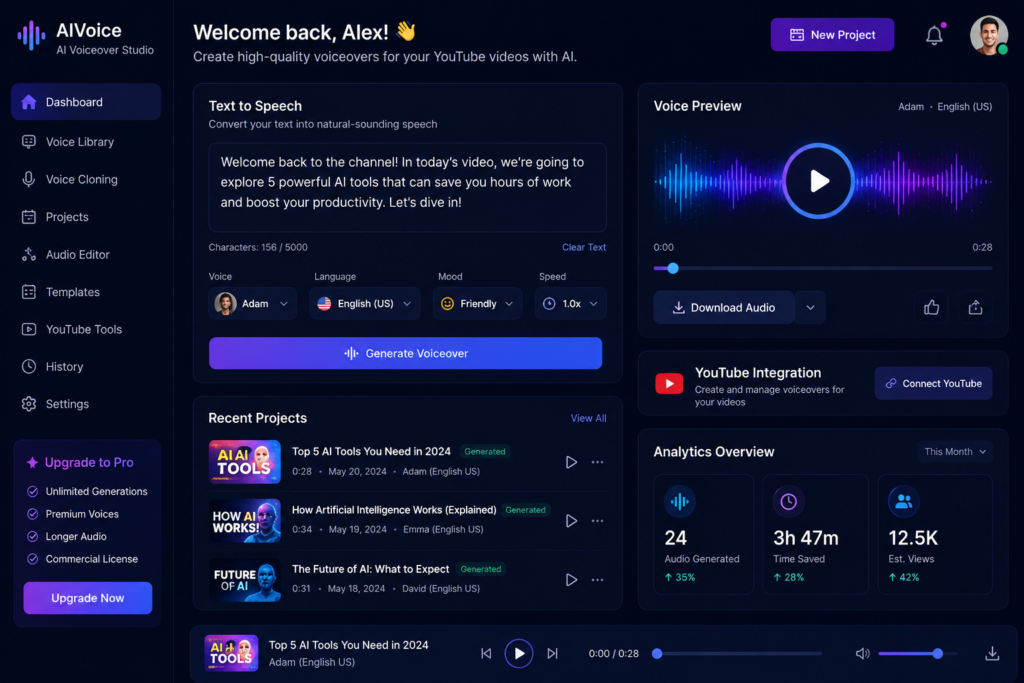
Why AI Voice Tools Are Growing So Fast
Creating voiceovers manually can require time, equipment, recording, and editing.
For a traditional voiceover workflow, creators may need:
- A good microphone
- A suitable recording environment
- Audio editing software
- Basic audio editing skills
- Multiple recording attempts and retakes
For beginners, managing all of these steps can be challenging.
AI voice generators provide an alternative workflow by converting written scripts into speech. In many tools, users can enter their script, choose a suitable voice, adjust available settings, and generate an audio file without recording their own voice.
The time required and final audio quality can vary depending on the platform, voice, language, and length of the script.
This convenience has contributed to the growing use of AI voice tools among:
- YouTube creators
- Instagram Reel creators
- Businesses
- Podcast creators
- Online educators
- Bloggers
- Marketing agencies
What Is an AI Voice Generator?
An AI voice generator is software that uses artificial intelligence to convert written text into spoken audio. This technology is commonly known as AI text-to-speech (TTS).
Modern AI voice systems can generate speech with characteristics such as:
- Natural pronunciation
- Pauses and speech rhythm
- Expressive delivery
- Vocal tone
- Different speaking styles
Compared with older robotic text-to-speech systems, modern AI voices can produce more natural-sounding speech. However, the quality and realism can vary depending on the AI model, voice, language, and settings used.
Depending on the platform, advanced AI voice tools may also offer features such as:
- Voice cloning
- Expressive speech controls
- AI dubbing and translation
- Multiple languages
- Hindi text-to-speech
These capabilities make AI voice generators useful for applications such as video narration, podcasts, educational content, accessibility, dubbing, and other audio workflows.
Features to Look for in AI Voice Tools
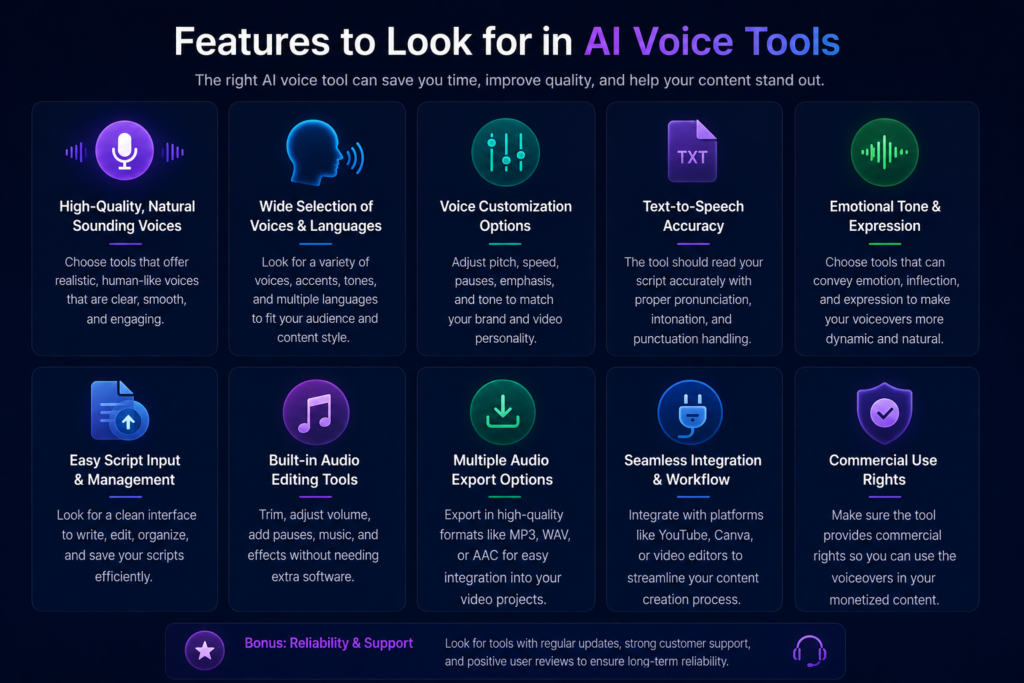
Before choosing an AI voice generator, it is important to compare the features that matter for your specific type of content.
1. Natural Voice Quality
Voice quality is one of the most important factors to consider.
A natural-sounding voice should have clear pronunciation, appropriate pauses, consistent pacing, and suitable expression. Listen to sample outputs before choosing a tool, especially if the voice will be used for long videos, podcasts, or narration.
2. Hindi Language Support
For Indian creators, Hindi text-to-speech support can be particularly useful.
However, Hindi pronunciation and speech quality can vary between tools and voices. Test a sample of your actual script before subscribing to a paid plan.
3. Voice Customization
Depending on the platform, AI voice generators may allow you to adjust settings such as:
- Speed
- Pitch
- Tone
- Expressiveness
- Accent or pronunciation
These controls can help you create a voice that fits the style of your content.
4. Multiple Voice Options
Different types of content may require different narration styles.
For example:
- Deep documentary-style voice
- Friendly tutorial voice
- Female or male narrator
- Storytelling voice
- Professional business voice
Having multiple voice options gives creators more flexibility when producing different types of content.
5. Export Quality and File Formats
Check which audio formats and quality options the platform provides.
Common options may include:
- MP3
- WAV
- High-quality audio export
Also check the platform’s commercial usage rights and licensing terms if you plan to use the generated voice in monetized videos, advertisements, client projects, or other commercial content.
Other Factors to Consider
Besides voice quality, also compare:
- Pricing and free-plan limits
- Language availability
- Voice cloning policies
- Commercial usage rights
- Generation limits
- Editing and pronunciation controls
- API or workflow integrations
The best AI voice generator depends on your content type, language requirements, budget, and intended use.
What Is an AI Voice Generator and Text-to-Speech?
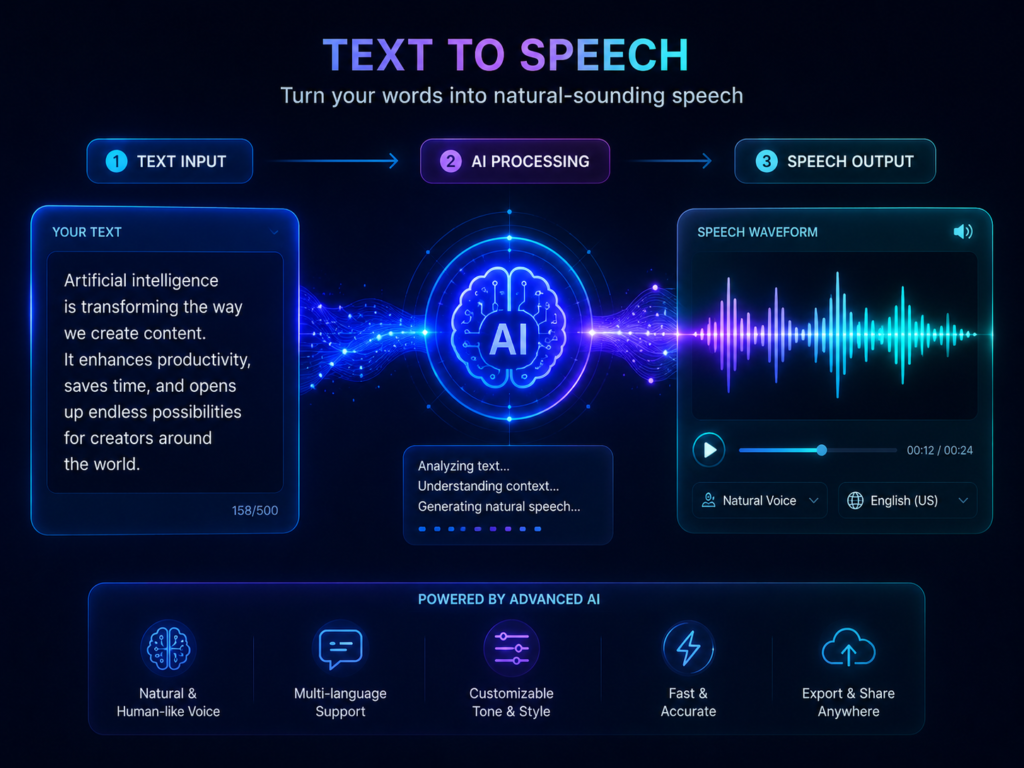
An AI voice generator is a technology that uses artificial intelligence to convert written text into spoken audio. This process is commonly known as Text-to-Speech (TTS).
In simple terms:
You write the text → The AI processes the script → The system generates speech → You use the audio in your content.
Example
You write:
“Hello friends, today we will talk about India’s most mysterious temple.”
A text-to-speech tool can convert the script into a Hindi voiceover, depending on the language and voice options supported by the platform.
Modern AI voice tools can produce increasingly natural-sounding speech, with features such as pronunciation control, different speaking styles, expressive delivery, and multilingual support available on some platforms.
However, voice quality can vary depending on the AI model, selected voice, language, script, and settings. Some generated voices may still sound noticeably different from human recordings.
Why AI Voice Tools Matter in 2026
AI voice tools can simplify the process of creating voiceovers and make audio production more accessible to creators who do not want to record every narration themselves.
Here are some reasons creators may choose to use AI voice technology:
1. Time Saving
Traditional voice recording can involve recording, retakes, and editing. AI voice tools can generate speech from a written script without requiring the creator to record every line manually. Generation time varies depending on the platform and length of the script.
2. No Traditional Microphone Setup Required
With AI text-to-speech, creators can generate voiceovers without setting up a microphone or recording environment. However, some creators may still prefer human voice recordings for projects that require a personal or highly specific delivery.
3. Multiple Voice and Language Options
Depending on the platform, users may be able to choose from different voices, languages, accents, and speaking styles. Hindi and other Indian-language options are also available on some AI voice platforms.
4. Flexible Audio Production
AI voice generators can provide a convenient way to create narration for videos, tutorials, explainers, podcasts, and other content. The final quality depends on the selected tool, voice, language, script, and available controls.
5. Consistent Narration
Using the same AI voice across multiple pieces of content can help maintain a consistent narration style and recognizable audio identity, provided the platform’s terms and voice availability support that workflow.
Who Can Benefit From AI Voice Tools?
AI voice technology can be useful for:
- YouTubers
- Bloggers
- Content creators
- Businesses
- Podcast creators
- Online educators
- Freelancers
Benefits of AI Voice Generators and Hindi Text-to-Speech
AI voice generators can offer several practical benefits for creators, businesses, educators, and content producers. The exact features available depend on the platform, voice model, language, and subscription plan.
1. Hindi Voice Support
Some AI voice platforms offer Hindi text-to-speech, allowing creators to convert Hindi scripts into spoken audio without recording the narration themselves. Hindi pronunciation and voice quality can vary between tools, so testing a sample is recommended.
2. Natural-Sounding Voice
Modern AI voice generators can produce increasingly natural-sounding speech, with features such as pauses, pacing, pronunciation, and expressive delivery available on some platforms.
However, the final result can vary depending on the voice, language, script, and AI model.
3. Faster Content Production
AI text-to-speech can reduce the time required to record and edit voiceovers. Once a script is ready, creators can generate narration without recording every line manually.
4. Potential Cost Savings
AI voice tools can reduce the need for voice recording equipment or paid voice talent for some projects. However, creators should compare subscription costs, usage limits, and licensing terms before choosing a tool.
5. Multilingual Content
Some platforms support multiple languages, accents, and regional language options. This can help creators produce content for audiences in different markets.
6. Voice Cloning
Some AI voice platforms offer voice cloning, allowing users to create a synthetic voice based on a voice sample. Voice cloning should only be used when you have the necessary permission and rights to use the voice.
7. Workflow and Automation Support
Depending on the platform, creators may be able to generate multiple voiceovers or connect AI voice generation with other content-production workflows. Availability of bulk generation, APIs, and automation features varies by tool and plan.
How AI Voice Tools Work
The basic AI voice generation process can be explained in a few simple steps:
Step 1: Provide Text Input
The user enters a written script or text into the AI voice platform.
Step 2: Process the Text
The AI system analyzes the text, including language, words, punctuation, and other available information that can influence speech generation.
Step 3: Choose a Voice and Settings
The user can select an available voice and, depending on the platform, adjust settings such as speed, pitch, tone, pronunciation, or expressiveness.
Step 4: Generate the Speech
The AI model converts the text into spoken audio using the selected voice and settings.
Step 5: Export the Audio
After reviewing the generated voiceover, the user can export the audio in a supported format such as MP3 or WAV, depending on the platform.
Advanced AI Voice Features
Depending on the tool and plan, advanced platforms may offer features such as:
- Emotion or expressiveness controls
- Speed adjustment
- Pitch adjustment
- Voice cloning
- Pronunciation controls
- Multilingual speech
- Dubbing and translation
These features can give creators more control over the generated voice and make it easier to adapt narration to different types of content.
Best AI Voice Tools 2026 (Top Picks)
Several AI voice platforms offer different combinations of text-to-speech, voice customization, multilingual support, and audio-production features. The best option depends on your content type, language requirements, budget, and desired workflow.
1. ElevenLabs
ElevenLabs is an AI voice platform focused on speech generation and voice-related tools.
Key Features:
- Natural-sounding AI voices
- Multilingual voice generation
- Voice cloning on supported features
- Voice and speech customization
- AI voice generation
Best For:
- YouTube narration
- Audiobooks
- Storytelling
- Voiceovers
Why Consider It:
ElevenLabs can be useful when voice quality, narration, and multilingual speech are important parts of your workflow.
2. PlayHT
PlayHT is an AI voice and text-to-speech platform that provides multiple voices and language options.
Key Features:
- AI text-to-speech
- Multiple voice options
- Multilingual support
- Voice customization
- Voice generation workflows
Best For:
- YouTube voiceovers
- Podcasts
- Narration
- Content creators
Why Consider It:
PlayHT can be useful for creators who need different AI voices and multilingual text-to-speech options.
3. Murf AI
Murf AI is an AI voice platform designed for creating voiceovers and other professional audio content.
Key Features:
- AI voice generation
- Voice customization
- Audio editing capabilities
- Multiple voice options
- Presentation and video voiceovers
Best For:
- Advertisements
- Marketing videos
- Presentations
- Business content
Why Consider It:
Murf can be useful for business and presentation-focused workflows where voiceover editing and customization are important.
4. Speechify
Speechify is a text-to-speech platform designed to convert written content into spoken audio.
Key Features:
- Text-to-speech
- Multiple languages and voices
- Adjustable reading options
- Audio content support
Best For:
- Reading and listening to written content
- Audiobooks
- Educational content
- Blog narration
Why Consider It:
Speechify is particularly useful for users who want to listen to written content or create spoken versions of text.
5. LOVO AI
LOVO AI is an AI voice platform that provides voice generation and related content-creation features.
Key Features:
- AI voice generation
- Multiple voice options
- Voice customization
- Expressive speech features on supported plans
Best For:
- YouTube content
- Advertisements
- Explainer videos
- Marketing content
Why Consider It:
LOVO AI can be useful for creators and businesses that need AI-generated narration for marketing and video content.
Comparison Table – Best AI Voice Tools 2026
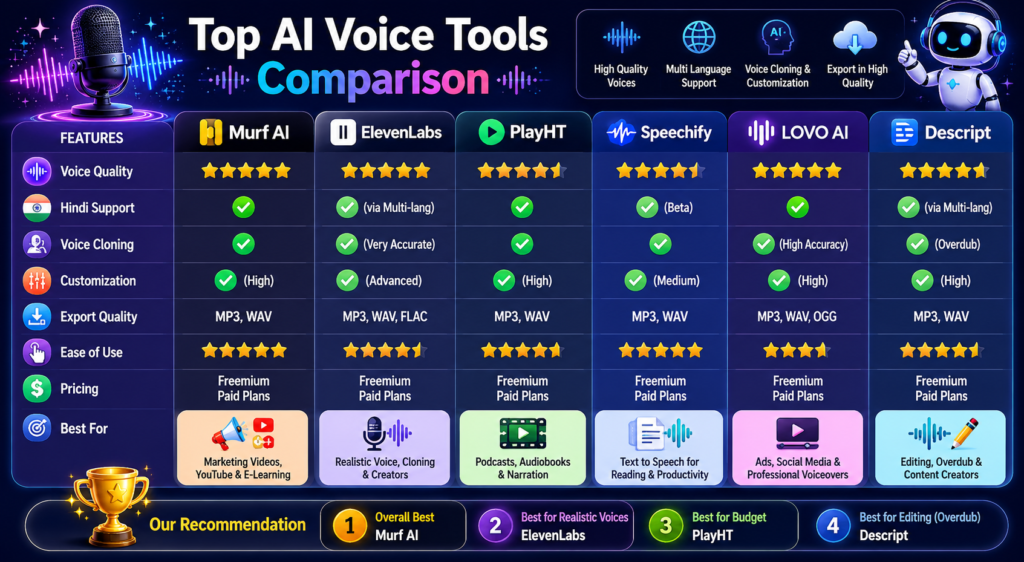
| AI Voice Tool | Best For | Hindi / Multilingual Support | Voice Cloning | Key Strength | Free Access |
|---|---|---|---|---|---|
| ElevenLabs | Natural-sounding narration | Available features vary | Available on supported features | Voice generation and narration | Yes, with limits |
| PlayHT | Text-to-speech and voiceovers | Available | Available on supported features | Multiple voices and languages | Availability varies |
| Murf AI | Business voiceovers | Available languages vary | Availability varies | Voiceover creation and editing | Limited/free access may vary |
| LOVO AI | Video and marketing content | Available languages vary | Availability varies | Voice generation and customization | Limited/free access may vary |
| Descript | Podcast and audio/video editing | Available features vary | Available on supported features | Editing and AI-assisted audio workflows | Yes, with limits |
| Speechify | Text-to-speech and listening | Multiple languages available | Not a primary focus | Text-to-speech and accessibility | Yes, with limits |
Best AI Voice Tools for Different Users
| User Type | Recommended AI Voice Tool | Why Consider It |
|---|---|---|
| YouTubers | ElevenLabs | Useful for AI narration, voice generation, and storytelling workflows |
| Hindi Voiceovers | PlayHT | Offers multilingual text-to-speech and voice generation options |
| Businesses | Murf AI | Suitable for business presentations, marketing content, and voiceover workflows |
| Podcasters | Descript | Combines AI speech features with podcast and audio/video editing workflows |
| Students | Speechify | Useful for converting written content into spoken audio and listening to study material |
| Short Videos | LOVO AI | Can be useful for creating narration and voiceovers for video content |
Best Free AI Voice Tools 2026
If you want to explore AI voice generation without immediately paying for a subscription, several platforms offer free access or free usage options.
Some options to consider include:
- ElevenLabs Free — AI voice generation for experimenting with voiceovers
- PlayHT Free — Text-to-speech and voice generation options
- TTSMaker — Text-to-speech for creating spoken audio
- Narakeet — Text-to-speech and narration workflows
- NaturalReader — Text-to-speech for reading written content aloud
These tools can be useful for beginners who want to experiment with AI voice generation before choosing a paid platform.
However, free access does not necessarily mean unlimited usage. Features, character limits, available voices, export options, and commercial usage rights can vary between platforms and may change over time.
Before using a free AI voice tool for monetized videos or client projects, check its current licensing and commercial-use terms.
Best Tips for Using AI Voice Tools
Using AI voice generators effectively requires more than simply entering a script. Small changes to your script and voice settings can improve the overall listening experience.
1. Use Clear, Natural Sentences
Write sentences that are easy to speak and understand. Avoid unnecessarily long or complicated sentences, especially for narration.
2. Use Punctuation Carefully
Punctuation can help some text-to-speech systems interpret pauses and sentence breaks more naturally. Use commas, full stops, and other punctuation where they make sense in the script.
3. Match the Voice to the Content
Choose a voice and expressive style that fits your topic.
For example:
- Calm tone → Educational or serious content
- Energetic tone → Short videos and promotional content
- Storytelling style → Stories and entertainment
- Professional tone → Business presentations
Available voice and emotion controls vary between platforms.
4. Adjust Speaking Speed
Test different speaking speeds before exporting your final audio. A slower pace may work better for educational or detailed narration, while faster delivery may suit short-form content.
The ideal speed depends on the voice, script, language, and audience.
5. Add Background Music Carefully
Background music can complement narration in videos and other content, but it should not overpower the voice.
Keep the narration clear and check the music’s licensing terms before using it in commercial content.
Common Mistakes to Avoid
Even with a good AI voice generator, poor script formatting or unsuitable voice settings can affect the final result. Avoid these common mistakes:
1. Using Long, Complex Paragraphs
Long or complicated sentences can make AI narration harder to follow and may result in unnatural pacing or pauses.
Break lengthy scripts into shorter, clearly structured sections where appropriate.
2. Choosing the Wrong Voice
The voice should match the topic and audience.
For example:
- Calm voice → Educational content
- Storytelling voice → Entertainment
- Professional voice → Business content
- Energetic voice → Short-form videos
Do not assume one voice will work equally well for every type of content.
3. Using an Unsuitable Speaking Speed
Speaking too quickly can make narration difficult to follow, while speaking too slowly can reduce the pace of some types of content.
Test different speeds and choose one that fits the script and audience.
4. Publishing Without Editing
Do not publish the generated voiceover without reviewing it.
Listen for:
- Incorrect pronunciation
- Unnatural pauses
- Audio inconsistencies
- Mispronounced names or words
- Unwanted background noise or effects
Make necessary edits before using the final audio.
The Future of AI Voice Technology
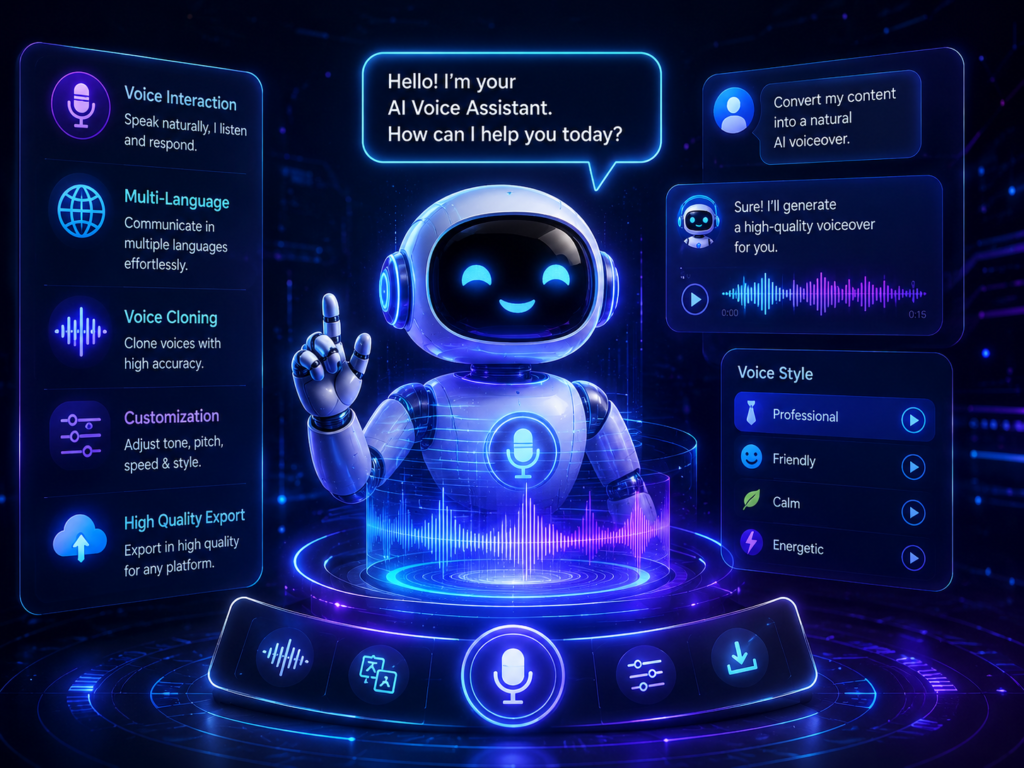
AI voice technology is continuing to evolve, and future developments may make voice generation more natural, flexible, and useful across different types of content.
Some potential trends include:
- Real-Time AI Dubbing — AI may increasingly translate and dub spoken content with less manual editing.
- More Expressive Narration — Voice models may offer more natural pacing, tone, and emotional expression.
- AI-Powered Live Translation — Real-time speech translation may become more useful for multilingual communication and content.
- Personalized AI Assistants — AI assistants may become better at adapting their voices, language preferences, and interaction styles to individual users.
- Real-Time Multilingual Voiceovers — Creators may be able to produce localized versions of audio content more efficiently.
Responsible Use of Voice Cloning
As AI voice technology becomes more capable, responsible use will become increasingly important.
Creators should not clone or imitate another person’s voice without appropriate permission or authorization. Using a synthetic voice to impersonate someone can create ethical, privacy, legal, and platform-policy concerns.
If you use voice cloning for commercial or public content, check the tool’s licensing terms and make sure you have the necessary rights and consent.
Expert Tips for AI Voice Generators
Tip 1: Test Hindi and English Pronunciation
If your content uses Hindi, English, or Hinglish, test the actual script before generating the final voiceover. Mixed-language pronunciation can vary between AI voices, so choose a voice that handles your target language combination clearly.
Tip 2: Create a Consistent Voice Identity
Using the same suitable voice across a series of videos can help create a consistent narration style and recognizable audio identity.
Make sure the voice, pronunciation, and speaking style fit your brand and audience.
Tip 3: Match Expression to the Content
Use an appropriate speaking style for the subject.
For example:
- Calm delivery → Educational content
- Energetic delivery → Short-form or promotional content
- Dramatic delivery → Storytelling
- Professional delivery → Business content
Expressive narration can make content more engaging, but the effect depends on the audience, topic, and overall production quality.
Tip 4: Use Batch Generation When Available
If your AI voice platform supports bulk or batch generation, you can prepare multiple scripts and generate several voiceovers in one workflow.
This can save production time when creating content regularly.
Future of AI Voice Tools 2026
AI voice technology is expected to continue improving as voice models, multilingual capabilities, and real-time processing become more advanced.
Some potential developments include:
- Real-Time Voice Generation — Faster generation and more responsive voice interactions.
- More Expressive Voices — Improved control over tone, pacing, emotion, and speaking style.
- Advanced Voice Cloning — More sophisticated voice replication features, along with stronger consent and safety requirements.
- Expanded Multilingual Support — More languages and regional speech options may become available.
- More Natural AI Narrators — Voice models may produce increasingly expressive and natural-sounding narration.
As voice technology improves, distinguishing between some AI-generated and human-recorded voices may become more difficult in certain situations. However, the quality will continue to vary by tool, voice model, language, and recording context.
For creators, responsible use will remain important, particularly when using voice cloning or creating synthetic voices that resemble real people.
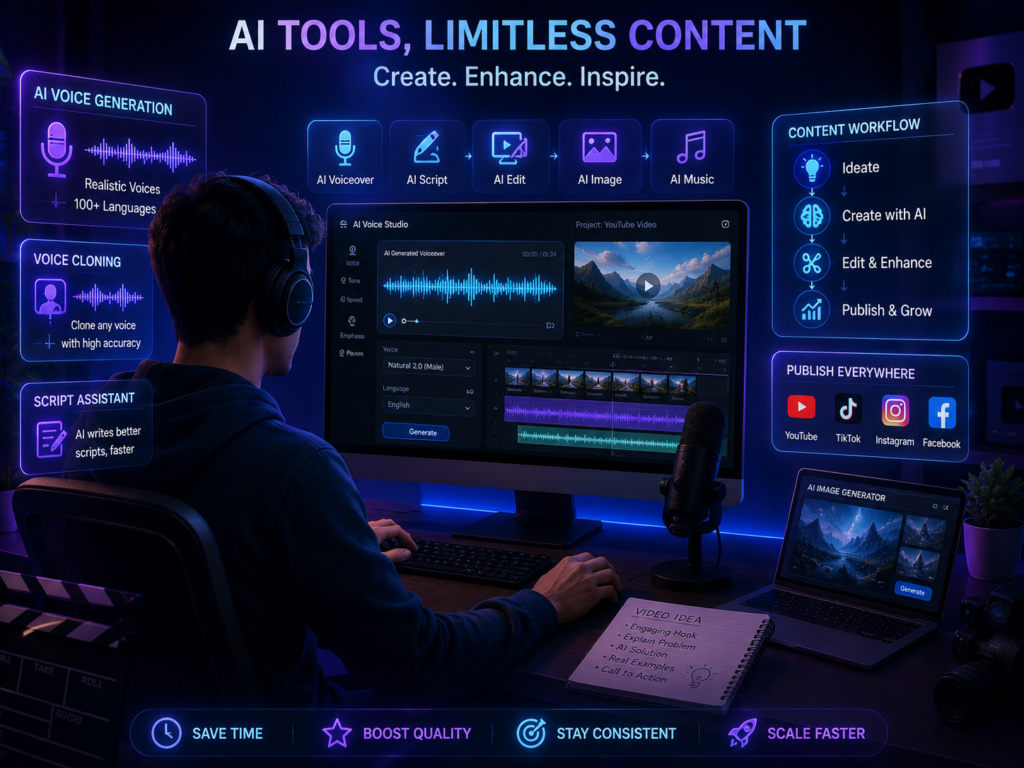
Conclusion
The best AI voice tools of 2026 can make voiceover production more accessible and convenient for content creators. Whether you create YouTube videos, Reels, podcasts, educational content, or blog narrations, AI voice generators can help simplify the process of turning written scripts into spoken audio.
For Hindi-speaking creators, text-to-speech tools with Hindi and multilingual support can provide additional flexibility when producing content for different audiences.
However, the right AI voice generator depends on your specific requirements. Before choosing a tool, consider factors such as voice quality, language support, customization options, pricing, usage limits, and commercial licensing.
If you are interested in AI voice technology, starting with a free plan or trial can be a practical way to test different voices and features before choosing a paid platform.
AI voice technology can be a useful addition to a creator’s workflow—but the quality of the final content still depends on the script, editing, voice selection, and human creative judgment.
FAQ Section
What is the best AI voice generator in 2026?
There is no single best AI voice generator for everyone. ElevenLabs, PlayHT, Murf AI, LOVO AI, Speechify, and other platforms offer different features and workflows. The right choice depends on your voice quality requirements, language, customization needs, budget, and intended use.
Are AI voice generators free?
Some AI voice platforms offer free plans, trials, or limited free usage. For example, platforms such as ElevenLabs and TTSMaker may provide free access options, but available features, usage limits, and commercial rights can vary. Always check the current plan details before using a tool for commercial projects.
Can AI generate Hindi voices?
Yes. Some AI voice generators support Hindi text-to-speech and can produce natural-sounding Hindi narration. However, pronunciation, accent, expressiveness, and overall quality can vary between platforms and voices. Testing your actual Hindi script is recommended before choosing a tool.
Can I use AI voice for YouTube?
AI-generated voice can be used in YouTube content, but using an AI voice does not automatically guarantee monetization or compliance with YouTube’s policies. Creators should focus on original, useful content and follow YouTube’s current monetization and content guidelines.
Is AI voice legal?
The legality of AI-generated voice depends on how the voice is created and used. Using a synthetic voice for your own content is different from cloning or impersonating another person’s voice. If you use voice cloning, make sure you have the necessary permission or rights and follow applicable laws, licensing terms, and platform policies.