
Best AI Tools for YouTubers: Do They Really Save Time?
Best AI Tools for YouTubers: Building a successful YouTube channel in 2026 requires much more than recording and uploading videos. Creators now compete on content quality, editing speed, thumbnails, SEO, audience retention, and publishing consistency. Managing all these tasks manually can be time-consuming, which is why many creators are turning to AI-powered tools to improve their workflow.
In this guide, we’ll explore the best AI tools for YouTubers in 2026, compare their features, pricing, strengths, limitations, and practical use cases, and help you choose the right tools for your content creation workflow.
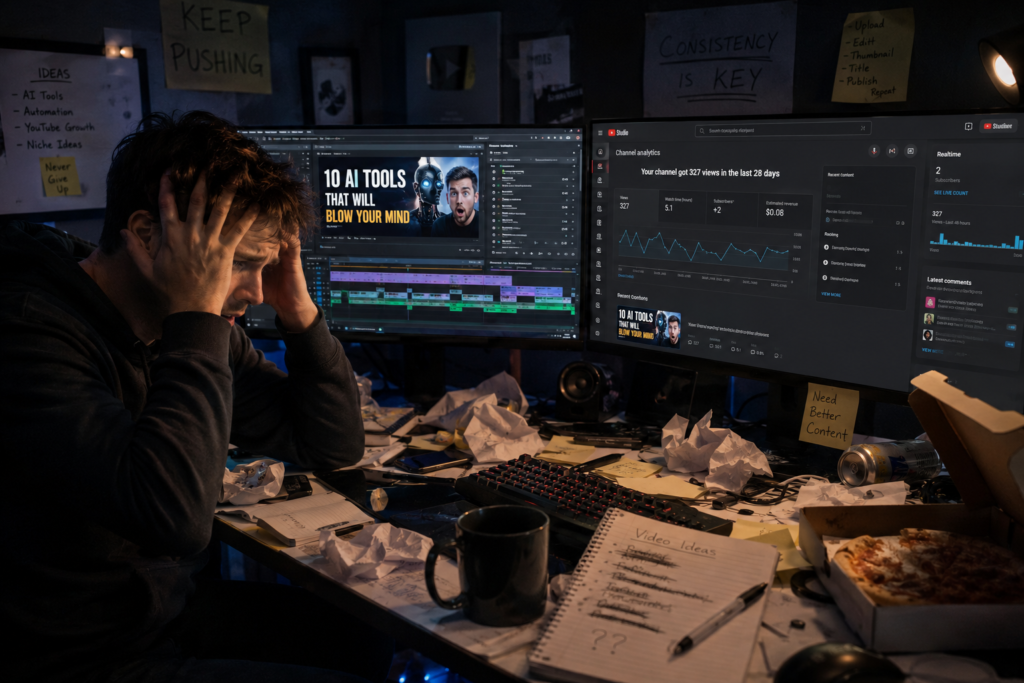
Many creators spend hours researching topics, writing scripts, designing thumbnails, editing videos, and optimizing content before publishing. AI tools can streamline many of these repetitive tasks, allowing creators to focus more on creativity and audience engagement. Writing a script took three hours, thumbnails were a whole other headache, and editing consumed the entire day… and the results? Sometimes I’d get views, other times—nothing at all.
To be honest… back then, I used to think successful creators must have some sort of secret team.
Then, gradually, I started using AI tools.
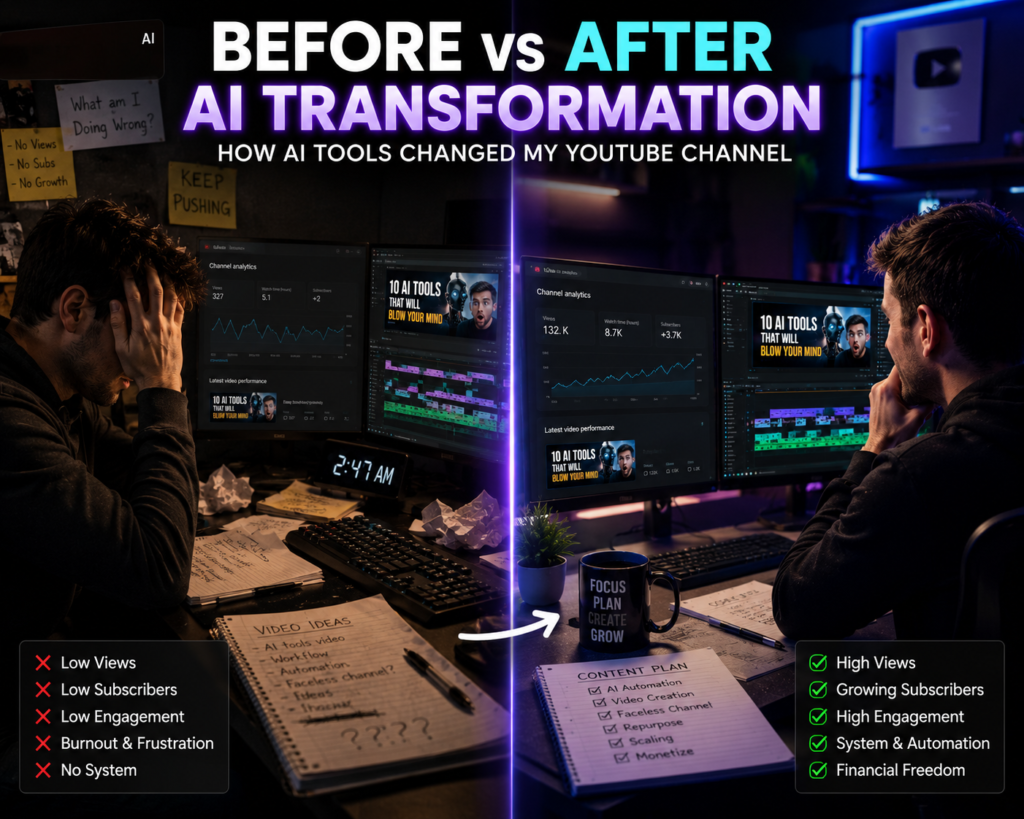
And that’s where the whole game changed.
Now let me make one thing clear—AI isn’t your replacement. It’s an assistant. If used smartly, it can do your work If used effectively, AI can automate repetitive tasks and significantly improve your content creation workflow.
In this article, I’ll share AI tools that I’ve tested myself, or that serious YouTubers are actively using. Some tools are free, some are paid… and Some tools are free, some offer premium features, and each serves different content creation needs.
This guide is especially useful if you are:
- A new YouTuber
- A faceless channel creator
- A Shorts creator
- A long-form video creator
- Building a YouTube automation workflow
- Looking to improve productivity with AI
Quick Summary: AI tools can help YouTubers with script writing, keyword research, thumbnail creation, video editing, subtitles, voiceovers, SEO optimization, analytics, and content planning. This guide compares the best AI tools in 2026 to help you choose the right ones for your workflow.
Each tool in this guide is evaluated based on its features, ease of use, pricing, ideal users, strengths, limitations, and practical use cases to help you make an informed decision.
Introduction: Why Every YouTuber Is Talking About AI
Creating successful YouTube videos is no longer just about having a camera and a good idea.
Today’s creators need to handle multiple tasks, including:
- Video research
- Script writing
- Voice recording
- Video editing
- Thumbnail design
- SEO optimization
- Audience engagement
For many YouTubers, especially beginners, managing all these tasks can feel overwhelming.
The good news is that Artificial Intelligence is changing everything.
The best AI tools for YouTubers can help automate repetitive tasks, streamline video production, improve content quality, and free up more time for creativity and audience engagement.
Whether you run a faceless YouTube channel, educational channel, tech channel, gaming channel, or business channel, AI tools can help you create better content faster.
In this guide, you’ll discover the best AI tools that commonly used by creators in 2026 and learn exactly how each one can improve your workflow.
Quick Summary: AI tools can assist YouTubers with idea generation, script writing, video editing, thumbnail creation, subtitles, SEO optimization, analytics, and workflow automation. This guide compares the best AI tools in 2026 to help creators choose the right tools for their content strategy.
Each tool in this guide is evaluated based on its features, pricing, ease of use, strengths, limitations, and practical use cases to help you make an informed decision.
Why do YouTubers need AI tools today?
YouTube competition has never been higher.
Millions of videos are published on YouTube every day, making it increasingly difficult for creators to attract attention and grow consistently.
Many creators struggle with:
Time-Consuming Editing
Editing often takes longer than recording, especially when adding subtitles, transitions, effects, and background music. AI-powered editing tools can automate many of these repetitive tasks.
Creative Burnout
Maintaining a consistent publishing schedule requires a constant flow of fresh ideas. AI tools can assist with brainstorming video topics, outlines, and scripts.
Thumbnail Design Challenges
An engaging thumbnail plays a significant role in attracting viewers. AI design tools can help generate layouts, improve visuals, and suggest attention-grabbing designs.
SEO Optimization
Even high-quality videos may struggle to reach the right audience without proper titles, descriptions, keywords, and thumbnails. AI SEO tools can help optimize these elements.
Budget Limitations
Hiring editors, designers, voice artists, and SEO specialists can be costly for new creators. AI tools can help beginners perform many of these tasks more efficiently while keeping costs lower.
Rather than replacing creativity, AI helps automate repetitive tasks, allowing creators to spend more time planning content, improving storytelling, and engaging with their audience.
| Challenge | How AI Helps |
|---|---|
| Video Editing | Automates repetitive editing tasks |
| Script Writing | Generates outlines and ideas |
| Thumbnail Design | Creates engaging visuals |
| SEO | Optimizes titles, descriptions, and keywords |
| Budget | Reduces the need for multiple paid services |
Key Takeaway: AI cannot replace creativity, but it can significantly reduce the time spent on repetitive production tasks, allowing creators to focus more on producing valuable content for their audience.
Why AI Tools Are Becoming Essential for YouTubers
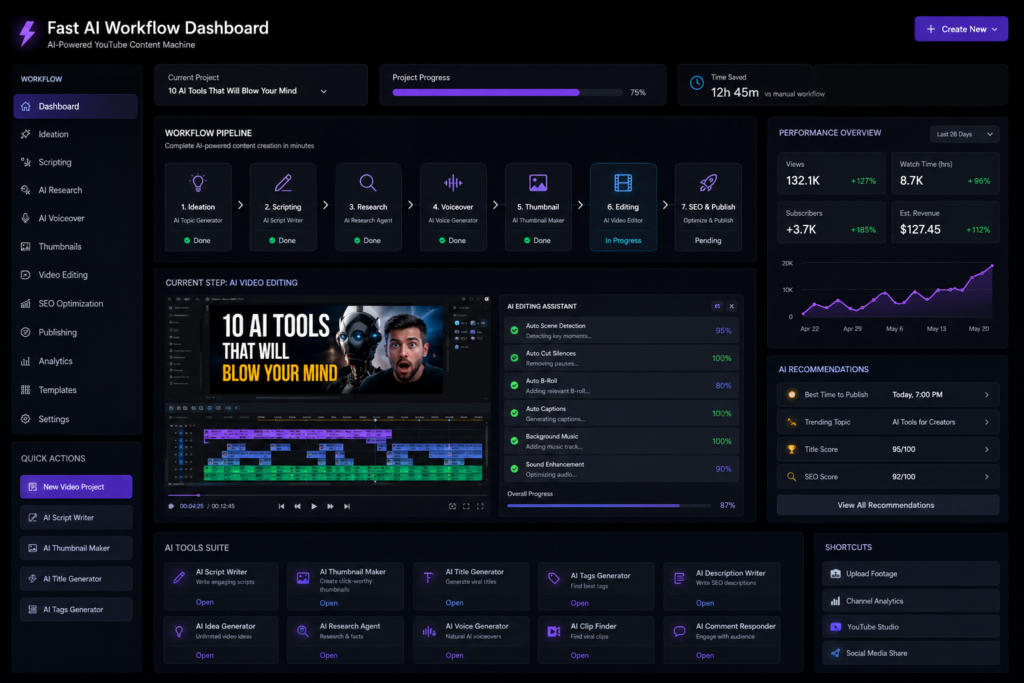
Creativity remains one of the most important factors on YouTube, but in today’s competitive environment, creators also need efficient workflows, consistent publishing, and audience-focused optimization.
Today, Viewers have many content choices, making it increasingly important to capture attention quickly with compelling thumbnails, strong openings, and engaging editing.
This is exactly where most people make a mistake…
Many creators try to manage research, scripting, editing, thumbnail design, SEO, and publishing on their own. As their channel grows, this workflow often becomes difficult to sustain efficiently.
What is the biggest benefit of AI tools?
Time Saving
AI can speed up repetitive tasks such as outlining, brainstorming, and first-draft creation, allowing creators to spend more time refining ideas and improving content quality.
Better Ideas
AI tools can generate topic ideas, video outlines, title variations, and content angles, making it easier to overcome creative blocks.
Faster Growth
SEO optimization, thumbnails, hooks, titles — AI can assist with keyword research, title suggestions, thumbnail ideas, and content optimization. While these improvements may support growth, long-term success still depends on content quality, audience engagement, and consistency.
Burnout Kam Hota Hai
From my experience, maintaining a consistent publishing schedule can become mentally demanding over time. AI helps reduce repetitive work, allowing more time to focus on creative decisions instead of routine tasks.
| Challenge | How AI Helps |
|---|---|
| Research | Topic ideas and outlines |
| Script Writing | First drafts and structure |
| Editing | Faster production workflow |
| SEO | Keyword and title suggestions |
| Thumbnail | Design ideas and optimization |
| Burnout | Reduces repetitive tasks |
Key Takeaway: AI tools are most valuable when they automate repetitive production tasks. They allow creators to spend more time on storytelling, creativity, and building stronger connections with their audience.
How AI Helps YouTubers Grow Faster
AI tools can assist YouTubers throughout the entire content creation process—from researching ideas and writing scripts to editing videos, optimizing SEO, and publishing content. Instead of replacing creativity, AI helps automate repetitive tasks so creators can focus more on producing valuable videos.
Before Recording
At the planning stage, AI tools can help creators:
- Discover trending video topics.
- Perform keyword research for YouTube SEO.
- Generate structured video outlines.
- Draft scripts and talking points.
This reduces planning time and makes it easier to create well-organized videos.
During Production
During recording, AI can improve production quality by:
- Generating AI voiceovers when needed.
- Enhancing audio clarity and reducing background noise.
- Providing teleprompter assistance for smoother delivery.
- Helping creators maintain a consistent recording workflow.
After Recording
Once recording is complete, AI tools can help with:
- Faster video editing.
- Thumbnail creation.
- Automatic subtitles and captions.
- Optimizing titles, descriptions, and tags for YouTube SEO.
These features reduce post-production time while improving discoverability.
By automating repetitive production tasks, AI enables creators to publish more consistently while dedicating more time to creativity, storytelling, and audience engagement. However, long-term channel growth still depends on producing valuable content that meets viewers’ expectations.
| Stage | AI Can Help With |
|---|---|
| Before Recording | Topic research, keywords, outlines, scripts |
| During Production | Voiceovers, audio enhancement, teleprompter |
| After Recording | Editing, thumbnails, captions, SEO |
Example Workflow: A creator making a tutorial video can use AI to research the topic, generate an outline, write a draft script, enhance audio quality, create a thumbnail, generate subtitles, and optimize the video’s title and description before publishing
Best AI Tools for YouTubers in 2026
1. OpenAI ChatGPT – Best AI Tool for Script Writing and Content Planning
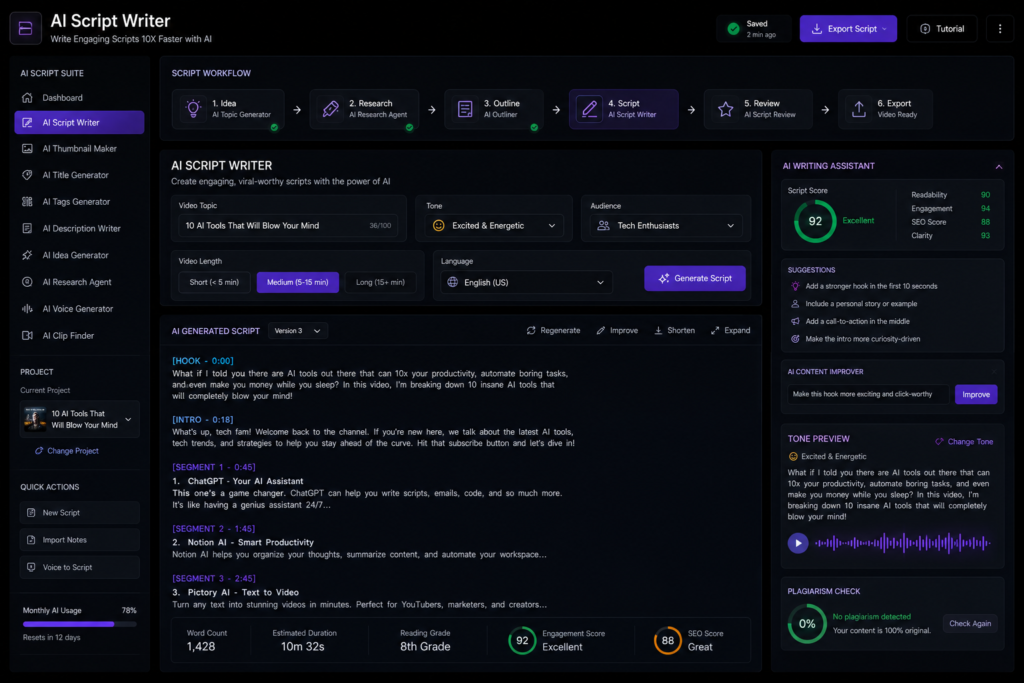
ChatGPT is one of the most versatile AI tools for YouTubers. It can assist with brainstorming ideas, writing scripts, generating titles, creating video descriptions, planning content calendars, and improving overall productivity.
Maine personally isse:
- Video script outlines
- Hook ideas
- Storytelling structures
- SEO-friendly titles
- Video descriptions
- Community post drafts
…sab generate kiya hai.
Aur sabse interesting part?
Agar aap detailed prompts do, The quality of the output depends largely on the prompt. Clear and detailed instructions generally produce more relevant and natural-sounding drafts, although human review and editing remain essential.
Mere Experience Ke According
ChatGPT One common mistake among beginners is publishing AI-generated text without editing or fact-checking it.
Kyun?
Kyuki log AI-generated robotic content directly copy kar dete hain.
Readers and viewers often notice when content lacks originality, personal perspective, or a natural tone.
Mera rule simple hai:
AI se draft lo. My approach is simple: use AI to generate the first draft, then refine it by adding your own insights, storytelling style, and examples before publishing.
| Use Case | How ChatGPT Helps |
|---|---|
| Documentary Videos | Research support and structured scripts |
| Educational Content | Explains complex topics in simple language |
| Storytelling | Creates engaging narrative structures |
| Shorts | Generates hooks and short scripts |
| Community Posts | Drafts engaging updates |
Pro Tip
AI ko raw emotions do.
Instead of:
“Write a script on Mahabharata”
Use:
“Write a suspenseful emotional Hindi storytelling script on Mahabharata like a cinematic documentary.”
Prompt quality has a significant impact on output quality. Including details such as tone, audience, format, language, and style usually results in more relevant and usable responses.
Best For
- Beginner YouTubers
- Educational creators
- Documentary channels
- Faceless YouTube channels
- Shorts creators
Pros
- Fast idea generation
- Flexible writing styles
- Multiple content formats
- Helpful for brainstorming
- Beginner-friendly
Limitations
- Requires fact-checking
- May produce generic responses without detailed prompts
- Human editing is still necessary
Verdict: ChatGPT is an excellent productivity tool for YouTubers, particularly during the planning and scripting stages. It works best as a creative assistant rather than a complete replacement for human writing and storytelling.
2. Canva – Best AI Tool for YouTube Thumbnail Design
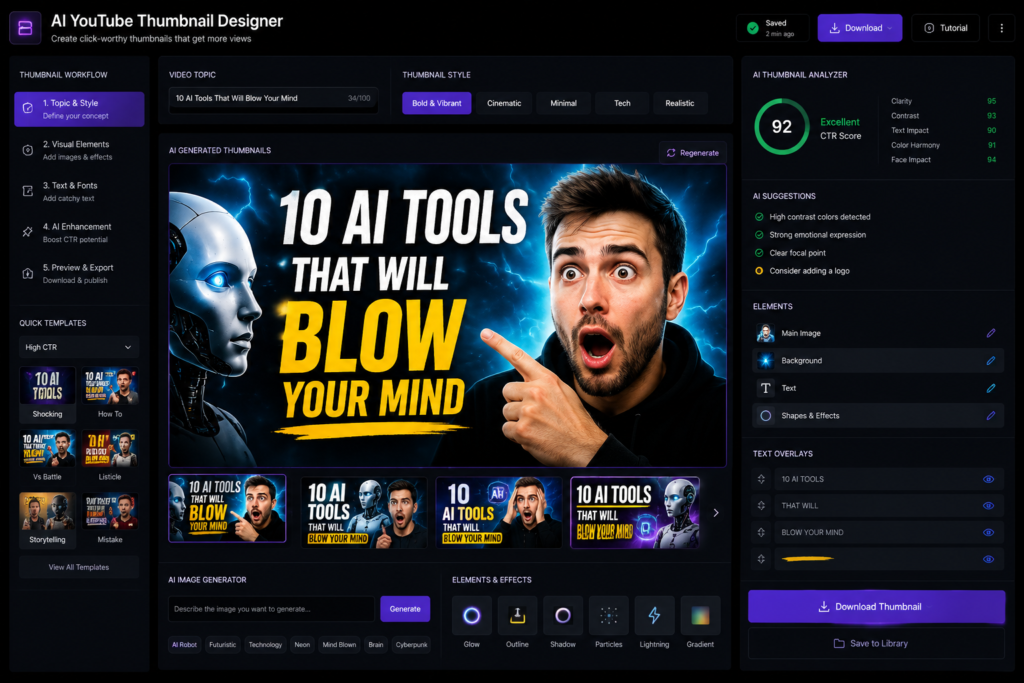
A compelling thumbnail is one of the most important factors influencing whether viewers click on a YouTube video. Even high-quality content can receive fewer views if the thumbnail fails to attract attention.
And honestly… many creators don’t take it seriously.
I tested it myself—same video, different thumbnail.
In my experience, improving thumbnail design led to a noticeable increase in click-through rate (CTR). While results vary from channel to channel, thumbnails can have a significant impact on video performance.
Canva’s AI feature makes creating thumbnails insanely easy.
| Feature | Benefit |
|---|---|
| Background Remover | Removes distractions quickly |
| Magic Resize | Adapts designs for different platforms |
| AI Image Generation | Creates custom visuals |
| Text Suggestions | Generates headline ideas |
| Thumbnail Templates | Speeds up the design process |
Canva AI Features
- Background remover
- Magic resize
- AI image generation
- Text suggestions
- Thumbnail templates
Kya Canva Enough Hai?
Beginners ke liye? 100%.
Advanced creators shayad Photoshop prefer karein… but Canva is widely appreciated for its ease of use and fast design workflow, especially for beginners and creators who want to produce thumbnails without advanced graphic design skills.
Best For
- Beginner YouTubers
- Faceless channels
- Bloggers
- Small businesses
- Content creators
Pros
- Beginner-friendly interface
- Large template library
- Fast thumbnail creation
- AI-powered design features
- Cloud-based access
Limitations
- Advanced image editing is more limited than dedicated software like Photoshop.
- Some AI features and premium assets require a paid subscription.
Real-World Use Case
Example: A YouTube creator publishing educational videos can use Canva AI to generate thumbnail layouts, remove image backgrounds, add readable text, and export a polished design within minutes.
Verdict: Canva is an excellent choice for beginners and intermediate creators who want to create professional-looking YouTube thumbnails quickly. While advanced designers may prefer dedicated graphic design software, Canva offers an efficient balance of simplicity, AI features, and productivity.
Should You Use It?
If you’re a beginner or intermediate YouTube creator looking for a fast and easy way to design professional thumbnails, Canva is a strong choice. If you need advanced image manipulation or highly customized graphics, dedicated design software may be a better fit.
3. Adobe Premiere Pro AI – Best AI Video Editing Tool for YouTubers
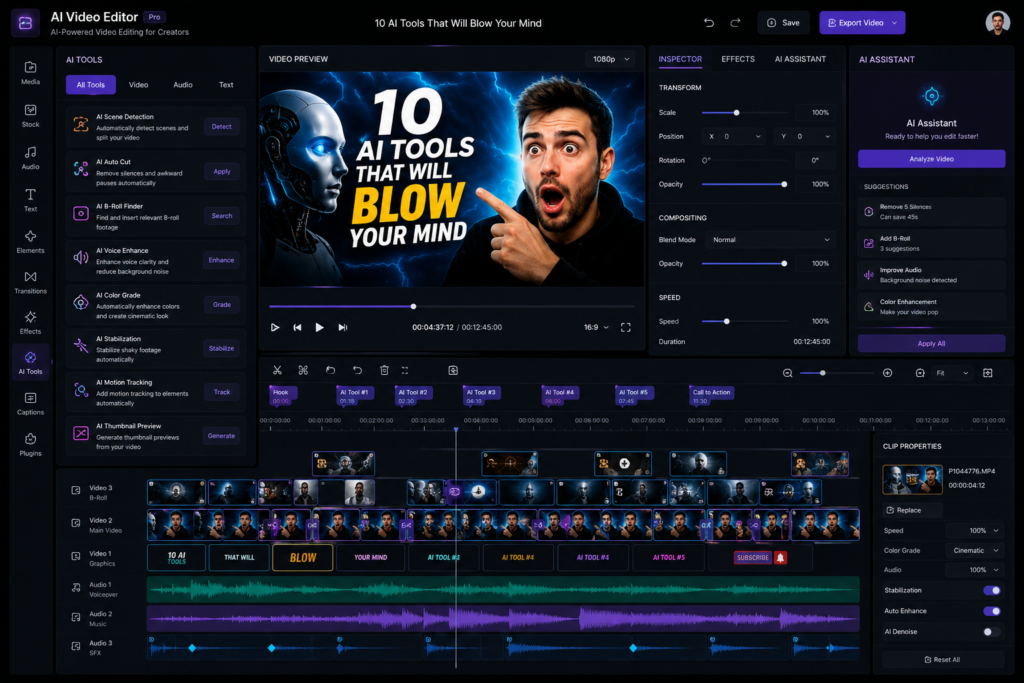
Video editing is often the most time-consuming stage of the YouTube workflow. Tasks such as trimming clips, adding captions, improving audio, and formatting videos can take hours, especially for creators who publish regularly. Adobe Premiere Pro’s AI-powered features help automate many of these repetitive tasks, making the editing process more efficient.
Aur yahi reason hai ki bahut log consistency lose kar dete hain.
Adobe Premiere Pro ke AI tools surprisingly useful ho gaye hain.
| Feature | Benefit |
|---|---|
| Auto Captions | Generates subtitles automatically, reducing manual work |
| Silence Removal | Removes unnecessary pauses from videos |
| Audio Enhancement | Improves voice clarity and reduces background noise |
| Scene Detection | Identifies scene changes for faster editing |
| Smart Reframing | Adapts videos for Shorts and different aspect ratios |
In my editing workflow, the Auto Captions feature has significantly reduced the time required to create subtitles manually, especially for educational and tutorial videos.
In my editing workflow, the Auto Captions feature has significantly reduced the time required to create subtitles manually, especially for educational and tutorial videos.
Best For
- YouTube creators
- Shorts creators
- Educational channels
- Documentary videos
- Agencies
Pros
- AI-powered captions
- Faster editing workflow
- Excellent audio tools
- Professional-grade features
- Smart reframing
Limitations
- Requires a paid subscription.
- Can have a learning curve for beginners.
- Works best on systems with adequate hardware.
Real-World Example
Example: A YouTube creator publishing educational videos can use Auto Captions to generate subtitles, Silence Removal to eliminate pauses, and Smart Reframe to quickly repurpose a landscape video into a vertical Short without manually adjusting every frame.
Verdict: Adobe Premiere Pro AI is a strong choice for creators who publish videos regularly and want to reduce editing time. While it requires some learning and a subscription, its AI-powered editing features can significantly improve workflow efficiency for serious YouTubers.
Should You Use Adobe Premiere Pro AI?
- Choose it if: You publish videos regularly, need professional editing features, and want to speed up repetitive tasks with AI.
- Consider alternatives if: You’re a complete beginner, have a limited budget, or only edit occasional videos.
4. Runway – Best AI Tool for AI Video Generation
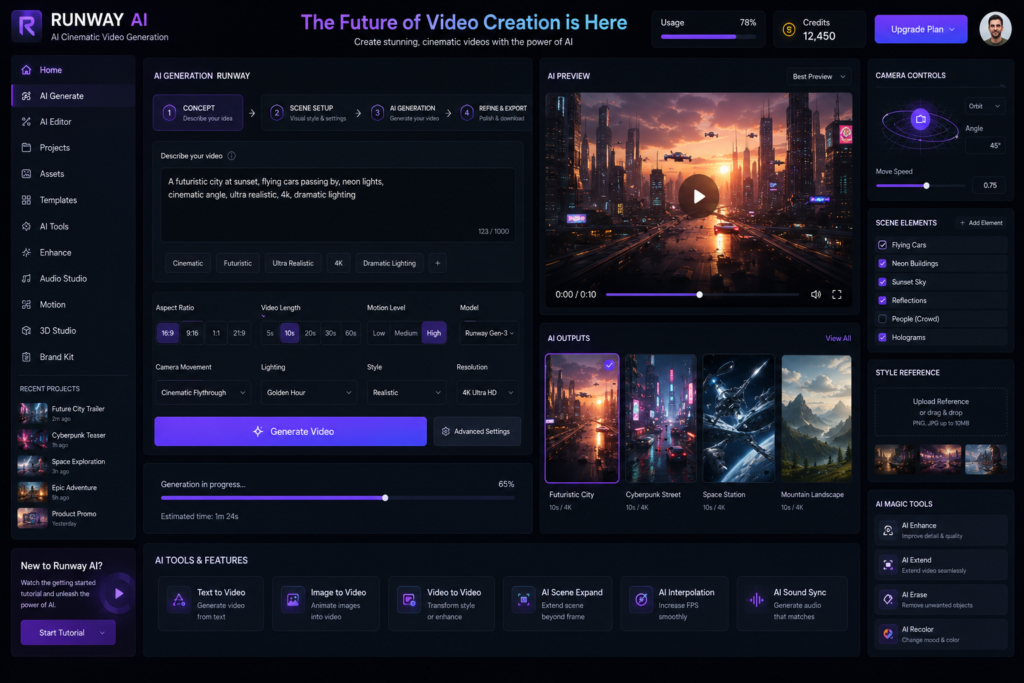
Runway is one of the leading AI-powered video generation and editing platforms. It enables creators to generate videos from text prompts, enhance existing footage, and create cinematic visuals with significantly less manual effort.
This AI tool can generate videos.
Yes, proper cinematic visuals.
It’s not perfect yet. Although AI video generation is still evolving, tools like Runway demonstrate how quickly video production workflows are changing.
| Best For | Why |
|---|---|
| B-roll Generation | Create supporting visuals quickly |
| Cinematic Shots | Generate creative scenes without filming |
| Visual Storytelling | Add engaging AI-generated sequences |
| Faceless Channels | Produce visuals without appearing on camera |
Key Features
- Text-to-video generation
- Image-to-video animation
- Background removal
- AI-powered motion editing
- Video expansion and enhancement
Pros
- Speeds up video production
- Useful for creative storytelling
- Supports multiple AI editing features
- Great for concept visualization
Best For
- B-roll generation
- AI cinematic shots
- Visual storytelling
- Faceless channels
Limitations
- AI-generated videos may still require manual editing.
- Results depend on prompt quality.
- Some advanced features require a paid subscription.
Agar aap historical ya mystery niche me ho… Runway kaafi powerful ho sakta hai.
Real-World Use Case
Example: A history or mystery YouTube channel can use Runway to create cinematic B-roll, visualize historical scenes, or enhance storytelling without filming every shot manually.
Verdict: Runway is a powerful AI video generation platform for creators who want to experiment with cinematic visuals and AI-assisted production. While it does not replace traditional video editing, it can significantly enhance creative workflows when used alongside conventional editing tools.
Runway is particularly useful for documentary, history, mystery, educational, and faceless YouTube channels that rely heavily on visual storytelling.
| Tool | Best For | Difficulty | Free Version |
|---|---|---|---|
| ChatGPT | Scripts & ideas | Easy | Yes |
| Canva | Thumbnails | Easy | Yes |
| Adobe Premiere Pro | Video editing | Intermediate | Trial/Paid |
| Runway | AI video generation | Intermediate | Limited |
5. ElevenLabs – AI Voiceovers for Faceless YouTube Channels
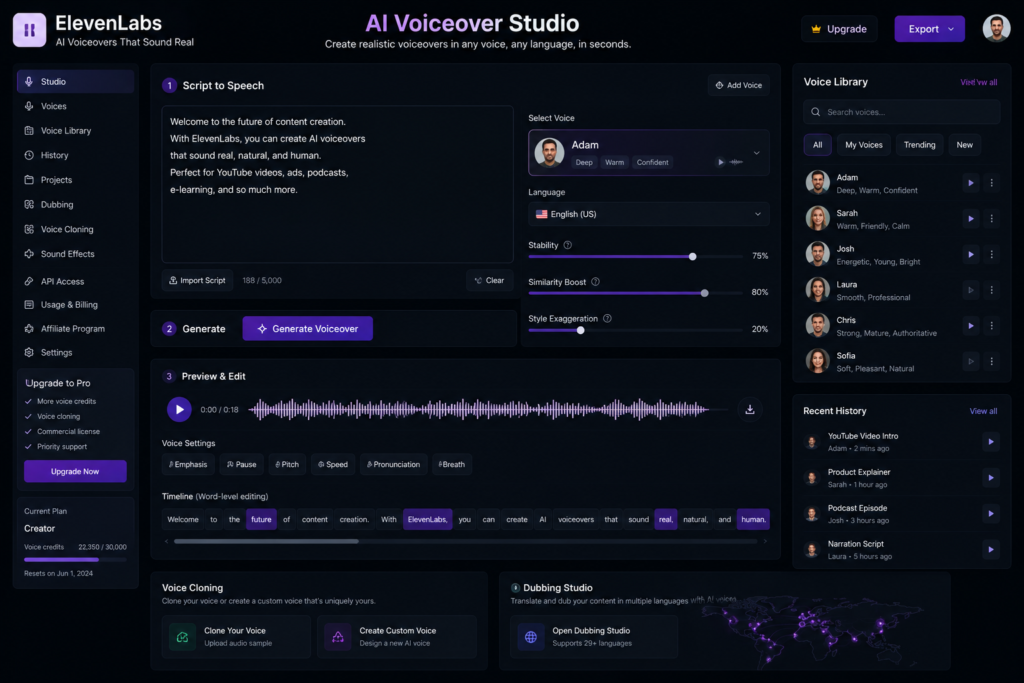
AI voice generation has improved significantly in recent years. Modern tools like ElevenLabs can produce natural-sounding voiceovers that are suitable for a wide range of YouTube content, including documentaries, educational videos, and faceless channels.
Robotic. Emotionless. Fake.
But ElevenLabs completely changed the game.
Some AI voices sound remarkably natural, although the quality varies depending on the selected voice, language, and project requirements.
| Use Case | How ElevenLabs Helps |
|---|---|
| Faceless Channels | Creates narration without recording your own voice |
| Audiobooks | Generates long-form narration |
| Documentary Videos | Produces clear and engaging voiceovers |
| Horror Storytelling | Supports expressive narration styles |
Best Use Cases
- Faceless channels
- Audiobook-style narration
- Documentary voiceovers
- Horror storytelling
Important Advice
A monotone or poorly matched AI voice can reduce the overall viewing experience. Choosing a voice that matches your content style may help improve audience engagement.
| Factor | Why It Matters |
|---|---|
| Pacing | Makes narration easier to follow |
| Pauses | Improves storytelling flow |
| Emotion | Matches the mood of the content |
| Tone | Creates a consistent viewer experience |
…sab check karo.
Key Features
- AI voice generation
- Multiple voice styles
- Multilingual support
- Voice cloning (where available and used appropriately)
- High-quality narration
Pros
- Natural-sounding voices
- Useful for faceless channels
- Fast voice generation
- Multiple language options
Limitations
- Some premium voices require a paid plan.
- Voice quality depends on the script and settings.
- AI narration may still benefit from manual review and adjustments.
Real-World Example
Example: A history or documentary YouTube channel can use ElevenLabs to generate professional narration for educational videos without recording voiceovers manually, helping reduce production time.
Verdict: ElevenLabs is a powerful AI voice generation tool for creators who need high-quality narration. It is particularly valuable for faceless channels, documentaries, and educational content, but selecting the right voice style and reviewing the final output remain important for maintaining a natural listening experience.
6. TubeBuddy – Best AI Tool for YouTube SEO Optimization
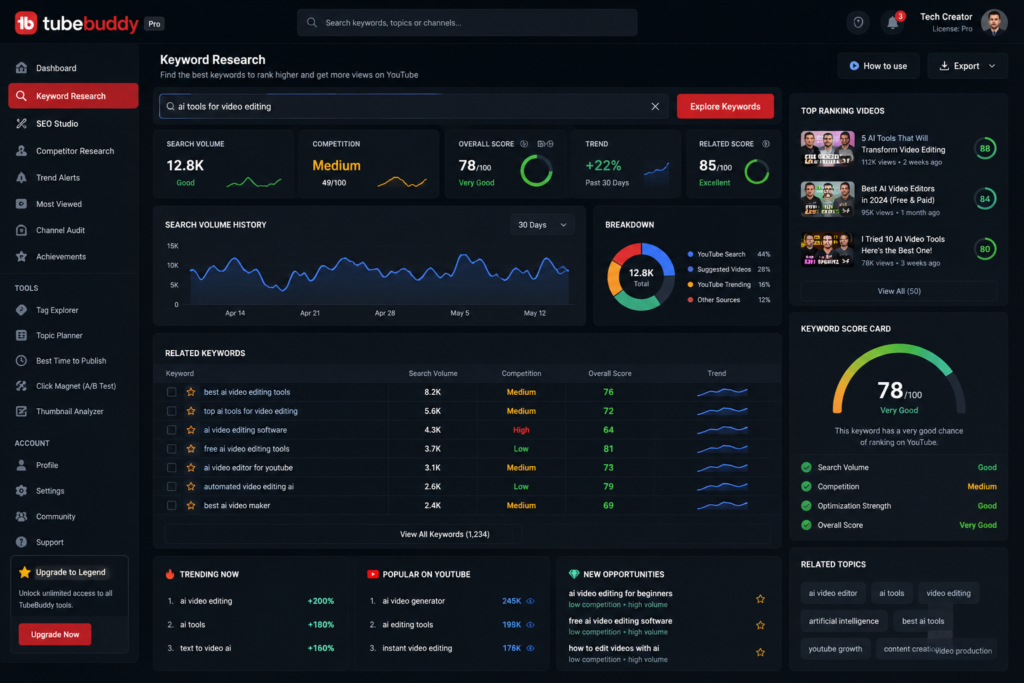
YouTube SEO plays an important role in helping videos reach the right audience. Optimizing titles, descriptions, keywords, and thumbnails can improve discoverability, but doing it manually can be time-consuming. TubeBuddy simplifies many of these optimization tasks.
| Feature | Benefit |
|---|---|
| Keyword Research | Find topics with better ranking opportunities |
| Tag Suggestions | Improve video discoverability |
| SEO Score | Optimize titles and descriptions |
| Thumbnail Testing | Compare thumbnail performance |
| Competitor Analysis | Learn from similar channels |
TubeBuddy helps in:
- Keyword research
- Tag suggestions
- SEO scoring
- Thumbnail testing
- Competitor analysis
One common pattern I’ve noticed is that many beginners focus only on high-search-volume keywords. However, for newer channels, targeting relevant long-tail and lower-competition keywords may provide better opportunities to gain visibility.
Galti.
New channels ko low competition keywords pe focus karna chahiye.
TubeBuddy can help identify keyword opportunities and provide optimization suggestions, making it easier for creators to plan videos around topics that align with their channel’s growth strategy.
Best For
- New YouTube channels
- Educational creators
- Tech channels
- Faceless creators
- Content marketers
Pros
- Easy keyword research
- Helpful SEO suggestions
- Thumbnail testing
- Competitor insights
- Beginner-friendly
Limitations
- Some advanced SEO features require a paid plan.
- SEO recommendations should be combined with high-quality content and audience research.
- Rankings depend on many factors beyond keyword optimization.
Real-World Example
Example: A new YouTube creator making educational videos can use TubeBuddy to compare keyword difficulty, identify long-tail search terms, optimize the video’s metadata, and improve its chances of reaching the intended audience.
Verdict: TubeBuddy is a valuable YouTube SEO companion for creators who want to improve keyword research, optimize video metadata, and better understand their competition. It is especially useful for beginners learning how YouTube search optimization works.
SEO Tip Box
SEO Tip: Instead of targeting broad keywords such as “YouTube Tips,” consider more specific phrases like “YouTube SEO Tips for Beginners” or “Best AI Tools for YouTubers 2026.” Long-tail keywords often have clearer search intent and may be more accessible for newer channels.
| Tool | Best For | Difficulty | Free Version |
|---|---|---|---|
| ChatGPT | Scripts & Ideas | Easy | ✅ |
| Canva | Thumbnails | Easy | ✅ |
| Adobe Premiere Pro | Video Editing | Intermediate | Trial/Paid |
| Runway | AI Video Generation | Intermediate | Limited |
| ElevenLabs | AI Voiceovers | Easy | Limited |
| TubeBuddy | YouTube SEO | Easy | ✅ |
7. vidIQ – AI Tool for YouTube Keyword Research and Trend Discovery
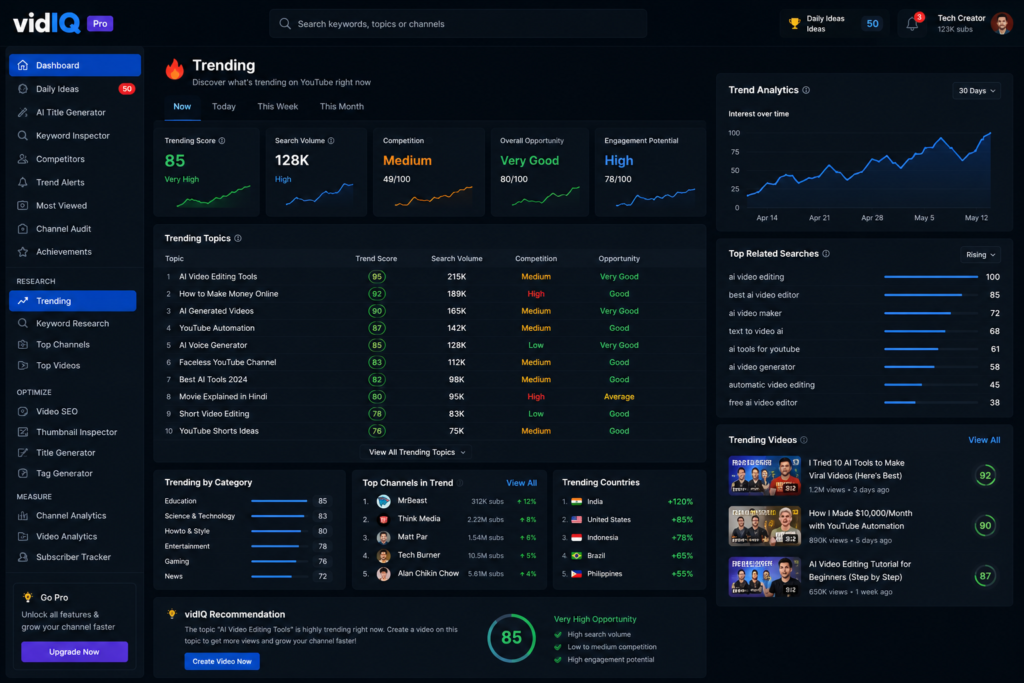
vidIQ is a YouTube growth and analytics platform that helps creators discover trending topics, analyze competitors, and optimize videos for better visibility. Its AI-powered insights can support content planning and channel growth.
| Feature | Benefit |
|---|---|
| Trending Topics | Discover topics with growing interest |
| Search Trends | Understand what viewers are searching for |
| Competitor Tracking | Analyze similar channels and content strategies |
| Video Score | Evaluate optimization opportunities |
Especially jab content ideas khatam ho jate hain.
Ye Help Karta Hai
- Viral topics
- Search trends
- Competitor tracking
- Video score prediction
AI-generated topic suggestions can be helpful for brainstorming, but creators should still evaluate whether those ideas are relevant to their audience and content strategy.
Best For
- New YouTube creators
- Educational channels
- Tech creators
- Faceless channels
- Creators focused on YouTube SEO
Pros
- Trend discovery
- Keyword insights
- Competitor analysis
- Content planning support
- Beginner-friendly interface
Limitations
- Some advanced features require a paid subscription.
- Trend suggestions should be combined with audience research.
- AI recommendations do not guarantee video performance
Real-World Example
Example: A technology YouTuber can use vidIQ to identify emerging AI-related topics, analyze competing videos, and optimize titles and keywords before publishing a new video.
Verdict: vidIQ is a useful tool for creators who want to improve topic research, monitor trends, and make more informed content decisions. It works best as a planning and optimization tool rather than a guarantee of viral success.
Content Planning Tip
Tip: Instead of creating videos solely because a topic is trending, combine trend data with your niche expertise and audience interests. This approach often leads to more consistent long-term growth.
| Feature | TubeBuddy | vidIQ |
|---|---|---|
| Keyword Research | ✅ | ✅ |
| Trend Discovery | Basic | Strong |
| Competitor Analysis | ✅ | ✅ |
| SEO Optimization | Strong | Strong |
| Best For | SEO optimization | Topic research & growth insights |
| Beginner Friendly | ✅ | ✅ |
8. Descript – AI Video Editor for Text-Based Editing
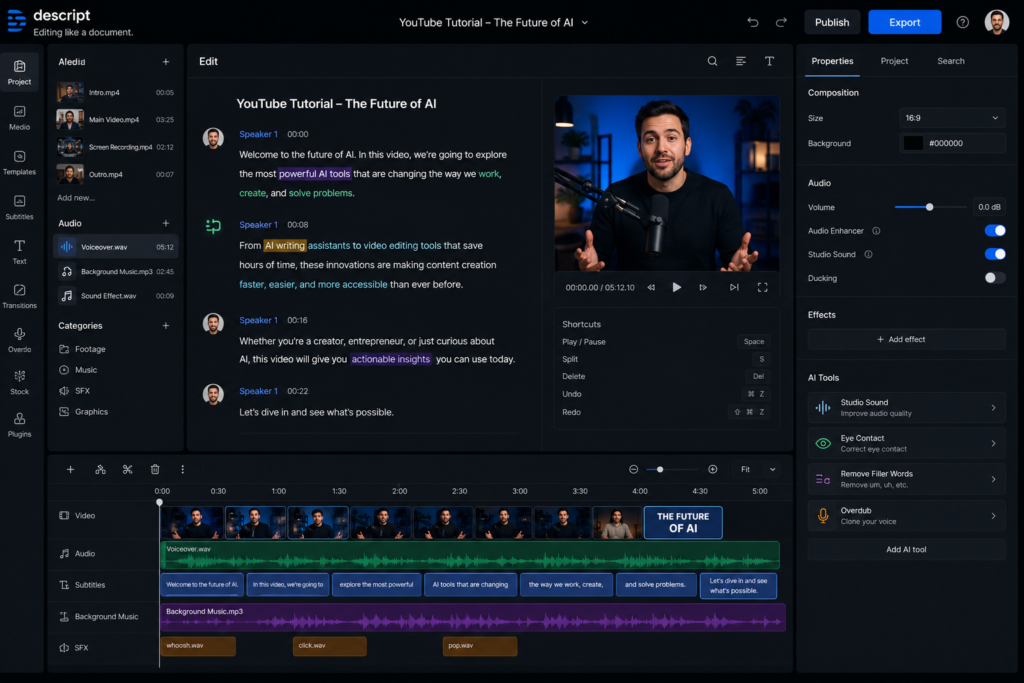
Descript takes a different approach to video editing. Instead of relying only on a traditional timeline, it allows creators to edit videos by modifying the transcript, making the editing process more intuitive for many content creators.
Kyunki ye traditional editor jaisa feel nahi deta.
Ye basically text editing jaisa video editing hai.
Aap transcript edit karo → video automatically edit ho jata hai.
This text-based editing workflow can significantly simplify editing, especially for creators who produce dialogue-heavy content.
| Best For | Why |
|---|---|
| Podcast Creators | Quickly edit spoken content |
| Talking Head Videos | Remove filler words and pauses efficiently |
| Interviews | Edit conversations through transcripts |
| Tutorials | Speed up dialogue-based editing |
Key Features
- Text-based video editing
- Automatic transcription
- AI filler-word removal
- Screen recording
- AI voice editing (where available)
- Caption generation
Pros
- Easy for dialogue-heavy videos
- Automatic transcription saves time
- Simplifies editing for beginners
- Great for podcasts and interviews
Limitations
- Timeline editing may feel different for experienced editors.
- Automatic transcripts should be reviewed for accuracy.
- Some advanced AI features require a paid subscription.
Real-World Example
Example: A podcaster recording one-hour interviews can use Descript to remove filler words, edit mistakes directly in the transcript, generate captions, and export a polished video much faster than manually editing every clip.
Verdict: Descript is an excellent option for creators who produce interview-based, educational, or podcast-style content. Its transcript-based editing workflow can save time, although users familiar with traditional timeline editors may need some time to adapt.
Editing Tip
Tip: Always review AI-generated transcripts before publishing. Small transcription errors can affect captions, subtitles, and the overall viewing experience.
Which AI Tool Should You Choose?
| If You Need… | Recommended Tool |
|---|---|
| Script Writing | ChatGPT |
| Thumbnail Design | Canva |
| Professional Video Editing | Adobe Premiere Pro |
| AI Video Generation | Runway |
| AI Voiceovers | ElevenLabs |
| YouTube SEO | TubeBuddy |
| Trend Research | vidIQ |
| Podcast & Transcript Editing | Descript |
9. Notion AI –Best AI Tool for YouTube Content Planning
Publishing great videos consistently requires more than editing and SEO. Content planning, idea management, and organized workflows also play an important role in growing a YouTube channel. Notion AI helps creators manage these tasks more efficiently.
| Feature | Benefit |
|---|---|
| Content Calendars | Plan uploads in advance |
| Script Organization | Keep drafts and revisions in one place |
| Brainstorming | Generate and organize new ideas |
| Research Notes | Store references and video research |
System bhi important hai.
Notion AI helps with:
- Content calendars
- Script organization
- Brainstorming
- Research notes
Many creators find that a structured content planning system makes it easier to stay consistent and manage multiple video ideas.
Best For
- YouTube creators
- Bloggers
- Podcast creators
- Content teams
- Freelancers
Pros
- Keeps ideas organized
- Simplifies content planning
- AI-assisted note generation
- Flexible workspace
- Useful for long-term planning
Limitations
- Requires initial setup.
- Advanced workspace organization may take time to learn.
- AI features vary depending on the plan.
Real-World Example
Example: A creator publishing three videos each week can use Notion AI to maintain a content calendar, organize research notes, track script progress, and schedule future uploads from a single workspace.
Verdict: Notion AI is an excellent productivity tool for creators who want to organize their entire content workflow. While it is not a video editing tool, it can significantly improve planning, collaboration, and publishing consistency
Planning Tip
Tip: Create separate sections for video ideas, scripts, research, editing status, and publishing dates. Keeping your workflow organized can make it easier to maintain a consistent upload schedule.
| If You Want To… | Best Tool |
|---|---|
| Write YouTube Scripts | ChatGPT |
| Design Thumbnails | Canva |
| Edit Videos | Adobe Premiere Pro AI |
| Generate AI Videos | Runway |
| Create AI Voiceovers | ElevenLabs |
| Improve YouTube SEO | TubeBuddy |
| Find Trending Topics | vidIQ |
| Edit by Transcript | Descript |
| Plan Content | Notion AI |
10. CapCut AI – Best AI Video Editing Tool for YouTube Shorts
Short-form video content has become an important part of many creators’ growth strategies. Platforms such as YouTube Shorts and Instagram Reels require fast editing, engaging visuals, and consistent publishing. CapCut AI helps simplify this workflow with several AI-powered editing features.
Aur CapCut honestly CapCut is widely used because it combines an easy-to-use interface with AI-assisted editing features, making it suitable for beginners and creators who publish short-form videos regularly.
| Feature | Benefit |
|---|---|
| Auto Captions | Generate subtitles quickly |
| Auto Cuts | Remove unnecessary clips automatically |
| Trend Templates | Speed up short-form video creation |
| AI Effects | Add visual enhancements |
| Background Removal | Edit videos without green screens |
AI Features
- Auto captions
- Auto cuts
- Trend templates
- AI effects
- Background removal
Agar aap Instagram Reels + YouTube Shorts dono karte ho…If you regularly create YouTube Shorts or Instagram Reels, CapCut can be a practical option for speeding up the editing process and producing polished short-form videos.
Best For
- Shorts creators
- Reels creators
- Beginner YouTubers
- Social media creators
- Mobile video editors
Pros
- Beginner-friendly interface
- Fast AI editing tools
- Automatic captions
- Large template library
- Available on multiple platforms
Limitations
- Some advanced features require a premium subscription.
- Template-based editing may feel repetitive if overused.
- Final videos should always be reviewed before publishing.
Real-World Example
Example: A creator posting daily YouTube Shorts can use CapCut AI to trim clips, generate captions, remove backgrounds
Comparison Table: Best AI Tools for YouTubers
| Tool | Primary Use | Free Plan | Best For |
|---|---|---|---|
| ElevenLabs | AI Voice Generation | Yes | Faceless Channels |
| ChatGPT | Script Writing | Yes | Content Planning |
| VidIQ | YouTube SEO | Limited | Growth Optimization |
| TubeBuddy | Channel Optimization | Limited | Video SEO |
| Canva AI | Thumbnail Design | Yes | Visual Content |
| Descript | Video Editing | Limited | Podcast & Video Editing |
| Opus Clip | Shorts Creation | Limited | Repurposing Content |
AI Tools Se Related Biggest Myths vs Reality
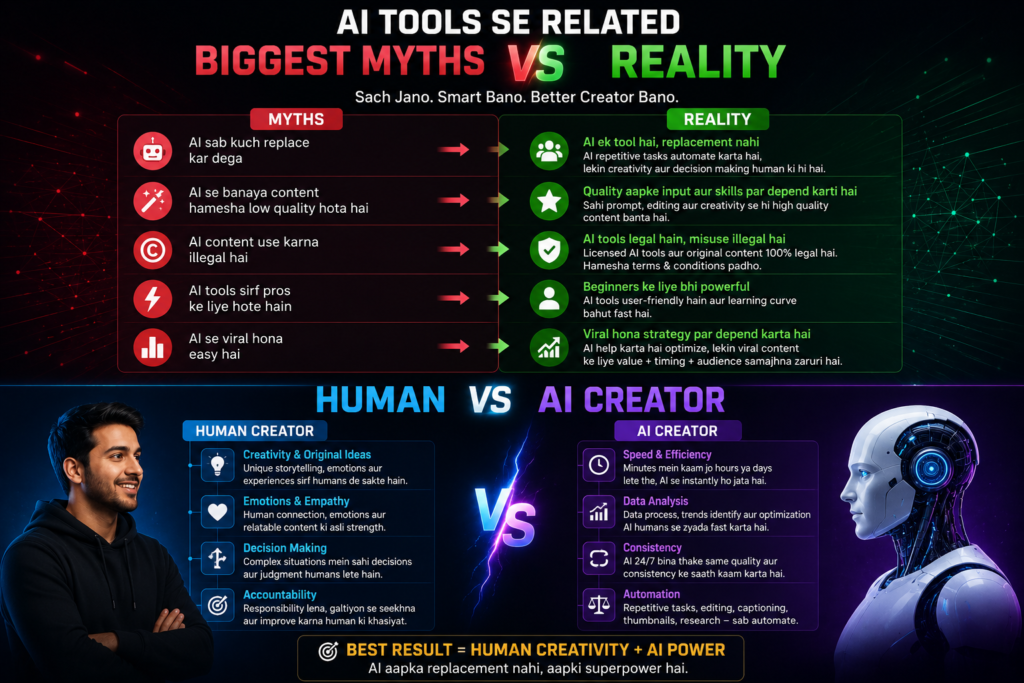
Myth 1: “
Reality: AI can automate repetitive tasks such as brainstorming, scripting, editing assistance, and content planning. However, creativity, storytelling, fact-checking, and audience understanding still require human involvement
Bilkul nahi.
AI ideas deta hai. Final magic creator karta hai.
Emotion abhi bhi human hi add karta hai.
Myth 2:
Reality: No AI tool can guarantee that a video will go viral. Performance depends on factors such as content quality, audience interest, thumbnails, titles, timing, and consistency. AI can improve your workflow, but it cannot guarantee results.
Nahi.
Audience smart hai.
Robotic scripts instantly detect ho jati hain.
Myth 3: “AI Use Karna Cheating Hai”
Honestly… ye mindset outdated ho raha hai.
Reality: Many creators and businesses use AI to assist with tasks such as research, editing, scripting, and content planning. Using AI responsibly as a productivity tool is different from relying on it without review or originality.
Difference bas itna hai:
Kuch log openly accept karte hain. Kuch nahi.
Myth 4: “The More AI Tools You Use, the Better Your Content Will Be.”
Reality:
Using multiple AI tools does not automatically improve content quality. A well-defined workflow, clear strategy, and understanding of your audience are often more important than the number of tools you use.
| Myth | Reality |
|---|---|
| AI does everything automatically | AI assists; creators make the final decisions |
| AI content always goes viral | Success depends on quality and audience |
| Using AI is cheating | AI is a productivity tool when used responsibly |
| More AI tools = Better content | Workflow matters more than tool count |
| AI replaces creators | AI supports creativity, not replaces it |
Mistakes Beginners Make While Using AI Tools
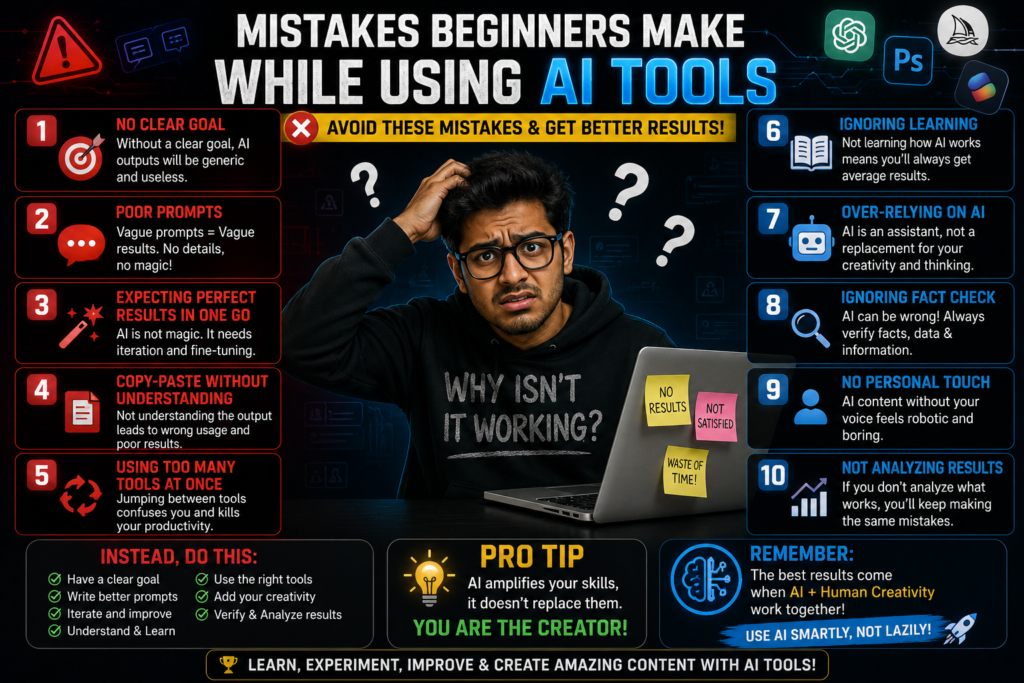
Reality:
AI-generated content should be treated as a first draft, not the final version. Review it carefully, verify important facts, and add your own examples, experiences, and insights to make the content more useful and authentic
Sabse dangerous mistake.
AI content ko personalize karo.
Apni stories add karo.
2. Many beginners install multiple AI tools at once, which often makes the workflow more complicated. It’s usually more effective to master a few tools before adding new ones.
Maine bhi ye mistake ki thi.
10 tools install kiye… aur khud confuse ho gaya.
Start simple.
3.Overusing automation can make content feel repetitive or less personal. Reviewing and refining AI-generated content helps maintain a more authentic creator voice.
Har cheez automate mat karo.
Audience authenticity feel kar leti hai.
4. SEO Ignore Karna
Even high-quality videos may be harder to discover if important SEO elements—such as titles, descriptions, keywords, and thumbnails—are not optimized.
Har video ke saath:
- keyword
- title
- description
- thumbnail
…optimize karo.
5. Human Touch Remove Karna
Yahi biggest problem hai AI content ki.
Emotion missing hota hai.
Viewers often connect more strongly with content that includes genuine experiences, clear storytelling, and an authentic presentation style. AI can support content creation, but human creativity remains an important part of building audience trust.
| Avoid This | Do This Instead |
|---|---|
| Copy AI output directly | Edit and personalize it |
| Use too many tools | Master a few essential tools |
| Automate everything | Review content manually |
| Ignore SEO | Optimize titles, descriptions, and thumbnails |
| Remove your personality | Add your own stories and insights |
Best AI Tool Stack for Different Types of YouTubers
There is no single AI tool that works best for every YouTuber. The ideal combination depends on your content style, workflow, and budget. Below are some recommended AI tool stacks for different types of creators.
| Tool | Purpose |
|---|---|
| ChatGPT | Script writing and content ideas |
| Canva | Thumbnail creation |
| CapCut | Short-form video editing |
Why this stack?
This combination is affordable, beginner-friendly, and covers the essential stages of content creation without requiring complex software
For Educational Channels
| Tool | Purpose |
|---|---|
| ChatGPT | Lesson planning and scripts |
| Canva | Presentation visuals |
| Descript | Caption editing |
| TubeBuddy | YouTube SEO |
For Tech Review Channels
| Tool | Purpose |
|---|---|
| ChatGPT | Outline and scripts |
| Adobe Premiere Pro | Video editing |
| TubeBuddy | SEO optimization |
| Canva | Thumbnails |
| Creator Type | Recommended Stack |
|---|---|
| Beginners | ChatGPT + Canva + CapCut |
| Faceless Channels | ChatGPT + ElevenLabs + Runway + Premiere Pro |
| Shorts Creators | CapCut + Canva + vidIQ |
| Documentary Channels | ChatGPT + ElevenLabs + Runway + Descript |
| Educational Channels | ChatGPT + Canva + TubeBuddy + Descript |
| Tech Review Channels | ChatGPT + Premiere Pro + TubeBuddy + Canva |
Tip: Start with a small tool stack that matches your content style and budget. As your channel grows, you can gradually add more specialized tools instead of trying to learn everything at once.
Which AI Tool Should You Choose?
| If Your Goal Is… | Best Tool |
|---|---|
| Write Better Scripts | ChatGPT |
| Design Better Thumbnails | Canva |
| Edit Videos Faster | Adobe Premiere Pro AI |
| Create AI Videos | Runway |
| Generate AI Voiceovers | ElevenLabs |
| Improve YouTube SEO | TubeBuddy |
| Discover Trending Topics | vidIQ |
| Edit Using Text | Descript |
| Plan Content | Notion AI |
| Edit Shorts Quickly | CapCut |
Future of AI in YouTube – Kya Aage Dangerous Competition Hone Wala Hai?
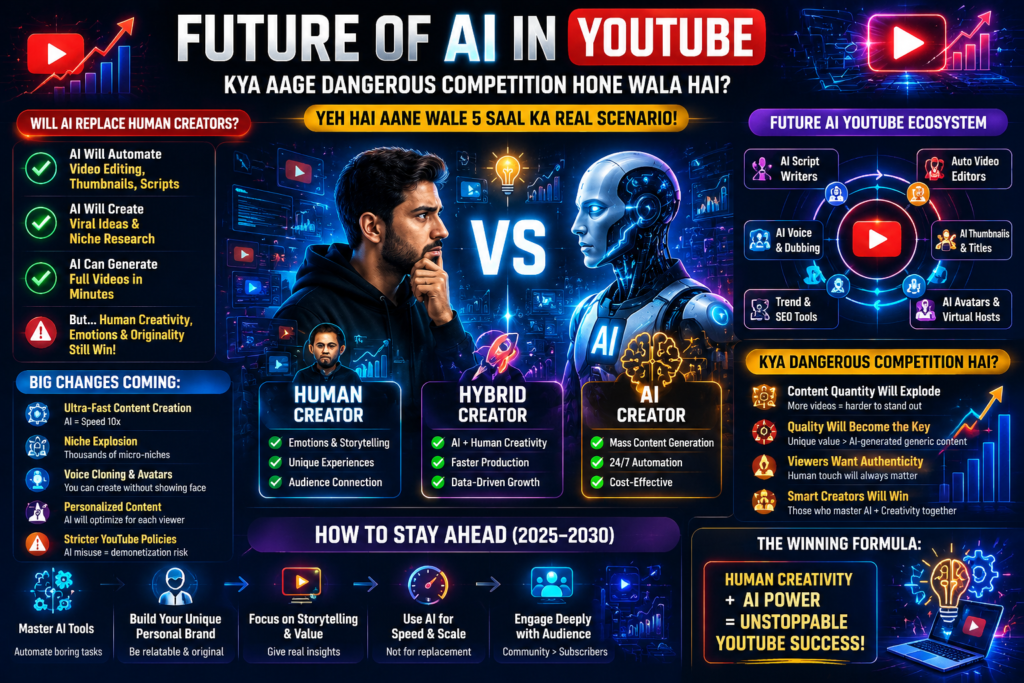
AI is expected to play an increasingly important role in YouTube content creation over the next few years. While no one can predict the future with certainty, current trends suggest that AI-assisted workflows will continue to become more common.
Yes.
Bahut zyada.
Aane wale 2-3 saal me:
- AI-generated videos are likely to become more common as video generation tools continue to improve.
- Faceless YouTube channels may continue to grow as AI tools make script writing, voice generation, and video production more accessible.
- The amount of AI-assisted content is expected to increase, making it more important for creators to differentiate themselves through quality and originality.
But interesting part ye hai…
As AI-generated content becomes more widespread, authentic storytelling, personal insights, and original perspectives may become even more valuable for building audience trust and long-term engagement.
Kyun?
Kyuki audience eventually repetitive AI content se bore ho jayegi.
Jo creators:
- real emotions
- personal experiences
- originality
- storytelling
…add karenge, Creators who combine AI-powered efficiency with originality, meaningful storytelling, and a clear understanding of their audience are likely to be better positioned for long-term success.
Future Trends Table
| Trend | Potential Impact |
|---|---|
| AI Video Generation | Faster content production |
| AI Voiceovers | Easier narration for creators |
| Workflow Automation | Improved productivity |
| Faceless Channels | More accessible content creation |
| Human Storytelling | Greater importance for audience trust |
How Creators Can Prepare
- Learn a few AI tools instead of chasing every new one.
- Build a repeatable content workflow.
- Focus on originality and audience value.
- Review AI-generated content before publishing.
- Keep improving storytelling and communication skills.
Key Takeaway: AI is expected to transform how videos are created, but long-term success on YouTube will likely depend on creativity, consistency, audience understanding, and the ability to produce content that people genuinely find valuable.
Practical Tips for New YouTubers Using AI Tools
Tip 1 : Views are important, but audience retention often provides deeper insight into how engaging your content is. Improving your video’s opening, pacing, and storytelling can encourage viewers to watch for longer.
High views + low retention = long-term problem.
Tip 2 : Your thumbnail is often the first thing viewers notice. Spending extra time on clear visuals, readable text, and strong design can improve click-through rates and encourage more people to watch your videos.
Thumbnail literally first impression hai.
Tip 3 Use AI to support research, scripting, editing, and planning, but always review the output and add your own ideas, examples, and personality before publishing.
Replacement nahi.
Tip 4 : AI can help generate ideas and organize information, but compelling storytelling, personal experiences, and audience connection remain key factors in creating memorable videos.
AI tools copy ho sakte hain.
Storytelling nahi.
Tip 5 : Many creators delay publishing while trying to make every video perfect. A consistent publishing schedule combined with continuous improvement is often more sustainable than waiting for perfection.
Most creators perfect video banane me itna time laga dete hain ki upload hi nahi hota.
| Focus On | Why It Matters |
|---|---|
| Audience Retention | Keeps viewers watching longer |
| Strong Thumbnails | Encourages more clicks |
| AI as an Assistant | Improves productivity without replacing creativity |
| Storytelling | Builds stronger audience connections |
| Consistency | Supports long-term channel growth |
Final Advice: Start with a small set of AI tools, build a workflow that suits your content style, and focus on creating videos that genuinely help or entertain your audience. AI can make production more efficient, but long-term success still depends on consistency, originality, and understanding your viewers
Ek Honest Observation Jo Shayad Aapko Shock Kare
I’ve noticed something…
Many successful YouTube creators stand out not only because of technical production quality, but also because they communicate ideas clearly, tell engaging stories, and build trust with their audience.
But their storytelling is strong.
While production quality is important, many viewers also value authenticity, useful information, and relatable storytelling.
And honestly, that’s where the real power of AI tools lies.
AI tools can automate repetitive production tasks, allowing creators to spend more time improving storytelling, creativity, and audience engagement.
FAQs – Best AI Tools for YouTubers
Which AI tool is best for YouTube script writing?
OpenAI ChatGPT currently sabse popular ChatGPT is one of the most widely used AI tools for YouTube script writing. It can help generate outlines, first drafts, titles, and content ideas, although reviewing and personalizing the output is recommended.
Best free AI tool for YouTubers?
Beginners ke liye Canva aur CapCut , ChatGPT is one of the most widely used AI tools for YouTube script writing. It can help generate outlines, first drafts, titles, and content ideas, although reviewing and personalizing the output is recommended.
Can AI edit YouTube videos automatically?
Partially yes. For beginners, the free versions of Canva and CapCut offer useful features for thumbnail design, video editing, and short-form content creation.
Tools like Adobe Premiere Pro aur Descript editing process ko fast kar dete hain.
Is AI-generated YouTube content monetizable?
Yes. AI-assisted content can be monetized as long as it complies with YouTube’s policies and provides original, valuable content for viewers.
Which AI voiceover tool sounds most realistic?
ElevenLabs is widely recognized for producing natural-sounding AI voiceovers and is commonly used by creators for documentaries, educational videos, and faceless channels.
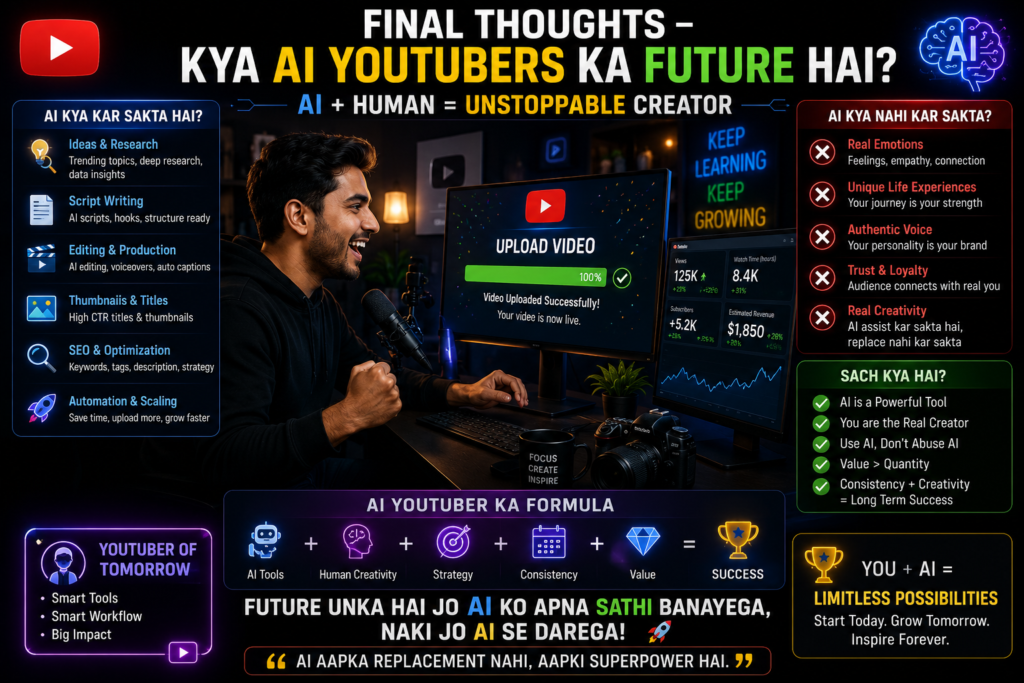
Final Thoughts – Kya AI YouTubers Ka Future Hai?
Artificial intelligence is becoming an increasingly important part of the YouTube content creation process. However, AI works best when it supports human creativity rather than replacing i
AI YouTube ka future definitely hai.
But sirf AI enough nahi hai.
Audience ko:
Viewers continue to value authentic storytelling, useful information, and genuine creator perspectives. These are areas where human creativity remains essential.
Aur wahi cheez abhi bhi human creators ke paas strongest advantage hai.
Many successful creators combine AI-powered efficiency with original storytelling and consistent publishing habits.
Best creators wo honge jo:
AI ki speed + human creativity combine karenge.
Agar aap smartly AI use karte ho, toh aapka workload When used effectively, AI can reduce the time spent on repetitive tasks, allowing creators to focus more on planning, storytelling, and audience engagement.
Aur honestly… content creation firse enjoyable lagne lagta hai.
Agar aap abhi start kar rahe ho, toh overwhelmed mat feel karo.
If you’re just getting started, begin with two or three AI tools that fit your workflow. Learn them well, experiment consistently, and refine your process over time instead of trying every new tool at once.
Test karo.
Experiment karo.
Aur sabse important…
Consistency, continuous learning, and a willingness to improve are often more important than having the latest AI tools. The creators who keep learning, publishing, and adapting are usually the ones who achieve long-term growth.
Kyuki YouTube me growth unhi creators ko milti hai jo rukte nahi.
| Key Lesson | Why It Matters |
|---|---|
| AI supports creativity | It speeds up repetitive tasks |
| Storytelling remains essential | Builds audience trust |
| Use only a few tools | Keeps your workflow simple |
| Optimize every upload | Improves discoverability |
| Stay consistent | Long-term growth depends on regular publishing |