
10 Best Free ChatGPT Alternatives in 2026

ChatGPT is one of the most widely known AI assistants, but it is not the only option for writing, research, coding, and everyday productivity tasks.
Students, bloggers, developers, and professionals now use AI assistants for tasks such as writing, research, coding, summarizing information, and brainstorming.
For example, a student may only need AI help during exam preparation, while a blogger may use it for writing outlines and content ideas. Instead of paying for multiple subscriptions, many users first explore free AI tools to find the one that best matches their needs.
As AI tools continue to improve, many users rely on them to save time, organize information, and complete routine tasks more efficiently.
However, paid AI subscriptions can become expensive, especially for beginners or users who only need AI assistance for occasional tasks.
This is why many users look for free ChatGPT alternatives that offer useful features without requiring an immediate paid subscription
In this guide, we compare 10 free ChatGPT alternatives based on their main use cases, free-plan availability, key strengths, and important limitations.
Rather than ranking every AI tool in the same way, this guide highlights where each option performs well and the situations in which it may be most useful.
Keep in mind that “free” does not always mean unlimited. Some AI tools offer limited messages, restricted features, or usage caps on their free plans. These limits can change over time, so it is worth checking the tool’s current pricing and free-plan details before choosing one.
For this list, the focus is on practical factors that matter to everyday users: ease of use, available free access, core AI capabilities, and suitability for common tasks. Instead of assuming that one AI tool is best for everyone, each option is evaluated according to the type of user and task it may suit best.
Some AI tools focus on writing, while others are designed for coding, research, document analysis, or creative tasks. Understanding these differences can help you choose the right AI assistant instead of relying on a single tool for everything.
By the end, you should have a clearer idea of which free AI assistant is better suited to your needs, whether you want help with writing, research, coding, or everyday productivity.
Free ChatGPT Alternative Kya Hota Hai?
In simple terms, a free ChatGPT alternative is an AI tool or chatbot that assists with common tasks similar to ChatGPT and offers users free access or a free plan.
Here, “free” does not always mean unlimited access. Some AI tools provide a completely free version, while others use a freemium model with daily or monthly usage limits, restricted features, or paid upgrades.
Depending on the tool, a ChatGPT alternative may answer questions, help with content writing, assist with coding, summarize information, support research, or generate images.
For example, a student may choose an AI tool that explains difficult concepts and summarizes study notes, while a software developer may prefer an AI assistant that helps with coding and debugging. The best choice depends on your specific goals rather than using the same AI tool for every task.
However, not every free AI tool offers the same features as ChatGPT. Some focus on research and web-based answers, while others are better suited to writing, coding, or creative tasks.
For example, one AI assistant may focus on research with web-based sources, while another may be better suited for coding assistance or content writing. Choosing the right tool depends on the task you want to complete.
Some AI tools prioritize speed, while others focus on detailed explanations, research, coding, or creative writing. Understanding these differences can help you choose the right tool instead of assuming that every AI assistant offers the same capabilities.
Before choosing a free ChatGPT alternative, check its main use case, free-plan limits, supported features, and whether it fits your specific needs. A tool that works well for coding may not be the best option for research or content writing.
Benefits of Using Free ChatGPT Alternatives
Free ChatGPT alternatives allow users to explore AI-powered tools without committing to a paid subscription. They can support everyday tasks such as writing, brainstorming, research, summarization, and basic coding, depending on the capabilities of each tool.
Not every free AI assistant offers the same strengths. Some tools focus on writing and brainstorming, while others are better suited for coding, research, or document analysis. Understanding these differences helps users choose the right tool instead of relying on a single AI assistant for every task.
1. They help save time.
Free AI tools can reduce the time spent on repetitive tasks such as creating outlines, summarizing text, generating first drafts, or organizing ideas. This allows users to spend more time reviewing information, researching topics, and improving the final result.
While AI can speed up content creation, reviewing, fact-checking, and adding original insights are essential to ensure the final content is accurate, trustworthy, and genuinely useful for readers.
2. You can avoid the premium subscription cost.
One of the main benefits of free ChatGPT alternatives is that users can try AI features without immediately paying for a premium subscription. This can be useful for beginners, students, or occasional users who do not need advanced AI features every day.
However, free plans may include message limits, restricted models, or fewer features. Always check the current free-plan terms before depending on a tool for regular work.
Example: A student may prefer an AI assistant that explains concepts in simple language, while a software developer may need stronger coding support. Similarly, a blogger might prioritize content writing features and SEO assistance over programming capabilities.
3. Useful for Students and Beginners
Free ChatGPT alternatives offer beginners the opportunity to explore various AI features without the immediate cost of a subscription. Students can use these tools to simplify difficult concepts, organize study notes, generate quiz questions, summarize long chapters, and brainstorm project ideas, making learning more structured and efficient.
For assignments, exams, or research projects, always verify AI-generated information using trusted educational resources such as textbooks, academic websites, or guidance from teachers.
4. Compare Different AI Tools Before Choosing One
Testing multiple free AI assistants helps you compare their accuracy, ease of use, response quality, supported features, and overall suitability before deciding which one fits your workflow.
Testing the free version can help you understand a tool’s strengths and limitations before deciding whether its paid plan is worth the cost.

5. Make Content Creation More Efficient
Bloggers and content creators can use free AI assistants for topic ideas, content outlines, headline variations, first drafts, and content improvement suggestions. For example, instead of starting with a blank page, you can ask an AI tool to create a basic outline and then add your own research, examples, and original insights.
The most effective approach is to use AI for brainstorming and drafting while adding your own research, examples, personal insights, and manual editing before publishing.
A practical workflow could be: generate ideas with AI, create a basic outline, write the first draft, fact-check important information, edit the content manually, and finally proofread everything before publishing or submitting it. This approach combines AI efficiency with human judgment.
Free AI tools are an excellent starting point, but each platform offers different usage limits, supported AI models, privacy policies, and premium features. Comparing these factors helps you choose the most suitable tool for your specific needs.
Tip: Before choosing a free AI assistant, compare factors such as supported AI models, daily usage limits, privacy policy, export options, and available integrations. A tool that performs well for writing may not be the best choice for coding, research, or image generation.
Best Practice: Treat AI-generated content as a starting point rather than the final version. Adding original research, real examples, updated information, and your own expertise makes the content more valuable for readers and aligns better with Google’s Helpful Content guidelines.
10 Best Chat GPT Alternative Free Tools
Before choosing a free ChatGPT alternative, remember that every AI tool has different strengths, features, and usage limits. Some are better for research, while others focus on writing, coding, creative conversations, or access to multiple AI models. The tools below are compared based on their main use case, free-access availability, key strengths, and important limitations. Free plans and usage limits can change, so always check the tool’s official website for the latest details.
1. Gemini AI
Gemini Google ka AI chatbot hai jo fast answers aur internet-based information provide karta hai.
Features:
- Real-time search support
- Smart answers
- Google integration
Gemini can be a useful option for users who want an AI assistant for writing, planning, brainstorming, and research-related tasks
2. Claude AI
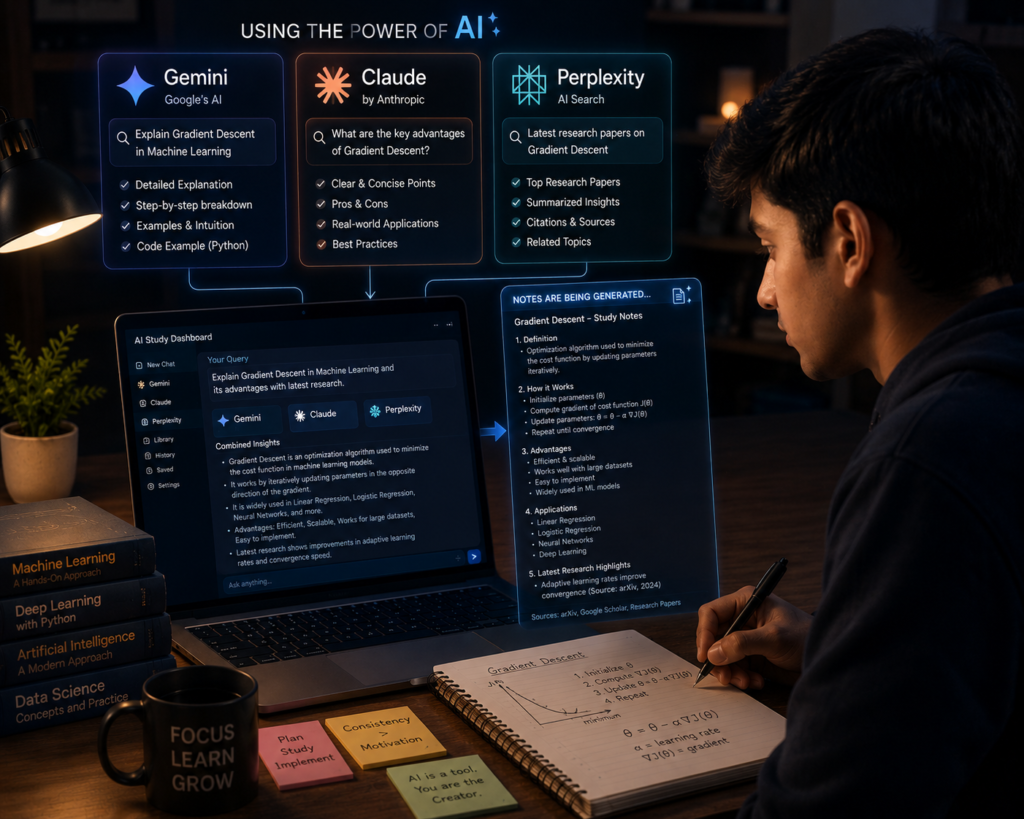
Claude is an AI assistant developed by Anthropic and is useful for writing, summarization, document analysis, and detailed conversations
Best For:
- Article writing
- Summaries
- Research work
👉 Yeh beginners ke liye bhi easy hai. Official Website
Before choosing any free AI assistant, consider factors such as response quality, available AI models, usage limits, privacy policies, supported languages, integrations, and whether source citations are provided. The best tool depends on your specific needs rather than a single feature.
3. Microsoft Copilot
Microsoft Copilot is an AI assistant that can help with writing, brainstorming, summarization, and web-based questions. The free Copilot experience is available across the web and supported Microsoft platforms, while deeper Microsoft 365 integrations may depend on the product or subscription you use.
Useful For:
- Coding
- Office work
- Quick research
Note: The availability of specific Copilot features may vary depending on your Microsoft account, region, and subscription plan.
Microsoft Copilot can be especially useful for Windows users because it integrates well with Microsoft services, making tasks like writing, document creation, and web-based assistance more convenient.

4. Perplexity AI
Perplexity AI ek smart search-based AI tool hai jo sources ke saath answers deta hai.
Benefits:
- Web-based answers with source links
- Fast research
- Source citations
Keep in mind that source citations improve transparency, but users should still verify important information by reviewing the original sources.
Perplexity AI can be a useful option for students, researchers, and professionals who want AI-generated answers with supporting source citations.
6. Poe AI
Poe is a multi-model AI chat platform that lets users access different AI models and user-created bots from one interface. This makes it useful for comparing how different AI assistants respond to the same type of task.
Access and usage limits can vary by model, so users should check the current availability before depending on a specific bot.
Features:
- Different AI bots
- Fast interface
- Easy access
Poe is a practical choice for users who want to compare responses from multiple AI models without switching between different websites
7. YouChat
You.com provides AI-powered search technology and tools designed around web-grounded information. Its current product focus should be checked before treating YouChat as a direct consumer ChatGPT replacement.
Because You.com’s products continue to evolve, users should check its latest features to confirm whether they meet their specific writing or research needs.
Useful For:
- Quick answers
- Writing help
- Web search
It offers a clean interface for users who prefer AI-assisted web search and quick information lookup without unnecessary complexity.
8. Character AI
Character AI is designed primarily for roleplay, storytelling, and conversational interactions with customizable AI characters.
Special Feature:
- Custom AI personalities
- Fun conversations
While Character AI is excellent for creative conversations and roleplay, it is not intended to replace AI assistants designed for research, coding, or professional productivity.
9. Chatsonic
Chatsonic is currently positioned as an AI search visibility and content platform for brands and marketing teams. Its tools cover AI content workflows, SEO, and AI search visibility rather than functioning only as a basic chatbot.
Before choosing Chatsonic, compare its free plan features and usage limits with other AI tools, as available features may change over time.
Best Use:
- Blog writing
- Ad copy
- SEO content
Chatsonic can be a useful option for bloggers, marketers, and content creators who need AI assistance for content writing, SEO, and marketing tasks.
10. HuggingChat
HuggingChat is an AI chat application from Hugging Face that lets users interact with available open-source AI models. Its Omni feature can also select a model based on the user’s request.
Advantages:
- Free access
- Open-source community
- AI experimentation
HuggingChat is particularly useful for developers, AI enthusiasts, and learners who want to explore open-source AI models.
Because HuggingChat supports access to different open-source AI models, it is a valuable platform for experimenting with AI capabilities, understanding model differences, and learning how open-source AI ecosystems work.
Quick Tip: Instead of relying on a single AI assistant, try two or three free tools for the same task and compare their responses. This helps you understand each platform’s strengths and choose the one that best matches your workflow.
| Tool | Best For | Free Access | Main Limitation |
|---|---|---|---|
| Gemini | General AI tasks and Google ecosystem | Free access available | Advanced access can have limits |
| Claude | Writing and detailed analysis | Free plan available | Usage limits apply |
| Microsoft Copilot | Web-based AI assistance | Free Copilot available | Microsoft 365 features differ |
| Perplexity | Web research with sources | Free access available | Advanced features may be limited |
| Poe | Trying multiple AI models | Access available | Model limits can vary |
| Character AI | Character conversations | Free access available | Not ideal for serious research |
| Chatsonic | AI chat and content tasks | Free plan shown | Advanced access may be limited |
| HuggingChat | Exploring open-source models | Chat access available | Model output can vary |
Which is the best free ChatGPT alternative?
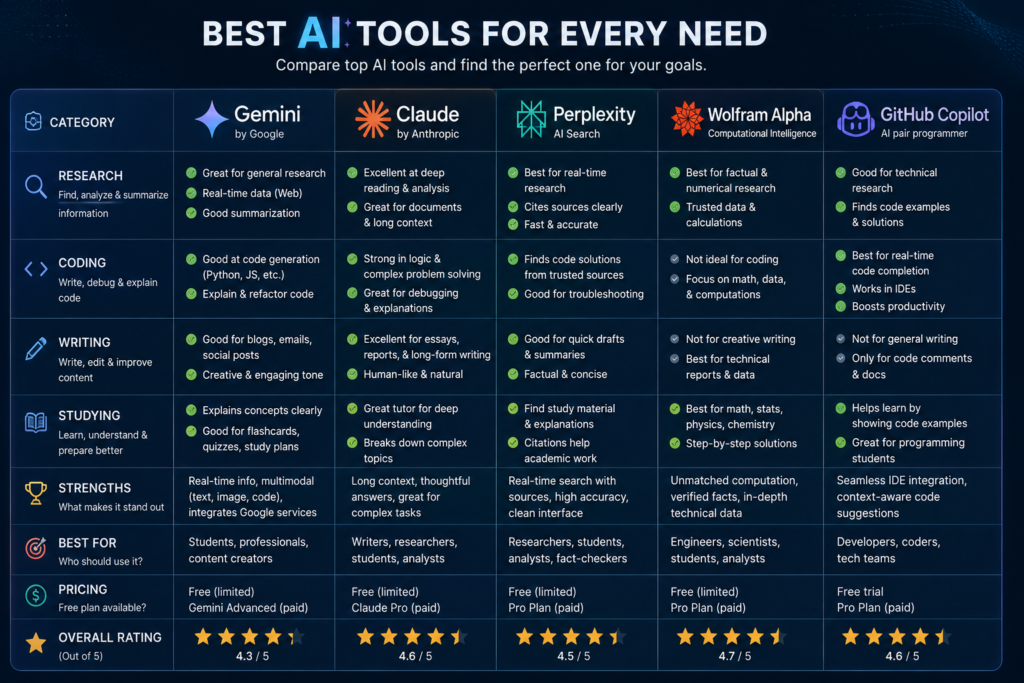
There is no single free ChatGPT alternative that is best for every user. The right AI tool depends on your primary use case—such as research, content writing, coding, or creative conversations.
For general writing, brainstorming, and everyday AI assistance, Gemini and Claude are practical choices for most beginners. Perplexity AI is better suited for web research because it provides source-backed answers, while GitHub Copilot is designed primarily to help developers with coding tasks.
When comparing AI tools, consider factors such as response accuracy, context understanding, source citations, coding support, privacy, and ease of use. Choosing a tool based on these factors is more effective than relying only on popularity.
| Need | Suggested Free AI Tool | Why It May Be Useful |
|---|---|---|
| Web Research | Perplexity | Searches the open web and provides cited answers |
| Writing & Summaries | Claude | Useful for writing, summarization, and detailed conversations |
| Coding Assistance | GitHub Copilot | Designed for code-related assistance and development workflows |
| Character-Based Chat | Character AI | Focuses on AI characters and creative conversations |
| General AI Tasks | Gemini | Useful for writing, planning, brainstorming, and Google-connected experiences |
Before deciding, check the tool’s current free-plan limits, available AI models, and usage restrictions, as these can change over time.
If you are a beginner and want to explore general writing, brainstorming, summaries, or everyday AI tasks, you can start with Gemini or Claude. By trying out the free access available for both, you can compare which interface and response style best suit your needs.
Quick Tip: If you’re unsure which AI assistant to use, test the same prompt in two or three free tools and compare the quality of their responses, speed, ease of use, and available features. This hands-on comparison helps you identify the tool that best fits your workflow
In the end, the best free ChatGPT alternative is the one that consistently meets your needs without unnecessary complexity. Rather than looking for a universally “best” AI assistant, choose the platform that performs well for the specific tasks you complete most often.
Practical tips for using free ChatGPT alternatives

Free ChatGPT alternatives can be useful, but for better results, simply using them as question-and-answer tools isn’t enough. Clear prompts, fact-checking, and manual review can help make the AI output more relevant and useful.
✅ Clear Prompts Likho
AI tool ko clear instructions dein aur prompt me topic, goal, audience, tone, aur expected output format mention karein. Jitna relevant context denge, utna hi output ko apni needs ke according guide karna easier hoga.
Example:
- “Write a beginner-friendly SEO blog post about free AI tools for students. Explain five tools, their main use cases, free-plan limitations, and practical examples. Use simple English and avoid unsupported claims”
- “Create a 60-second YouTube Shorts script about three free AI tools for students. Start with a short hook, explain each tool in simple language, and end with a natural call to action.”
A simple prompt formula can make this process easier:
Task + Topic + Audience + Requirements + Output Format
For example, instead of writing “Write an SEO article,” try: “Write a beginner-friendly article about free ChatGPT alternatives for students. Compare five tools, explain their free-plan limitations, include practical use cases, and use clear headings and simple English.”
This gives the AI tool more context and makes the first draft easier to review and improve.
✅ Multiple Tools Try Karo
Different AI tools writing, research, coding, and brainstorming tasks ko alag tarah handle kar sakte hain. Isliye ek hi prompt ko relevant tools me compare karke dekhna useful ho sakta hai.
However, sirf response style compare na karein. Accuracy, free-plan limits, useful features, and suitability for your task ko bhi consider karein.
✅ Fact Check Zaroor Karo
AI-generated answers may contain factual errors, outdated details, or missing context. Important information—especially statistics, prices, product features, and current policies—should be verified from reliable or official sources.
For example, if an AI tool tells you that a ChatGPT alternative offers unlimited free access, do not publish that claim immediately. Visit the tool’s official pricing or help page and check whether the free plan has message limits, feature restrictions, or model-specific usage caps.
For current information such as pricing, features, and free-plan availability, official product pages should generally be checked before publishing.
✅ Add Original Value
Incorporate your own original explanations, relevant examples, observations, and practical insights into the AI-generated draft. Simply changing the wording isn’t enough; the goal should be to make the final content genuinely useful for the reader.
If you have actually used an AI tool, you can mention genuine use cases, limitations, or observations. Do not include fake testing claims or fabricated personal experiences.
✅ Avoid sharing sensitive information
Do not paste passwords, financial details, private client information, or other sensitive data into prompts when using free AI tools. Before using an AI service for work-related information, review its current privacy settings and data policies.
For normal brainstorming or writing tasks, use only the context that is necessary to complete the task.
✅ Creativity Add Karo
Add your own original explanations, relevant examples, observations, and practical insights to the AI-generated draft. Simply changing the wording isn’t enough; the goal should be to make the final content genuinely useful for the reader.
⚠️Common Mistakes People Make
AI-generated answers are not the primary source. If statistics, product features, pricing, policies, or current information are mentioned in the article, please verify the details from original or reliable sources before publishing.
❌ Blindly Copy-Paste Karna
Do not publish AI-generated content by directly copy-pasting it. First, verify the facts, remove repetitive sections, improve unclear explanations, and manually proofread the final content.
❌ Depending on it for every task
It can be useful for brainstorming and drafting, but human review is important for research, judgment, fact-checking, and final editorial decisions.
❌ Wrong Prompts Dena
Vague prompts often produce generic or incomplete answers because the AI tool has less context about your goal. Adding specific instructions and examples can make the output more relevant to your task.
❌ Taking AI Output as Source
AI-generated answers are not the primary source. If statistics, product features, pricing, policies, or current information are mentioned in the article, please verify the details from original or reliable sources before publishing.
🔮 Future of Free AI Tools

Technology is constantly evolving, and free tools are also improving with new features and better capabilities.
The future of AI tools will not be limited to just new features. Developers and companies are also focusing on improving usability, accuracy, and productivity so that AI can become more practical for everyday tasks.
- Voice-based assistants and natural conversations can become even more accurate and interactive.
- AI-powered video creation tools can become more accessible to beginners, making basic video production faster.
- Assistants can improve by better understanding context, handling longer conversations, and becoming more useful for productivity tasks.
- Personalized features could become more capable of providing customized suggestions based on users’ preferences and workflows.
This could mean that in the future, AI assistants will be able to provide more relevant suggestions by better understanding users’ writing styles, preferred workflows, and frequently used tasks. Features and availability may vary across different tools.
If you start exploring various free AI tools and using them responsibly now, it will be much easier to adopt new AI features and integrate them into your workflow in the future. The most important thing is to use AI as a productivity assistant rather than a replacement. Free AI Tools
| Future Trend | Potential Benefit |
|---|---|
| Better Voice AI | More natural conversations |
| AI Video Creation | Faster content production |
| Personalized AI | More relevant suggestions |
| Smarter AI Assistants | Better productivity support |
| Multi-modal AI | Text, image, audio, and video in one workflow |
Best AI Than ChatGPT for Studying in 2026
Different AI tools are designed for different study tasks. A tool that works well for solving math problems may not be the best choice for research or writing assignments.
Today, many students use AI tools alongside search engines to help with studying, research, note-taking, and understanding difficult concepts.
Whether it’s homework, taking notes, exam preparation, or understanding complex concepts, AI is making learning faster and easier.
How this comparison was made
- Example:
- Free availability
- Accuracy
- Study features
- Ease of use
- Limitations

But there is a common question on everyone’s mind:
“Is there any AI tool better than ChatGPT for studying?”
The answer depends on what you want to study.
No single AI tool is the best choice for every student. Some tools are better suited for research, while others focus on mathematics, coding, document analysis, language learning, or exam preparation. Choosing the right AI assistant depends on your learning goals and the type of task you want to complete.
ChatGPT is a versatile AI assistant, but some AI tools specialize in specific study tasks such as web-based research, solving math problems, analyzing PDFs, creating flashcards, or providing source-backed answers.
This comparison focuses on practical factors such as free-plan availability, ease of use, study features, supported tasks, and common limitations. Since AI tools continue to evolve, some features and pricing may change over time, so checking the official product pages is always recommended.
Is article me hum discuss karenge:
- Best AI tools for students
- Free ChatGPT alternatives
- AI tools for homework & research
- Which AI tool is more suitable for different study tasks
If you are a student or a self-learner, this guide could prove to be a goldmine for you.
By the end of this guide, you should have a better understanding of which AI tool is more suitable for your learning style, whether you need help with homework, research, coding, note-taking, exam preparation, or understanding complex topics.
What does “Better than Chatgpt” mean in the context of studying?
In simple language, “better than ChatGPT for studying” means AI tools that provide additional or specialized features in certain study tasks.
It does not mean that one AI tool is better than ChatGPT in every situation. Instead, different AI tools are designed for different learning tasks.
For example, one tool may be stronger at solving mathematics problems, while another may be more useful for research, document analysis, or creating study notes.

These tools help:
- Difficult topics samajhne me
- Notes summarize karne me
- Assignments likhne me
- Coding problems solve karne me
- Exam preparation me
- In organizing research and finding relevant information
For example, a student preparing for an exam might use one AI tool to summarize long PDF notes, another to solve practice questions, and a different tool to explain difficult concepts in simple language. Choosing the right AI assistant depends on the type of study task rather than assuming that one tool is the best for everything.
Some AI tools can also analyze PDFs, images, or handwritten notes, although these features vary depending on the platform and available plan.
AI tools can support learning, but they should not replace textbooks, teachers, or reliable educational resources. For important assignments or exam preparation, it is always a good idea to verify AI-generated information before relying on it.
Why Students Are Switching to AI Tools
Nowadays, many students are using AI tools alongside traditional methods to complete repetitive study-related tasks more efficiently.
These tools can support students in various practical ways, such as:
- Time can be saved on routine tasks such as note summarization and first-draft creation.
- Understanding difficult concepts can be made easier through simple explanations.
- Concepts are understood in simple language.
- These tools can help organize information and find starting points for research..
- By automating repetitive tasks, students can spend more time on revision and practice.
For example, a student preparing for an exam can ask an AI tool to summarize a chapter, explain difficult concepts in simpler language, generate practice questions, and create a short revision checklist. This can make the study process more organized, although important information should still be verified with textbooks or reliable educational resources.
If AI quickly prepares the initial summary draft of a chapter, students can utilize the saved time to understand concepts, revise, and solve practice questions. The purpose of AI is not to replace manual learning, but to support the study process.
AI tools can make studying more efficient, but they should be used as learning assistants rather than complete replacements for teachers, textbooks, or classroom learning. Critical thinking and regular practice remain important parts of effective learning.
11 Best AI Tools Better Than ChatGPT for Studying (2026)
| Tool | Best For | Main Strength | Main Limitation |
|---|---|---|---|
| Perplexity | Research | Source-backed answers | Verify sources |
| Claude | Deep learning | Long explanations | Usage limits vary |
| Gemini | Google ecosystem | Google workflows | Features vary by plan |
| Wolfram Alpha | Math | Calculations | Not a general chatbot |
| Notion AI | Notes | Organization | Best inside Notion |
| QuillBot | Rewriting | Paraphrasing | Review meaning |
| Grammarly | Writing | Grammar | Don’t accept every suggestion blindly |
| Khanmigo | School learning | Guided explanations | Availability varies |
| GitHub Copilot | Coding | Code suggestions | Learn, don’t just copy |
| Quizlet AI | Revision | Flashcards | Should complement study |
| You.com | Lightweight AI | Simple interface | May not fit advanced workflows |
1. Perplexity AI – Best for Research 🔍
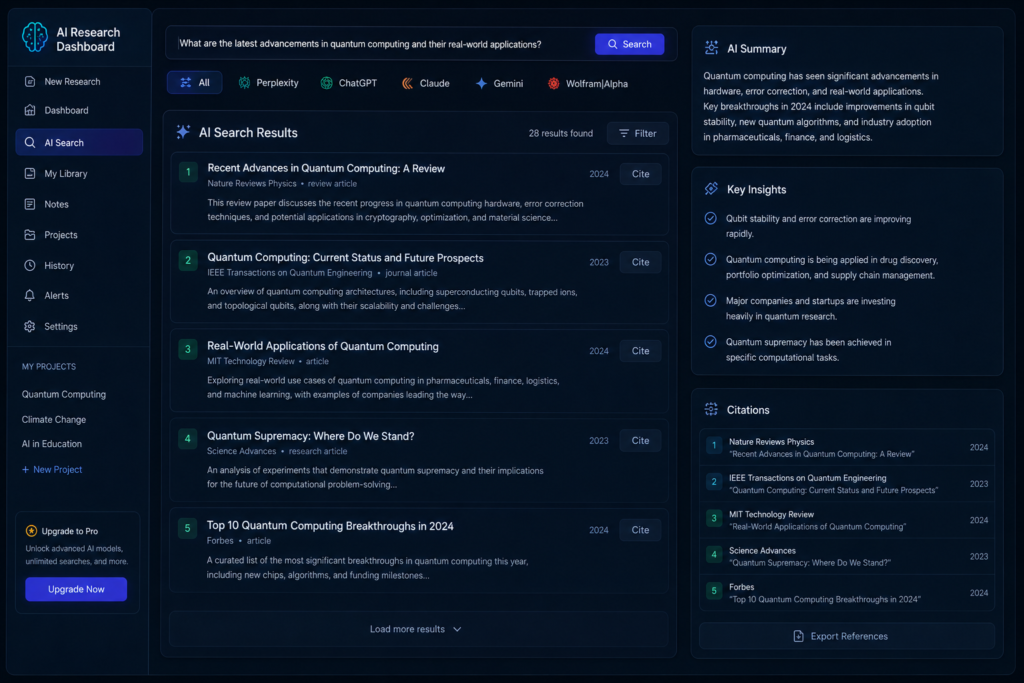
Perplexity AI is particularly useful for students who need web-based research with source-backed answers.
It doesn’t just provide answers—it also shows sources.
Limitation: It is still important to review the cited sources yourself, because AI-generated summaries may not capture every detail of the original source.
Best Features:
- Real-time internet research
- Accurate citations
- Fast summaries
- Research papers support
👉 Agar aap college student ho, toh yeh must-try tool hai.
2. Claude AI – Best for Deep Understanding 🧠
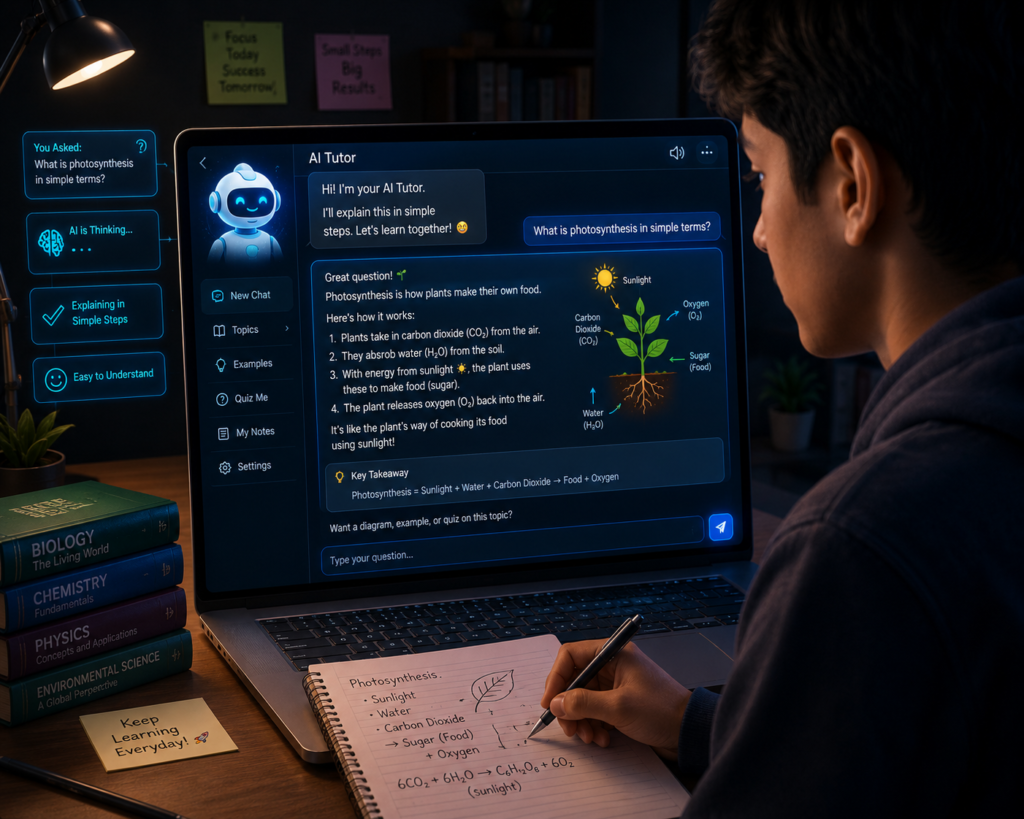
Claude AI long explanations and Claude is known for providing detailed explanations and handling long documents effectively.
Best suited for students who want step-by-step explanations rather than short answers.
Why Students Love It:
- Detailed explanations
- Easy language
- Long PDFs summarize karta hai
- Better writing help
If you want to understand concepts deeply, Claude is quite useful.
3. Gemini AI – Best for Google Integration 🌐
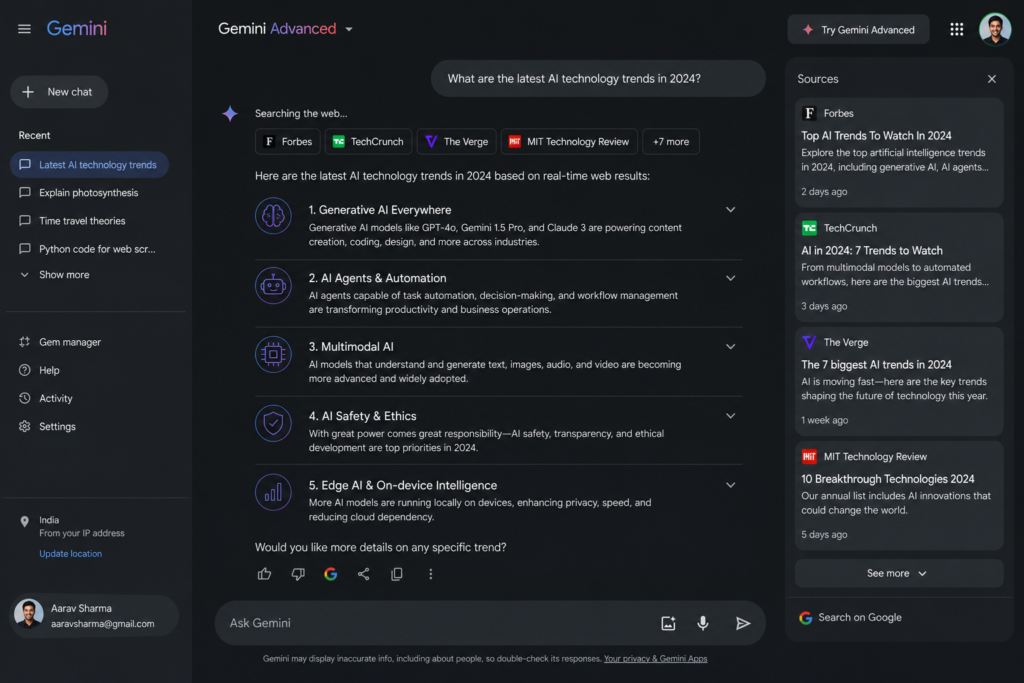
Gemini can assist with writing, brainstorming, planning, and study-related tasks, and its available integrations depend on the Google services and plan being used.
Useful For:
- Latest information
- Quick study help
- YouTube + Docs integration
Students who frequently use Google services may find Gemini more convenient for certain workflows, depending on their needs.
4. Wolfram Alpha – Best for Math & Science 📘
Wolfram Alpha is especially useful for mathematics and science subjects that require calculations and step-by-step solutions.
It focuses more on computational problem-solving than general conversations.

Best Features:
- Step-by-step math solutions
- Physics calculations
- Chemistry equations
- Graph solving
👉 Engineering aur science students definitely use karein.
5. Notion AI – Best for Notes ✍️
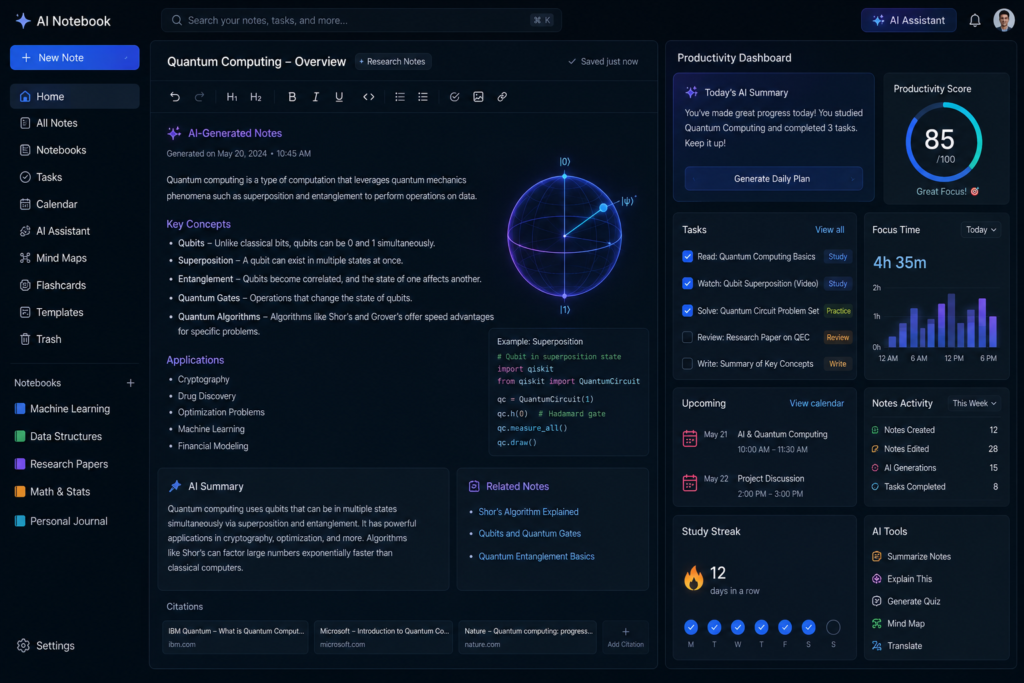
Notion AI can be useful for organizing study materials, notes, and planning tasks within the Notion workspace.
It works best for students who already use Notion for note-taking and organization.
Helps In:
- Smart notes
- To-do lists
- Study planning
- Content summarizing
Productivity boost karne ke liye best tools me se ek hai.
6. QuillBot – Best for Rewriting & Grammar 📝
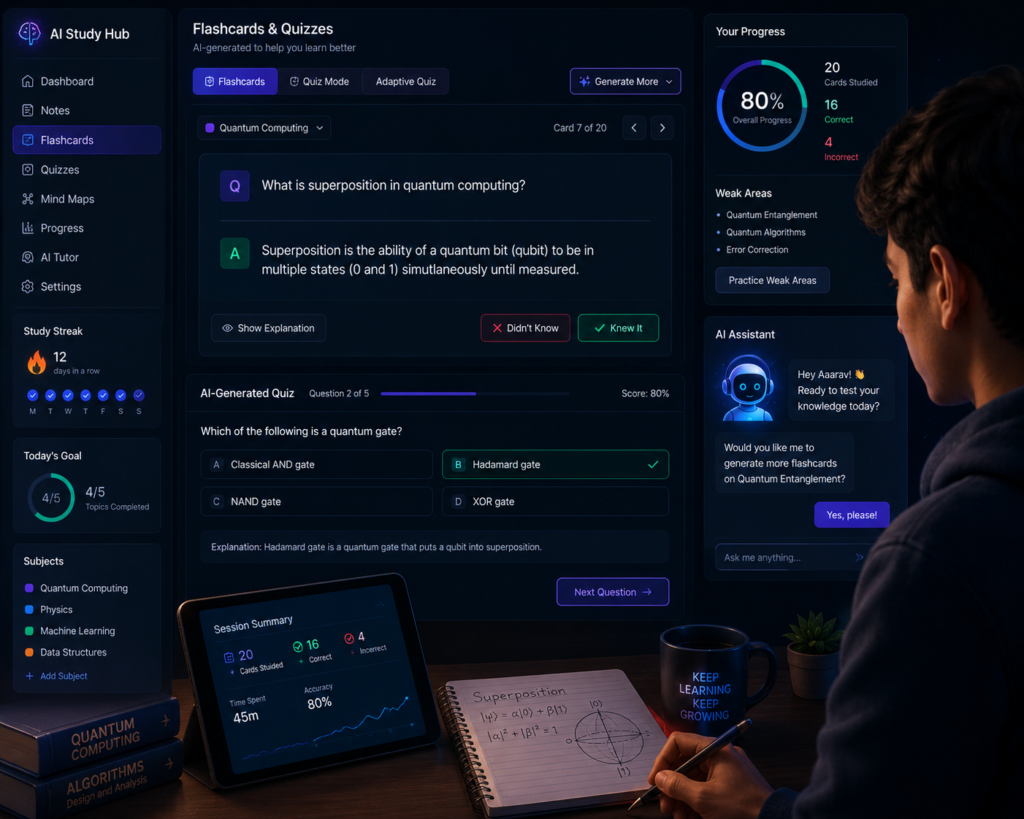
Assignments aur essays improve karne ke liye students QuillBot use karte hain.
Features:
- Paraphrasing
- Grammar correction
- Sentence improvement
- Summaries
👉 Especially useful for English writing.
Limitation. QuillBot is helpful for improving writing, but students should review rewritten text to ensure that the original meaning has not changed.
7. Grammarly – Best for Academic Writing ✅
Agar aap essays ya emails likhte ho, Grammarly bahut useful hai.
Benefits:
- Grammar fixing
- Tone improvement
- Clarity suggestions
It provides suggestions to improve grammar, clarity, and writing style, but users should review each suggestion before accepting it
8. Khanmigo – Best for School Students 🎒
Khan Academy’s tutor is designed specifically for students.
Availability and access may vary depending on region or subscription options, so students should check the latest details before using it.
Why It’s Great:
- Personalized learning
- Practice help
- Friendly explanations
👉 School students ke liye safe aur educational option hai.
9. GitHub Copilot – Best for Coding Students 💻
Programming students ke liye yeh AI assistant next-level tool hai.
Best For:
- Code suggestions
- Bug fixing
- Learning programming
GitHub Copilot can assist programming students by suggesting code and helping explain coding concepts, but learners should understand the generated code instead of copying it directly.
10. Quizlet AI – Best for Exam Preparation 📚
Quizlet AI is most effective when used alongside regular revision rather than as a complete replacement for studying course material.
Useful For:
- Memorization
- Quick revision
- MCQ practice
👉 Exam ke time bahut helpful hota hai.
11. You.com AI – Best Lightweight AI ⚡
Simple aur fast AI experience chahiye? You.com try karo.
Features:
- Quick responses
- Research help
- Simple UI
It can be a simple option for users who prefer a lightweight AI interface for everyday questions and basic research tasks.
📌 Which AI Tool Is Best for You?
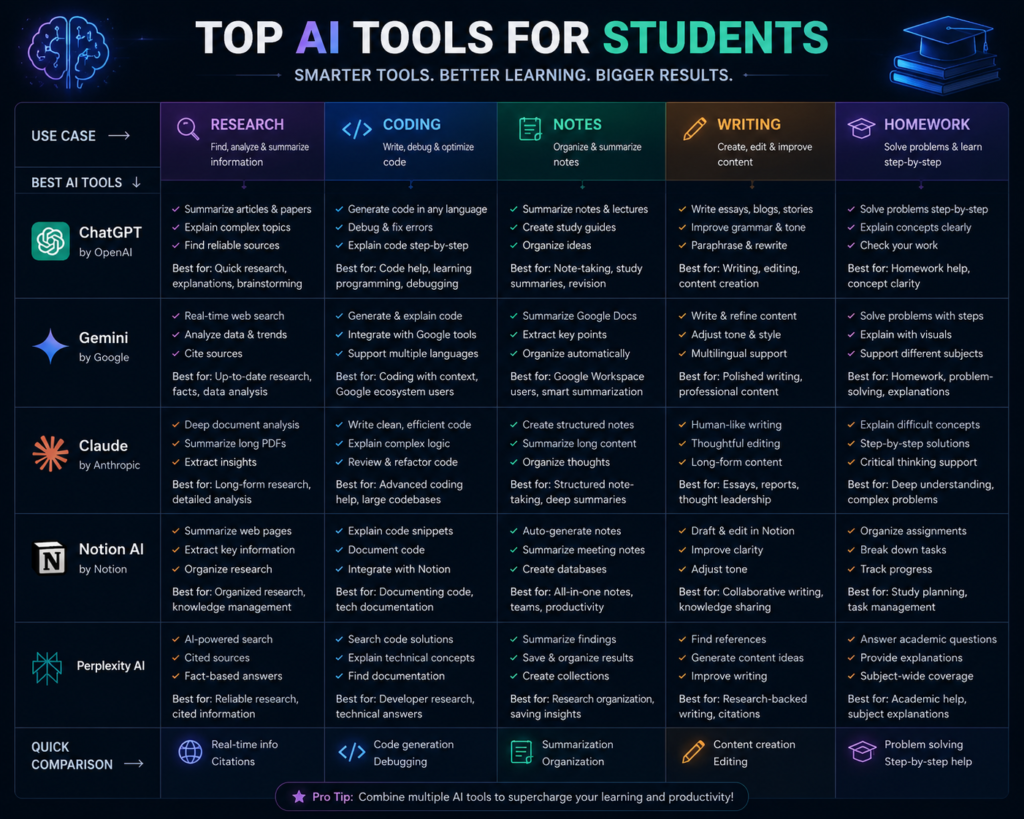
The right AI tool depends on the type of study task you want to complete. A tool that is useful for mathematics may not be the best choice for research or note-taking. Choosing an AI assistant based on your actual learning needs can make studying more efficient.
| Study Need | Recommended AI Tool | Why It May Be Useful |
|---|---|---|
| Research | Perplexity AI | Source-backed answers and web research |
| Deep Understanding | Claude AI | Detailed explanations and document analysis |
| Mathematics | Wolfram Alpha | Step-by-step calculations and formulas |
| Coding | GitHub Copilot | Code suggestions and programming assistance |
| Notes & Planning | Notion AI | Organizing notes and study plans |
| Exam Preparation | Quizlet AI | Flashcards and revision practice |
For example, you might use Perplexity AI to research a topic, Claude AI to understand difficult concepts, Notion AI to organize your notes, and Quizlet AI to revise before an exam. Using the right tool for each task is often more effective than expecting one AI assistant to handle everything.
No single AI tool is the best choice for every student.
Many students use different AI tools for different study tasks instead of relying on a single assistant.
Before choosing any AI tool, check its current free-plan availability, supported features, and usage limits. AI products change frequently, so reviewing the latest information on the official website is always a good practice.
Tips to Use AI for Studying Effectively
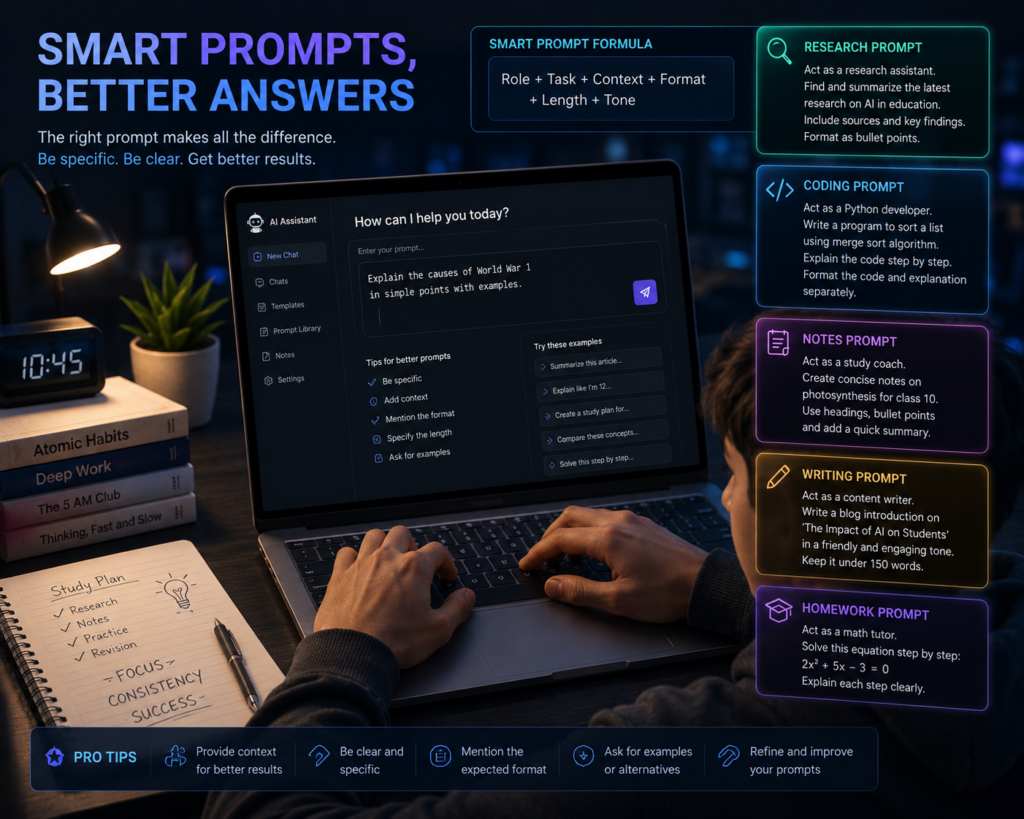
✅ Ask Better Questions
The more specific your prompt is, the more relevant and useful the AI’s response is likely to be.
Example:
- “Explain photosynthesis in simple Hindi”
- “Summarize this chapter in bullet points”
A simple way to write better prompts is to include the topic, your learning goal, the level of explanation you need, and the preferred output format. For example, asking for a step-by-step explanation with examples usually produces more useful study material than a very short or vague prompt.
✅ Don’t Depend Fully on AI
Use it as a study assistant, not as a replacement for teachers, textbooks, or self-study.
After reading the explanation, revise the concepts yourself and solve practice questions to improve long-term understanding.
✅ Verify Important Information
AI-generated answers may contain factual errors or outdated information; therefore, it is important to verify key academic information using trusted educational resources.
Especially:
- Dates
- Formulas
- Historical facts
For subjects such as science, mathematics, history, or law, compare important facts with your textbook, teacher’s notes, or other reliable educational resources before using them in assignments or exams.
✅ Use AI Consistently When It Adds Value
Regular practice and a thoughtful approach can make study sessions more organized and efficient.
Even short AI-assisted study sessions can help students organize notes, understand concepts, and prepare revision material more efficiently when combined with regular practice and independent learning.
A practical study workflow could be: first, ask the AI tool to explain a concept, then summarize the chapter, generate practice questions, and finally test yourself without looking at the AI-generated answers. This helps you use AI as a learning aid instead of becoming dependent on it.
Common Mistakes Students Make
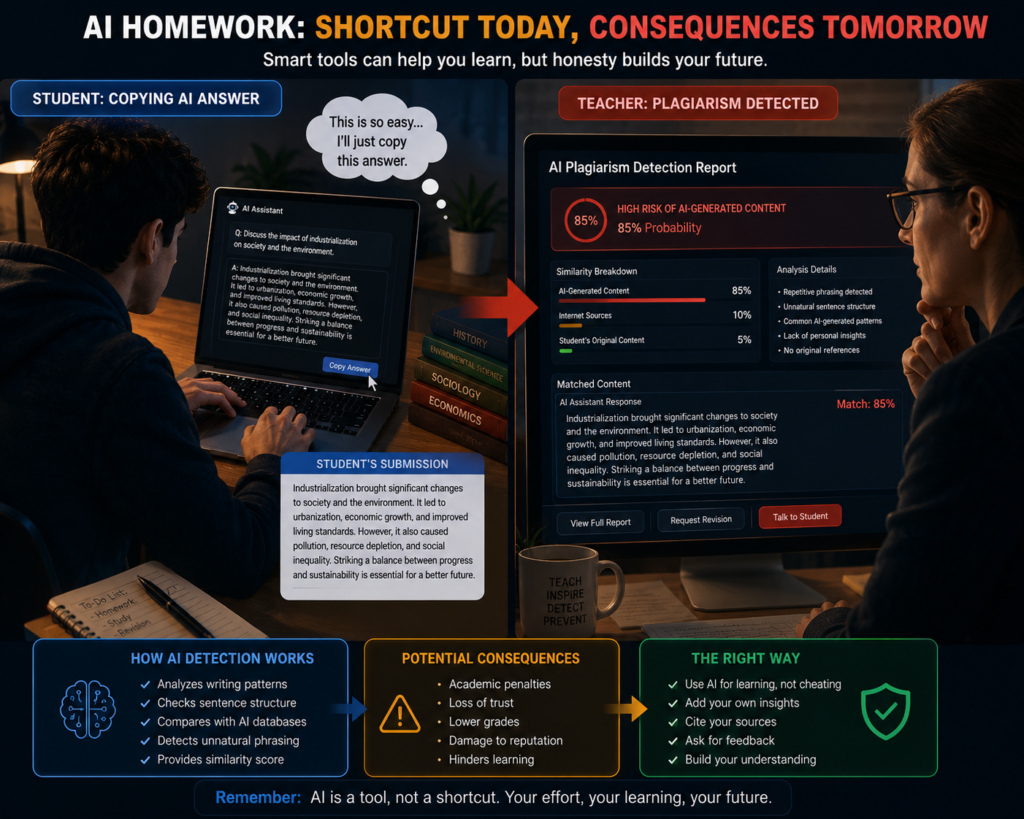
❌ Copy-Paste Assignments
Submitting AI-generated assignments without reviewing, editing, or understanding the content can reduce originality and may not reflect your own knowledge or writing skills.
Instead of submitting AI-generated text directly, use it as a first draft. Review the content carefully, correct any factual errors, add your own understanding, and rewrite important sections in your own words where appropriate.
❌ Using AI Without Understanding
Understanding concepts, looking at examples, and practicing on your own—rather than simply copying AI-generated answers—is more important for long-term learning.
A simple learning approach is to first ask the AI tool to explain the topic, then read your textbook or class notes, and finally test yourself without looking at the AI-generated answer. This helps improve understanding instead of memorizing responses.
❌ Wrong Tool for Wrong Task
Different AI tools are optimized for different tasks. For instance, specific tools may be better suited for mathematics, coding, writing, or research. Choosing a tool based on your study needs can yield better results.
Before choosing an AI tool, think about your goal. If you need help with research, choose a research-focused AI assistant. For mathematics, use a tool designed for calculations. For writing, select an AI tool that specializes in grammar or content improvement.
🔮 Future of AI in Education
AI can further advance new learning methods and study support tools in education, providing both students and teachers with additional support for certain tasks.
The future of AI in education is not only about faster answers. Many educational platforms are gradually adding AI-powered features that can support personalized learning, study planning, feedback, and revision. However, the way these features work may differ from one platform to another.
Future me:
- AI tutors can become increasingly capable of providing personalized explanations and practice suggestions tailored to an individual’s learning pace and study preferences.
- Voice-enabled AI assistants can support students in hands-free learning, quick doubt solving, and revision sessions.
- These tools can be even more effective in personalizing topic-specific quizzes and practice tests based on student performance.
- AI-based features and tools can be integrated into learning platforms, making planning, revision, and progress tracking easier.
Students can prepare for these changes by learning how to write better prompts, verify AI-generated information, and combine AI assistance with textbooks, teachers, and regular self-study. These habits can help them use AI more effectively without becoming overly dependent on it.
For students who use AI by balancing it with critical thinking, regular practice, and reliable study resources, AI can become a useful learning assistant.
As AI technology continues to evolve, features, availability, and educational capabilities may change over time. Before choosing an AI tool for studying, it is always a good idea to review the latest information and use the tool that best matches your learning goals.
🎯 Conclusion

If you are exploring alternatives to ChatGPT for your studies, there are many AI tools available today that offer useful features for specific tasks such as research, mathematics, coding, note-taking, and exam preparation.
Perplexity AI can be useful for research, Claude for detailed explanations, Wolfram Alpha for mathematics and science problems, and GitHub Copilot for programming-related learning. Choosing the right tool depends on your study goals.
Sabse important baat:
Instead of using AI as a shortcut, use it as a learning assistant. Learning can be more effective when AI is combined with textbooks, teachers, and regular practice.
A combination of the right tools and well-thought-out study habits can help students make their learning process more organized and efficient.
Remember that no single AI tool is the best choice for every student. The right option depends on your study goals, the subjects you are learning, and the type of assistance you need. Trying a few different tools and choosing the one that fits your workflow is often the most practical approach.
Since AI tools continue to evolve, their features, free plans, and availability may change over time. Before relying on any AI assistant for important assignments or exam preparation, check the latest information and verify important facts with reliable educational resources.
What’s Next?
If you found this guide helpful, share it with friends who are looking for AI study tools. You can also explore our other guides on AI tools, productivity, online learning, and study techniques to continue improving your learning workflow.