
How to Use Midjourney AI
AI image generation tools have become widely used for creative projects, and Midjourney is one of the well-known platforms for generating images from text prompts. Whether you are a social media creator, a YouTuber, a designer, or simply someone who wants to create creative images, Midjourney can help creators explore AI-assisted image generation for artwork, concept design, illustrations, and other creative projects.
New users often find Midjourney’s workflow different from traditional design software, especially during the initial setup. Many people are confused about how to use Midjourney AI because its interface is a bit different. But don’t worry—this article explains everything step-by-step in simple language.
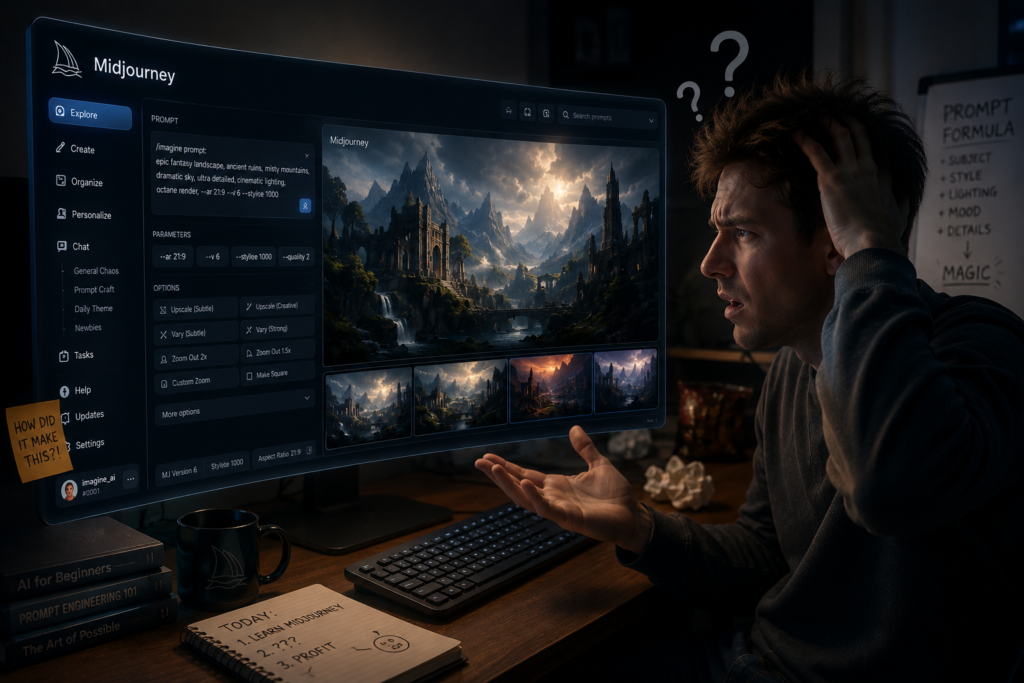
In this guide, you’ll learn how to use Midjourney to create cinematic-style images, fantasy artwork, YouTube thumbnails, wallpapers, and other creative designs. The final quality depends on your prompts, settings, and creative refinements.
What is Midjourney?
Midjourney is an AI image generation platform that creates images from text prompts. Users describe a scene, style, or concept, and the AI generates one or more image variations based on that description.
What You Can Create with Midjourney
| Project Type | Example |
|---|---|
| Cinematic Artwork | Movie-style scenes |
| Fantasy Art | Magical landscapes and characters |
| YouTube Thumbnails | Custom thumbnail concepts |
| Wallpapers | Desktop and mobile backgrounds |
| Concept Art | Character and environment designs |
| Social Media Graphics | Creative visual content |
What You’ll Learn
By the end of this guide, you’ll understand:
- How to set up Midjourney
- How to write effective prompts
- How to generate and refine images
- Common beginner mistakes
- Tips for getting better AI-generated results
Introduction
Artificial Intelligence (AI) has significantly changed the way many people create digital content. Until a few years ago, Creating professional-quality artwork often required design skills, creative experience, and access to specialized software. Today, AI image generators have made creative design more accessible to a wider range of users, including beginners and professionals.
Among all AI image generation tools, Midjourney has emerged as one of the most popular choices for artists, marketers, bloggers, content creators, and businesses alike.
If you have ever seen stunning AI-generated artwork on social media and wondered how such images are created, There is a good chance that tools like Midjourney were used to create them.
The good news is…
You don’t need professional design experience to get started with Midjourney, although learning prompt writing and practicing regularly can improve your results. to use Midjourney.
In this comprehensive guide, you will learn how to use Midjourney AI, create stunning images, write effective prompts, avoid common beginner mistakes, and Learn techniques that can help you create more polished and visually appealing AI-generated images
Whether you are a complete beginner or looking to enhance your existing AI art skills, this guide will help you master Midjourney step-by-step.
| Audience | Benefit |
|---|---|
| Beginners | Learn Midjourney from scratch |
| Designers | Speed up creative workflows |
| Bloggers | Create custom blog images |
| YouTubers | Design thumbnails and channel artwork |
| Marketers | Produce visuals for campaigns |
| Business Owners | Generate marketing graphics |
What You’ll Learn”
- Setting up Midjourney
- Writing effective prompts
- Creating cinematic AI artwork
- Upscaling and editing images
- Common mistakes to avoid
- Best practices for consistent results
What is Midjourney AI?
You simply describe what you want to see, and Midjourney creates unique images based on your prompt.
For example:
“A futuristic city at sunset, cinematic lighting, ultra-realistic, 8K”
Depending on the prompt, server load, and selected settings, Midjourney typically generates multiple image variations within a short time.
The platform is renowned for:
- Generating high-quality images
- Artistic styles
- Photorealistic output
- Fast rendering
- Creative flexibility
- Suitable for creative projects, concept art, illustrations, and marketing visuals.
Midjourney is widely recognized for its artistic image generation capabilities and is commonly used by creators for a variety of visual projects.
Midjourney is an advanced AI image generator tool that converts text prompts into images.
In simple terms:
👉 Write down what you imagine… and Midjourney creates an AI image of it.
Example:
“A futuristic Indian king standing in rain, cinematic lighting, ultra realistic”
The AI can generate one or more image variations based on your prompt. The final result depends on the prompt, settings, and AI model. Read More
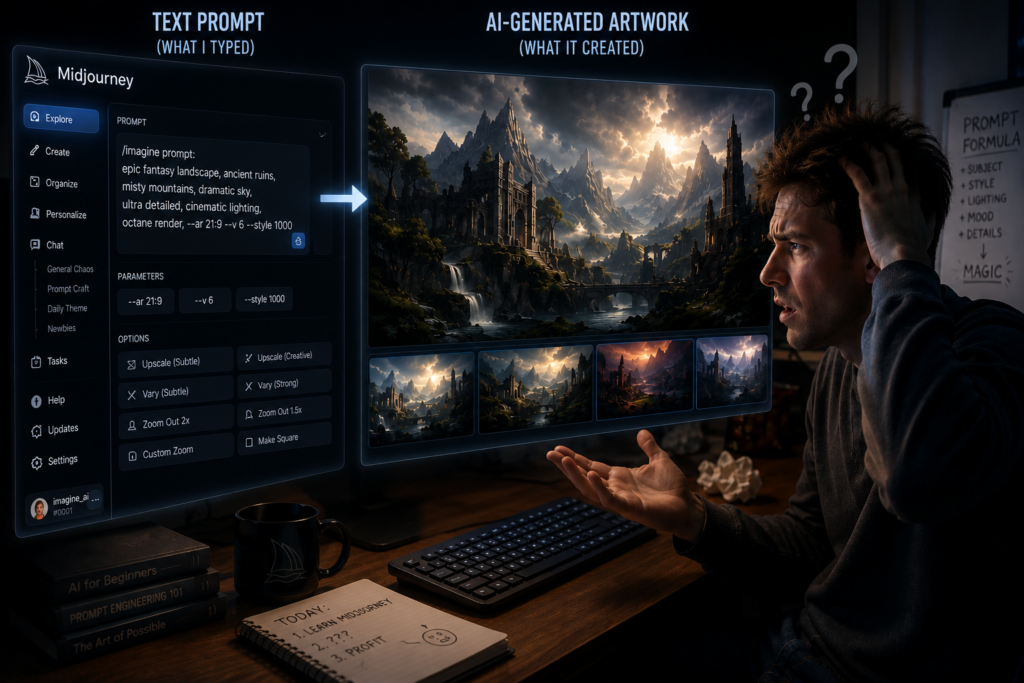
Midjourney is primarily accessed through Discord, although available access methods and features may change over time and is very popular among artists, creators, marketers, and YouTubers.
Key Features of Midjourney
| Feature | Description |
|---|---|
| Text-to-Image | Creates images from written prompts |
| Artistic Styles | Supports multiple visual styles |
| Image Variations | Generates different interpretations of the same prompt |
| Upscaling | Produces higher-resolution versions of selected images |
| Creative Flexibility | Useful for concept art, marketing, and content creation |
🎯 Who Uses Midjourney?
- Digital artists
- Graphic designers
- Content creators
- YouTubers
- Bloggers
- Marketing teams
- Small businesses
Note: The quality of AI-generated images depends on the prompt, selected parameters, and the capabilities of the current Midjourney model.
Why Do People Use Midjourney AI?
Before learning how to use Midjourney AI, it is important to understand why it has become so popular.
People use Midjourney for the following purposes:
- Blog featured images
- Social media graphics
- YouTube thumbnails
- Product concepts
- Marketing campaigns
- Character design
- Digital artwork
- Book covers
- Website visuals
- Business branding
AI image generation tools can help reduce the time required for many design tasks. The final image quality depends on the prompt, selected settings, and any additional editing or refinements.
| Use Case | Example |
|---|---|
| Blogging | Featured images and illustrations |
| Social Media | Instagram posts and Facebook graphics |
| YouTube | Thumbnails and channel banners |
| Marketing | Advertisements and promotional visuals |
| Business | Branding and website graphics |
| Creative Projects | Character art, concept art, and book covers |
Note: The available features and image quality may vary depending on the Midjourney version, prompt quality, and subscription plan
Benefits of using Midjourney
If you want to create AI-generated images without extensive graphic design experience, Midjourney is one of several popular platforms worth considering.
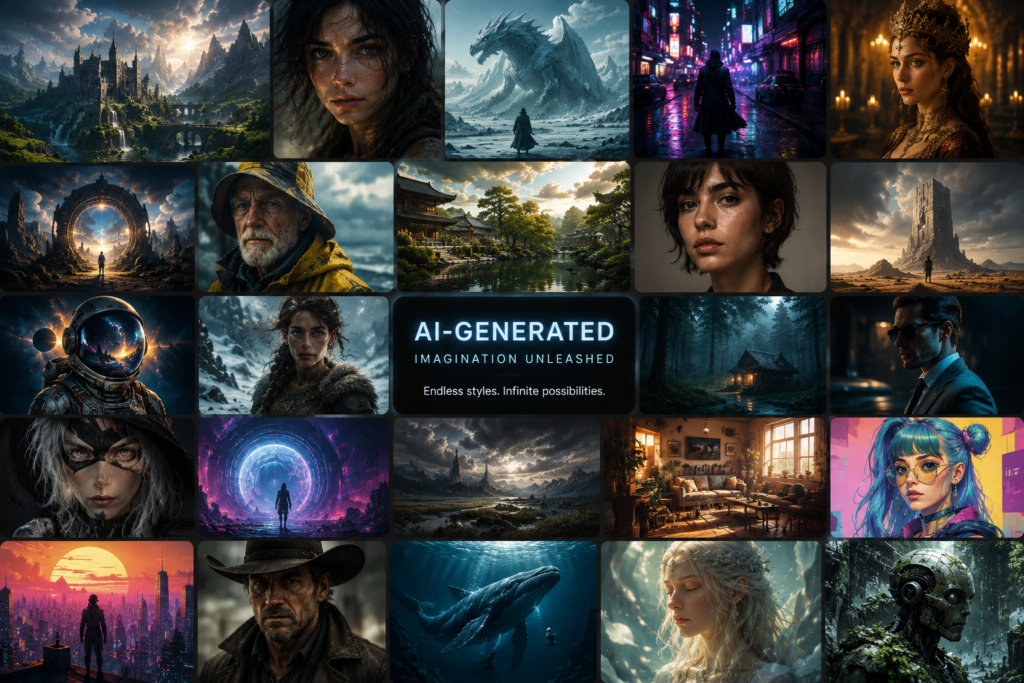
Major Benefits:
- 🎨 High-quality AI artwork
- ⚡ Can generate image variations in a short time, depending on the prompt, settings, and system availability.
- 📱 Social media content creation
- 🎬 Cinematic thumbnail design
- 💡 Helps visualize creative ideas and concepts from text prompts
- 🧠 Can reduce the time required for many creative workflows, although editing and prompt refinement may still be needed.
| Benefit | How It Helps |
|---|---|
| AI Image Generation | Creates images from text prompts |
| Multiple Art Styles | Supports cinematic, fantasy, anime, realistic and more |
| Faster Workflow | Speeds up concept creation and brainstorming |
| Social Media Graphics | Useful for posts, banners, and thumbnails |
| Creative Exploration | Generates multiple visual interpretations of the same idea |
| Learning Friendly | Beginners can start with simple prompts and improve over time |
In today’s digital world, there is significant demand for AI image generation, especially among YouTube and Instagram creators.
Note: The quality of AI-generated images depends on the prompt, selected settings, and the current Midjourney model. Manual editing may still be useful for achieving specific creative goals.
Midjourney AI How to use
1. Discord Account Banaye
Midjourney Discord ke through chalta hai.
Steps:
- Discord website par jao
- Free account create karo
- Email verify karo
👉 Agar already Discord use karte ho, toh direct login kar sakte ho. Discord
2. Midjourney Official Server Join Kare
Now, open the official Midjourney website and Visit the official Midjourney website and follow the available option to join or access Midjourney through Discord.
This will automatically take you to the Discord server.
Here, thousands of users generate AI images.
3. Subscription Plan Choose Kare
Midjourney’s plans and trial availability can change over time. Check the official pricing page for the latest information, but mostly paid plans are used.
| Plan | Suitable For |
|---|---|
| Basic | Beginners and occasional users |
| Standard | Frequent creators |
| Pro | Advanced users and professionals |
Note: Features and pricing may change over time.
If you are a beginner, then For many beginners, the Basic plan may be a suitable starting point, depending on their usage needs.. Comparing Midjourney Plans
4. Newbie Channel Open Kare
After joining the server, you will see the channels:
- newbie-1
- newbie-2
- newbie-3
You can type prompts in these channels.
5. Prompt Likhe ✍️
This is the most important step.
You need to use the /imagine command.
Example Prompt:
/imagine prompt: A futuristic Indian temple in the mountains, cinematic lighting, ultra-realistic, dramatic clouds, golden sunrise, highly detailed
Midjourney will generate one or more image variations based on your prompt and selected settings.
Clear and detailed prompts often lead to more relevant and consistent image results, although outcomes can vary.
| Tip | Benefit |
|---|---|
| Be specific | More relevant images |
| Mention lighting | Better atmosphere |
| Describe composition | Improved framing |
| Add artistic style | More consistent visuals |
| Experiment | Discover different outputs |
Common Beginner Mistakes
- Using very short prompts
- Giving conflicting instructions
- Expecting identical results every time
- Ignoring prompt refinement
- Not reviewing generated variations
Note: Midjourney’s interface, available commands, subscription plans, and Discord workflow may change over time. Always refer to the official documentation for the latest instructions.
Advanced Midjourney Features
Aspect Ratio
Aspect Ratio controls the shape and proportions of the generated image. The available ratios and supported values may vary depending on the current Midjourney version.
Examples:
| Ratio | Best For |
|---|---|
| 1:1 | Social media posts and profile images |
| 9:16 | Reels, Shorts, and Stories |
| 16:9 | YouTube thumbnails, presentations, and blog headers |
Stylize
Controls artistic creativity.
Higher Stylize values generally encourage the AI to apply stronger artistic interpretation, while lower values tend to follow the prompt more closely. The exact effect can vary depending on the model version.
Chaos
Higher Chaos values usually produce more varied image compositions, while lower values tend to generate more consistent variations from the same prompt.
Parameter Summary Table
| Feature | Purpose | Common Use Case |
|---|---|---|
| Aspect Ratio | Controls image shape | Social media, YouTube, websites |
| Stylize | Adjusts artistic interpretation | Concept art, illustrations |
| Chaos | Changes variation level | Brainstorming and creative exploration |
Tip: Start with default settings and change only one parameter at a time. This makes it easier to understand how each setting affects the final image.
Note: Midjourney commands, parameters, and supported values may change as new versions are released. Always refer to the latest official documentation for current options.
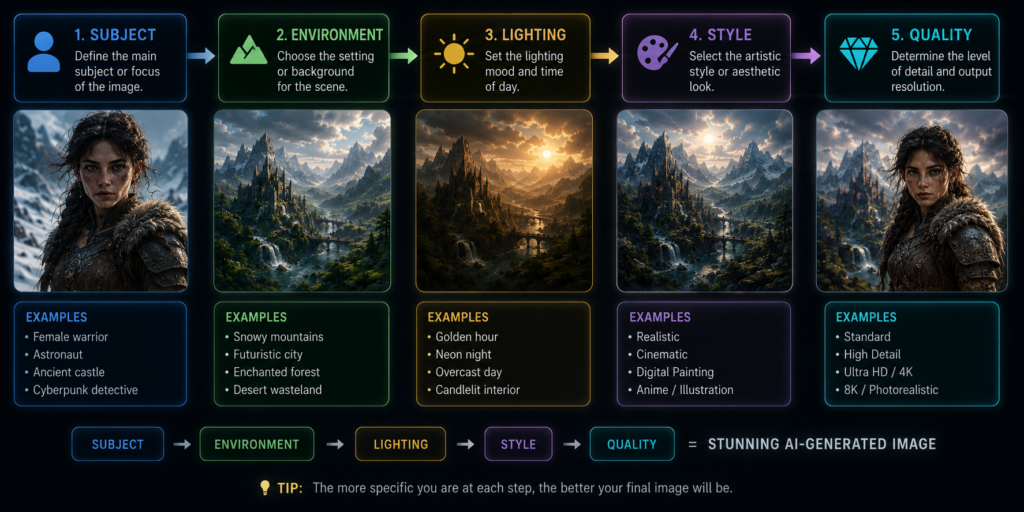
Best Prompt Writing Tips for Midjourney AI
Clear and detailed prompts generally help Midjourney generate images that more closely match your intended idea.
| Prompt Element | Example |
|---|---|
| Subject | Ancient warrior |
| Environment | Desert at sunset |
| Lighting | Dramatic golden light |
| Camera Angle | Low-angle shot |
| Style | Cinematic, realistic |
| Quality | Highly detailed |
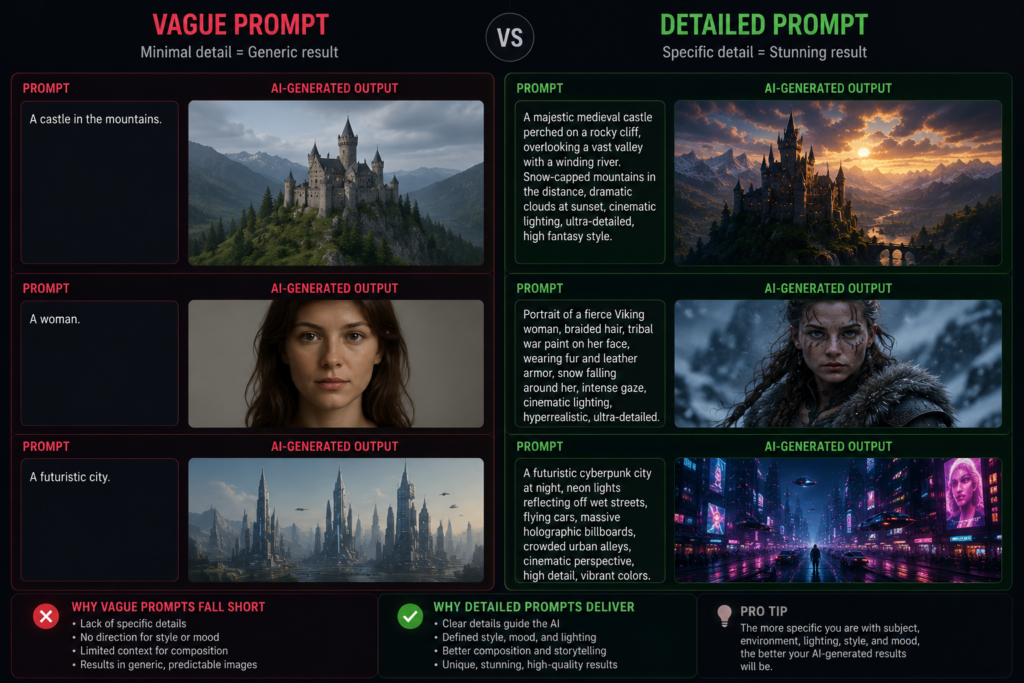
Include These Things:
- Subject
- Environment
- Lighting
- Camera angle
- Style
- Quality
Example:
Ancient warrior standing in a desert at sunset, dramatic golden lighting, realistic skin texture, cinematic composition, highly detailed.
Detailed prompts often help produce images that are more consistent with your creative vision. The final output may vary depending on the prompt, settings, and Midjourney model.
Prompt Checklist
- ✅ Subject
- ✅ Background or environment
- ✅ Lighting
- ✅ Camera angle or perspective
- ✅ Art style
- ✅ Mood or atmosphere
- ✅ Color palette (optional)
- ✅ Level of detail
Common Prompt Mistakes
- Writing very short prompts
- Mixing too many unrelated ideas
- Forgetting lighting or environment
- Using vague descriptions
- Expecting identical results every time
Tip: Start with a simple prompt, then refine it by adding details such as lighting, composition, or artistic style. Small changes can noticeably affect the generated image.
Midjourney AI Practical Examples
Example 1: YouTube Thumbnail
Prompt:
“Indian king with glowing eyes, dark background, cinematic lighting, ultra realistic thumbnail”
Result:
Possible Outcome: A cinematic-style thumbnail concept suitable for YouTube. The final appearance depends on the prompt, selected settings, and any additional editing.
Example 2: Fantasy Art
Prompt:
“Dragon flying above snowy mountains during sunset, fantasy art style”
Result:
Possible Outcome: A fantasy-style landscape that can be used as concept art or a wallpaper, depending on the generated result.
Example 3: Product Design
Prompt:
“Luxury perfume bottle on black marble table, studio lighting”
Result:
Possible Outcome: A product visualization that may be useful for concept presentations, mockups, or marketing inspiration. Additional editing may be required before commercial use.
| Example | Purpose |
|---|---|
| YouTube Thumbnail | Content creation |
| Fantasy Art | Creative artwork |
| Product Design | Product visualization |
Prompt Elements
- Subject: Indian king
- Background: Dark
- Lighting: Cinematic
- Style: Realistic
- Use Case: Thumbnail
Note: AI-generated outputs can vary even when using the same prompt. Small changes to wording, parameters, or model versions may produce different results.
Midjourney AI Tips for Better Results
1. Detailed Prompts Use Kare
Detailed prompts generally help the AI understand your intent more clearly, although the final output can still vary based on the model and settings
2. Add style keywords.
| Keyword | Purpose |
|---|---|
| Cinematic | Movie-like composition and lighting |
| Ultra realistic | Encourages a realistic visual style |
| Hyper detailed | Requests finer visual details |
| Dramatic lighting | Enhances mood and contrast |
Note: The effect of these keywords can vary depending on the Midjourney model and prompt.
3. Experiment Karte Raho
The output for each prompt can be different.
4. Reference Images Use Kare
Where supported, you can use image references alongside text prompts to guide the AI toward a specific style or composition.
5. Aspect Ratio Change Kare
Example:
A wide aspect ratio such as 16:9 is commonly used for YouTube thumbnails and banners. Check the latest Midjourney documentation for the currently supported syntax and parameters.
| Tip | Benefit |
|---|---|
| Write detailed prompts | Improves clarity for the AI |
| Add lighting and style | Creates a more defined visual mood |
| Test multiple variations | Helps compare different creative directions |
| Use reference images (if supported) | Guides style and composition |
| Adjust aspect ratio | Matches the intended platform or format |
Common Mistakes
- Using only one or two descriptive words
- Combining unrelated styles in the same prompt
- Ignoring lighting and composition
- Expecting identical results from repeated prompts
- Not refining prompts after the first output
Tip: Change only one part of your prompt at a time (for example, lighting or camera angle). This makes it easier to understand how each change affects the generated image.
Common Mistakes Beginners Karte Hain
1. Bahut Short Prompt Likna
Bad Example:
“lion image”
Good Example:
“Majestic lion in jungle, golden sunlight, ultra realistic, cinematic shot” Detailed prompts generally provide the AI with more context, which can help generate results that better match your intended idea.
2. Overcomplicated Prompt
Adding too many unrelated or conflicting instructions may make it harder for the AI to interpret your intended style or composition.
3. Wrong Style Mix Karna
Combining multiple styles is possible, but using too many conflicting styles in a single prompt may lead to less consistent results. Experiment gradually to find the combination that works best for your project.
| Mistake | Better Approach |
|---|---|
| Very short prompts | Add subject, environment, lighting, and style |
| Too many unrelated keywords | Focus on one clear concept |
| Conflicting styles | Combine styles thoughtfully and test variations |
| Skipping prompt refinement | Review and improve prompts after each result |
| Expecting identical outputs | Remember that AI-generated results can vary |
Tip: If the generated image doesn’t match your expectation, change one part of the prompt at a time instead of rewriting the entire prompt. This makes it easier to understand which changes improve the result.
Note: AI-generated images are influenced by prompt wording, selected parameters, and the current Midjourney model. Small prompt changes can produce noticeably different outputs.
Future of Midjourney AI
AI image generation is expected to continue evolving, with new features and improvements being introduced over time.
| Industry | Example Use Case |
|---|---|
| Content Creation | YouTube thumbnails and social media graphics |
| Marketing | Advertising concepts and campaign visuals |
| Design | Concept art, illustrations, and branding |
| Film & Media | Storyboards and visual concept development |
Aaj ke time me:
- YouTubers thumbnails bana rahe hain
- Businesses ads create kar rahe hain
- Designers AI art use kar rahe hain
- Filmmakers concepts create kar rahe hain
Future versions of AI image generation tools may offer more advanced image quality, improved prompt understanding, and additional creative controls.
Learning prompt writing and AI image generation skills today can help you adapt more easily as these tools continue to evolve.
| Trend | Possible Impact |
|---|---|
| Better Prompt Understanding | More accurate image generation |
| Improved Image Quality | Higher visual detail |
| Faster Workflows | Reduced time for creative iterations |
| More Creative Controls | Greater flexibility for artists and designers |
| Wider Adoption | Increased use across education, business, and media |
Note: The development of AI tools depends on ongoing research, platform updates, and product decisions. Features and capabilities may change over time
How to Write Midjourney Prompts Like a Pro: 9 Powerful Tips for Stunning AI Images
How to Write Midjourney Prompts
AI image generation tools are becoming increasingly popular among creators, designers, marketers, and content professionals. Every creator, designer, and YouTuber wants to create cinematic AI images. However, the challenge is that many people do not understand how to craft Midjourney prompts effectively.
To put it simply:
The prompt is one of the most important factors influencing the generated image. Other factors, such as the model version and selected settings, can also affect the final result.
Clear and detailed prompts generally help the AI generate images that more closely match your intended idea. The final output may still vary depending on the prompt, settings, and model version.
In this guide, you’ll learn practical techniques for writing clearer Midjourney prompts, refining them, and improving the consistency of your AI-generated images.
What You’ll Learn
- Structure of an effective prompt
- Choosing the right descriptive keywords
- Writing prompts for different art styles
- Refining prompts for better results
- Common prompt writing mistakes to avoid
Prompt Structure:
Subject + Environment + Lighting + Camera Angle + Style + Mood + Details
Note: Even with the same prompt, AI-generated images may differ slightly because of model behavior and generation settings.
Midjourney Prompt Kya Hota Hai?
A Midjourney prompt is a text instruction you give to the AI to generate an image.
Example:
A futuristic samurai standing in the rain, cinematic lighting, hyper-realistic style, highly detailed.
This is a prompt.
The AI interprets the text prompt and generates one or more image variations based on your description and the current model.
Clear and detailed prompts generally help the AI produce images that more closely match your intended idea.
The process of writing and refining prompts is commonly referred to as prompt engineering, especially when users experiment with different wording to achieve more consistent results.
| Element | Example |
|---|---|
| Subject | Futuristic samurai |
| Environment | Standing in the rain |
| Lighting | Cinematic lighting |
| Style | Hyper-realistic |
| Details | Highly detailed |
Tip: Start with a simple prompt and gradually add details such as lighting, environment, style, and composition. This makes it easier to understand how each change affects the generated image.
Note: The final image can vary depending on the prompt, selected settings, and the current Midjourney model.
Why Midjourney Prompt Writing Important Hai?
If you want AI-generated images to more closely match your creative idea, learning how to write clear and detailed prompts is important.
Benefits of Good Prompts
| Benefit | Why It Helps |
|---|---|
| More detailed descriptions | Helps communicate your idea more clearly |
| Improved consistency | Can produce results closer to your intent |
| Greater creative control | Easier to experiment with styles and compositions |
| Better visual storytelling | Useful for thumbnails, marketing, and concept art |
| Easier prompt refinement | Helps improve results through iteration |
Many creators, designers, and marketers use detailed prompts as part of their creative workflow to achieve more consistent and customized results.
Why Good Prompts Matter
- Help the AI understand your creative vision
- Reduce the need for repeated prompt revisions
- Improve consistency across multiple image generations
- Make it easier to experiment with different styles and compositions
Tip: Instead of writing a long prompt all at once, start with a simple description and gradually add details such as lighting, environment, camera angle, and artistic style.
Note: A well-written prompt increases the likelihood of getting results closer to your intended idea, but the final output can still vary depending on the model version and selected settings.
How to Write Midjourney Prompts Step-by-Step
1. Subject Clear Rakho 🎯
A clear subject helps the AI better understand the main focus of your image request.
Example:
- warrior
- lion
- temple
- futuristic city
Bad Example:
“cool image”
Good Example:
“Ancient Indian warrior standing in battlefield”
👉 AI ko clear subject dena bahut important hai.
2. Environment Add Karo 🌍
Scene kaha hai? Yeh mention karo.
Examples:
- snowy mountains
- dark forest
- cyberpunk city
- desert sunset
Example Prompt:
“Ancient king standing in desert during sunset”
Adding an environment provides context and can help create a more immersive scene.
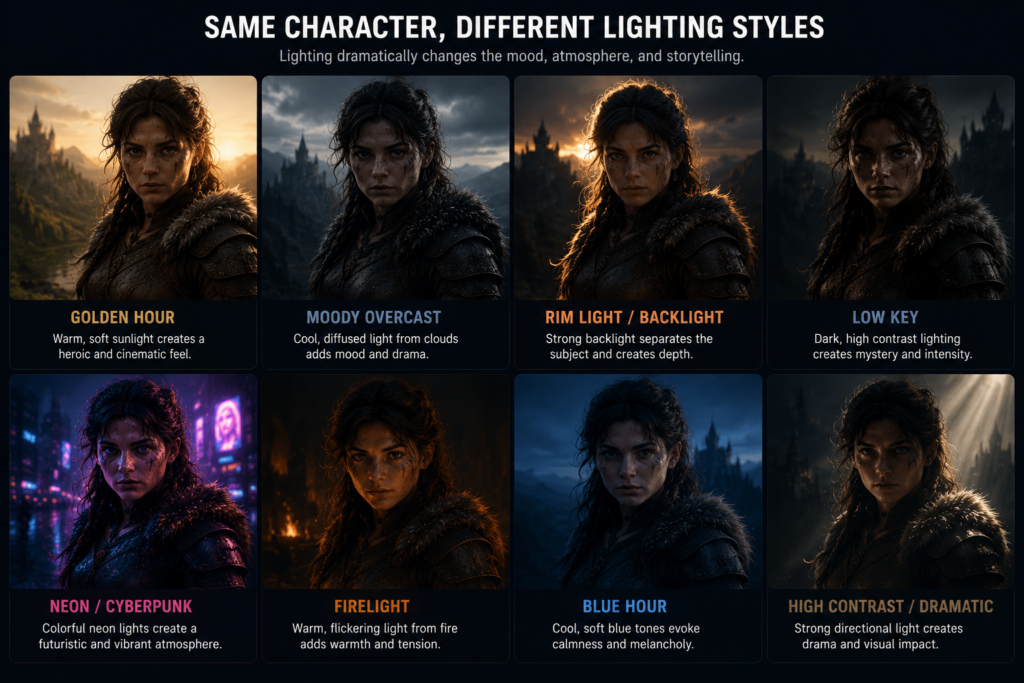
3. Lighting Mention Karo 💡
Lighting plays an important role in defining the mood, atmosphere, and visual style of an image.
Popular Lighting Keywords
- cinematic lighting
- dramatic lighting
- neon lighting
- soft light
- golden hour
Example:
“Samurai in rain, dramatic lighting”
👉 Lighting add karne se image professional lagti hai.
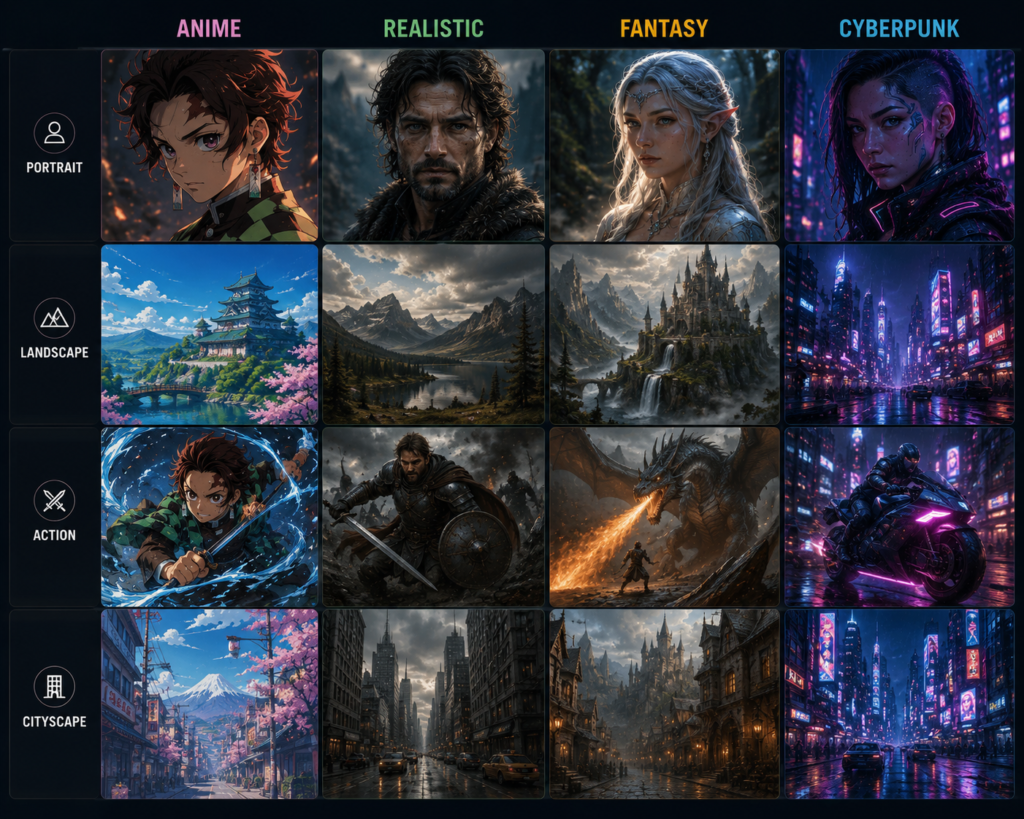
4. Style Define Karo 🎨
Aapko realistic image chahiye ya cartoon style?
Popular Styles
- ultra realistic
- anime style
- fantasy art
- cinematic
- hyper detailed
- digital painting
Different styles can produce very different results. Experiment with one style at a time before combining multiple styles.
Example:
“Cyberpunk girl, anime style, neon lights”
5. Camera Angle Add Karo 📸
Aaj ke time me cinematic AI images ke liye camera angles bahut useful hote hain.
Examples:
- close-up shot
- wide angle
- aerial view
- portrait shot
Example Prompt:
“Lion close-up shot with golden sunlight”
6. Quality Keywords Use Karo 🚀
These descriptive keywords can influence the style and level of detail in the generated image, although the final result may vary.
Common descriptive keywords:
- highly detailed
- sharp focus
- cinematic lighting
- realistic textures
- digital painting style
Example:
“Ancient temple, cinematic lighting, ultra realistic, 8k”
| Element | Example |
|---|---|
| Subject | Ancient Indian warrior |
| Environment | Desert at sunset |
| Lighting | Cinematic lighting |
| Camera | Wide shot |
| Style | Realistic |
| Details | Highly detailed |
Tip: Add one new element at a time when refining a prompt. This makes it easier to understand how each change influences the generated image.
Note: Prompt wording, selected parameters, and the current Midjourney model can all affect the final image. Even similar prompts may produce different results
Practical Midjourney Prompt Examples
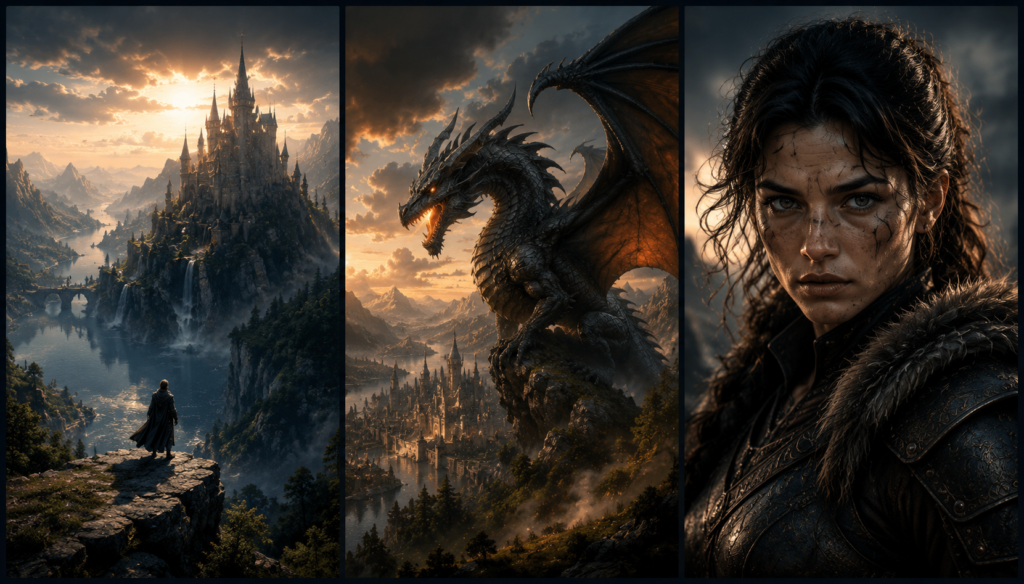
Example 1: YouTube Thumbnail
“Indian king with glowing eyes, dark cinematic background, ultra realistic, thumbnail style”
👉 Suitable for history-themed YouTube thumbnails or visual concepts.
Example 2: Fantasy Artwork
“Dragon flying above mountains during sunset, fantasy art, epic lighting”
This prompt combines a subject, environment, lighting, and artistic style to create a fantasy scene.
Example 3: AI Portrait
“Portrait of a woman, soft lighting, realistic skin texture, shallow depth of field, highly detailed”
| Example | Subject | Environment | Lighting | Style |
|---|---|---|---|---|
| YouTube Thumbnail | Indian king | Dark background | Cinematic | Realistic |
| Fantasy Artwork | Dragon | Mountains at sunset | Epic lighting | Fantasy |
| AI Portrait | Portrait | Neutral background | Soft lighting | Realistic |
Tip: After generating an image, refine only one part of the prompt at a time—for example, lighting, background, or style—to better understand how each change affects the result.
Note: These prompts are examples for learning purposes. The generated images may vary depending on the Midjourney model, prompt wording, and selected settings.
Best Midjourney Prompt Formula
Simple language me ek easy formula yaad rakho:
Subject + Environment + Lighting + Style + Details + Camera Angle
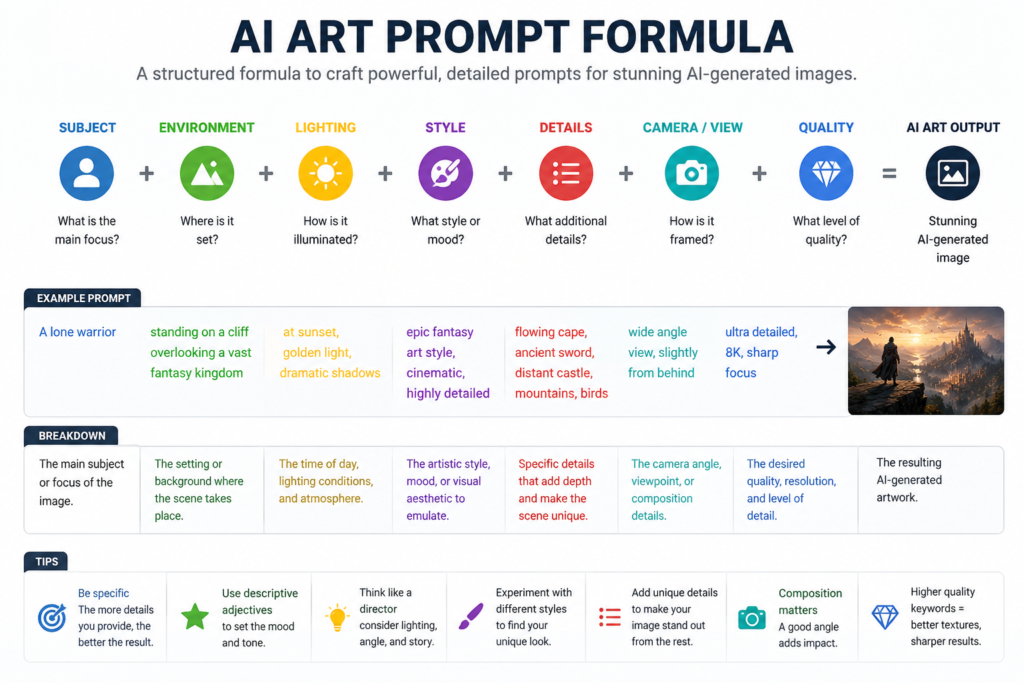
Example:
Ancient warrior in snowy mountains, cinematic lighting, realistic style, highly detailed
This formula is a simple starting point for beginners and can be expanded as you gain more experience writing prompts.
| Element | Purpose | Example |
|---|---|---|
| Subject | Main object | Ancient warrior |
| Environment | Scene or location | Snowy mountains |
| Lighting | Mood | Cinematic lighting |
| Style | Artistic look | Realistic style |
| Details | Extra description | Highly detailed |
Tip: Start with this basic formula, then gradually add details such as mood, colors, composition, or camera angle to refine your results.
Note: This formula provides a helpful structure, but the final image may still vary depending on the prompt wording, selected settings, and the Midjourney model.
Tips for Writing Better Midjourney Prompts
1. Simple but Detailed Prompt Likho
Avoid adding unrelated or conflicting keywords. Focus on clear and relevant details that support your main idea.
2. Experiment Karte Raho
Different prompts give different outputs. Even small changes in wording, lighting, or style can noticeably influence the generated image.
👉 Mastery comes only through practice.
3. Trending Styles Observe Karo
Exploring artwork on platforms such as Pinterest or Instagram can provide inspiration for styles, lighting, colors, and compositions.
4. English Keywords Better Work Karte Hain
Since many AI image-generation models are primarily trained with English-language prompts, English keywords often provide more consistent results. However, performance may improve over time as models evolve.
5. Short Sentences Use Karo
Clear and well-structured prompts are generally easier for AI models to interpret than prompts containing unrelated or conflicting instructions.
| Tip | Benefit |
|---|---|
| Use clear subjects | Helps define the main focus |
| Add relevant details | Improves prompt clarity |
| Test multiple versions | Compare different results |
| Learn from existing artwork | Develop better prompt ideas |
| Refine one element at a time | Easier to improve prompts |
Common Mistakes
- Using too many unrelated keywords
- Combining conflicting artistic styles
- Forgetting lighting or environment
- Expecting identical results every time
- Copying prompts without understanding them
Note: AI-generated results can vary depending on the prompt wording, selected parameters, and the current Midjourney model.
❌ Common Mistakes Beginners Karte Hain
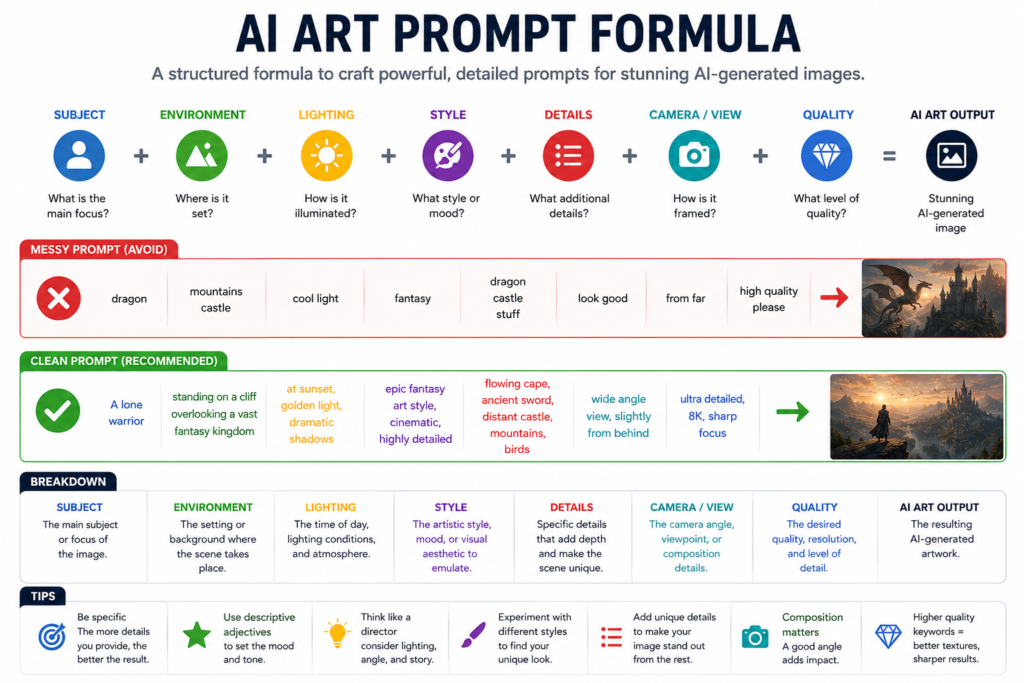
1. Overcomplicated Prompt
Adding too many unrelated or conflicting details can make it more difficult for the AI to interpret your intended subject and style.
2. Weak Descriptions
Bad Example:
Old warrior standing in rain with sword, dramatic cinematic lighting
Good Example:
“Old warrior standing in rain with sword, dramatic cinematic lighting” A detailed description gives the AI more context about the subject, environment, and visual style.
3. Style Mention Na Karna
Style keywords help guide the artistic direction and appearance of the generated image. The final quality may still vary depending on the prompt and model.
4. Low Creativity
Original and well-structured prompts often produce more distinctive and personalized results than very generic prompts.
👉 Experiment with different subjects, lighting, styles, and environments to discover prompt combinations that match your creative goals.
| Mistake | Better Approach |
|---|---|
| Overcomplicated prompts | Keep instructions clear and relevant |
| Weak descriptions | Add subject, environment, and lighting |
| Missing style | Include one clear artistic style |
| Generic prompts | Add specific visual details and mood |
Tip: If your first result isn’t what you expected, change one element of the prompt at a time instead of rewriting the entire prompt. This helps identify which changes improve the output.
Note: AI-generated images can vary even when using similar prompts. Factors such as prompt wording, model version, and generation settings all influence the final result.
Future of Midjourney Prompt Engineering
AI prompt writing is becoming an increasingly useful skill as AI tools continue to evolve and are adopted across more industries.
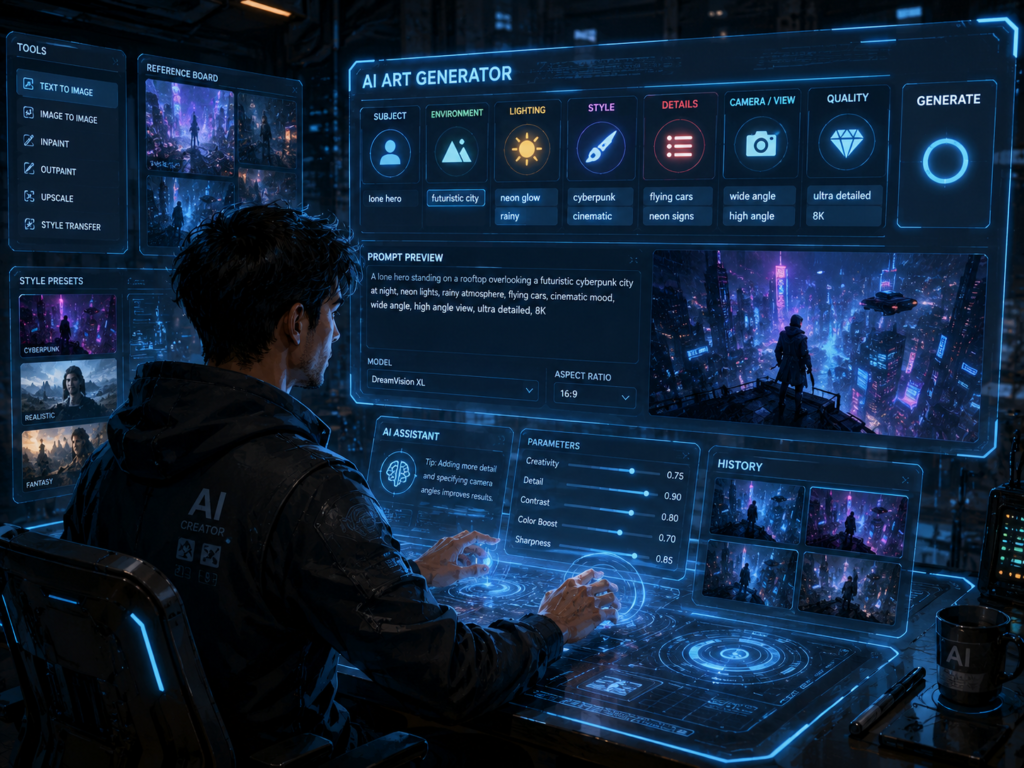
Aaj:
| Industry | Example Use Case |
|---|---|
| Content Creation | YouTube thumbnails and social media graphics |
| Marketing | Advertising concepts and campaign visuals |
| Design | Product concepts and illustrations |
| Film & Media | Storyboards and visual concept development |
As AI tools continue to develop, prompt writing skills may create new opportunities in freelancing, marketing, design, education, and content creation. The demand will depend on industry adoption and future AI developments.
| Area | Possible Applications |
|---|---|
| Content Creation | Images, thumbnails, and social media visuals |
| Marketing | Campaign concepts and ad creatives |
| Graphic Design | Idea generation and visual drafts |
| Education | Learning materials and illustrations |
| Freelancing | AI-assisted creative services |
For many creative workflows, combining Midjourney AI with traditional design tools can provide the best balance of speed, creativity, and professional quality.”
Note: The role of prompt engineering is evolving. As AI models improve, the skills required may also change, making continuous learning important.
Tip: Focus on understanding prompt structure, creative direction, and iterative refinement instead of memorizing fixed keywords. These skills are more adaptable as AI tools evolve.
Midjourney AI vs Traditional Graphic Design
| Feature | Traditional Design | Midjourney AI |
|---|---|---|
| Design Speed | Slow | Fast |
| Learning Curve | High | Low |
| Cost | Higher | Lower |
| Creativity | Manual | AI Assisted |
| Scalability | Limited | High |
| Image Variations | Time-consuming | Instant |
| Productivity | Moderate | High |
Note: Midjourney AI is best viewed as a creative assistant rather than a complete replacement for traditional graphic design. Professional designers are still essential for branding, print production, detailed editing, and complex client projects.
| Traditional Graphic Design | Midjourney AI |
|---|---|
| Brand identity | Concept art |
| Print design | Social media visuals |
| Client revisions | Creative brainstorming |
| UI/UX assets | Fast image ideation |
| Production-ready files | Mood boards |
Conclusion
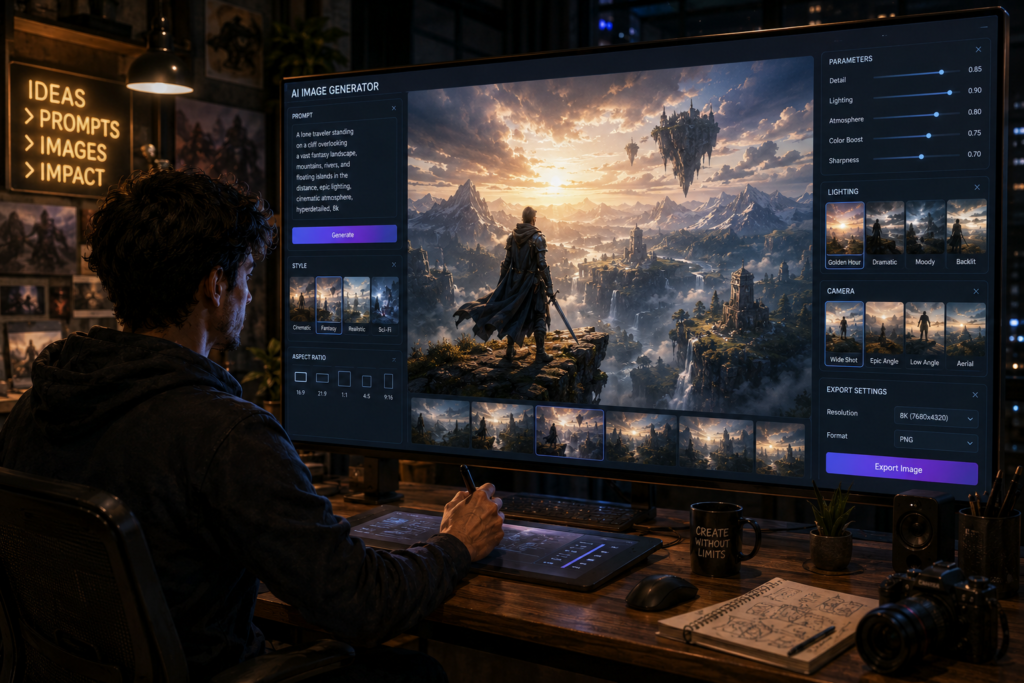
One of the most important factors in getting better results with Midjourney AI is learning how to write clear and effective prompts.
Learning effective prompt writing can help you create AI-generated images for thumbnails, concept art, illustrations, and other creative projects. The quality of the results will depend on your prompt, settings, and the AI model used.
👉 Start simple, practice daily, and keep experimenting with new ideas.
💬 Motivational Line
Strong ideas, thoughtful prompts, and regular practice often lead to better AI-generated results
📢 CTA
If you found this guide helpful, consider sharing it with others who want to learn AI image generation. You can also explore our other guides on AI tools, prompt engineering, and creative workflows
Key Takeaways Box
- Clear prompts usually produce more relevant results.
- Experimenting with different prompt styles helps improve your skills.
- AI-generated images vary based on prompts, settings, and model versions.
- Continuous practice is the best way to become more confident with prompt writing.
Note: Midjourney and other AI image-generation tools continue to evolve. Keeping up with new features and experimenting with updated prompt techniques can help you get better results over time.