
Best AI Tools for Content Creators 2026
AI tools have become a regular part of the content creation process for many creators.From brainstorming video ideas and writing scripts to designing thumbnails and editing short-form videos, AI can now assist with multiple stages of a creator’s workflow.
But there is a growing problem: many creators rely on the same familiar tools, similar prompts, and ready-made templates. When the workflow is nearly identical, the final content can also start to feel repetitive.
You may notice similar video hooks, predictable captions, familiar editing patterns, and visuals that look like they came from the same template library.
The solution is not to abandon popular tools such as ChatGPT, Canva, or CapCut. These platforms can still be extremely useful. The bigger opportunity is learning where your current workflow is slow, repetitive, or limited—and then finding a more specialized AI tool for that specific task.
One important point, though: a lesser-known AI tool is not automatically better just because fewer people talk about it. The right tool is the one that solves a real problem in your workflow, saves meaningful effort, or helps you create something your existing setup cannot easily produce.
How I Chose These AI Tools for Content Creators
How These AI Tools Were Selected
This list focuses on AI tools that address specific problems in a content creator’s workflow. Rather than choosing tools only because they are popular or new, I looked at their core use cases, creator-focused features, ease of use, and the type of content production task they are designed to simplify.
The goal is not to include every AI platform available in 2026. Instead, this guide focuses on tools that may be useful for tasks such as content research, scripting, visual creation, video repurposing, voice production, and other repetitive parts of the creator workflow.
Where relevant, I will also point out who a tool is best suited for and the limitations you should consider before adding it to your content creation process.

Different creators face different production challenges. A YouTube creator may need a faster way to turn a long video into short, shareable clips, while an Instagram creator might struggle to produce fresh visuals consistently. A blogger may spend hours organizing research and turning scattered ideas into a clear content structure. Faceless content creators face another challenge: combining scripts, voiceovers, visuals, and video production without making every post feel repetitive.
This is why the “best” AI tool can look different for every creator. A tool that saves hours for a video editor may offer little value to a blogger, while an AI research or writing assistant may be far more useful for someone managing a content-heavy website. The real question is not which AI tool has the most features, but which one solves a specific bottleneck in your content workflow.
That is where specialized AI tools can be more useful. Instead of trying to handle every part of content creation, many of these tools focus on a narrower task—such as repurposing long videos, generating visual assets, improving audio, organizing research, or speeding up repetitive production work. For creators, that focused approach can make it easier to choose a tool based on an actual workflow problem rather than simply following the latest AI trend.
In this guide to the best AI tools for content creators in 2026, we will look beyond the usual list of popular AI apps and focus on tools built around practical creator workflows. Instead of giving you a long list of names and repeating features from product pages, I will explain what each tool is designed to do, the type of creator it may be useful for, and where it can fit into a real content production process.
Where relevant, I will also highlight practical use cases and important limitations to consider. The goal is to help you decide whether a tool actually fits your workflow before you spend time learning it or pay for another AI subscription.
As you go through the list, think about the slowest or most repetitive part of your current content process. That is usually a better starting point for choosing an AI tool than simply downloading the newest app everyone is talking about.
Why Lesser-Known AI Tools Matter for Content Creators in 2026
Popular AI tools are popular for a reason: they are usually easy to access, widely discussed, and flexible enough to handle many creative tasks. The challenge begins when creators depend on the same templates, default features, and similar AI-assisted workflows without adapting them to their own content style.
Exploring less familiar AI tools can give creators access to more specialized capabilities. One tool may be designed specifically to identify useful clips in a long video, while another may focus on voice cleanup, visual generation, research organization, or turning existing content into different formats.
The advantage is not that these tools automatically make content better or attract a larger audience. Their real value is specialization. When a tool handles one specific production problem well, it can reduce repetitive work, simplify a complicated step, or give creators more options when developing their content.
For example, imagine a creator who publishes one 20-minute YouTube video every week and manually searches the entire recording for short-form moments. A specialized AI repurposing tool may help identify potential clips and create a faster starting point for Shorts or Reels. The creator still needs to review the clips, improve the hook, and make editorial decisions, but the repetitive first step may become easier.
The same principle applies to bloggers, podcasters, and faceless creators. The most useful AI tool is often not the one with the longest feature list. It is the one that removes a specific bottleneck from a task you already perform regularly.
However, chasing every new AI launch is not a smart content strategy either. New tools appear frequently, and adding too many apps to your workflow can create more complexity instead of saving time. A better approach is to identify one repetitive or time-consuming task in your current process, explore a tool designed for that problem, and evaluate whether it genuinely improves the way you work.
In other words, the value of a lesser-known AI tool comes from solving the right problem—not simply from discovering it before everyone else.
Best Lesser-Known AI Tools for Content Creators in 2026
1. Pika – AI Vido Creation and Creative Effects Tool
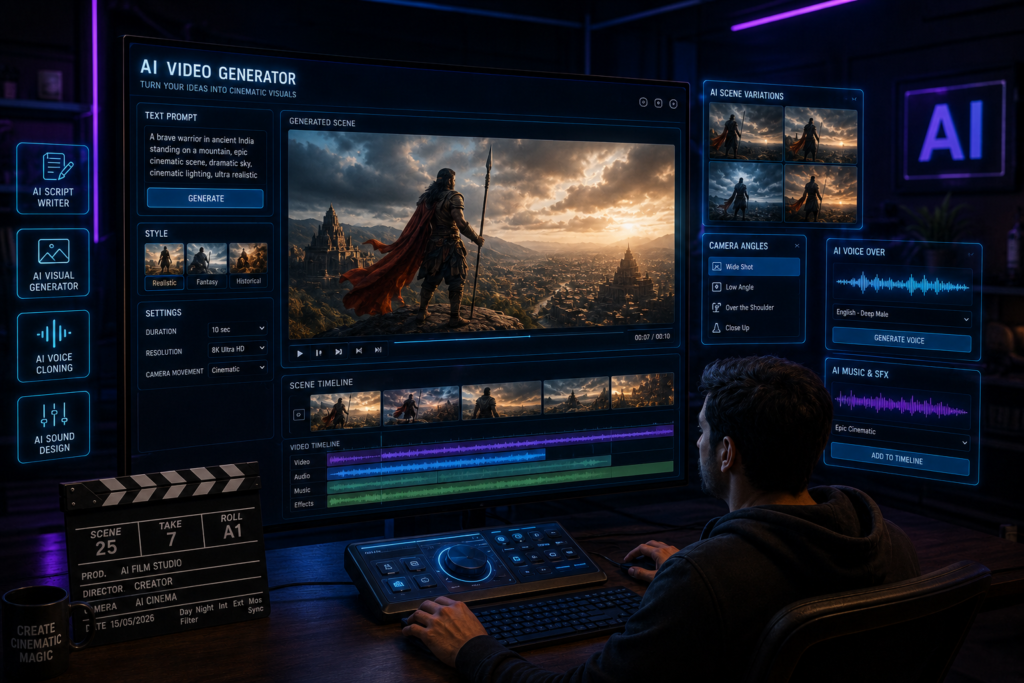
Pika is an AI-powered video creation platform built for experimenting with generated scenes, transformations, and creative video effects. Its current toolset goes beyond basic text-to-video generation and includes features for working with scenes, frames, additions, swaps, twists, and visual effects.
What Can Content Creators Use Pika For?
For a content creator, Pika can be useful when a video idea requires a visual that would be difficult to record with a camera. For example, a mythology channel could experiment with a stylized fantasy environment, while a history or mystery creator might use AI-generated visual sequences as supporting B-roll.
The platform can also be explored for creative intros, short visual experiments, and effect-driven social content. However, AI-generated footage should not automatically replace the creator’s editing decisions. Visual consistency, factual context, pacing, and the final story still need human review.
Best For
Pika may be worth exploring for faceless video creators, visual storytellers, experimental short-form creators, and channels that regularly need imaginative B-roll or effects.
What to consider: The quality of AI-generated video can vary depending on the input and creative direction. Creators should review the output carefully rather than assuming every generated clip is ready to publish. Official Website
2. Leonardo AI – AI Image Generation and Visual Creation Tool
Leonardo AI is a creative platform for generating and refining AI images and other visual assets. For content creators, its value is not limited to thumbnails. The platform can be used to explore visual concepts, create custom artwork, upscale images, and develop assets for different types of content.
Where Can Creators Use Leonardo AI?
A YouTube creator might use Leonardo AI to develop visual concepts for a thumbnail before adding the final text and branding in an editing tool. History, mythology, fantasy, and storytelling channels can also experiment with custom scenes when suitable original visuals are difficult to create manually.
Bloggers and social media creators may find it useful for generating supporting artwork or exploring different creative directions for a campaign.
A Practical Thumbnail Example
Suppose you run a mystery channel and need a thumbnail built around an abandoned mansion at night. Instead of searching through dozens of generic stock images, you could generate several visual concepts, select the strongest composition, and then refine the final thumbnail with your own text, contrast, and branding.
Leonardo AI does not guarantee a higher click-through rate. A thumbnail’s performance still depends on the idea, topic, title, audience, and final design. The tool is better viewed as a way to expand your visual options rather than a shortcut to more clicks.
Best For
YouTube thumbnail concepts, custom blog visuals, fantasy artwork, storytelling assets, and creators who need more control over AI-generated imagery. Official Website
3. OpusClip – AI Tool for Repurposing Long Videos into Short Clips
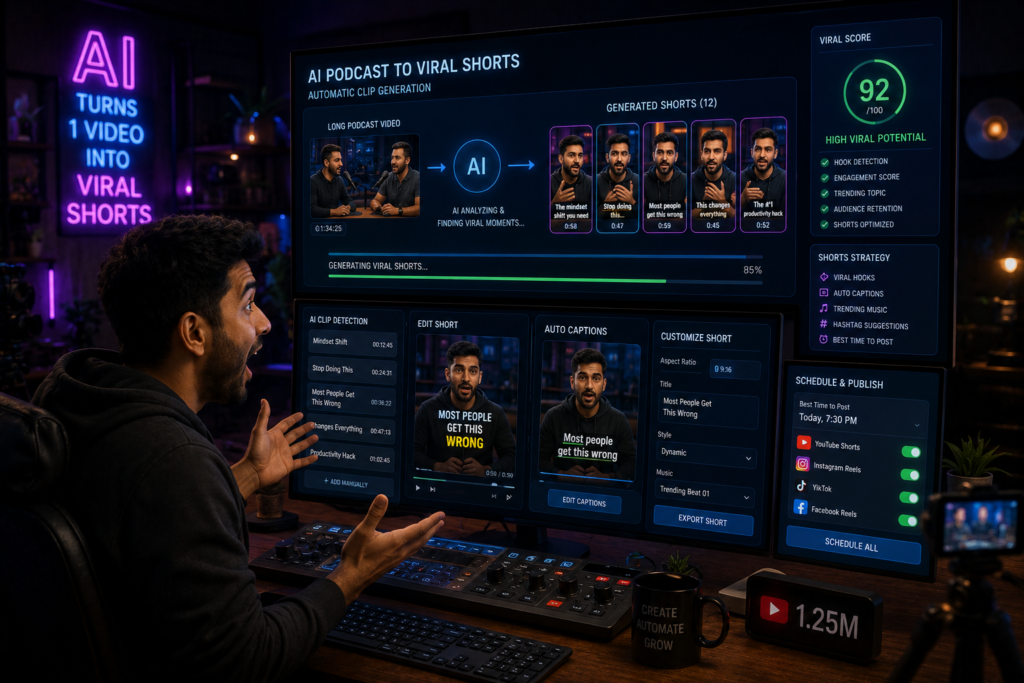
If you regularly publish podcasts, interviews, webinars, or long YouTube videos, finding short-form moments manually can become a repetitive part of the editing process. OpusClip is designed to help repurpose longer videos into shorter clips.
The platform uses AI to identify potential highlights from a longer video and can generate short clips with features such as automatic reframing and AI captions.
A Real Creator Workflow
Imagine you record a 45-minute podcast. Without a repurposing tool, you may need to watch the full recording again, note useful timestamps, cut each section, reframe the video for a vertical format, and add captions.
OpusClip can provide a faster starting point by identifying potential moments and turning them into short-form clips. You should still review each result before publishing because an AI-selected moment may not always match your audience, context, or content strategy.
Best For
Podcast creators, YouTubers, educators, interview channels, and creators who regularly repurpose long-form video for Shorts, Reels, or other short-form platforms.
What to consider: Treat AI-selected clips as recommendations, not guaranteed viral moments. The final hook, context, and editing decisions still matter. Official Website
4. Kaiber – AI Visual Creation for Music-Synced Videos
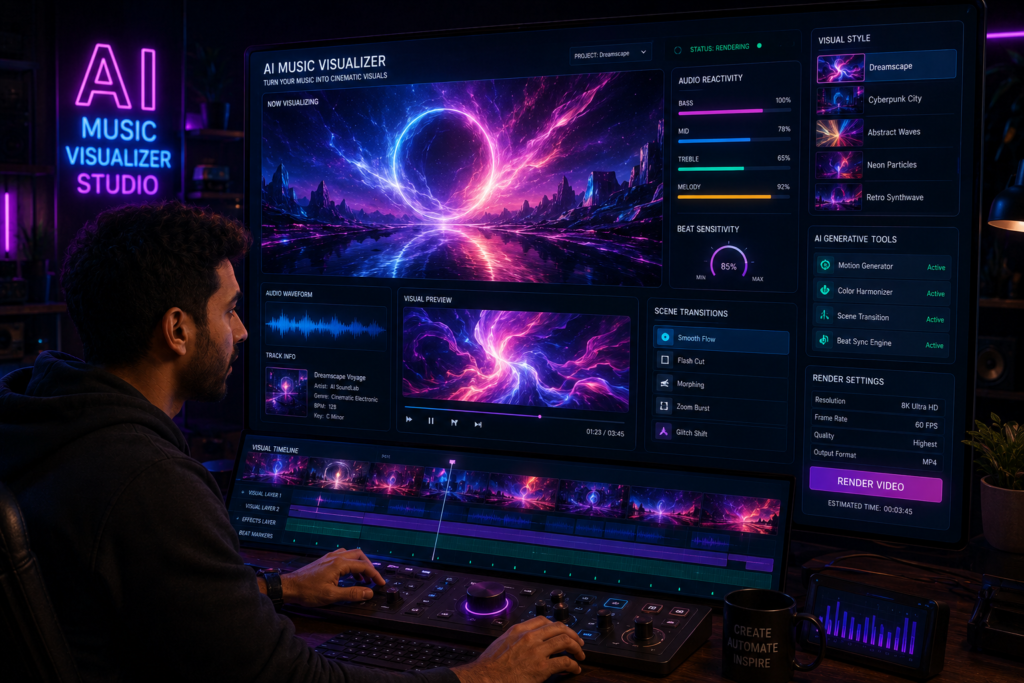
Kaiber is particularly interesting for creators who work with music and visual storytelling. Its creative workflow includes tools for generating visuals, synchronizing them with music, and refining the final video.
One of its notable use cases is beat-synced visual content. A creator can work with audio and visual media to develop video variations that follow the rhythm of a track.
How Could a Creator Use Kaiber?
Imagine an independent musician who has finished a song but does not have the budget or production setup for a traditional music video. Kaiber could be explored as a way to develop animated or stylized visual sequences around the track.
The same approach may be useful for music-focused social pages, visual artists, and creators producing experimental or atmospheric content.
Best For
Musicians, visual artists, music-focused creators, animated visual content, and creators experimenting with audio-driven storytelling.
What to consider: Highly stylized AI visuals may not suit every niche. Educational, documentary, or fact-based creators should make sure creative visuals do not confuse viewers about what is real or historically accurate. Official Website
5. Suno – AI Music and Song Generation Tool
Finding suitable music can be a challenge for creators, especially when a project needs a specific mood, vocal style, or original musical direction. Suno is an AI music generation platform that can create songs and music from user instructions.
For content creators, the interesting use case is the ability to experiment with custom audio ideas instead of relying only on the same stock music libraries.
How Could Creators Use Suno?
A creator working on a storytelling series might experiment with music designed around a dark or emotional mood. A devotional content creator could develop an original song concept using lyrics they have the right to use. Other creators may use Suno to explore musical ideas for projects where custom audio is important.
However, creators planning to monetize their content should understand Suno’s usage rights before publishing AI-generated music commercially. According to Suno’s current help documentation, songs created while subscribed to a paid plan are granted commercial-use rights. Songs made on the free plan are intended for personal, non-commercial use, and upgrading later does not automatically grant retroactive commercial rights to earlier free-plan songs.
Best For
Music experimentation, original song concepts, storytelling projects, devotional content, and creators exploring custom audio.
What to consider: Always review the current plan terms and rights information before using generated music in monetized videos or commercial projects.
6. HeyGen – AI Avatar Video Creation Tool
Not every creator wants to record themselves on camera for every video. HeyGen offers an AI avatar-based video workflow that allows creators to produce videos with digital presenters.
The platform provides stock avatar options and tools for creating customized AI avatars. This can be useful for content formats where a presenter-style video is needed but repeated camera recording is not practical.
Practical Use Cases
An educational creator could use an avatar to present a structured explainer. A business may create internal training or presentation videos, while a multilingual content workflow may use AI video tools to adapt presenter-led content for different audiences.
For faceless creators, an avatar can provide a visible presenter without requiring a traditional filming setup for every video.
Best For
Educational explainers, presenter-style content, business videos, training content, and some faceless video workflows.
What to consider: AI avatars can save production effort, but repetitive scripts, generic delivery, or a lack of original insight can still make a video feel automated. The quality of the script and editorial direction remains important.
7. vidIQ AI Coach – AI-Assisted YouTube Research and Strategy
Publishing consistently on YouTube is only one part of the process. Creators also need to research ideas, understand what their audience may be interested in, and package videos with clear titles and topics.
vidIQ’s AI Coach is designed specifically around YouTube workflows. According to vidIQ, its recommendations can use channel performance information and YouTube-focused insights to provide more personalized guidance than a general-purpose chatbot.
How Can a YouTube Creator Use It?
A creator could use vidIQ’s AI tools while researching video ideas, exploring keywords, or developing title options. For example, if you run a channel in a specific niche, channel-focused data may provide a more relevant starting point than asking a generic AI chatbot for “10 viral video ideas.”
However, no AI coach can predict virality with certainty. Search data, trend signals, and title suggestions should support your editorial judgment rather than replace it.
Best For
YouTube creators who need help with topic research, keyword exploration, title development, and content planning.
What to consider: Data can guide a content decision, but understanding your own audience and reviewing actual channel performance remains essential.
8. Flair AI – AI Product Photography and Visual Content Tool
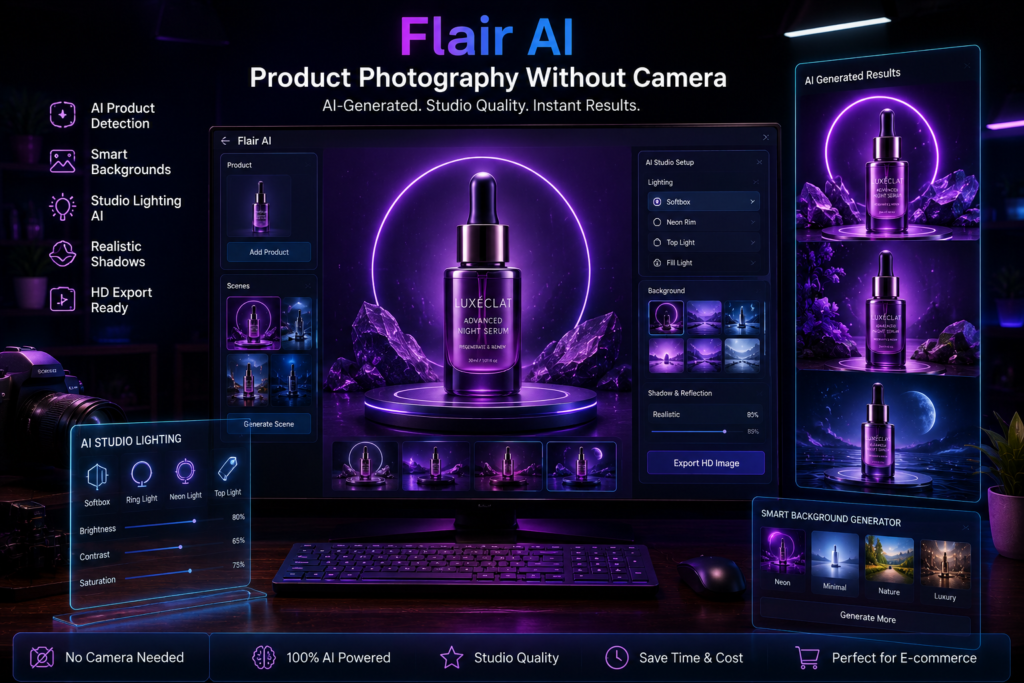
Creating multiple product visuals for social media, e-commerce pages, or promotional content can require different backgrounds, compositions, and creative setups. Flair AI is designed around AI-assisted product photography and visual content creation.
Its workflow can help creators experiment with product scenes and generate different visual variations without building a new physical studio setup for every concept.
A Practical Creator Example
Suppose an affiliate or e-commerce creator needs several promotional visuals for the same product. Instead of using one identical product image across every post, the creator could explore different settings and compositions for campaign concepts.
This may be useful for creating visual drafts and marketing assets, but AI-generated product images should be reviewed carefully. The final visual should not misrepresent the product’s actual appearance, features, size, or materials.
Best For
E-commerce content, product-focused social media pages, marketing creatives, and creators who regularly work with product visuals.
What to consider: Accuracy matters in product content. Avoid publishing AI-generated visuals that could give buyers a misleading impression of the real product.
How to Use AI Tools for Content Creation More Effectively
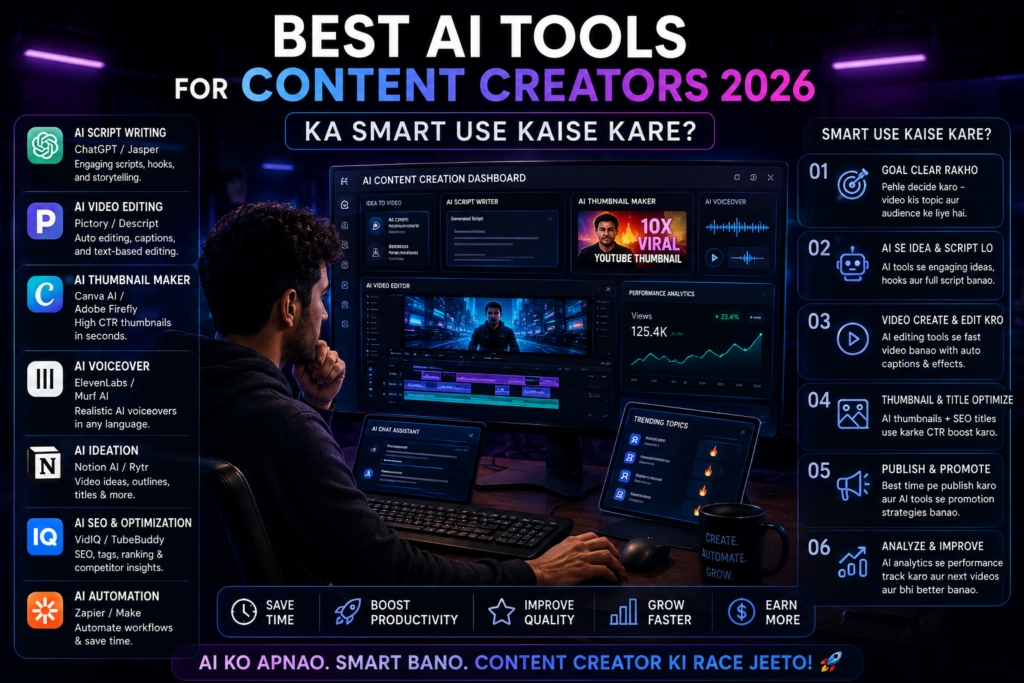
Using more AI tools does not automatically make a creator more productive. In fact, switching between too many apps can add extra steps, subscriptions, and learning time to an already complicated content process.
A better approach is to build a workflow around the type of content you already create. Start by identifying the slowest or most repetitive parts of your process, and then use AI only where a tool can provide a practical advantage.
Example: An AI-Assisted Workflow for a YouTube Creator
Step 1: Research and Validate the Video Idea
Start with the problem your audience is interested in rather than asking AI to generate random “viral ideas.” A YouTube-focused tool such as vidIQ AI Coach can be used to explore content ideas, review title directions, and get guidance based on your channel and niche.
At this stage, the goal is not to let AI choose your entire content strategy. Use its suggestions as research inputs, then compare them with your own channel performance, audience questions, and previous videos before selecting a topic.
Step 2: Build the Content Structure and Script
Once the topic is selected, create a simple content structure before generating the full script. Define the opening hook, the main question the video will answer, the key points that need explanation, and the final takeaway for the viewer.
A general AI writing assistant can help organize rough notes or develop a first draft, but the creator should review the script for accuracy, repetitive wording, and generic examples. Adding your own observations, niche knowledge, or original examples can make the final script more useful than publishing a raw AI-generated draft.
Step 3: Create Only the Visual Assets the Video Needs
After the script is ready, identify the sections that actually need custom visuals. Leonardo AI can be used to explore image concepts, supporting artwork, or visual assets for scenes that are difficult to create manually.
Do not generate AI images for every sentence simply because the tool is available. Choose visuals that help explain the story, maintain viewer context, or support the creative direction of the video.
For music-driven or highly stylized content, a tool such as Kaiber may fit a different workflow by helping creators work with audio-synced visuals. It should be treated as a specialized option rather than a required step for every creator.
Step 4: Generate Special AI Video Shots Where They Add Value
If the video needs an imaginative scene, transformation, or short AI-generated visual sequence, Pika can be used to experiment with those specific shots.
For example, a mythology or fantasy creator may need a brief visual that cannot be recorded in a normal filming setup. Instead of treating Pika as the main video editor, use it to create selected AI-generated sequences and then bring those assets into your regular editing workflow.
The final edit should still handle pacing, narration, music, captions, transitions, and the overall story.
Step 5: Complete the Final Edit and Review the Content
Bring the script, narration, original footage, and selected AI-generated assets into your regular video editor. This is where the creator should control pacing, remove unnecessary sections, check captions, balance audio, and make sure the visuals match the narration.
Human review is especially important when AI-generated visuals are used in history, education, news, or other fact-sensitive content. A visually impressive AI scene can still be misleading if viewers mistake it for real footage or an accurate historical reconstruction.
Before publishing, review the complete video as a viewer rather than as an editor. If a scene feels repetitive, confusing, or unnecessary, remove it—even if an AI tool took time or credits to generate it.
Step 6: Repurpose the Content for Short-Form Platforms
Once the main video is complete, the same core content can be adapted for Shorts or Reels. OpusClip can provide a starting point by analyzing a longer video and identifying potential sections for shorter clips.
However, do not publish every AI-selected clip automatically. Review whether the short has enough context to make sense on its own, improve the opening hook when necessary, and check the captions before publishing.
One long-form video may contain several useful short-form ideas, but each clip should still be treated as an individual piece of content rather than a leftover section from the original video.
The purpose of this workflow is not to automate every creative decision. It is to use different AI tools at the stages where they can reduce repetitive work or expand your creative options.
A single long-form video can become the foundation for short clips and other supporting content, but effective repurposing requires adaptation. A YouTube video, a Reel, and a Short may come from the same core idea, yet each format should be reviewed for its own hook, pacing, context, and audience expectations.
The most effective AI workflow is usually the simplest one that solves real production problems without removing the creator’s judgment from the process.
Common Mistakes to Avoid When Using AI Tools for Content Creation
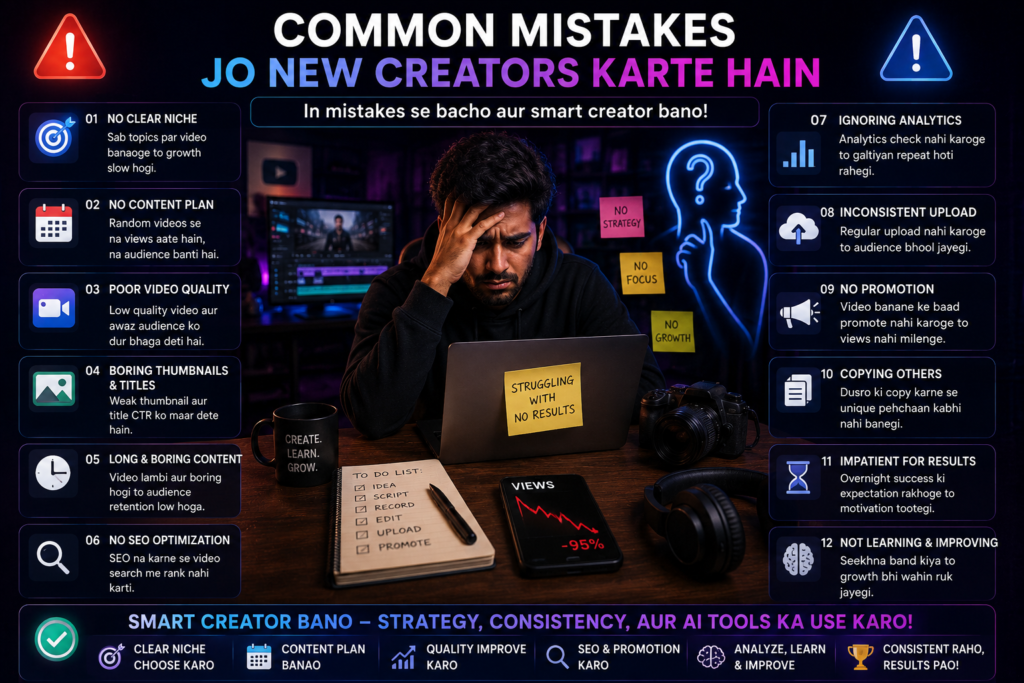
AI can reduce repetitive work and make parts of content production easier, but poor implementation can create a different problem: faster production of content that is still generic, inaccurate, or disconnected from the audience.
The biggest mistakes usually happen when creators treat AI as a replacement for the entire creative process rather than a tool for specific tasks. Here are some practical mistakes to watch for when adding AI to your content workflow.
Avoid These Mistakes
1. Adding Too Many AI Tools to the Same Workflow
A new AI tool can look useful when you first discover it, but adding every interesting app to your workflow can create unnecessary complexity. You may end up using multiple tools that solve nearly the same problem, moving files between platforms, learning different interfaces, and paying for subscriptions you rarely use.
Before adding a new tool, ask one simple question: What specific problem does this solve better than my current setup?
If you cannot answer that clearly, the tool may not need a permanent place in your workflow. Start with one repetitive task, test one relevant tool, and keep it only if the benefit is meaningful.
2. Publishing Raw AI Output Without Reviewing It
Copying AI-generated text, captions, scripts, or descriptions and publishing them without review is one of the easiest ways to make content feel generic. AI output may include repetitive phrasing, weak examples, unnecessary explanations, or factual errors that are easy to miss when the content is produced quickly.
Treat the first AI output as a draft, not a finished piece of content. Check factual claims, remove repeated ideas, rewrite awkward sentences, and add context that is genuinely useful for your audience.
For example, if an AI tool writes a YouTube script about a software product, do not assume every feature or pricing detail is current. Verify important information using the product’s official documentation or website before publishing the video.
The same rule applies to blog posts. AI-assisted writing can help organize ideas, but original analysis, accurate information, and meaningful examples should come from a careful editorial process.
3. Letting AI Make Every Creative Decision
AI can suggest a hook, generate a visual, or organize a script, but relying on it for every decision can make the final content feel disconnected from the creator’s own perspective.
Your role is to decide what the audience actually needs, which example explains the idea best, what should be removed, and how the story should be presented. These editorial decisions shape the final content more than the number of AI tools used.
A useful approach is to give AI a narrow task. Instead of asking, “Create my entire video,” you might ask it to organize research notes, suggest alternative hooks, or identify repetitive sections in a draft. The creator can then make the final decision based on the audience and the purpose of the content.
4. Using AI Without Understanding Your Audience
An AI tool does not automatically know why someone follows your channel, reads your blog, or stops scrolling for a particular post. Even when a tool has access to performance data, the creator still needs to understand the questions, expectations, and problems of the audience.
Pay attention to repeated questions in comments, topics that keep bringing viewers back, search queries connected to your niche, and sections where people lose interest. These signals can help you make better content decisions.
AI can help organize this information or suggest patterns, but audience understanding should come from real feedback and performance data—not assumptions generated by a chatbot.
5. Confusing AI-Generated Information With a Strong Story
A script can be grammatically correct and still be boring. One common problem with AI-assisted content is that it may present information in a predictable order: a generic introduction, a list of points, and a short conclusion.
Strong storytelling does not always require dramatic language. Even an educational video can create momentum by starting with a clear problem, showing why it matters, explaining the obstacles, and then guiding the viewer toward a useful solution.
For example, instead of opening a video with “Today we will discuss five AI tools,” a creator could begin with the actual workflow problem: “I was using four different apps just to turn one long video into short clips.”
The second opening gives the viewer a specific situation and a reason to keep listening. AI can suggest storytelling structures, but the creator should choose examples and details that are accurate and relevant to the content.
The goal is not to make every piece of content emotional or highly cinematic. The right creative approach depends on the topic and the audience. A software tutorial may need clarity and accurate steps, while a personal story may depend more on emotion and relatability.
AI works best when it supports the purpose of the content instead of forcing every idea into the same automated format. Before publishing, ask whether the content is accurate, useful, clear, and appropriate for the audience. Those questions are often more valuable than asking whether the latest AI tool was used.
The Future of AI in Content Creation
AI is already becoming more deeply integrated into different stages of content production, but the next phase is likely to focus less on isolated AI features and more on connected creative workflows. Instead of using one tool for an image, another for a voiceover, and several manual steps to assemble the final content, creators may increasingly see AI platforms combine more of these tasks into a single production process.
explained trends
1. More Connected AI Creation Workflows
Many AI tools currently solve one specific part of the content process. A creator may use separate platforms for research, image generation, voice production, video effects, and repurposing.
In the future, creator tools may continue moving toward more connected workflows where multiple production tasks can be handled within the same platform or passed more easily between tools. For creators, the practical benefit would be fewer repetitive exports, uploads, and manual handoffs between different stages of production.
2. More Flexible AI Avatars and Multilingual Content
AI avatar and voice technologies may also become more flexible for presenter-led content. This could make it easier for creators and businesses to adapt educational, training, or explainer videos for different languages and audiences without recording every version from the beginning.
However, greater realism also makes transparency more important. Creators should think carefully about how synthetic presenters, cloned voices, or AI-generated scenes are represented so that viewers are not deliberately misled about who or what is real.
3. More Personalized Content Experiences
Another possible direction is greater personalization. Instead of every viewer receiving exactly the same version of a learning experience or interactive story, AI systems may help adapt elements such as language, difficulty, format, or recommendations based on the user’s context.
For creators, this could open new possibilities in education, interactive storytelling, and audience experiences. At the same time, personalization should be used carefully, especially when it depends on user data. More personalization is not automatically better if the audience does not understand how or why the experience is being adapted.
4. Human Review May Become More Important, Not Less
As AI makes it easier to generate scripts, images, music, and video, producing more content may become easier. The harder challenge could be deciding what is accurate, original, relevant, and worth publishing.
This means the creator’s role may shift rather than disappear. Research judgment, fact-checking, taste, storytelling, and audience understanding can become even more important when generating a first draft or visual takes only a few minutes.
The ability to create more content is useful only when a creator can also decide what should not be published.
For creators, the goal should not be to predict every AI trend or learn every new platform before everyone else. A more practical skill is learning how to evaluate new tools quickly: understand the problem a tool solves, test whether it fits your workflow, review its limitations, and keep using it only when it creates real value.
The specific AI tools available in 2026 will continue to change. A flexible workflow and strong editorial judgment are more durable than depending on any single platform.
🏆 Final Thoughts
The most useful lesson from these tools is that AI works best when it has a clearly defined role in the creative process. Pika may help with a difficult visual sequence, OpusClip can provide a starting point for repurposing long videos, Leonardo AI can expand visual options, and Suno can support music experimentation. None of these tools, however, can decide on their own what your audience genuinely needs from your content.
You do not need to add every AI platform in this guide to your workflow. Choose one part of your content process that currently takes too much time or limits what you can create. Then test a tool designed for that specific problem and compare the workflow before and after using it.
Did it save meaningful time? Did it give you better creative options? Was the output accurate enough to use after review? Did it simplify the process, or did it simply add another subscription and another dashboard?
Those questions will tell you more about the value of an AI tool than its feature list or popularity.
The best AI tools for content creators in 2026 are not necessarily the tools that generate the most content. They are the ones that fit a real workflow, solve a clear problem, and leave the final creative and editorial decisions in the creator’s hands.
Best AI Tools for YouTube Creators in 2026
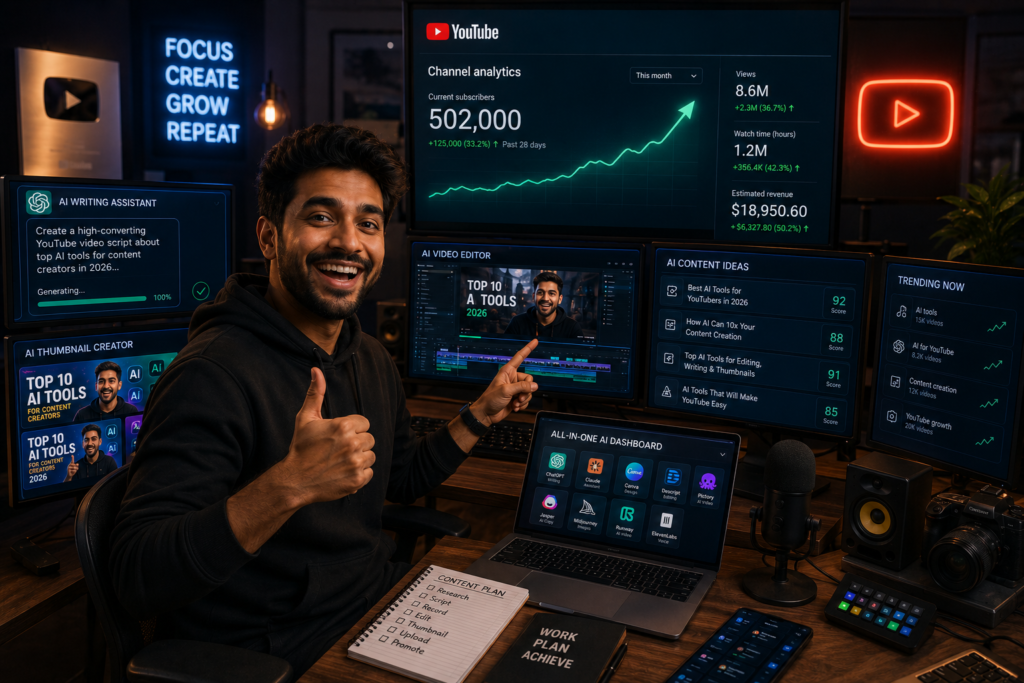
Running a YouTube channel involves far more than recording a video and clicking the upload button. A creator may need to research topics, organize a script, record footage, edit the video, design a thumbnail, write a clear title and description, review performance data, and then repeat the process for the next upload.
For a solo creator or a small team, the difficult part is often not coming up with one video idea. It is managing this entire production cycle consistently without spending unnecessary time on repetitive tasks.
This is where AI tools can be useful—not because they can guarantee views or replace the creator, but because they can assist with specific parts of the YouTube workflow. The right tool may help organize research, provide a faster starting point for editing, explore thumbnail concepts, repurpose long videos into shorter clips, or make channel data easier to review.
The key is choosing AI tools based on a real production bottleneck. A creator who struggles with editing needs a different solution from someone who has strong videos but spends too much time researching topics or turning long-form content into Shorts.
Where AI Can Fit Into a YouTube Workflow
AI tools can support different stages of content production, depending on the problem a creator is trying to solve
- Topic research: Exploring ideas and organizing research before scripting.
- Script development: Structuring rough notes and improving the flow of a first draft.
- Visual creation: Developing thumbnail concepts and supporting visual assets.
- Video production: Assisting with selected editing, captions, reframing, or AI-generated shots.
- Content repurposing: Turning long-form videos into potential Shorts or clips.
- Channel analysis: Reviewing performance information and identifying questions worth investigating.
Used carefully, AI can support parts of this process without taking over the creative and editorial decisions that shape the final video.
For example, a podcaster who manually reviews a one-hour recording to find potential short clips may use an AI repurposing tool to identify possible moments more quickly. The creator still needs to check the context, improve the hook, review captions, and decide whether each clip is worth publishing. The time-saving comes from reducing a repetitive first step—not from removing the need for editorial judgment.
In this guide, we will look at AI tools for different parts of the YouTube creation process and explain what each tool is designed to do, where it may fit into a real creator workflow, and what limitations you should consider before using it.
The goal is not to build the longest possible AI tool stack. It is to help you identify tools that may solve a specific problem in the way you research, produce, publish, or repurpose YouTube content.
Before choosing a tool from this list, identify the part of your YouTube workflow that currently takes the most time or creates the most friction. If research is the problem, start with a research-focused tool. If editing is the bottleneck, look at production tools. If you already publish long videos but struggle to create Shorts, a repurposing tool may be more useful than another script generator.
Why AI Tools Matter for YouTube Creators in 2026
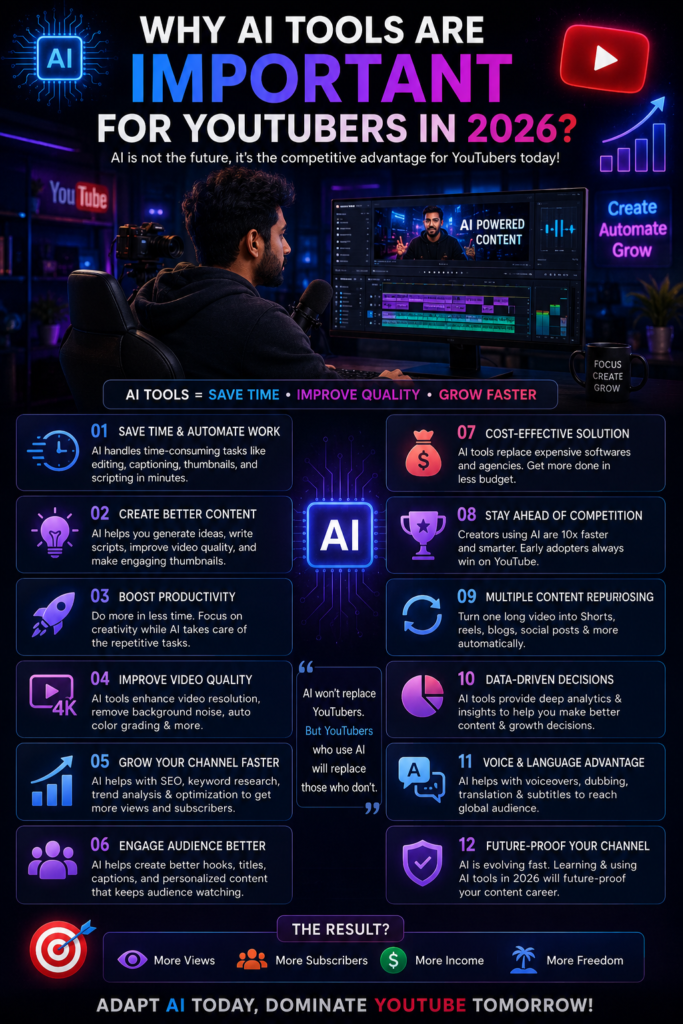
The value of AI for YouTube creators is easier to understand when you look at the amount of work that happens between one video idea and the final upload. Research, scripting, recording, editing, thumbnail creation, captions, and content repurposing can all compete for a creator’s limited time.
Jo creators:
The challenge is not that creators need to “beat the algorithm” with AI. The practical challenge is managing several production tasks while still giving enough attention to the quality of the final video.
A creator may need to research a topic, turn scattered notes into a usable script, remove unnecessary sections during editing, develop a clear thumbnail concept, and later adapt the same long-form video for Shorts. Doing every repetitive step manually can make the production process harder to manage, especially for solo creators.
This is where the right AI tool can reduce friction. A research assistant may help organize information before scripting, an editing tool may automate captions or reframing, and a repurposing platform may provide a starting point for finding shorter clips in a long video.
The benefit depends on the task. AI does not automatically make a video more interesting, improve audience retention, or increase views. Its practical value comes from assisting with specific steps so the creator can spend more attention on decisions that still require context, judgment, and an understanding of the audience.
For example, imagine a creator who publishes a weekly interview. After recording a 60-minute conversation, the creator may need to prepare captions, identify potential short clips, create supporting visuals, and review the final edit.
Using AI for selected repetitive tasks could make that workflow easier to manage. However, the creator still needs to decide which moments are meaningful, whether a clip has enough context, and how the final video should be presented to the audience.
The most effective use of AI is usually narrow and intentional. Give the tool a clearly defined task, review the output, and keep the final editorial decision in your hands.
For a YouTube creator, that may mean using AI to organize research rather than invent facts, generate thumbnail concepts rather than promise a high click-through rate, or identify potential Shorts rather than automatically publishing every suggested clip.
AI becomes useful when it removes friction from a real workflow problem. It becomes less useful when the creator expects the tool to make every strategic and creative decision.
Best AI Tools for YouTube Creators in 2026
1. Descript – Text-Based Video and Podcast Editing
Traditional video editing usually requires creators to work directly with a timeline. Descript takes a different approach by allowing you to edit recorded audio and video through a text-based transcript.
If you delete a section from the transcript, the corresponding part of the recording can be removed from the edit. This workflow may feel more familiar to creators who are comfortable editing a document but find traditional timelines slow or complicated.
How Can YouTube Creators Use Descript?
Imagine you record a 30-minute talking-head video or podcast. During the recording, you repeat a sentence several times, leave long pauses, or include sections that are no longer needed.
With a transcript-based workflow, you can review the spoken content as text and remove unwanted sections while editing the recording. Descript also includes tools for captions, audio cleanup, eye-contact correction, and other AI-assisted editing tasks.
For English and certain other supported transcript languages, its filler-word tools can detect words such as “um” and “uh” and let the editor remove, ignore, or replace them. Creators working primarily in Hindi should check current language support before relying on this feature for automatic filler-word cleanup.
Best For
Talking-head YouTubers, podcasters, interview creators, educators, and creators who spend significant time editing spoken content.
What to consider: Descript can simplify selected editing tasks, but it does not automatically decide which parts of a video are useful, repetitive, or important to your audience. The creator still needs to review the final story and pacing.
2. OpusClip – AI Video Repurposing for Shorts
Turning a long YouTube video into several short clips can involve more work than simply changing the aspect ratio. A creator may need to review the full recording, identify useful moments, trim each section, add captions, and make sure the clip still makes sense without the original video’s full context.
OpusClip is an AI video clipping and repurposing tool designed to provide a faster starting point for this process. It can analyze longer videos, identify potential clip segments, create shorter versions, and add AI-assisted captions.
A Practical YouTube Workflow
Suppose you publish a 60-minute interview. Instead of manually searching the entire recording for every possible Short, you could use OpusClip to generate potential clip suggestions.
The important word here is potential.
OpusClip offers a Virality Score as part of its clipping workflow, but creators should not treat any AI score as a guarantee that a Short will go viral. Review whether the selected clip has enough context, a clear opening, accurate captions, and a useful reason for the viewer to continue watching.
Best For
Podcasters, interview channels, educators, commentary creators, and YouTubers who regularly repurpose long-form videos into Shorts.
What to consider: AI-selected highlights can reduce the manual search process, but every suggested clip may not fit your audience or content strategy.
3. vidIQ – AI-Assisted YouTube Research and Channel Strategy
3. vidIQ – AI-Assisted YouTube Research and Channel Strategy
Choosing a video topic can become difficult when you are publishing regularly. General AI chatbots can generate hundreds of ideas, but those suggestions may not be connected to your channel, niche, or YouTube-focused research.
vidIQ provides a collection of YouTube research and optimization tools. Its platform includes keyword research, competitor analysis, and AI-assisted creator features that can support topic planning and channel strategy.
How Could a YouTube Creator Use vidIQ?
Imagine you run a channel about AI tools. Instead of asking a general chatbot for “10 viral AI video ideas,” you could start by researching relevant YouTube keywords, reviewing competition information, and studying content patterns in your niche.
The purpose is not to copy a competitor or assume that a keyword guarantees views. The data can help you ask better questions: Is the topic relevant to my audience? Have I already covered something similar? Can I explain the subject from a more useful angle?
vidIQ’s keyword tools currently provide information such as search volume, competition scores, and related keyword suggestions. Its competitor tools are designed to help creators review channels and content performance in a niche.
Best For
YouTube topic research, keyword exploration, competitor research, and creators who want more YouTube-specific information during content planning.
What to consider: Research tools provide signals, not guaranteed video ideas. Your channel history, audience feedback, and actual video performance should still influence the final content decision.
4. Runway – AI Video Generation and Creative Video Tools
Some YouTube videos need visual sequences that are difficult, expensive, or impractical to record with a camera. This is where an AI video generation platform such as Runway may fit into a creator’s workflow.
Runway provides AI image and video creation tools, including text-to-video and image-to-video workflows. Its creative platform also includes tools for selected video transformations and editing tasks.
A Practical Use Case
Imagine a science-fiction storyteller describing a fictional city that does not exist. Recording real footage is not possible, and a generic stock clip may not match the scene.
A creator could experiment with an AI-generated visual sequence and use a selected shot as supporting footage in the final edit. Similarly, image-to-video generation can be explored when a creator wants to introduce motion into an existing visual concept.
Runway also offers tools for tasks such as removing elements or backgrounds from video, which may be useful in selected post-production workflows.
Best For
Visual storytelling, experimental videos, fictional scenes, creative B-roll, and creators who need short generated visual sequences.
What to consider: AI-generated footage can contain visual inconsistencies or details that do not match the intended scene. Review every clip carefully, especially when creating educational, documentary, historical, or fact-sensitive videos.
5. ElevenLabs – AI Voice Generation for Narration and Voiceovers
5. ElevenLabs – AI Voice Generation for Narration and Voiceovers
Recording a clean voiceover can be difficult for creators who do not have a quiet recording environment, suitable microphone setup, or confidence in narration. ElevenLabs offers AI text-to-speech and voice tools that can generate spoken audio from written text.
For YouTube creators, this can be useful in narration-heavy formats where the script is prepared before the audio production stage.
Where Could YouTubers Use ElevenLabs?
A history channel may need narration for a documentary-style video. A storytelling creator may want a consistent voice across a series, while an educational channel could use generated speech for selected explainer content.
Hindi creators may also find the platform worth exploring. ElevenLabs currently provides Hindi text-to-speech options and supports multiple Indian languages and accents across its India-focused voice offering.
However, a natural-sounding voice does not fix a weak script. Sentence length, punctuation, word choice, pronunciation, and pacing can all influence the final narration. Creators should listen to the complete output and correct awkward pronunciation or delivery before publishing.
Best For
Story narration, educational videos, documentary-style content, faceless video workflows, and creators experimenting with Hindi or multilingual voiceovers.
What to consider: If you use voice cloning, make sure you have the necessary rights or permission to use the voice. Do not use AI voice technology to mislead viewers about a real person’s identity or endorsement.
6. Leonardo AI – AI Visual Creation for YouTube Thumbnail Concepts
A thumbnail often needs a clear visual idea before the final design work begins. The difficult part is not always adding text or changing a background; sometimes the creator needs a custom scene, character, or visual concept that is difficult to find in a stock image library.
Leonardo AI is a generative visual platform that can be used to create, edit, and refine AI-generated imagery. For YouTube creators, one practical use case is developing visual assets or concepts that can later become part of a thumbnail.
A Practical Thumbnail Example
Imagine a mystery channel creating a video about an abandoned mansion. The creator may need a dark exterior scene with a specific camera angle and atmosphere.
Leonardo AI could be used to explore several visual directions. The strongest concept could then be refined and combined with final text, branding, or other design elements in the creator’s regular thumbnail workflow.
The tool does not create a “high-CTR thumbnail” automatically. Click-through performance can depend on the topic, title, audience, traffic source, visual clarity, and how the thumbnail communicates the video’s idea.
Best For
Mystery, history, gaming, fantasy, and storytelling channels that need custom visual concepts or supporting artwork.
What to consider: Avoid adding unnecessary AI details that make the thumbnail confusing. A detailed image is not always an effective thumbnail, especially when viewed on a small screen.
7. HeyGen – AI Avatar Video Creation Tool
Some YouTube formats use a presenter to deliver information, but recording a person on camera for every video may not fit every creator’s workflow. HeyGen provides AI avatar tools that can be used to create presenter-style videos with digital avatars.
The platform currently offers stock avatar options and tools for creating customized AI avatars.
Where Could a YouTube Creator Use HeyGen?
An educational channel might experiment with an avatar for a structured explainer. A business-focused creator may use presenter-style video for training or informational content, while multilingual workflows may explore AI video tools for adapting content to different audiences.
For a faceless creator, an avatar can provide a visible presenter without requiring a traditional camera recording for every video.
Best For
Educational explainers, presenter-led videos, training content, business channels, and selected faceless YouTube workflows.
What to consider: An AI avatar does not make generic information more valuable. Repetitive scripts, weak research, or misleading presentation can still reduce the quality of the final video. Creators should also be transparent when synthetic media could reasonably confuse viewers about whether a presenter is a real person.
8. TubeBuddy – YouTube Keyword Research and Optimization Tools
YouTube creators often need to make decisions about keywords, metadata, titles, and thumbnails. TubeBuddy provides a collection of YouTube-focused tools designed to support research, optimization, and channel management.
Its current toolset includes Keyword Explorer, SEO-focused features, competitor analysis, analytics, bulk optimization tools, and thumbnail A/B testing.
How Could a Creator Use TubeBuddy?
Suppose you have already selected a video topic but are unsure how people search for related questions. Keyword Explorer can provide another source of research while you develop the title and metadata.
Thumbnail testing can also help creators compare creative options using performance data rather than relying entirely on personal preference.
However, optimization should not be treated as a substitute for the video itself. A keyword tool cannot make an irrelevant topic useful to your audience, and metadata cannot fix a video that fails to answer the viewer’s question.
Best For
YouTube keyword research, metadata workflows, thumbnail testing, competitor research, and creators managing an expanding video library.
What to consider: Use optimization data to support content decisions. Do not force unrelated keywords into titles, descriptions, or tags simply because a tool shows search demand.
9. Pika – AI Video Effects and Creative Visual Generation
Pika is an AI video platform that creators can explore for generated visual sequences, transformations, and creative video effects.
For YouTubers, its most useful role may be creating selected shots that are difficult to capture with a normal camera or traditional editing setup.
A Practical Creator Example
Imagine a mythology creator describing a fictionalized celestial environment or a mystery channel that needs a surreal transformation for a short storytelling sequence.
Instead of using Pika as the editor for the entire video, the creator could experiment with a short AI-generated shot and bring the selected result into a regular editing timeline.
This makes Pika more useful as a specialized visual tool than as a replacement for the creator’s complete editing workflow.
Best For
Mythology, fantasy, mystery, experimental storytelling, and creators who need imaginative visual effects or short generated sequences.
What to consider: If AI-generated visuals represent mythology, history, news, or real events, make sure creative scenes are not presented as authentic footage or verified historical evidence.
10. Suno – AI Music and Song Generation for Creative Projects
Music can shape the tone of a video, but finding audio that matches a specific creative idea is not always easy. Suno is an AI music generation platform that allows users to create songs and musical ideas from written instructions.
For YouTube creators, Suno may be useful when a project needs custom music experimentation rather than another track from a familiar stock library.
How Could a YouTube Creator Use Suno?
A storytelling creator might experiment with music for a fictional scene. A devotional creator could develop an original song concept using lyrics they have the right to use. Other creators may explore different moods or musical directions before deciding what fits a project.
However, YouTubers planning to monetize their content need to understand Suno’s current usage rights.
According to Suno’s current help documentation, songs created on the free plan are intended for personal, non-commercial use and cannot be monetized. Songs created while subscribed to a Pro or Premier plan are granted commercial-use rights. Subscribing later does not automatically provide retroactive commercial-use rights for songs previously created on the free plan by default.
Commercial-use rights should also not be confused with guaranteed copyright protection. Copyright treatment can vary by region and may depend on the level of human authorship involved.
Best For
Original music experimentation, storytelling projects, devotional content, custom song concepts, and YouTube creators exploring project-specific audio.
What to consider: Before using AI-generated music in a monetized YouTube video, review the current plan terms, rights information, and any third-party material used in the song. Do not assume that every AI-generated track is automatically “royalty-free.” Official Website
Example AI-Assisted Workflow for YouTube Creators
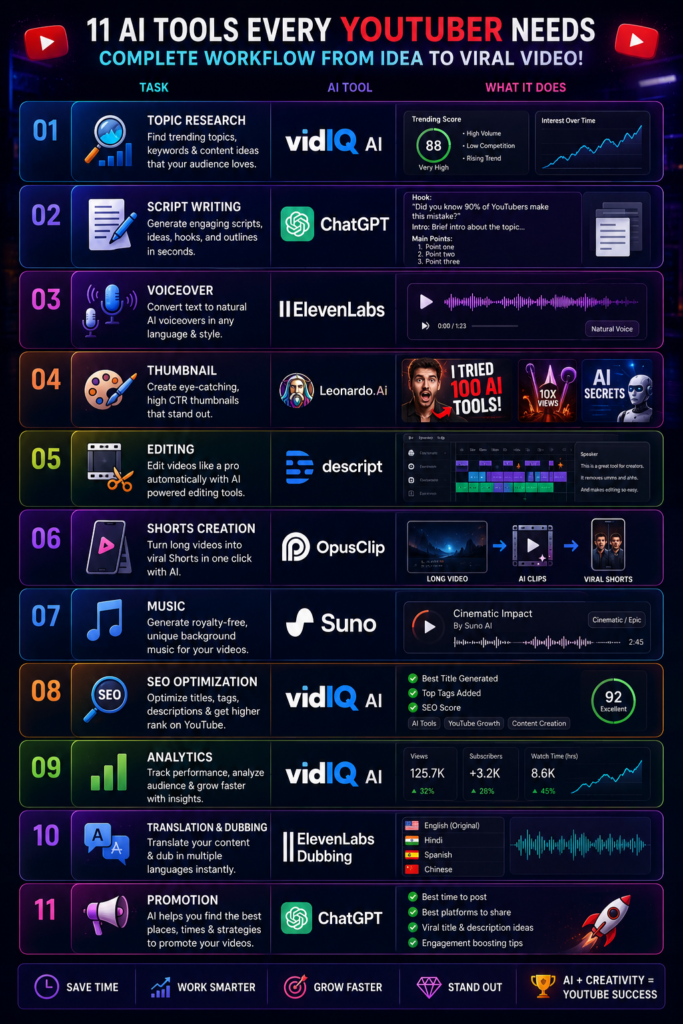
There is no single AI workflow that fits every YouTube channel. A podcast creator, gaming channel, faceless storyteller, and educational YouTuber may all need different tools.
However, if you want to understand how several AI tools could fit into one production process, the example below shows a possible workflow. Treat it as a starting point and remove any tool that does not solve a real problem in your own content process.
Example AI Tool
| Task | Example AI Tool | Purpose in the Workflow |
|---|---|---|
| Topic Research | vidIQ | Explore YouTube-focused topics, keywords, and research signals |
| Script Planning and Drafting | ChatGPT | Organize notes and develop a first draft for human review |
| Voiceover | ElevenLabs | Generate narration from a reviewed script when AI voice fits the content format |
| Thumbnail Visual Concepts | Leonardo AI | Generate and explore custom visual assets for a thumbnail |
| Spoken-Content Editing | Descript | Edit talking-head, interview, or podcast content through a transcript-based workflow |
| Long-Form Video Repurposing | OpusClip | Identify potential short clips from longer videos |
| Custom Music Experimentation | Suno | Explore project-specific music ideas after checking current usage rights |
| Final Review | Creator | Check accuracy, context, pacing, captions, and AI-generated assets before publishing |
Practical Explanation
This workflow does not require every creator to subscribe to seven different AI platforms. For example, a talking-head YouTuber who records original narration may not need ElevenLabs, while a creator who does not publish long-form videos may have little reason to use OpusClip.
Start with your current production process and identify one bottleneck. Add a tool only when its role is clear, test whether it improves the workflow, and remove it if it creates more complexity than value.
The goal is not faster content production at any cost. A useful AI workflow should reduce repetitive work while leaving enough time and attention for research, storytelling, accuracy, and the final editorial review.
Common Mistakes to Avoid When Using AI Tools for YouTube
Adding AI to a YouTube workflow can save effort on selected tasks, but using a tool without a clear purpose can also create new problems. A script may become generic, an AI-generated thumbnail may look visually impressive but fail to communicate the video’s topic, or automated editing may remove context that the viewer needs.
The following mistakes are especially important to review when AI is involved in YouTube production.
1. Turning Raw AI Output Directly Into a Video
An AI-generated script can look complete because it has an introduction, several points, and a conclusion. That does not mean it is ready to record.
Before turning an AI draft into a voiceover or talking-head video, check every important factual claim, remove repeated ideas, and ask whether the script actually answers the question promised by the title.
This is especially important for videos about software, AI tools, pricing, product features, or current events. Information can change, and an AI-generated draft may rely on outdated or incomplete context.
For example, if a script says that an AI tool offers a particular feature on its free plan, verify that information using the tool’s current official website or documentation before recording. Correcting the script takes far less effort than discovering the mistake after the video has been edited and published.
2. Using the Same AI Script Structure in Every Video
AI writing tools often produce clean and organized drafts, but creators can fall into a pattern of using the same structure repeatedly: a broad introduction, a numbered list, short explanations, and a predictable conclusion.
On YouTube, this can make videos feel interchangeable even when the topics are different.
Review the script before recording and change the structure when the topic requires it. A comparison video may work better by evaluating two tools against the same criteria. A tutorial should usually move through the process in a logical order. A case study may need to begin with the problem and then show what happened.
The format should follow the viewer’s question rather than the AI tool’s default writing pattern.
3. Choosing an AI Image Before Defining the Thumbnail Idea
AI image generators can produce detailed visuals in seconds, which makes it tempting to generate an attractive image first and build the thumbnail around it.
A better starting point is the video’s core idea. Ask what the viewer needs to understand from the thumbnail at a glance. Then decide whether an AI-generated visual can support that message.
For example, a video comparing two AI video generators may need a clear visual comparison rather than a highly detailed futuristic image of a robot editing a film. The second image may look impressive, but it does not necessarily explain the video’s actual topic.
After generating visual assets, review the thumbnail at a small size. If the main subject, contrast, or idea becomes difficult to understand, adding more AI-generated detail is unlikely to solve the problem.
4. Treating Keyword Scores as a Complete Content Strategy
YouTube research tools can provide keyword suggestions, competition scores, and other signals, but a high score does not automatically make a topic right for your channel.
A keyword may be related to your niche but still be too broad, poorly matched to your existing audience, or difficult to cover in a genuinely useful way.
Use keyword and optimization tools as research inputs. Then compare the topic with questions from your viewers, your previous video performance, and the type of content your channel is designed to publish.
The goal is not to place the maximum number of keywords into a title or description. The title should clearly communicate the video’s topic, while the video itself should deliver what the viewer expected after clicking.
5. Using AI Effects Because They Are Available
AI video tools make it easy to generate transitions, visual effects, motion, and unusual scenes. The availability of these features does not mean every section of a video needs them.
Before adding an AI-generated shot or effect, ask what it contributes. Does it explain an idea, establish the setting, support the story, or make an otherwise difficult scene possible?
If the answer is unclear, the effect may simply add visual noise.
This is particularly important for tutorials and educational videos, where constant visual changes can compete with the information the viewer is trying to understand. Creative effects should support the purpose of the video rather than becoming the purpose of the video.
6. Asking AI to Fix Retention Without Reviewing Viewer Behavior
It is easy to ask an AI tool to “make this script more engaging,” but that instruction does not explain where viewers are actually losing interest in your videos.
If you have published enough content to review meaningful channel data, look at your own audience retention information and identify sections that may need investigation. Did viewers leave during a long introduction? Was an explanation repeated? Did the title create an expectation that the video answered too slowly?
These observations can give you better questions to bring into an AI-assisted workflow. Instead of asking AI to make an entire script “viral” or “engaging,” you can ask it to identify repetition in a specific section, compare two opening structures, or simplify a confusing explanation.
AI can help analyze a problem more effectively when the creator first defines the problem using real viewer behavior.
The common pattern behind these mistakes is using AI before defining the actual YouTube problem. If the topic is unclear, more keyword suggestions will not fix it. If the thumbnail idea is weak, a more detailed AI image may only make it more complicated. If viewers leave during a repetitive introduction, adding more visual effects may not improve the underlying structure.
Start with the problem, then choose the AI task.
This approach makes it easier to evaluate whether a tool is genuinely improving your YouTube workflow or simply adding another automated step.
The Future of AI in YouTube Content Creation
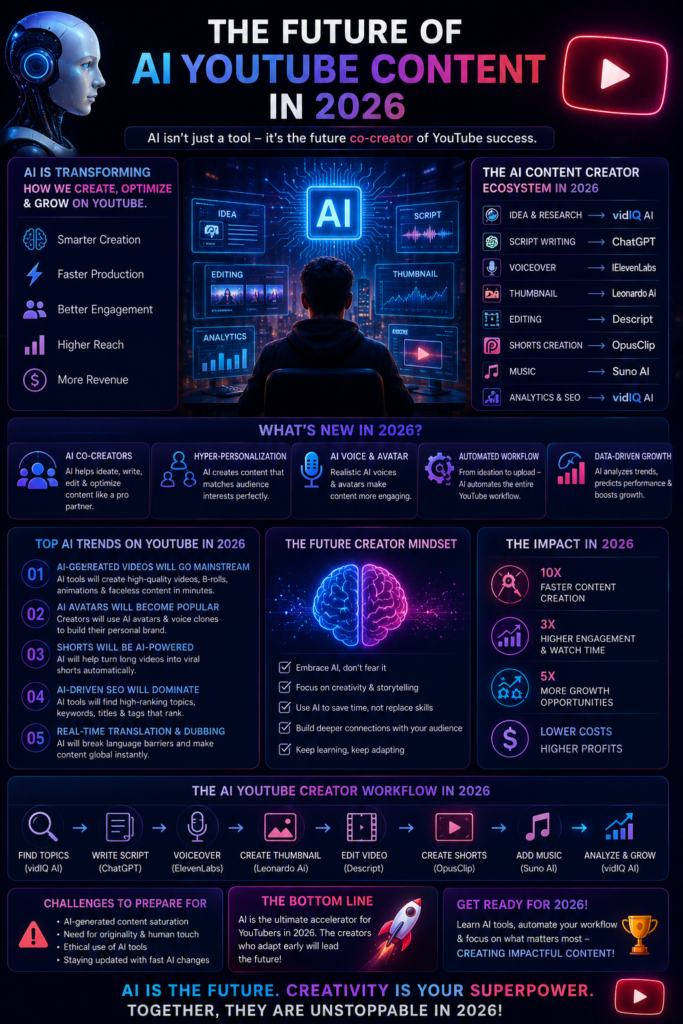
AI is likely to become more deeply integrated into YouTube production workflows, but the most important change may not be a single new video generator or editing feature. The bigger shift could be the connection between tasks that creators currently manage across several different tools.
Research, scripting, voice production, visual generation, editing, translation, and content repurposing are often handled as separate stages. Future creator platforms may continue bringing more of these steps into connected workflows, reducing the number of manual handoffs between tools.
Future Trends:
1. More Connected AI Production Workflows
Today, a YouTube creator may research a topic in one tool, draft a script in another, generate a voiceover elsewhere, and then move several files into an editing application.
AI creator platforms may continue reducing these gaps by connecting more production tasks. For example, a script change could eventually become easier to carry through narration, captions, and selected video edits without manually rebuilding every stage from the beginning.
For YouTubers, the practical value of this type of integration would be less repetitive production work. However, a more automated workflow still needs review when a change affects facts, context, or the meaning of the final video.
More Flexible AI Avatars and Multilingual Video Formats
AI avatars and synthetic presenters may become more flexible for educational, business, and explainer channels. Combined with AI voice and translation tools, these systems could make it easier to adapt a video for different languages or audiences without recording every version from the beginning.
This also makes transparency more important. If a realistic AI presenter, synthetic voice, or generated scene could reasonably confuse viewers about whether a real person appeared in the video, creators should think carefully about how the content is presented and disclosed.
AI May Assist With More Editing Decisions
AI editing tools may become better at identifying pauses, reframing footage, preparing captions, organizing clips, and suggesting possible cuts. This could make the first stage of editing easier, particularly for interviews, podcasts, and other spoken-content formats.
The important distinction is between automating a repetitive task and making an editorial decision. An AI system may identify a long pause, but the creator still needs to decide whether that pause adds tension, emotion, or meaning to the scene.
As editing automation improves, understanding why a cut should or should not be made may become an even more valuable creator skill.
More Adaptable Content Experiences
AI may also make it easier to adapt selected content elements for different audiences. A learning video, for example, could potentially be presented in another language, simplified for a beginner, or reorganized into a shorter format.
This does not mean every viewer needs a completely AI-generated version of every video. Personalization is useful only when it improves the viewer’s experience and is handled responsibly, particularly when audience data is involved.
For YouTube creators, the more immediate opportunity may be content adaptation rather than fully personalized storytelling: taking one well-researched idea and carefully preparing versions that fit different languages, formats, or levels of explanation.
The most durable skill may not be mastering every AI tool that appears in 2026. Tools, features, and pricing can change quickly. A more useful ability is learning how to evaluate a new platform: identify the problem it solves, test the output, understand its limitations, and decide whether it deserves a place in your YouTube workflow.
Creators who develop that evaluation process will be less dependent on any single AI platform.
Final Thoughts
Final Thoughts
The best AI tools for YouTube creators in 2026 serve very different purposes. Descript may fit a transcript-based spoken-content editing workflow, OpusClip can provide a starting point for repurposing long videos, vidIQ and TubeBuddy support YouTube-focused research and optimization tasks, while tools such as Runway, Leonardo AI, and Pika can expand visual production options.
ElevenLabs, HeyGen, and Suno fit different types of creator workflows again. A channel that records original presenters and music may not need any of them, while a narration-heavy or multilingual format may find selected AI production tools more relevant.
This is why choosing a tool by popularity is rarely enough.
The best AI tool is not the one with the longest feature list. It is the one that solves a real production problem without creating unnecessary complexity or removing the creator’s judgment from the process.
When evaluating the best AI tools for YouTube creators in 2026, start with your workflow, test the tool carefully, and keep the final responsibility for accuracy, context, and creative direction in your own hands.
Best AI Tools for Shorts and Reels in 2026
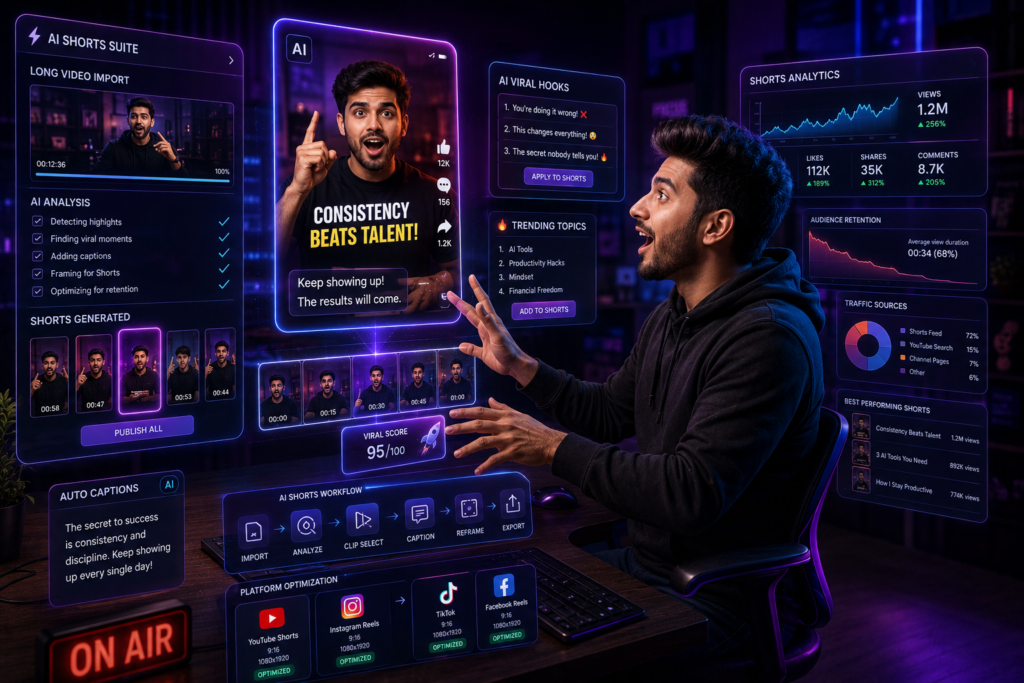
A short video may last less than a minute, but producing it can still involve several separate tasks. A creator may need to find the right idea, write a concise opening, select or record footage, reframe visuals for a vertical screen, add readable captions, remove unnecessary pauses, and review the final clip before publishing.
The challenge becomes more noticeable when short-form content is produced regularly. Repeating the same editing and formatting steps across several clips can turn a seemingly simple video format into a time-consuming workflow.
Short-form video also creates a different editing problem from long-form content. There is less room for a slow introduction, missing context can make a repurposed clip confusing, and captions or visual elements that look fine on a desktop may become difficult to read on a phone screen.
For creators repurposing podcasts, interviews, or long YouTube videos, another challenge is deciding which section can work as a standalone clip. A moment may be interesting inside a 40-minute conversation but make little sense when removed from the discussion around it.
Where AI Can Fit Into a Short-Form Workflow
Depending on the type of content, AI tools can assist with selected parts of short-form production:
- Clip discovery: Identifying potential short segments inside a longer video.
- Transcript review: Finding repeated phrases, pauses, or sections that may be removed.
- Captions: Creating a first caption draft that the creator can review for timing and accuracy.
- Vertical reframing: Adapting selected horizontal footage for a vertical layout.
- Script planning: Organizing a short explanation around one clear idea.
- Visual generation: Creating supporting images or short visual sequences when original footage is unavailable.
- Content adaptation: Preparing different versions of a core idea for Shorts, Reels, or other short-form formats.
This is where AI tools may be useful. Their practical value is not that they can guarantee a viral Short or automatically understand your audience. Instead, the right tool can reduce selected repetitive steps or provide a faster starting point for tasks such as clipping, captioning, reframing, or organizing a short script.
The tool you need depends on how you create content. A podcaster repurposing long interviews has a different workflow from a creator recording original 30-second tutorials, while a faceless storytelling account may need another combination of scripting, voice, and visual tools.
For example, imagine a creator with a one-hour interview. Manually reviewing the entire recording, marking possible clips, reframing each selection, and preparing captions can involve several repetitive steps.
An AI clipping tool may help identify possible segments and prepare an initial short-form version. The creator still needs to check whether the clip makes sense on its own, correct captions, review the opening, and decide whether the selected moment is worth publishing.
In this case, AI supports the first stage of repurposing. It does not make the final publishing decision.
In this guide, we will look at AI tools that fit different parts of the short-form content process. Instead of treating every app as a “viral Shorts generator,” we will examine what each tool is designed to do, which type of creator may find it useful, and where human review is still necessary.
Before choosing a tool, identify your current bottleneck. Are you spending too much time searching long videos for clips? Are captions slowing down editing? Is vertical reframing repetitive? Or do you struggle to turn one broad topic into a focused short script?
The answer should guide your tool choice.
Why AI Tools Matter for Shorts and Reels Creators
Short-form creators work within a limited amount of screen time. A video often needs to establish its topic quickly, provide enough context for the viewer to understand what is happening, and avoid unnecessary sections that delay the main point.
The opening matters because viewers can quickly move to another video, but there is no single “three-second formula” that fits every Short or Reel. A tutorial may need to show the problem immediately, a podcast clip may begin with a clear statement from the conversation, and a storytelling video may use a question or an unresolved situation.
The useful question is not, “Is my hook viral enough?” It is, “Does the opening give the right viewer a clear reason to continue?”
Workflow-based Explanation
AI becomes useful when it is assigned a specific production task. A transcript tool may help a creator review spoken content before trimming a clip. A clipping platform may identify possible short segments inside a longer recording. Captioning tools can prepare an initial transcript, while reframing features may reduce some of the repetitive work involved in adapting horizontal footage for a vertical screen.
AI writing tools can also assist during short-script planning. For example, a creator with five broad talking points could use AI to compare different ways of organizing them around one focused idea. The final opening still needs to match the actual video and should not promise something the clip fails to deliver.
Original Short-Form Creator
Consider a creator making 30-second software tutorials. The creator may already know the feature they want to explain but still need to remove unnecessary setup, organize the demonstration in a logical order, prepare captions, and make sure the screen recording remains understandable in a vertical layout.
AI can assist with selected steps in that workflow. It may help organize a rough explanation, prepare a caption draft, or support reframing. However, the creator still needs to verify that the tutorial is technically correct and that the viewer can follow each action shown on the screen.
For most Shorts and Reels creators, the practical choice is not “manual editing or AI.” A useful workflow may combine both. AI can handle or assist with selected repetitive steps, while the creator reviews context, accuracy, pacing, and the final presentation.
This distinction matters because producing more clips is not automatically the same as building a better short-form workflow. The value of an AI tool depends on whether it solves a specific production problem without creating extra correction work later.
Best AI Tools for Shorts and Reels Creators in 2026
The tools below solve different short-form production problems. Some are designed for editing spoken videos, while others focus on captions, text-to-video creation, AI presenters, or turning existing written content into visual videos.
Do not choose a tool simply because it has the longest feature list. Start with the part of your Shorts or Reels workflow that currently takes the most time or creates the most repetitive work.
1. Wisecut – AI Editing for Spoken Short-Form Videos
Talking-head videos, interviews, and educational clips often contain pauses or sections that need to be tightened during editing. Wisecut is an AI-assisted video editor with tools for automatic silence removal, subtitles, smart background music, and automatic punch-in and punch-out effects.
How Could a Shorts Creator Use Wisecut?
Imagine recording a five-minute explanation that you want to turn into a shorter social video. Wisecut can assist with selected editing tasks such as removing silent sections and preparing subtitles.
Its smart background music feature can also adjust music levels around speech through audio ducking.
This does not mean the tool automatically knows which parts your audience will find boring. After the initial edit, review whether important pauses, explanations, or context were removed.
Best For
Talking-head creators, educators, interview clips, and creators editing speech-focused short videos.
What to consider: Automatic silence removal can change pacing. A pause that looks unnecessary to software may sometimes support emphasis or meaning.
2. Captions – AI Captioning and Talking-Video Editing
Captions are difficult to manage when a creator has to transcribe speech, synchronize text, and style every line manually.
Captions provides AI-assisted video editing tools that include automatic captions, translated subtitles, AI editing, and eye-contact correction.
A Practical Short-Form Workflow
Suppose you record a vertical tutorial while occasionally looking at notes beside the camera. Captions’ Eye Contact tool can be explored for adjusting selected gaze inconsistencies, while its captioning tools can transcribe spoken audio and time on-screen text with the video.
The generated captions still need review. Product names, technical terms, Hindi-English mixed speech, and unusual names may be transcribed incorrectly.
Best For
Talking-head Shorts, Reels, tutorials, presenter-led clips, and creators who regularly add on-screen captions.
What to consider: Stylish captions do not automatically improve viewer retention. Readability, timing, accuracy, and the amount of text shown on a mobile screen still matter.
3. VEED – Browser-Based AI Video Editing for Social Content
Some creators prefer to complete several editing tasks without moving between multiple desktop applications. VEED combines video editing, subtitles, transcription, audio cleanup, and AI-assisted editing tools in a browser-based platform.
Its current editing tools include automatic subtitles, noise reduction, text-based editing, and features for removing selected silences or filler words.
Where Could VEED Fit?
A creator editing a spoken Reel could upload the recording, review the transcript, remove an unnecessary section, prepare subtitles, clean background noise, and adapt the video for a social format within the same broader editing workflow.
This may be worth exploring for creators who prefer browser-based editing and want several production tools in one platform.
Best For
Social video creators, talking-head content, tutorials, interviews, and creators looking for a browser-based editing workflow.
What to consider: AI cleanup should be reviewed before export. Noise reduction, silence removal, or automatic edits can occasionally affect audio or pacing in ways the creator did not intend.
4. Fliki – Text-to-Video Creation for Faceless Short Content
Faceless creators often begin with a written script rather than recorded footage. Fliki is a text-to-video platform that can use scripts, text, ideas, or blog content as a starting point for video creation.
Its current workflow combines AI voice options with visuals, captions, and music.
A Practical Use Case
Imagine you have written a 45-second educational script explaining one AI term. You could use Fliki to create an initial video version with narration and supporting media.
The first generated version should be treated as a draft. Check whether the selected visuals actually match each statement, listen for pronunciation problems, and make sure the pacing works for the explanation.
This review is especially important for Hindi-English mixed scripts, technical names, and fact-sensitive topics.
Best For
Faceless explainers, educational shorts, simple storytelling formats, and creators who start with a written script.
What to consider: Automatically selected visuals may be generic or contextually weak. Replace any scene that does not accurately support the narration.
5. Synthesia – AI Avatar Videos for Presenter-Led Short Content
Some short-form formats benefit from a visible presenter, but recording a person on camera may not fit every production workflow.
Synthesia is an AI video platform built around AI avatars and text-based video creation. Its current platform supports AI presenters and video creation across more than 160 languages.
Where Could It Fit?
An educational or business creator could experiment with a short presenter-led explainer based on a reviewed script. Multilingual workflows may also explore adapting structured informational content into another supported language.
For short-form creators, the practical use case is not replacing every real presenter. It is creating selected avatar-led formats where a synthetic presenter fits the purpose of the content.
Best For
Educational explainers, business content, training clips, and structured presenter-led videos.
What to consider: Do not use a synthetic presenter in a way that could mislead viewers into believing a real person delivered a statement or endorsement. The script and factual claims still require human review.
6. Lumen5 – Turning Written Content Into Short Visual Videos
Bloggers, publishers, and educational creators may already have useful information in written form but need a visual starting point for social video.
Lumen5 is an AI-assisted video creation platform that can start from content such as blogs, PDFs, or bullet points and help turn written material into a visual video workflow.
A Practical Creator Example
Suppose you have a blog section explaining three beginner mistakes when using an AI tool. Instead of copying the entire paragraph into a Short, first reduce the idea to one focused message.
Lumen5 can then be explored as a starting point for matching the written content with a visual structure. Review every visual and shorten any text that becomes difficult to read on a phone screen.
Best For
Bloggers repurposing written content, educational creators, publishers, and simple informational video formats.
What to consider: Article-to-video automation does not verify the source article or guarantee that selected visuals accurately represent the topic. Start with reliable written content and review the final video.
7. FlexClip – AI-Assisted Video Creation and Editing
FlexClip combines an online video editor, editable templates, and AI-assisted creation tools.
Its script-to-video workflow can use a script to prepare a video with visuals, subtitles, voiceovers, and music, while still allowing the creator to make further edits.
How Could a Reels Creator Use FlexClip?
A small business creator may already have a short promotional script but need a first video structure. FlexClip can provide a starting draft that can then be adjusted with the creator’s own product footage, branding, text, and final call to action.
The useful part is the editable workflow. A generated first version should not be treated as automatically optimized for a platform or audience.
Best For
Simple promotional videos, social content, script-based short videos, and creators who want templates and AI tools in one editing environment.
What to consider: Templates can speed up layout decisions, but repeatedly using the same visual style may make different videos feel too similar.
8. Animoto – Drag-and-Drop Video Creation for Simple Short Videos
Not every short-form creator needs a generative AI video system. Sometimes the creator already has product images, screen recordings, or short video clips and simply needs to assemble them into a clear social video.
Animoto provides a drag-and-drop video creation workflow for combining existing photos, screen recordings, and clips.
A Practical Use Case
Imagine an affiliate creator has five original product photos and three short demonstration clips. Instead of generating artificial product visuals, the creator could arrange the existing media into a simple promotional video and add supporting text.
This type of workflow can be more appropriate when the real appearance of a product matters.
Best For
Product clips, promotional videos, slideshows, and creators working with their own existing media.
What to consider: Animoto should not be described as an advanced AI Shorts generator simply because AI is popular in video creation. Its practical value here is a straightforward video-building workflow.
9. InVideo AI – Prompt-Based AI Video Creation
InVideo AI is designed to turn a video idea or prompt into a broader AI-assisted production workflow. Its current AI video generator can prepare a script and combine visuals, voiceovers, subtitles, and music.
A Practical Short-Form Example
A creator planning a short explainer could describe the topic, intended format, and basic direction in a prompt. InVideo AI can provide an initial video version that the creator can then review and edit.
The review stage is important. Check factual claims in the script, confirm that visuals match the narration, listen to names and technical terms in the voiceover, and make sure the final video does not include unnecessary scenes simply because they were automatically generated.
Best For
Beginners exploring prompt-based video creation, faceless explainers, simple social videos, and creators who want to experiment with a connected AI video workflow.
What to consider: An all-in-one workflow can reduce the number of separate production steps, but it does not remove the need for fact-checking, visual review, or final editing.
Example AI-Assisted Workflow for Shorts and Reels Creators
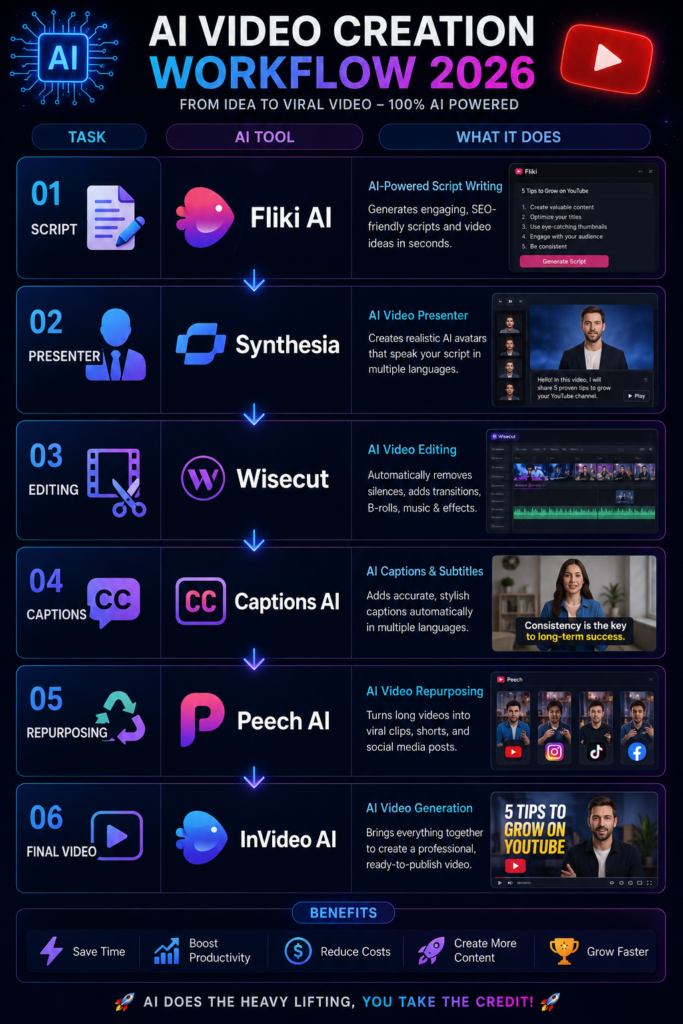
There is no single AI workflow that every Shorts or Reels creator needs to follow. The right process depends on whether you record original footage, repurpose long videos, create faceless explainers, or use a digital presenter.
The example below shows how AI tools could fit into selected stages of a short-form production workflow. You do not need to use every tool in the table.
| Task | Example Tool | Purpose in the Workflow |
|---|---|---|
| Short Script Planning | AI Writing Assistant | Organize one focused short-form idea into a draft for review |
| Existing Content Review | Creator | Decide whether a long video, blog section, or original idea can work as a standalone short |
| Faceless Video Draft | Fliki | Turn a reviewed short script into an initial narrated visual video |
| Optional AI Presenter | Synthesia | Create a presenter-led version when an AI avatar fits the content format |
| Spoken-Video Editing | Wisecut | Assist with silences, subtitles, and selected speech-focused editing tasks |
| Captioning and Talking-Video Review | Captions | Prepare captions and review selected talking-video edits |
| Prompt-Based Video Draft | InVideo AI | Generate an initial video version from a detailed prompt for further review |
| Final Review | Creator | Check standalone context, caption accuracy, vertical readability, pacing, and visual relevance before publishing |
The tools in this table are not meant to be used as one mandatory chain. For example, a creator using Fliki for a faceless script-to-video workflow may not need Synthesia, while a creator recording original talking-head videos may have no reason to use either platform.
Similarly, Fliki and InVideo AI can represent different approaches to creating an initial video draft. Adding both to the same production process may create unnecessary duplication.
Start with the type of Short or Reel you are creating, identify the repetitive stage, and choose the smallest number of tools needed to complete the workflow. A shorter tool stack is often easier to review, manage, and improve over time.
Practical Tips for Creating Better Shorts and Reels
1. Make the Opening Clear Quickly
The beginning of a Short or Reel should help the intended viewer understand why the video may be relevant to them. This does not require every video to use a dramatic question, exaggerated claim, or identical three-second hook formula.
Match the opening to the format. A software tutorial can show the problem or result early. A product demonstration may begin with the product in use. A repurposed podcast clip may need a short piece of context before the strongest statement makes sense.
After publishing, review your own audience data instead of assuming that one hook style works for every video.
2. Review Captions for Accuracy and Mobile Readability
Captions can support spoken short-form content, but automatically generated text should be reviewed before publishing.
Check names, technical terms, Hindi-English mixed speech, punctuation, and line breaks. A transcription tool may hear a product name incorrectly or divide one sentence into awkward on-screen fragments.
Also review the video on a phone-sized screen. Captions that look readable inside a desktop editor may feel crowded when viewed vertically. The goal is not to display the maximum amount of text; it is to make the spoken content easier to follow.
3. Edit for the Idea, Not for Maximum Speed
Fast cuts can fit some short-form styles, but constant cutting is not a universal retention strategy.
Remove sections that repeat information or delay the main point. At the same time, keep enough visual or spoken context for the viewer to understand the video.
A 20-second software demonstration may need slower screen moments so viewers can see where to click. A comedy clip may depend on a pause before the final line. An educational explanation may become confusing if every sentence is cut too aggressively.
Use your audience retention data to investigate where viewers stop watching, then review what actually happens at those moments.
4. Design the Video for a Vertical Viewing Experience
If you are creating a full-screen vertical Short or Reel, build the visual layout for that format instead of simply cropping a horizontal video at the end.
Check whether the main subject remains visible after reframing. Screen recordings may need tighter zooming, interview clips may need a different crop, and text should be placed where it remains easy to read alongside platform interface elements.
Before publishing, watch the exported video on a phone. A technically correct aspect ratio does not automatically mean the composition works well on a vertical screen.
5. Use Audio Because It Fits the Video, Not Because It Is Trending
A trending song or sampled sound may be relevant to a particular format or audience, but adding popular audio does not guarantee wider distribution.
Start with the video itself. Does the audio support the mood, timing, joke, demonstration, or story? If not, forcing a trend into unrelated content may make the video feel disconnected from its actual purpose.
For YouTube Shorts, also check music usage and eligibility before publishing. Using audio available through YouTube’s Shorts creation tools or appropriate music sources can help creators manage copyright-related risks more carefully.
These practices should be treated as starting points, not as a universal formula for reach or virality. YouTube provides Shorts analytics that can help creators review watch time, audience retention, and how viewers respond when a new format or editing approach is tested.
Use that information to compare your own videos. If one Short holds attention differently from another, examine the opening, topic, pacing, context, and presentation before deciding what to repeat.
Common AI Mistakes Shorts and Reels Creators Should Avoid
AI tools can create a first draft of captions, clips, voiceovers, or even an entire short video. The problem begins when that first output is treated as ready to publish without checking how it works in a vertical, mobile-first format.
The following mistakes are particularly relevant to AI-assisted Shorts and Reels workflows.
1. Publishing an AI-Selected Clip Without Checking the Context
An AI clipping tool may identify a strong sentence inside a podcast, interview, or long video. The selected moment can still be confusing when viewed on its own.
Before publishing, watch the clip without the original video. Does the viewer know who or what is being discussed? Does a word such as “this,” “they,” or “that tool” depend on information from an earlier section?
Sometimes a short setup line or a different clip boundary is enough to restore the missing context. The goal is not simply to extract the most dramatic sentence. The Short should still make sense as an independent piece of content.
2. Trusting AI Captions Without Watching the Final Video
Reading a transcript inside an editor is not the same as watching captions appear on a phone screen.
AI-generated captions may contain incorrect words, awkward line breaks, or timing that places text on screen after the speaker has already moved to the next idea.
Watch the final video from beginning to end with captions visible. Pay particular attention to names, prices, software terms, and mixed-language speech. These small errors can change the meaning of an informational Short.
3. Placing Important Text Without Reviewing the Vertical Layout
AI video generators and automatic caption tools may position text based on a template. That placement should still be checked in the final platform format.
Important words can become difficult to notice when text is too close to the edges, overlaps another visual element, or competes with interface areas on the screen.
Export a test version and view it on a phone before publishing. Check the opening text, captions, labels, and call to action separately. Moving one text block may be more useful than adding another animation.
4. Ignoring AI Voice Pronunciation Errors
AI voice tools can sound natural while still pronouncing a product name, person’s name, acronym, or Hindi-English phrase incorrectly.
This is easy to miss when creators generate several videos in one production session.
Listen to the complete voiceover before building the final edit around it. If a term is pronounced incorrectly, test a phonetic spelling, adjust the script, or use another available voice option where appropriate.
For tutorials and informational content, pronunciation is not only a presentation issue. A badly spoken technical term can make the explanation harder to understand.
5. Assuming One Export Works Equally Well on Every Short-Form Platform
A vertical video can technically fit more than one short-form platform, but that does not mean every element should remain unchanged.
Review caption placement, text size, audio choices, calls to action, and any platform-specific references before reposting the same file elsewhere.
For example, asking viewers to “subscribe” may make sense in a YouTube Short but feel misplaced in an Instagram Reel. Similarly, audio availability or usage conditions can differ depending on where and how the content is published.
Repurposing can reduce repeated production work, but the final version should still be reviewed for the platform where it will appear.
6. Generating More Videos Than You Can Properly Review
AI tools can make it easier to produce multiple drafts, but a larger number of generated videos also creates more material to check.
Captions need review. AI voices need to be heard. Generated visuals need context checks. Repurposed clips need to make sense independently.
If your production volume increases faster than your review process, small errors can become easier to miss.
Instead of measuring an AI workflow only by the number of Shorts it produces, also consider how much correction work each draft creates before it is ready to publish.
The most common AI mistakes in short-form content are often review problems rather than generation problems. The tool creates a clip, caption, voice, or video draft, but the creator skips the final context and presentation checks.
A useful AI workflow should make repetitive tasks easier without lowering the standard of the final video. For Shorts and Reels, that means reviewing the content as a viewer will actually experience it: on a vertical screen, with limited context, and often as a standalone video.
The Future of AI in Short-Form Video Creation
AI is likely to become more integrated into short-form production, but the most useful changes may happen in the small tasks creators repeat across every video.
Today, clipping, captioning, reframing, translation, voice generation, and visual editing are often handled as separate stages. Future tools may connect more of these tasks inside a single workflow, making it easier to carry an edit from one stage to another without repeatedly rebuilding the video.
Future trends:
1. More Connected Short-Form Production Workflows
A creator currently using one tool for clipping and another for captions may need to export, upload, and review the same video several times.
Future AI-assisted editors may continue reducing these handoffs. A change to a clip boundary, for example, could become easier to carry through captions, reframing, and translated versions without manually repeating every adjustment.
The practical benefit would be less repetitive production work. However, creators would still need to review whether the final clip makes sense independently and whether automated changes have affected the original meanin
2. More Flexible Synthetic Presenters and Voices
AI presenters and synthetic voices may become easier to adapt for different languages, short scripts, and content formats.
For a creator producing structured educational clips, this could make it easier to prepare several language versions from one reviewed source script. A business may also experiment with presenter-led short videos without recording every variation from the beginning.
As synthetic media becomes more realistic, transparency and context become more important. Creators should avoid presenting an AI-generated person or voice in a way that could reasonably mislead viewers about who actually appeared in or endorsed the content.
3. AI May Assist With More Format-Specific Editing Decisions
AI editing tools may become better at recognizing different short-form production needs. A spoken tutorial, product demonstration, interview clip, and storytelling video do not require identical pacing or visual treatment.
Future tools may provide more useful editing suggestions based on the structure of the content rather than applying the same fast cuts, zooms, or caption style to every video.
The creator’s role will still matter because software can identify patterns without fully understanding the intended tone or context. A pause may look removable in a transcript but still be important to a joke, explanation, or dramatic moment.
4. Easier Content Adaptation Across Languages and Formats
One of the more practical uses of AI may be adapting a reviewed short-form idea for another language, platform, or level of explanation.
For example, a creator could begin with a clear 45-second tutorial, prepare a translated version, and then adjust captions, voice, and on-screen text for another audience.
The important word is “adapt.” Simply translating every sentence or reposting the same exported video may ignore cultural context, platform-specific calls to action, or differences in how the visual layout works after the text changes.
AI may reduce some of the repeated work, but each version still needs a final platform and audience review.
Takeaway
The most durable skill may not be learning every new AI video app as soon as it launches. Short-form tools, features, and pricing can change quickly.
A more useful skill is learning how to test a tool against a real production problem. Does it reduce repetitive work? Does the output require more correction than expected? Can the creator still control the final context and presentation?
Creators who build this evaluation process will be less dependent on any single platform or AI trend.
Final Thoughts
The best AI tools for Shorts and Reels in 2026 do not all solve the same problem. Wisecut is more relevant to selected spoken-video editing tasks, Captions focuses on talking-video and caption workflows, while Fliki and InVideo AI provide different approaches to creating an initial video from written input.
Synthesia fits selected avatar-led formats. Lumen5 may be useful when a creator starts with existing written content, while FlexClip and Animoto support different types of visual assembly and editing workflows.
The important question is not how many AI tools you can add to your production process. It is whether a tool solves a problem you actually have.
Before subscribing to another platform, choose one recent Short or Reel and map the production process from idea to final export. Identify the stage that created the most repetitive work or required the most time to correct.
Then test one relevant tool on a real piece of content.
If captions are the problem, evaluate a caption workflow. If spoken-video editing takes too long, test an editor designed around that type of content. If you start with written scripts and need an initial visual draft, compare text-to-video tools instead of adding an unrelated AI avatar platform.
After the test, review both the time saved and the correction work created by the AI output.
AI is not required for every short-form creator, and using more automation does not automatically produce better videos. Its practical value appears when a tool reduces a repetitive task, creates a useful first draft, or makes a production step easier to manage without removing necessary review.
When evaluating the best AI tools for Shorts and Reels in 2026, start with your workflow rather than the trend around a tool. Keep the platforms that genuinely improve the process, remove the ones that create unnecessary complexity, and review every final video in the format and context where viewers will actually see it.