
Introduction –
AI Tools Comparison: Which AI Assistant Is Right for Your Needs?
Choosing the right AI tool has become more challenging than ever. With so many options available, it’s easy to feel overwhelmed by conflicting recommendations and marketing claims.
AI tools are now widely used for writing, coding, research, design, and business tasks. However, selecting the most suitable tool for your specific workflow is often more difficult than expected.
Different users recommend different AI tools based on their needs:
- ChatGPT is widely used for writing, brainstorming, and general productivity.
- Claude is often appreciated for handling long documents and detailed writing tasks.
- Gemini integrates closely with Google’s ecosystem.
- Perplexity is commonly used for research-focused queries with cited sources.
And you get stuck in the middle 😅
Choosing the wrong AI tool can lead to:
- Wasted time testing unsuitable tools
- Lower-quality results for your specific tasks
- Reduced productivity
- Unnecessary subscription costs
After testing several popular AI tools across real-world tasks—including writing, research, coding assistance, brainstorming, and productivity workflows—I found that each tool has its own strengths and limitations. No single AI assistant is the best choice for every situation.
In this guide, you’ll find a practical comparison of leading AI tools based on common real-world use cases. Rather than focusing on hype, we’ll look at where each tool performs well, where it has limitations, and which users may benefit from it most.
By the end of this guide, you should have a clearer understanding of which AI tool best matches your goals, budget, and workflow.
Note: AI tools evolve quickly. Features, pricing, and performance may change over time. This comparison is intended to provide general guidance, and you should evaluate the latest information before making a decision.
Who Should Read This Guide?
This guide is designed for anyone who wants to choose the right AI tool based on their work, goals, and daily tasks, including:
- Students – for study assistance, note organization, brainstorming, and drafting assignments.
- Bloggers and Content Writers – for content planning, SEO-friendly outlines, and editing support.
- YouTube Creators – for script ideas, titles, descriptions, and content planning.
- Business Owners and Marketers – for marketing copy, workflow planning, customer communication, and productivity.
If you belong to any of these groups, this comparison can help you choose an AI tool that better matches your workflow and priorities.
| If Your Primary Need Is… | AI Tool to Consider |
|---|---|
| Creative writing and brainstorming | ChatGPT |
| Working with long documents and detailed writing | Claude |
| Google Workspace integration and Google services | Gemini |
| Research with cited sources | Perplexity |
👉 Bottom line: There is no single AI tool that is best for every task. The right choice depends on your goals, workflow, budget, and the type of work you do most often.
How We Compare These Tools
| Criteria | What We’ll Evaluate |
|---|---|
| Writing Quality | Creativity and clarity |
| Research | Accuracy and source support |
| Coding Assistance | Programming help and debugging |
| Ease of Use | Learning curve and interface |
| Speed | Response time |
| Integrations | Connected apps and ecosystem |
| Pricing | Free and paid plans |
| Best Use Cases | Ideal users and tasks |
Add:
Keep in mind that AI tools are updated regularly. Features, performance, and pricing may change over time, so consider checking the latest information before choosing a paid plan.
What Is AI Tools Comparison?
In simple terms, AI tools comparison means evaluating different AI assistants based on their strengths, limitations, and suitability for specific tasks. Instead of asking which tool is “best,” the goal is to understand which one works best for your particular needs.
When comparing AI tools, you should evaluate them using consistent criteria such as:
👉 comparing different AI tools based on:
- Output quality – How useful, natural, and accurate the responses are.
- Speed – How quickly the tool generates responses.
- Accuracy – How reliable the information is for your task.
- Best use cases – The types of work the tool is most suitable for.
- Ease of use – How simple the interface and workflow are.
- Integrations – Compatibility with other apps and services.
- Pricing – Free features, paid plans, and overall value.
Basically:
In short, AI tools comparison helps you identify which AI assistant is best suited for a specific task rather than assuming one tool is the best for everything.
The following sections compare the most popular AI tools across real-world scenarios, helping you choose the right option based on your goals and workflow.
Why Is AI Tools Comparison Important?
Choosing the right AI tool can help you:
- Save time by using the most suitable tool for each task.
- Improve the quality of your work.
- Avoid paying for features you do not need.
- Increase productivity by selecting tools that match your workflow.
- Make informed decisions before subscribing to premium plans.
| Comparison Factor | Why It Matters |
|---|---|
| Writing Quality | Determines how natural and useful the content is |
| Accuracy | Helps evaluate the reliability of responses |
| Speed | Measures response time |
| Ease of Use | Affects the learning curve |
| Integrations | Improves workflow with other tools |
| Pricing | Helps compare overall value |
| Best Use Cases | Identifies the right tool for specific tasks |
ChatGPT: Features, Strengths, Limitations, and Best Use Cases
Kya hai?
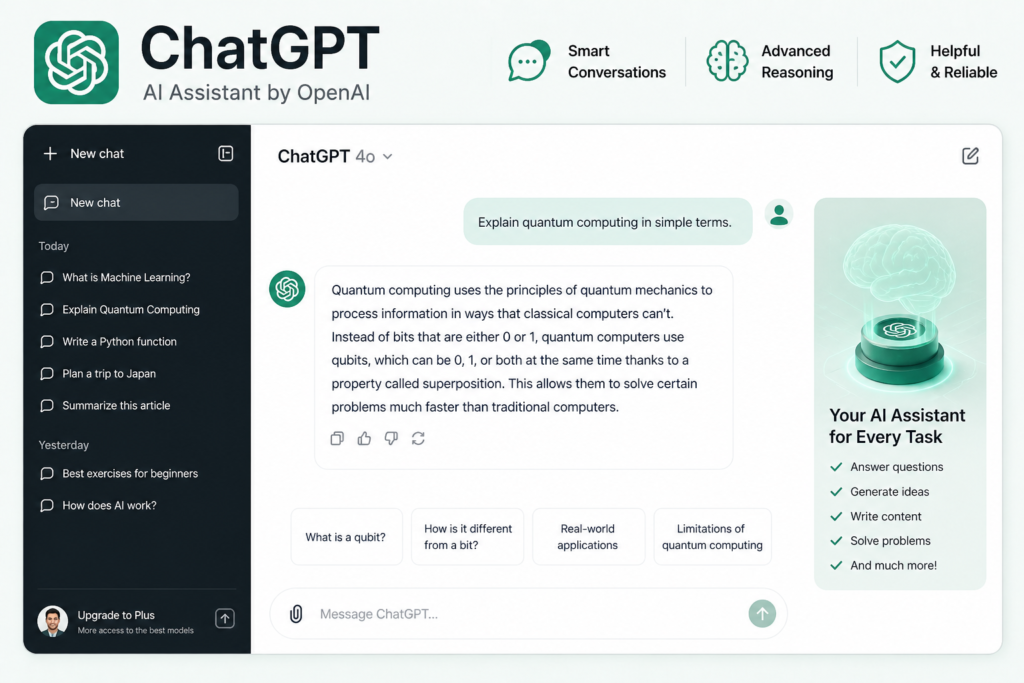
ChatGPT is an AI assistant designed to help with tasks such as writing, brainstorming, coding, research, summarization, and productivity. It uses natural language conversations to generate responses based on your prompts.
Why Do Many Users Choose ChatGPT?
ChatGPT supports a wide range of tasks, including:
- Writing blog posts and articles
- Generating video scripts
- Creating social media captions
- Brainstorming ideas
- Explaining code and programming concepts
- Summarizing information
- Drafting emails and documents
Pros
- Simple and user-friendly interface
- Supports a wide variety of tasks
- Strong brainstorming and writing assistance
- Helpful for beginners and experienced users alike
- Large ecosystem of guides and community resources
Cons
- Responses may occasionally contain inaccuracies or outdated information.
- Generated content should always be reviewed and edited.
- Performance varies depending on the quality of the prompt.
- May not replace specialized tools for certain professional tasks.
Real Example
Example: When creating a YouTube script, ChatGPT can quickly generate a structured first draft. After reviewing, editing, and adding personal insights, the final version is ready for production.
Pricing
| Plan | What to Expect |
|---|---|
| Free | Suitable for everyday writing, brainstorming, and learning tasks. |
| Paid | May include access to additional features, higher usage limits, and more advanced AI models, depending on the current subscription plan. |
Best Use Cases
| Task | Suitable? |
|---|---|
| Blog Writing | ✅ |
| Brainstorming | ✅ |
| Email Drafting | ✅ |
| Coding Assistance | ✅ |
| Research Support | ✅ (verify important facts) |
| Creative Writing | ✅ |
Who Should Use ChatGPT?
ChatGPT is a good choice for:
- Students
- Bloggers
- Content creators
- Freelancers
- Marketers
- Developers
- Small business owners
Claude: Features, Strengths, Limitations, and Best Use Cases
Kya hai?
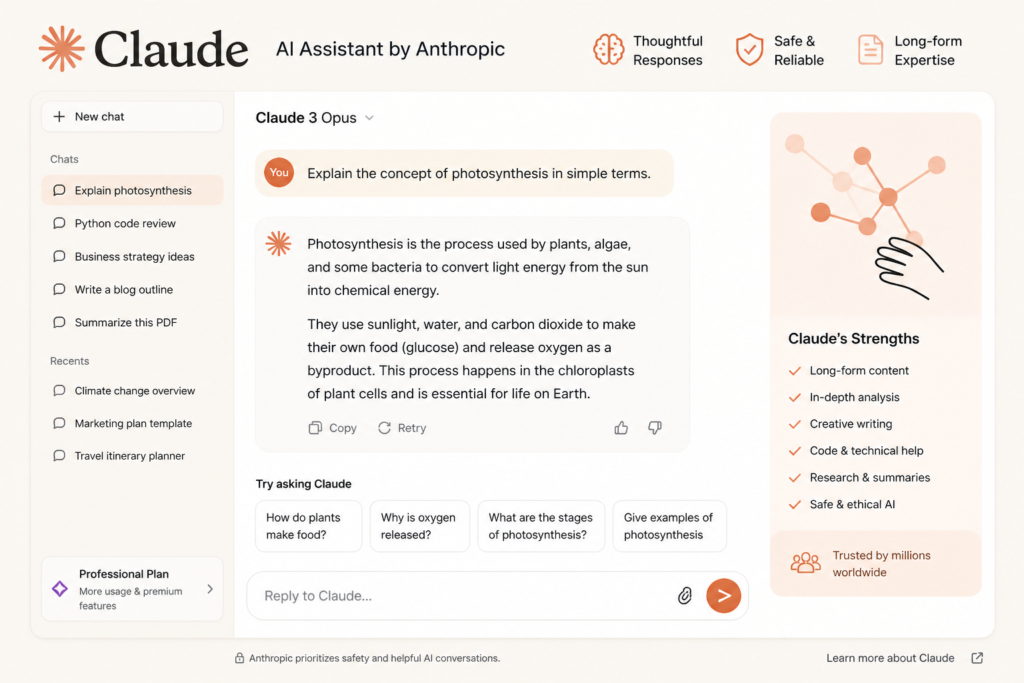
Claude is an AI assistant designed to help with writing, analysis, summarization, coding, and document-based tasks. It is commonly used for working with longer documents and detailed conversations.
Why Do Many Users Choose Claude?
Claude is often chosen for tasks that involve reviewing lengthy documents, maintaining context across detailed conversations, and producing well-structured written content.
Pros
- Handles long documents effectively
- Produces natural and readable writing
- Maintains context well during extended conversations
- Useful for detailed analysis and editing tasks
Cons
- Response speed may vary depending on the task and platform.
- The writing style may differ from other AI assistants based on the prompt and use case.
- Important information should still be reviewed and verified before publication.
Real Example
Example: When drafting a long-form article of more than 4,000 words, Claude can help produce a structured and readable first draft. Reviewing, fact-checking, and adding original insights remain important before publishing.
Pricing
| Plan | What to Expect |
|---|---|
| Free | Suitable for exploring core features and everyday tasks. |
| Paid | May include higher usage limits and access to additional capabilities, depending on the current subscription plan. |
Best Use Cases
| Task | Suitable? |
|---|---|
| Long-form writing | ✅ |
| Document summarization | ✅ |
| Research assistance | ✅ (verify important facts) |
| Brainstorming | ✅ |
| Editing and rewriting | ✅ |
| Coding assistance | ✅ |
Who Should Use Claude?
Claude may be a good choice for:
- Writers and authors
- Bloggers
- Researchers
- Students working with long documents
- Business professionals
- Developers handling documentation
Quick Verdict: Claude is a strong option for users who frequently work with long documents, detailed writing, and in-depth analysis. The right choice still depends on your specific workflow and the type of tasks you perform most often.
Perplexity: Features, Strengths, Limitations, and Best Use Cases
Kya hai?
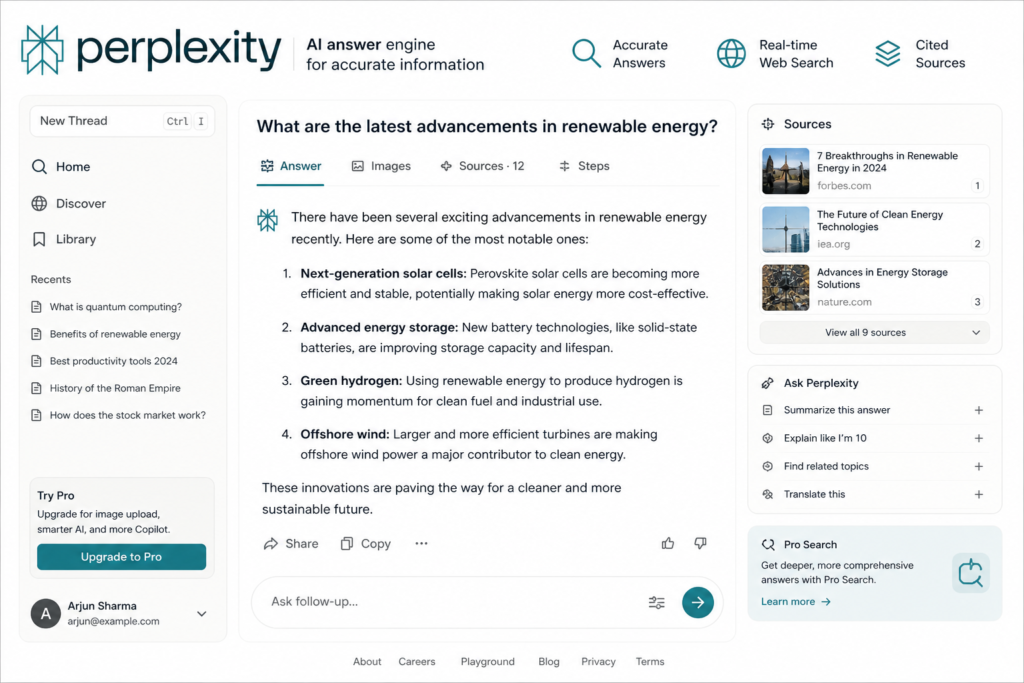
Perplexity is an AI-powered search and research assistant that provides conversational answers while often including references to supporting sources. It is commonly used for research, fact-finding, and exploring topics more efficiently.
Why Do Many Users Choose Perplexity?
It is designed to help users explore information from the web and often presents answers together with source references, making it useful for research-oriented tasks.
Pros
- Provides source references for many responses
- Useful for research and information gathering
- Helps summarize information from multiple sources
- Supports faster exploration of unfamiliar topics
Cons
- Creative writing capabilities may differ from tools primarily designed for content generation.
- Long-form content often benefits from additional editing and refinement.
- Important facts should still be verified using reliable primary sources when accuracy is critical.
Real Example
Example: If you are researching a new topic, Perplexity can help summarize relevant information and point you toward useful sources. Reviewing the referenced material is still important before relying on it for important decisions or publications.
Pricing
| Plan | What to Expect |
|---|---|
| Free | Suitable for everyday research and general information gathering. |
| Pro | May include additional features, higher usage limits, and advanced capabilities depending on the current subscription plan. |
Best Use Cases
| Task | Suitable? |
|---|---|
| Research | ✅ |
| Fact-finding | ✅ |
| Learning new topics | ✅ |
| Summarizing information | ✅ |
| Creative writing | ⚠️ Depends on your needs |
| Long-form articles | ⚠️ Usually requires editing |
Who Should Use Perplexity?
Perplexity may be a good choice for:
- Students
- Researchers
- Journalists
- Content creators gathering background information
- Professionals comparing information from multiple sources
Quick Verdict: Perplexity is a strong option for users who prioritize research, information discovery, and source-backed answers. It works well alongside other AI assistants rather than necessarily replacing them.
Gemini: Features, Strengths, Limitations, and Best Use Cases
Kya hai?
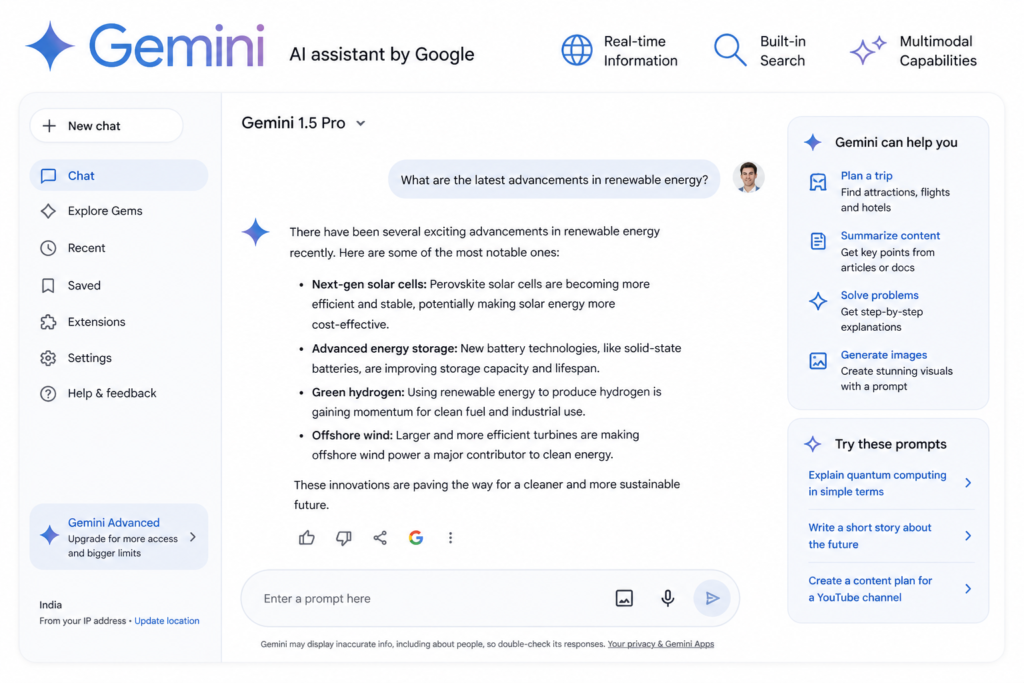
Gemini is Google’s AI assistant, designed to help with writing, research, coding, and productivity tasks. It integrates with several Google services, making it a convenient option for users who already rely on the Google ecosystem.
Why Do Many Users Choose Gemini?
Gemini works with several Google services, including:
- Gmail
- Google Docs
- Google Drive
- Other compatible Google Workspace tools
This integration can help streamline everyday productivity tasks.
Pros
- Works well with the Google ecosystem
- Convenient for users of Google Workspace
- Helpful for everyday productivity tasks
- Supports writing, brainstorming, and research workflows
Cons
- Creative writing style may differ from other AI assistants depending on the task.
- Response quality can vary based on the prompt and complexity of the request.
- Important information should always be reviewed and verified before use.
Real Example
Example: If you regularly use Gmail and Google Docs, Gemini can assist with drafting emails, brainstorming ideas, summarizing information, and improving productivity within your existing workflow.
Pricing
| Plan | What to Expect |
|---|---|
| Free | Suitable for everyday writing, research, and productivity tasks. |
| Paid | May provide access to additional features, higher usage limits, and advanced capabilities depending on the current subscription plan. |
| Task | Suitable? |
|---|---|
| Email drafting | ✅ |
| Google Workspace productivity | ✅ |
| Research assistance | ✅ |
| Brainstorming | ✅ |
| Coding support | ✅ |
| Creative writing | ⚠️ Depends on the task and writing style |
Who Should Use Gemini?
Gemini may be a good choice for:
- Google Workspace users
- Students
- Professionals
- Business teams
- Marketers
- Developers
Quick Verdict: Gemini is a practical choice for users who frequently work within the Google ecosystem and want AI assistance integrated into their daily productivity tools. The ideal AI assistant still depends on your specific workflow and priorities
Quick Comparison of Popular AI Tools
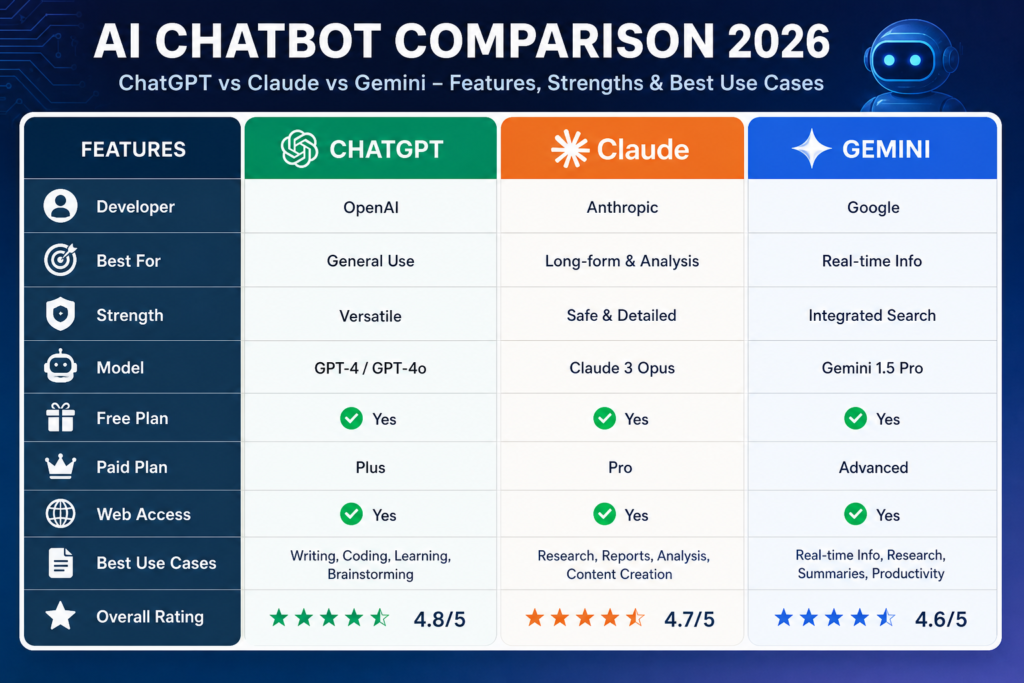
| Feature | ChatGPT | Claude | Gemini | Perplexity |
|---|---|---|---|---|
| Writing & Brainstorming | ⭐⭐⭐⭐⭐ | ⭐⭐⭐⭐☆ | ⭐⭐⭐⭐☆ | ⭐⭐⭐☆☆ |
| Long Documents | ⭐⭐⭐⭐☆ | ⭐⭐⭐⭐⭐ | ⭐⭐⭐⭐☆ | ⭐⭐⭐☆☆ |
| Research Assistance | ⭐⭐⭐⭐☆ | ⭐⭐⭐⭐☆ | ⭐⭐⭐⭐☆ | ⭐⭐⭐⭐⭐ |
| Google Workspace Integration | ⭐⭐⭐☆☆ | ⭐⭐⭐☆☆ | ⭐⭐⭐⭐⭐ | ⭐⭐⭐☆☆ |
| Coding Support | ⭐⭐⭐⭐☆ | ⭐⭐⭐⭐☆ | ⭐⭐⭐⭐☆ | ⭐⭐⭐☆☆ |
| Ease of Use | ⭐⭐⭐⭐⭐ | ⭐⭐⭐⭐☆ | ⭐⭐⭐⭐☆ | ⭐⭐⭐⭐☆ |
| Best For | General productivity | Long-form writing | Google ecosystem | Research & source-backed answers |
Note: These ratings are qualitative and intended to summarize common strengths. Actual performance depends on your task, prompt quality, and the current capabilities of each tool.
🛠️ Step-by-Step Guide (Beginner Friendly)
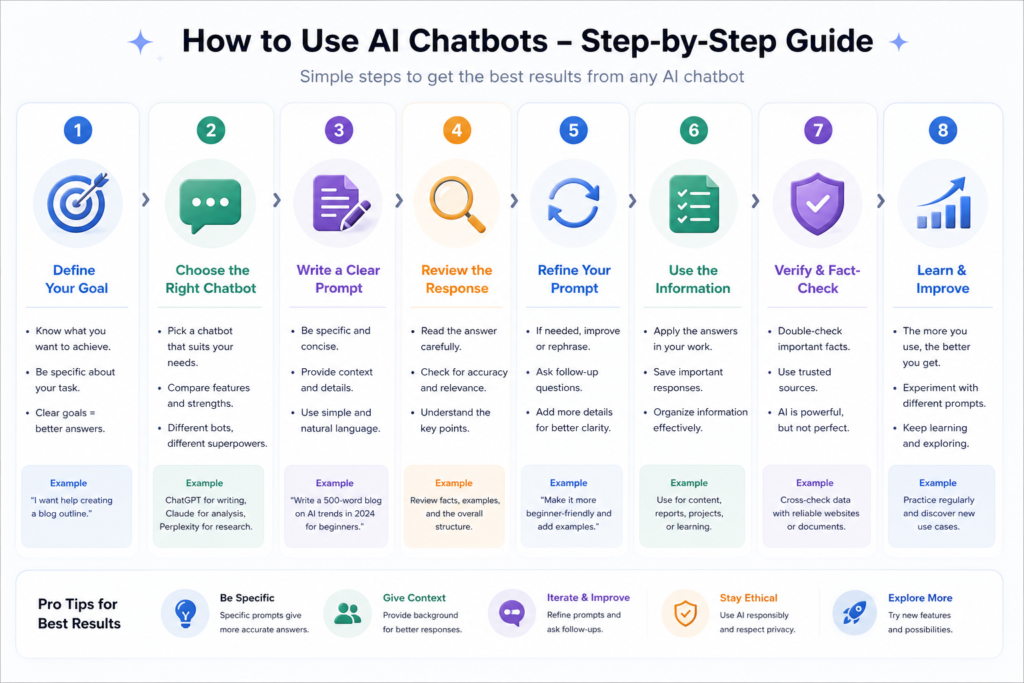
Step 1: Define Your Goal
| Goal | AI Tool to Consider |
|---|---|
| Writing and brainstorming | ChatGPT |
| Long-form writing | Claude |
| Research with cited sources | Perplexity |
| Google Workspace productivity | Gemini |
Step 2: Open the AI Tool
Visit the official website or app, sign in if required, and start a new conversation or project.
Step 3: Write a Clear Prompt
Example:
Write a beginner-friendly blog post comparing popular AI tools for content creators. Include key features, strengths, limitations, and practical use cases.
Step 4: Refine the Output
- Add more details if necessary.
- Adjust the tone for your audience.
- Ask follow-up questions to improve the response.
- Request examples or explanations where needed.
Step 5: Review Before Using
- Edit the content for clarity and originality.
- Verify important facts and statistics.
- Add your own expertise and examples.
- Publish or share only after a final review.
Tips for Better AI Prompts
- Clearly describe your goal.
- Mention the target audience.
- Specify the desired tone and format.
- Include important keywords or requirements.
- Ask follow-up questions to refine the output.
You can summarize the process in a simple flow:
Choose Your Goal → Select the Right AI Tool → Write a Clear Prompt → Refine the Output → Review and Verify → Publish
Key Benefits of Using AI Tools
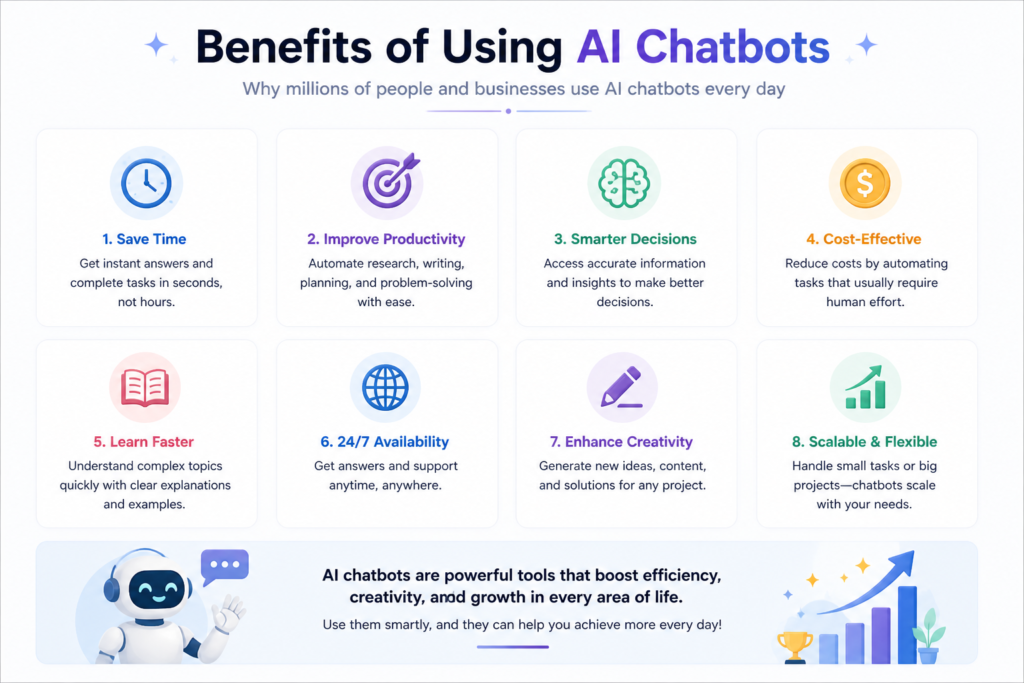
⏳ Time Saving
AI tools can help reduce the time required for tasks such as brainstorming, drafting, summarizing, and editing. While the exact time savings vary depending on the task, they can significantly improve workflow efficiency
💰 Money Saving
For individuals and small businesses, AI tools can reduce the amount of time spent on repetitive tasks, which may lower content production costs. However, professional expertise is still valuable for complex projects and final quality review.
🚀 Productivity
AI tools can improve productivity by assisting with idea generation, first drafts, research, and task organization. This allows users to focus more on editing, strategy, creativity, and decision-making.
Better Brainstorming
AI tools can quickly generate ideas for articles, videos, emails, marketing campaigns, and business projects, helping users overcome writer’s block.
Faster Learning
AI assistants can explain complex topics in simple language, summarize lengthy documents, and create study notes, making learning more efficient.
Better Collaboration
AI can help prepare meeting notes, organize information, draft emails, and improve communication within teams.
Example: A content creator can use an AI tool to generate a blog outline, draft the first version, improve grammar, and organize ideas. After adding original research and editing the content, the final article is ready for publication in less time than starting from scratch.
| Benefit | How AI Helps | Human Responsibility |
|---|---|---|
| Saves Time | Drafts and summarizes content | Review and improve the output |
| Improves Productivity | Organizes ideas and workflows | Make final decisions |
| Supports Learning | Explains concepts | Verify important information |
| Reduces Repetitive Work | Automates routine tasks | Maintain quality and originality |
| Brainstorming | Generates ideas | Select the best ideas |
Common Mistakes to Avoid When Using AI Tools
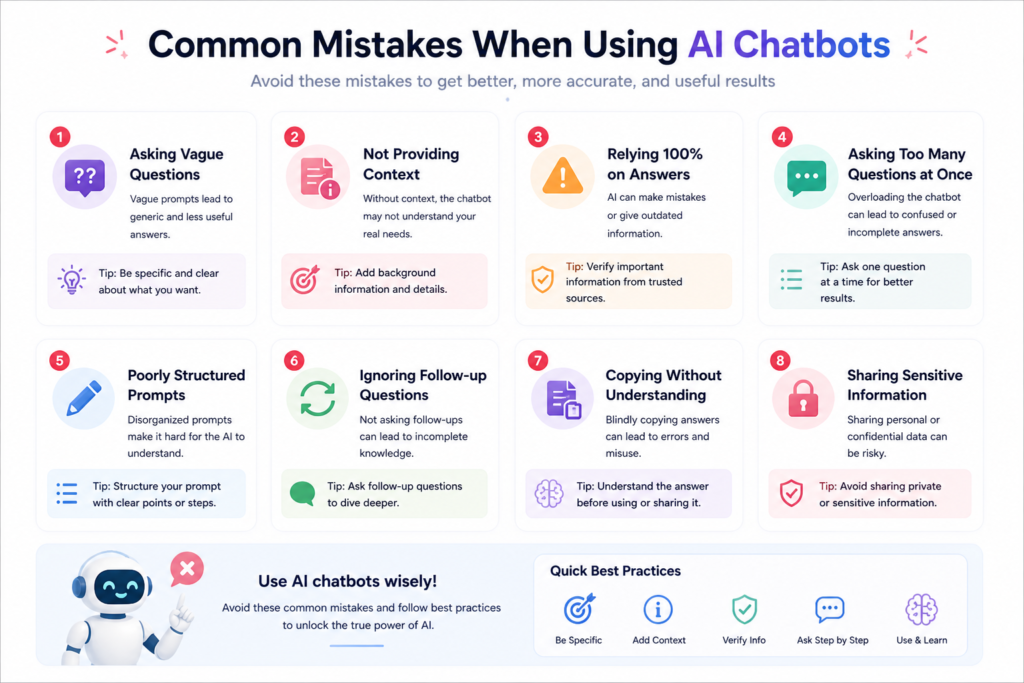
- ❌ Publishing AI-generated content without reviewing or editing it
- ✔ Always review, edit, fact-check, and add your own insights before publishing.
- ❌ Writing vague or incomplete prompts
- ✔ Provide clear instructions, context, audience, tone, and desired format to get more relevant responses.
- ❌ Assuming one AI tool is the best choice for every task
- ✔ Choose the AI assistant that best matches your specific goal, and combine tools when it improves your workflow.
🔥 Pro Tips
Build a Workflow Based on Your Needs
| Task | Tool to Consider |
|---|---|
| Research | Perplexity |
| Brainstorming & Drafting | ChatGPT |
| Long-form Editing | Claude |
| Google Workspace Tasks | Gemini |
👉 Tip 2: Understand the power of prompts
Clearly define the role, objective, audience, tone, and expected format in your prompt. Specific instructions generally produce more relevant and useful responses.
👉 Tip 3: Review and Improve AI-Generated Content
Use AI-generated drafts as a starting point. Edit the content, verify important facts, and add your own experience or insights before publishing.
Tip 4: Verify Important Information
For medical, legal, financial, or other high-impact topics, always verify important information using reliable sources before relying on AI-generated content.
AI Content Checklist Before Publishing
- ✅ Edit the content for clarity.
- ✅ Verify important facts and statistics.
- ✅ Add your own examples or expertise.
- ✅ Remove repetitive or generic text.
- ✅ Check grammar and readability.
- ✅ Ensure the content is original and appropriate for your audience.
AI Tool by Use Case
| Use Case | AI Tool to Consider | Why? |
|---|---|---|
| Blogging & Content Drafting | ChatGPT | Strong for brainstorming, drafting, and editing. |
| Research & Fact Discovery | Perplexity | Often provides source-backed responses for research. |
| Long-Form Writing | Claude | Well suited for handling long documents and detailed writing. |
| Google Workspace Productivity | Gemini | Integrates with Google services such as Gmail and Docs |
Note: The most suitable AI tool depends on your workflow, prompt quality, and specific requirements.
🎯 Conclusion
The most effective results come from using AI tools strategically rather than relying on a single platform. Choosing the right tool for the right task can improve productivity, research quality, and content creation
👉 Tool nahi — strategy matter karti hai
📌 Final verdict:
- Beginners: ChatGPT is often a good starting point because of its ease of use and versatility.
- Long-form writers: Claude may be a suitable option for detailed writing and document-based tasks.
- Research-focused users: Perplexity is commonly used for exploring topics and reviewing source-backed information.
- Google Workspace users: Gemini can be convenient if you already work within Google’s ecosystem.
👉 Best move:
Many professionals combine multiple AI tools to match different tasks. For example, you might research with Perplexity, draft ideas with ChatGPT, refine long-form content with Claude, and manage Google Workspace tasks with Gemini. The ideal workflow depends on your goals and preferences.
Key Takeaways
- Choose the AI tool based on your specific task.
- Write clear and detailed prompts.
- Review and fact-check AI-generated content.
- Add your own expertise and original insights.
- Experiment with different tools to build a workflow that suits your needs.
ChatGPT vs Claude: A Detailed Comparison (2026)
This comparison highlights the key differences between ChatGPT and Claude to help you choose the AI assistant that best matches your writing, research, and productivity needs.
| Feature | ChatGPT | Claude |
|---|---|---|
| Overview | An AI assistant commonly used for writing, brainstorming, coding, learning, and everyday productivity tasks. | An AI assistant designed for writing, document analysis, reasoning, and handling longer conversations and documents |
| Best For | Blog writing, brainstorming, coding assistance, marketing content, everyday productivity | Long-form writing, document analysis, detailed reports, research support, editing |
| Ease of Use | Beginner-friendly interface with support for a wide range of everyday tasks | Simple interface with a stronger focus on structured writing and document workflows. |
| Content Quality | Often produces engaging first drafts, brainstorming ideas, and conversational content. | Commonly generates structured and detailed long-form content with consistent organization. |
| Long Content Handling | Handles long-form content effectively, though performance may vary depending on the model and task. | Frequently chosen for working with lengthy documents and maintaining context across extended writing tasks. |
| Accuracy | Produces useful responses, but important information should always be verified. | Designed for detailed reasoning and document analysis, though users should also verify important information. |
| Speed | Response speed varies by model and workload. | Response speed varies by model and workload. |
| Creativity Level | ⭐⭐⭐⭐⭐ (high creative output) | ⭐⭐⭐⭐ (balanced creativity + depth) |
| Real-Life Example | Suitable for creating blog outlines, marketing copy, email drafts, and YouTube script ideas. | Useful for drafting detailed reports, long-form articles, and reviewing large documents before publication. |
| Multitasking | Supports writing, coding, brainstorming, summarization, learning, and productivity tasks. | Supports writing, reasoning, document analysis, coding assistance, and structured content creation. |
| Pricing | Free plan available, with optional paid subscription tiers. | Free plan available, with optional paid subscription tiers. |
| Overall Verdict | A versatile choice for everyday writing, brainstorming, coding, and productivity tasks. | A strong option for long-form writing, document analysis, and structured content creation. |
Strengths vs Limitations
| Tool | Strengths | Limitations |
|---|---|---|
| ChatGPT | Versatile, creative, beginner-friendly | Important facts should be verified |
| Claude | Strong long-form writing, detailed reasoning | Response style and speed may vary by task |
Gemini vs ChatGPT: A Detailed Comparison (2026)
This comparison highlights the strengths and limitations of Gemini and ChatGPT to help you choose the AI assistant that best fits your writing, research, coding, and productivity needs
| Feature | ChatGPT | Gemini |
|---|---|---|
| Overview | A versatile AI assistant commonly used for writing, brainstorming, coding, learning, and everyday productivity tasks. | Google’s AI assistant designed for writing, research, coding, and productivity, with integration across Google services. |
| Best For | Blog writing, content creation, brainstorming, coding, marketing copy, YouTube scripts, and general productivity. | Research assistance, Google Workspace productivity, document workflows, coding support, and everyday AI tasks. |
| Ease of Use | Beginner-friendly interface with a simple conversational experience. | Easy to use, especially for people who regularly work with Google Workspace applications. |
| Writing Quality | Produces engaging, creative, and conversational content suitable for many writing tasks. | Generates structured and informative content with a focus on clarity and productivity. |
| Research Support | Can assist with research and explanations; important facts should be verified. | Supports research tasks and may integrate web-based information depending on the model and available features. |
| Creativity | Strong for storytelling, marketing copy, brainstorming, and creative writing. | Well suited for structured writing and idea generation, with creativity varying by task. |
| Coding Support | Helpful for code generation, debugging, explanations, and learning programming concepts. | Supports coding, debugging, and technical documentation depending on the task. |
| Context Handling | Supports extended conversations and long-form tasks depending on the model. | Supports long-context tasks depending on the model and available capabilities. |
| Multimodal Capabilities | Supports multiple input and output formats depending on the version and subscription. | Supports multiple input and output formats depending on the version and available features. |
| Integrations | Works with various integrations and tools depending on the platform and subscription. | Integrates with several Google services, including Gmail, Google Docs, Google Drive, and other compatible Workspace tools. |
| Speed | Response speed varies depending on the model, task complexity, and service load. | Response speed varies depending on the model, task complexity, and available resources. |
| Pricing | Free plan available with optional paid subscription tiers. | Free plan available with optional paid subscription tiers. |
| Strengths | Versatile, beginner-friendly, creative, strong coding support, and useful for everyday productivity. | Strong Google Workspace integration, research assistance, structured responses, and productivity-focused features. |
| Limitations | Important information should always be reviewed and verified before use. | Response quality and available features may vary depending on the model and enabled services. |
| Overall Summary | A versatile AI assistant suitable for writing, coding, brainstorming, and everyday productivity. | A practical choice for users who frequently use Google services and want AI integrated into their daily workflow. |
Note: AI capabilities, pricing, integrations, and available features may change over time. Always refer to the official documentation of each service for the latest information.
🔥 Claude vs Gemini – Detailed Comparison Table (2026)
👉 “With this comparison between Claude and Gemini, you can easily understand which AI tool is best for writing, research, and productivity.”
| Feature | Claude | Gemini |
|---|---|---|
| Overview | An AI assistant designed for long-form writing, document analysis, reasoning, coding assistance, and detailed conversations. | Google’s AI assistant designed for writing, research, coding, and productivity with integration across Google services. |
| Best For | Long-form writing, document analysis, research support, editing, coding assistance, and complex reasoning tasks. | Research assistance, Google Workspace productivity, document workflows, coding support, and everyday AI tasks. |
| Ease of Use | Clean, distraction-free interface focused on writing and detailed work. | Easy to use, especially for people who regularly use Google Workspace applications. |
| Writing Quality | Produces well-structured, detailed, and natural-sounding long-form content. | Generates clear, informative, and structured content suitable for productivity and general writing tasks. |
| Research Support | Helpful for document analysis, summarization, and structured reasoning. Important information should always be verified. | Supports research tasks and may provide web-based information depending on the model and available features. |
| Creativity | Strong for long-form writing, editing, and thoughtful content generation. | Well suited for structured writing and brainstorming, with creativity varying by task. |
| Coding Support | Assists with code generation, debugging, explanations, and technical documentation. | Supports coding, debugging, and software development tasks depending on the model and features. |
| Context Handling | Designed to work effectively with long documents and extended conversations. | Supports long-context tasks depending on the model and available capabilities. |
| Multimodal Capabilities | Supports multimodal features depending on the version and available capabilities. | Supports multiple input and output formats depending on the version and available features. |
| Integrations | Integrations vary depending on the platform and available features. | Integrates with Google Workspace services such as Gmail, Google Docs, Google Drive, and other compatible Google tools. |
| Speed | Response speed varies depending on the task, model, and service load. | Response speed varies depending on the task, model, and available resources. |
| Pricing | Free plan available with optional paid subscription tiers. | Free plan available with optional paid subscription tiers. |
| Strengths | Strong long-form writing, detailed reasoning, document analysis, and structured content creation. | Strong Google Workspace integration, productivity features, research assistance, and broad AI capabilities. |
| Limitations | Important information should always be reviewed and verified before use. Features and integrations may vary by version. | Response quality and available capabilities may vary depending on the model and enabled services. |
| Overall Summary | A strong choice for users focused on detailed writing, document analysis, and in-depth reasoning. | A practical choice for users who rely on Google services and want AI integrated into their daily workflow. |
Note: Features, integrations, pricing, and capabilities may change over time. Always refer to the official documentation of each AI service for the most up-to-date information.
🔥 Perplexity vs Gemini – Detailed Comparison Table (2026)
👉 “With this Perplexity vs. Gemini comparison, you can easily understand which AI tool is best for research, blogging, and productivity.”
| Feature | Perplexity | Gemini |
|---|---|---|
| Overview | An AI-powered search and research assistant that helps users explore information and often provides references to supporting sources. | Google’s AI assistant designed for writing, research, coding, and productivity with integration across Google services. |
| Best For | Research, fact-checking, learning new topics, summarizing information, and exploring web-based content. | Content creation, research assistance, Google Workspace productivity, brainstorming, coding, and everyday AI tasks. |
| Core Strength | Research-focused responses with source references and efficient information discovery. | Productivity, reasoning, content creation, and integration with the Google ecosystem. |
| Research Support | Strong for researching topics, comparing information, and locating supporting sources. | Helpful for research, analysis, and information gathering depending on the model and available features. |
| Writing Quality | Suitable for summaries and research-based drafts. Long-form content usually benefits from additional editing. | Produces structured and informative content suitable for blogs, reports, emails, and productivity tasks. |
| Accuracy | Often includes references to supporting sources, but important information should still be verified. | Can provide useful responses for many tasks, though important facts should also be verified independently. |
| Web Information | Designed to assist with web-based research and information discovery. | Availability of web-based information depends on the model and enabled features. |
| Content Creation | Useful for creating research-based outlines and summaries, though creative writing may require additional refinement. | Strong for brainstorming, drafting, editing, and productivity-focused content creation. |
| Speed | Response speed varies depending on the complexity of the research and current service load. | Response speed varies depending on the selected model, task complexity, and available resources. |
| User Experience | Simple conversational interface designed for quick research and exploration. | Familiar interface for users who work within the Google ecosystem. |
| Multimodal Capabilities | Available capabilities depend on the version and subscription. | Supports multiple input and output formats depending on the version and available features. |
| Integrations | Integrations vary depending on the platform and available features. | Integrates with Google Workspace services such as Gmail, Google Docs, Google Drive, and other compatible Google tools. |
| Pricing | Free plan available with optional paid subscription tiers. | Free plan available with optional paid subscription tiers. |
| Strengths | Research assistance, source references, fast information discovery, and topic exploration. | Google Workspace integration, productivity features, structured writing, and broad AI capabilities. |
| Limitations | Long-form creative content often requires additional editing and human review. | Response quality and available capabilities may vary depending on the model and enabled services. |
| Overall Summary | A strong choice for users who prioritize research, fact-finding, and source-backed information. | A practical choice for users who want AI integrated into Google Workspace for writing, research, and productivity. |
Note: Features, pricing, integrations, and available capabilities may change over time. Always refer to the official documentation of each AI service for the latest information
AI Chatbot Comparison 2026: ChatGPT vs Claude vs Gemini vs Perplexity
Compare ChatGPT, Claude, Gemini, and Perplexity to understand which AI assistant is most suitable for writing, research, coding, productivity, and everyday tasks.
| Feature | ChatGPT | Claude | Gemini | Perplexity |
|---|---|---|---|---|
| Overview | Versatile AI assistant for writing, coding, brainstorming, learning, and productivity. | AI assistant focused on long-form writing, document analysis, and structured reasoning. | Google’s AI assistant with productivity features and Google Workspace integration. | AI-powered research assistant designed for information discovery and source-backed responses. |
| Best For | Writing, brainstorming, coding, marketing, and everyday productivity. | Long-form writing, document analysis, editing, and detailed reasoning. | Google Workspace productivity, research assistance, and general AI tasks. | Research, fact-checking, topic exploration, and finding supporting sources. |
| Writing Quality | Engaging, creative, and conversational. | Detailed, structured, and natural-sounding. | Clear, informative, and productivity-focused. | Suitable for summaries and research-based drafts. |
| Research Support | Helpful for research and explanations; important information should be verified. | Strong for document analysis and structured reasoning. | Supports research depending on the model and available features. | Designed for research and often provides references to supporting sources. |
| Coding Support | Strong support for code generation, debugging, and explanations. | Helpful for coding, technical writing, and debugging. | Supports coding and technical tasks depending on the model. | Can assist with coding questions, but research is its primary focus. |
| Creativity | Strong for storytelling, brainstorming, and marketing content. | Strong for thoughtful long-form writing and editing. | Suitable for structured writing and idea generation. | More focused on factual and research-oriented responses. |
| Context Handling | Supports extended conversations depending on the model. | Designed to work effectively with long documents and detailed conversations. | Supports long-context tasks depending on the model. | Optimized for research workflows and information retrieval. |
| Web Information | Availability depends on the model and enabled features. | Availability depends on the model and enabled features. | Availability depends on the model and enabled features. | Designed to assist with web-based research and information discovery. |
| Integrations | Integrations vary by platform and subscription. | Integrations vary by platform and available features. | Integrates with Google Workspace services such as Gmail, Docs, and Drive. | Integrations vary depending on the platform and available features. |
| Ease of Use | Beginner-friendly and versatile. | Clean interface focused on structured work. | Familiar experience for Google Workspace users. | Simple interface optimized for research. |
| Pricing | Free plan with optional paid subscription tiers. | Free plan with optional paid subscription tiers. | Free plan with optional paid subscription tiers. | Free plan with optional paid subscription tiers. |
| Primary Strength | Versatility across many tasks. | Long-form writing and document analysis. | Google ecosystem integration and productivity. | Research and source-backed information. |
| Limitations | Important information should be verified before use. | Features and performance may vary by model and task. | Response quality and features depend on the model and enabled services. | Long-form creative content often benefits from additional editing. |
| Recommended For | Writers, marketers, developers, students, and professionals. | Authors, researchers, editors, analysts, and professionals. | Google Workspace users, students, business teams, and professionals. | Researchers, journalists, students, and anyone exploring new topics. |
| If You Need… | AI Tool to Consider |
|---|---|
| Everyday writing & brainstorming | ChatGPT |
| Long-form articles & document analysis | Claude |
| Google Workspace productivity | Gemini |
| Research & source-backed information | Perplexity |
Note: There is no single AI chatbot that is the best for every task. The right choice depends on your goals, workflow, prompt quality, and the type of work you want to accomplish. Features, pricing, and capabilities may change over time, so always check the official documentation for the latest information.
🧠 Detailed Breakdown
🟢 ChatGPT – Versatile AI Assistant
ChatGPT is a versatile AI assistant designed to support a wide range of everyday and professional tasks.
to ChatGPT best hai
Common use cases include:
- Blog writing and content creation
- Brainstorming ideas
- YouTube script writing
- Coding and debugging
- Marketing copy
- Learning and productivity
ChatGPT is a flexible option for users who want one AI assistant for writing, coding, creativity, and everyday productivity.
🔵 Claude – Long-Form Writing & Analysis
Claude is designed to help with detailed writing, document analysis, and structured reasoning.
Common use cases include:
- Long-form articles
- Document analysis
- Research assistance
- Editing and proofreading
- Business reports
- Complex reasoning tasks
Claude is well suited for users who frequently work with long documents, detailed writing, and analytical tasks.
🟡 Gemini – Productivity with Google Workspace
Gemini is Google’s AI assistant that integrates with many Google services to support productivity and collaboration.
Common use cases include:
- Google Docs and Gmail workflows
- Research assistance
- Content drafting
- Coding support
- Brainstorming
- Everyday productivity
Gemini is a practical choice for users who regularly use Google Workspace and want AI integrated into their daily workflow.
🔴 Perplexity – Research & Information Discovery
Perplexity is an AI-powered research assistant focused on helping users explore information and discover supporting sources.
Common use cases include:
- Topic research
- Fact-checking
- Learning new subjects
- Information discovery
- Source-backed summaries
- Comparing information from multiple references
Perplexity is a strong option for users who prioritize research, information discovery, and source-supported responses.
Note: Each AI assistant has different strengths depending on the task. The most suitable choice depends on your workflow, goals, and the type of work you want to accomplish. Features and capabilities may change over time, so refer to the official documentation for the latest information
Which AI Chatbot Should You Choose?
- Bloggers and content creators may find ChatGPT useful for brainstorming, drafting articles, marketing copy, and YouTube script writing.
- Claude may be a good choice for writers and researchers who frequently work with long-form documents, editing, and detailed analysis.
- Gemini may be particularly useful for students and professionals who regularly use Google Workspace applications such as Gmail, Google Docs, and Google Drive.
- Perplexity may be a good option for research, information discovery, and exploring source-supported content. Important information should always be verified independently.
Which AI Chatbot May Be the Right Choice?
Your choice depends on your workflow, budget, preferred ecosystem, and the type of tasks you perform most often. Many users combine multiple AI assistants to benefit from their different strengths.
💡 Expert Insight (Important)
Many professionals and content creators use more than one AI assistant because different tools offer different strengths depending on the task.
- Many users choose different AI assistants for different workflows, such as writing, research, coding, or productivity.
Using multiple AI assistants can help users take advantage of each tool’s strengths, depending on their workflow and goals.
Suggested Workflow
Best combo:
| Task | AI Tool to Consider |
|---|---|
| Research & information discovery | Perplexity |
| Draft writing & brainstorming | ChatGPT |
| Editing & long-form refinement | Claude |
| Google Workspace tasks | Gemini |
This is one possible workflow. The most suitable combination depends on your needs, preferred tools, and work style.
This workflow can help many users combine the strengths of different AI assistants for common tasks.
⚠️ Common Mistakes
- Relying entirely on AI without human review.
- Publishing AI-generated content without editing or fact-checking.
- Writing vague prompts that lack context or clear instructions.
- Not verifying important information before publishing.
✔ Hamesha combine + optimize karo
🏁 Final Verdict
If you want the answer in a nutshell:
| If You Need… | AI Tool to Consider |
|---|---|
| Versatile writing, coding, and productivity | ChatGPT |
| Long-form writing and document analysis | Claude |
| Google Workspace integration | Gemini |
| Research and source-backed information | Perplexity |
👉 The bottom line:
There is no single AI assistant that is ideal for every task. The most suitable choice depends on your workflow, goals, and the type of work you do. Many users combine multiple AI tools to benefit from their different strengths
AI capabilities, pricing, integrations, and features evolve over time. Always review the latest official documentation before choosing a tool for your workflow.