
Introduction:
Leonardo AI Kya Hai : Artificial Intelligence (AI) is transforming the way people create content. From writing articles to generating stunning images, AI tools are helping creators save time and boost productivity. One such popular tool is Leonardo AI.
If you want to know what Leonardo AI is, how it works, how to generate AI images for free, and whether it is worth using in 2026, this comprehensive guide will answer all your questions.
Whether you are a blogger, designer, marketer, student, freelancer, or content creator, this tutorial—designed for beginners—will help you understand Leonardo AI from start to finish.
This guide also explains the limitations of Leonardo AI, its free and paid features, and the situations where it may not be the best choice. This will help you make a more informed decision before using the platform.
Do you also want to create professional images without Photoshop?

Just imagine…
You write a simple prompt — “YouTube thumbnail with shocked face and money explosion”
Within a short time, Leonardo AI can generate multiple thumbnail concepts based on your prompt, which you can review and refine.
This isn’t magic…
It’s Leonardo AI.
In today’s world—whether it’s blogging, YouTube, or Instagram—visuals rule the game. Many creators use AI tools to speed up their creative workflow and produce visual content more efficiently.
If you also want to go:
- What is Leonardo AI?
- How to use Leonardo AI?
- How to generate images for free?
- How to write the best prompts?
- How to create images for blogs and thumbnails?
This guide will help you understand Leonardo, from basic concepts to advanced features, step-by-step.
By the end of this guide, you’ll know how to create AI-generated images, write effective prompts, understand the available features, compare free and paid options, and follow best practices for better results.
Leonardo AI Kya Hai?
Leonardo AI is an advanced AI image generation platform that allows users to create high-quality images using simple text prompts.
Instead of designing graphics manually, you can simply describe what you need, and Leonardo AI generates professional-looking images in just a few seconds.
For example:
Prompt:
“A futuristic city with flying cars and neon lights at sunset; ultra-realistic, cinematic lighting.”
Real-Life Example
Suppose you are creating a YouTube video about space exploration. Instead of searching for stock images, you can describe the scene in Leonardo AI, generate multiple image concepts, and choose the one that best matches your content.
Depending on the complexity of the prompt and system availability, Leonardo AI generates one or more image variations based on your description.
This technology uses powerful machine learning models—trained on millions of images—to understand text and transform it into visual content.
In simple terms:
👉 You enter text
👉 The AI understands it
👉 And creates a realistic or creative image
The quality of the generated image depends on the clarity of your prompt, the selected AI model, and the available settings. In many cases, users may need to refine their prompts or generate multiple versions to achieve the desired result.
It offers functionality similar to AI image generation platforms such as:
Lekin Leonardo AI ka UI aur control beginners ke liye kaafi easy hai.
Why is Leonardo AI Becoming So Popular?
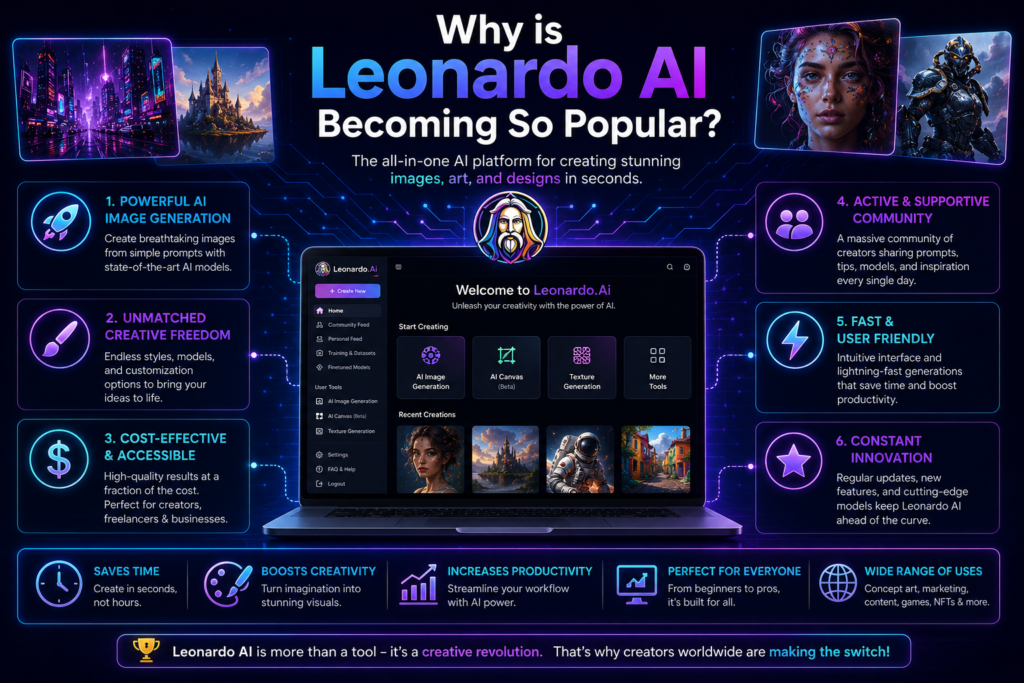
Many AI image generation platforms are available today, but Leonardo AI has become popular because it combines ease of use with powerful creative features.
Some of its key features include:
- High-quality image generation for blogs, social media, marketing, and creative projects.
- A beginner-friendly interface that makes it easy to start creating AI images without prior design experience.
- Fast image generation, allowing users to create multiple concepts in a short time.
- A free plan that lets new users explore the platform before upgrading.
- Advanced customization options for controlling styles, models, image sizes, and other settings.
- AI-powered editing features for modifying and improving generated images.
- Tools for creating consistent characters and visual assets for games, stories, and branding projects.
These features make Leonardo AI a useful option for bloggers, designers, marketers, students, and other content creators looking to generate AI images efficiently.
Problem: Why Traditional Design is Difficult
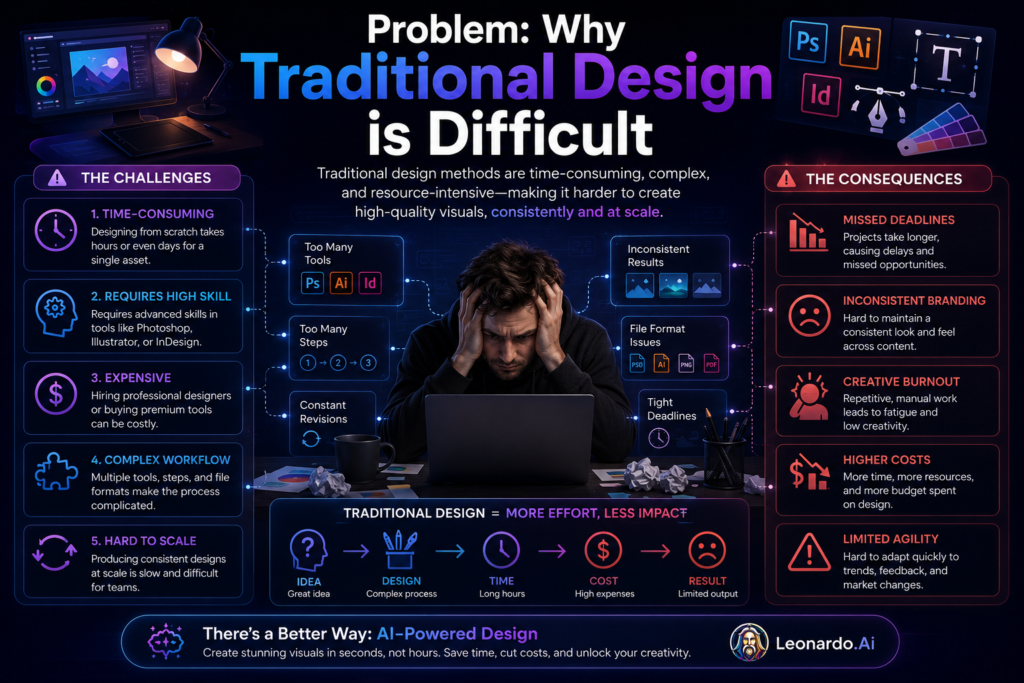
Before AI image generation tools became widely available, creating professional graphics often required specialized software, technical skills, and a significant investment of time.
Some common challenges included:
- Expensive design software that was not affordable for everyone.
- Graphic design skills that usually took months or even years to develop.
- A time-consuming design process, especially when creating custom illustrations or marketing visuals.
- The need to learn complex tools such as Photoshop or similar design applications.
These challenges made professional image creation difficult for many beginners, bloggers, students, and small businesses.
Leonardo AI helps simplify this process by allowing users to generate images from text prompts, reducing the amount of manual design work required. However, the quality of the final image still depends on the prompt, selected settings, and any editing performed by the user.
Why Is Leonardo AI Important?
In today’s digital world, high-quality visuals play an important role in blogging, social media, online marketing, and content creation. However, creating professional graphics manually can require time, design skills, and specialized software.
Leonardo AI helps simplify this process by allowing users to generate images from text prompts.
Some of the key benefits include:
- Creating unique visuals for blogs, websites, presentations, and social media.
- Saving time by generating multiple image concepts without designing everything from scratch.
- Providing creative tools that help beginners and experienced creators produce visual content more efficiently.
- Offering customization options for different artistic styles, image sizes, and creative projects.
Before using AI-generated images for commercial purposes, users should review Leonardo AI’s licensing terms and usage policies to ensure they meet their specific requirements.
Leonardo AI Benefits
1. Free Plan for Beginners
Leonardo AI offers a free plan with limited daily credits, allowing new users to explore AI image generation without an upfront cost.
2. High-Quality Image Generation
Depending on the prompt, selected model, and settings, Leonardo AI can generate detailed images suitable for blogs, social media, presentations, and creative projects.
3. Useful for YouTube Thumbnails
Creators can generate multiple thumbnail concepts and customize them further to match their content and branding.
4. Supports Content Creation
Unique AI-generated visuals can improve the overall presentation of blog posts, websites, and social media content. However, search rankings depend on many factors beyond images alone.
5. Creative Flexibility
Users can experiment with different styles, lighting, compositions, and artistic concepts by adjusting their prompts and generation settings.
How do I log in to Leonardo?
If you are using Leonardo AI for the first time, follow these simple steps:
Step 1: Visit the Official Website
Open the official Leonardo AI website in your web browser.
Step 2: Sign Up or Log In
If you are a new user, create an account using a supported sign-in method, such as your email address or Google account (where available). Existing users can log in with their registered account.
Step 3: Complete Verification
If prompted, complete the email verification process to activate your account.
Step 4: Access the Dashboard
After signing in, you will be taken to the Leonardo AI dashboard, where you can start generating images and explore the available tools and features.
Note: The sign-up process and available login options may change over time as the platform is updated.
How to Create a Leonardo AI Account
Step 1: Visit Leonardo AI Website
Open the official Leonardo AI website. in your preferred web browser to begin the account creation process
Step 2: Click Sign Up
Choose:
- Google Account
- Email Registration
- Microsoft Account (if available)
Step 3: Verify Account
Complete email verification if required.
Step 4: Login
After verification, sign in to your account to access the Leonardo AI dashboard, where you can start generating images and explore the available features.
Note: The available sign-up methods and account verification process may change over time as Leonardo AI updates its platform.
How can I use Leonardo AI for free?
Leonardo AI offers a free plan that allows new users to explore its AI image generation features without purchasing a paid subscription.
With the free plan, you can typically:
- Generate AI images using available daily credits.
- Experiment with different prompts, styles, and AI models.
- Create images for blogs, social media, presentations, and YouTube thumbnails.
The features and usage limits available in the free plan may change over time, so it is a good idea to check your account dashboard for the latest credit balance and plan details.
Tip: Use your available credits to test different prompts and compare image styles before generating your final image.
Leonardo AI Kaise Use Kare?

How do I use Leonardo?
Follow these simple steps to generate AI images with Leonardo AI:
Step 1: Open the Dashboard
After signing in, open the Leonardo AI dashboard where you can access the available image generation tools.
Step 2: Select the Image Generation Tool
Choose the AI image generation option to start creating a new image from a text prompt.
Step 3: Enter Your Prompt
Describe the image you want to create as clearly as possible.
Example:
“Realistic Indian YouTuber with a surprised expression, colorful YouTube thumbnail, cinematic lighting.”
Step 4: Adjust the Settings
Select your preferred image size, AI model, style, and other available options to match your creative requirements.
Step 5: Generate the Image
Click the Generate button. Leonardo AI will create one or more image variations based on your prompt. The generation time may vary depending on the selected settings and current system load.
Step 6: Review and Download
Review the generated images, make changes to your prompt if needed, regenerate better versions, and download the image that best fits your project.
How to Generate Images in Leonardo AI
Follow these steps to create AI-generated images using Leonardo AI.
Step 1: Open Image Generation
After logging in, open the Image Generation tool from the dashboard.
Step 2: Enter Your Prompt
Describe the image you want to create in as much detail as possible.
Example:
“A magnificent white tiger roaming through a mysterious forest, cinematic lighting, hyper-realistic, ultra-detailed.”
Step 3: Choose an AI Model
Select the AI model that best matches your project.
Some commonly available models include:
- Leonardo Vision – Suitable for realistic images and general creative projects.
- Phoenix – Useful for high-quality image generation, where available.
- Anime Models – Designed for anime and illustrated artwork.
- Realistic Models – Better suited for photorealistic images and portraits.
The available models may vary depending on platform updates and your account.
Step 4: Select the Image Size
Choose an image size based on your intended use.
- 1024 × 1024 – Social media posts and general images.
- 768 × 768 – Quick previews and smaller graphics.
- 1280 × 720 – Landscape images, presentations, and YouTube thumbnails.
Step 5: Generate the Image
Click the Generate button.
Leonardo AI will generate one or more image variations based on your prompt. Generation time may vary depending on the selected model, settings, and current system load.
Step 6: Review and Refine
Review the generated images. If the result is not what you expected, refine your prompt, adjust the settings, or generate another version before downloading the final image.
What is a Leonardo AI prompt?

A prompt is the text description that you provide to Leonardo AI to explain the image you want to generate.
In general, clear and detailed prompts help the AI understand your requirements more accurately, although the final result also depends on the selected AI model, settings, and generation options.
Prompt Writing Formula
A well-structured prompt usually includes:
- Subject – What should appear in the image (person, animal, object, landscape, etc.).
- Style – The artistic style, such as realistic, anime, watercolor, or cinematic.
- Lighting – The lighting conditions, such as soft light, golden hour, dramatic lighting, or neon lighting.
- Quality – Additional details like ultra-detailed, high resolution, or photorealistic.
Example
❌ Basic Prompt
“Girl image”
✅ Detailed Prompt
“Beautiful Indian woman working on a laptop in a modern office, cinematic lighting, photorealistic, ultra-detailed, 8K quality.”
Tip: Use clear, specific descriptions instead of short or vague prompts. If the first result is not what you expected, refine your prompt and generate another version.
AI Prompts for YouTube Thumbnails

Leonardo AI can generate thumbnail concepts when you provide clear and descriptive prompts. The more specific your prompt, the easier it is for the AI to understand the style and composition you want.
Example Prompts
Tech / AI Videos
“Surprised man, futuristic AI robot, colorful YouTube thumbnail, high contrast, dramatic lighting, bold composition.”
Finance Videos
“Stacks of money, business professional with surprised expression, cinematic lighting, vibrant colors, YouTube thumbnail.”
Horror Videos
“Dark haunted house, mysterious ghost silhouette, cinematic horror lighting, dramatic shadows, YouTube thumbnail.”
Prompt Tip
For better thumbnail concepts, consider including descriptive words such as:
- YouTube thumbnail
- High contrast
- Cinematic lighting
- Bold composition
- Vibrant colors
- Sharp focus
Experiment with different prompts and settings to generate multiple variations, then choose and edit the image that best matches your video’s style and branding.
How to create images with Leonardo?
Let’s look at a practical example of generating an AI image with Leonardo AI.
Example
Project: Blog article about AI tools
Prompt:
“Modern AI tools dashboard, futuristic user interface, glowing screens, clean workspace, ultra-realistic, high detail, professional lighting.”
Steps
- Open the Image Generation tool in Leonardo AI.
- Paste your prompt into the prompt box.
- Select an appropriate AI model and image size based on your project.
- Click Generate to create one or more image variations.
- Review the generated images and, if necessary, refine your prompt or adjust the settings before generating another version.
Expected Result
Leonardo AI may generate several image variations that match your prompt. You can choose the image that best fits your blog or project and make additional edits if required before downloading it.
Tip: If the generated image does not match your expectations, try making your prompt more specific by adding details about the subject, style, lighting, colors, camera angle, or background. Small prompt changes can produce noticeably different results.
How to Create AI Images for a Blog

When creating AI images for blog posts, focus on visuals that support the content and improve the reading experience rather than adding unnecessary design elements.
Best Practices
- Use a clean background so the main subject remains easy to understand.
- Choose relevant visuals that match the topic of your article.
- Use balanced lighting to make the image clear and professional.
- Avoid unnecessary clutter that may distract readers from the main subject.
Example Blog Prompts
AI Tools
“Modern AI workspace, laptop displaying AI tools dashboard, clean office, soft lighting, professional style.”
SEO Article
“Digital marketing dashboard, SEO analytics, futuristic interface, clean design, realistic workspace.”
Blogging
“Minimal blogging workspace with laptop, notebook, coffee mug, natural lighting, modern office.”
Tip
Before publishing, review the generated image, resize it if necessary, add descriptive ALT text, and optimize the file size to improve page loading speed and accessibility.
10 Practical Ways to Use Leonardo AI
Leonardo AI can be used for a wide variety of creative and professional projects. Here are some of its most common use cases.
1. Create Blog Featured Images
Generate custom images that match your blog topic instead of relying on generic stock photos.
2. Design Social Media Graphics
Create visuals for Instagram, Facebook, Pinterest, LinkedIn, and other social media platforms.
3. Generate YouTube Thumbnail Concepts
Design attention-grabbing thumbnail concepts that you can further customize for your videos.
4. Create Game Assets
Generate characters, environments, objects, and concept art for game development projects.
5. Design Product Mockups
Create marketing visuals and product presentation concepts for e-commerce or promotional materials.
6. Produce Digital Artwork
Experiment with different artistic styles to create original digital illustrations and concept art.
7. Create Storybook Illustrations
Generate illustrations for children’s books, educational materials, or storytelling projects.
8. Design Fictional Characters
Create consistent character concepts for comics, novels, games, or creative storytelling.
9. Develop Advertising Concepts
Generate visual concepts that can be refined for advertising and marketing campaigns.
10. Create Print-on-Demand Design Concepts
Generate artwork ideas for products such as T-shirts, mugs, posters, and similar merchandise.
Note: Before using AI-generated images for commercial projects or print-on-demand products, review Leonardo AI’s licensing terms and ensure the generated content meets your project requirements.
Leonardo AI Features Explained
Leonardo AI offers a variety of AI-powered tools that help users generate, edit, and improve images for different creative projects. Below are some of its most useful features.
1. Text-to-Image Generation
This feature allows you to create images by simply describing what you want in natural language.
Example:
“A futuristic city at sunset with flying cars.”
Leonardo AI uses your prompt to generate one or more image variations based on your description.
2. Image-to-Image Editing
Instead of starting from scratch, you can upload an existing image and use AI to modify its style, colors, background, or overall appearance while keeping the original concept.
This feature is useful for redesigning existing artwork or creating new variations.
3. Prompt Enhancement
If your prompt is too short or lacks detail, Leonardo AI can help expand and improve it.
A more descriptive prompt often produces results that better match your creative requirements, although outcomes also depend on the selected model and settings.
4. Background Removal
Leonardo AI includes tools that can remove or replace image backgrounds, making it easier to prepare graphics for websites, online stores, presentations, and social media.
5. Realtime Canvas
Realtime Canvas lets you edit images interactively by making changes and viewing updated results during the creative process.
This can help speed up experimentation and visual refinement.
6. Custom Models
Some versions of Leonardo AI allow users to work with custom AI models for generating images in a consistent visual style.
This can be useful for branding, character design, or specialized creative projects.
7. Upscaling
Upscaling increases the resolution of an image while attempting to preserve visual quality.
This feature is useful when preparing images for presentations, printing, or higher-resolution displays.
Note: The availability of specific features may depend on your account type, selected AI model, and future platform updates.
Benefits of Using Leonardo AI
Leonardo AI offers several advantages for creators, marketers, bloggers, designers, and businesses looking to generate AI-powered visuals more efficiently.
1. Saves Time
Instead of creating graphics manually, Leonardo AI can generate image concepts from text prompts, helping reduce the time required for many creative tasks.
2. Beginner-Friendly
The platform provides an easy-to-use interface, allowing new users to start generating images without extensive graphic design experience. Learning how to write effective prompts can further improve the results.
3. Cost-Effective
For many projects, AI-generated images can reduce the need for custom graphic design work, although some advanced features may require a paid plan.
4. High-Quality Image Generation
Depending on the prompt, selected AI model, and settings, Leonardo AI can generate detailed images suitable for blogs, presentations, marketing materials, and social media.
5. Creative Flexibility
Users can experiment with different artistic styles, compositions, lighting, colors, and visual concepts by refining their prompts.
6. Multiple Artistic Styles
Leonardo AI supports a variety of visual styles, including realistic artwork, anime-inspired illustrations, fantasy scenes, concept art, and other creative designs, depending on the available models.
Note: The quality of the generated images depends on the prompt, selected AI model, generation settings, and any edits made after the image is created.
Leonardo AI Free vs Paid
| Feature | Free Plan | Paid Plan |
|---|---|---|
| Daily Usage | Limited | Higher |
| Image Generation | Yes | Yes |
| Premium Models | Limited Access | Full Access |
| Fast Generation | Limited Speed | Faster Generation |
| Commercial Usage | Depends on Plan | Better Commercial Support |
| Advanced Features | Limited | Full Access |
Which Plan Should You Choose?
The free plan is a good starting point for beginners who want to learn how Leonardo AI works, practice writing prompts, and generate images for personal or small creative projects.
If you regularly create AI images for professional work or need access to additional features, higher usage limits, or more advanced AI models, a paid plan may be a better option.
Before upgrading, compare the latest plans, pricing, available features, and licensing terms on the official Leonardo AI website, as these may change over time.
Best Tips & Strategies for Better Results
To generate better AI images with Leonardo AI, focus on writing clear prompts and experimenting with different settings.
1. Write Clear and Detailed Prompts
Include details about the subject, background, style, lighting, colors, and overall mood. Clear prompts generally help the AI better understand your creative requirements.
2. Describe the Desired Emotion
If your image includes people or characters, mention the expression or emotion you want, such as surprised, happy, serious, or excited, to create more expressive results.
3. Generate Multiple Variations
Instead of relying on the first generated image, create several variations and choose the one that best fits your project.
4. Experiment with Different Styles
Try different artistic styles such as realistic, anime, fantasy, watercolor, or 3D to see which one best matches your content.
5. Optimize Images for Your Platform
When creating images for YouTube, blogs, or social media, choose a composition, image size, and visual style that matches your platform and audience.
Pro Tip: Small improvements to your prompt often produce better results than repeatedly generating the same prompt without making changes.
Common Mistakes to Avoid
When using Leonardo AI, avoiding these common mistakes can help you achieve better results.
1. Writing Very Short Prompts
Short or vague prompts may not provide enough information for the AI to understand your intended image. Include details about the subject, style, lighting, background, and colors whenever possible.
2. Using AI Images Without Reviewing Them
Always review AI-generated images before publishing them. Check for visual errors, missing details, or elements that do not match your requirements.
3. Using Low-Resolution Images
Choose an appropriate image size and, if necessary, use the upscaling feature before using images on websites, presentations, or printed materials.
4. Adding Unrelated Keywords
Avoid stuffing prompts with unrelated words. Use clear and relevant descriptions so the AI can better understand your request.
5. Reusing the Same Image Repeatedly
Whenever possible, create images that are relevant to the specific article, project, or campaign instead of using the same visual repeatedly.
Tip: AI-generated images should be reviewed and refined before publication. For the best results, combine clear prompts with manual editing when necessary.
Leonardo AI vs Midjourney vs DALL·E
| Feature | Leonardo AI | Midjourney | DALL·E |
|---|---|---|---|
| Beginner Friendly | Excellent | Moderate | Excellent |
| Free Usage | Yes | No | Limited |
| Custom Models | Yes | Limited | No |
| Image Quality | Excellent | Excellent | Very Good |
| Community Features | Strong | Strong | Moderate |
| Ease of Use | Easy | Moderate | Easy |
Note: Features, pricing, available AI models, usage limits, and licensing policies may change over time. Always refer to the official documentation of each platform for the latest information before making a decision.
Which AI Image Generator Should You Choose?
Each platform has its own strengths, and the best choice depends on your specific requirements.
- Leonardo AI is a good option for beginners, content creators, bloggers, and marketers who want an easy-to-use interface with a free plan and a variety of creative tools.
- Midjourney is widely used by digital artists and designers who want highly artistic and stylized images, although it may require a steeper learning curve.
- DALL·E is suitable for users who want to generate AI images through a simple interface and is commonly used for general creative projects.
There is no single “best” AI image generator for every user. Consider factors such as ease of use, available features, pricing, image quality, licensing terms, and your project requirements before choosing a platform.
Expert Tips for Better Leonardo AI Results
If you want to generate more detailed and visually appealing AI images, these prompt-writing techniques can help improve your results.
1. Mention the Camera Angle
Specify the camera perspective to control how the subject appears.
Examples: “Close-up portrait”, “Wide-angle view”, “Top-down shot”, “Low-angle shot”.
2. Describe the Lighting
Lighting has a significant impact on the final image.
Examples: “Cinematic lighting”, “Golden hour”, “Soft natural light”, “Neon lighting”, “Studio lighting”.
3. Describe the Background
Instead of leaving the background unspecified, explain where the subject is located.
Examples: “Modern office”, “Mountain landscape”, “Cyberpunk city”, “Minimal white background”.
4. Add Quality and Detail Descriptors
You can include descriptive terms such as highly detailed, photorealistic, or high resolution when appropriate. The final output quality will also depend on the selected AI model and generation settings.
Pro Tip: Combine the subject, camera angle, lighting, background, and style in a single prompt to give Leonardo AI more context about the image you want to create.
Future of Leonardo AI
AI image generation technology is evolving rapidly, and platforms such as Leonardo AI continue to introduce new features and improvements over time.
Some developments that may become more common in the future include:
- Better image quality and more realistic visual outputs.
- Faster image generation and improved workflow efficiency.
- More advanced editing and customization tools.
- Improved integration with creative and productivity platforms.
- Enhanced support for generating images for different industries and creative projects.
As AI technology continues to develop, the available features, models, and capabilities of Leonardo AI may also change. Users who regularly explore new tools, learn prompt writing, and stay updated with platform improvements are likely to make better use of AI in their creative work.
Best Leonardo AI Prompt Tips
Writing better prompts can significantly improve the quality and relevance of your AI-generated images.
1. Be Specific
Instead of using short prompts, describe the subject, background, style, lighting, and important details.
Basic Prompt
“Dog”
Detailed Prompt
“Golden Retriever running through a colorful flower field during sunset, cinematic lighting, photorealistic, highly detailed.”
2. Include a Style
Specify the artistic style you want.
Examples:
- Realistic
- Cinematic
- Anime
- Fantasy
- Watercolor
- 3D Render
3. Describe the Lighting
Lighting plays an important role in the final appearance of the image.
Examples:
- Soft Lighting
- Studio Lighting
- Golden Hour
- Neon Lighting
- Dramatic Lighting
4. Refine and Experiment
If the first generated image does not match your expectations, improve your prompt by adding more descriptive details or adjusting the selected AI model and settings.
Conclusion
Leonardo AI is an AI image generation platform that enables users to create images from text prompts for a wide range of creative projects.
Throughout this guide, you learned:
- What Leonardo AI is
- How to create an account and log in
- How to use the free plan
- How to generate AI images
- How to write better prompts
- Its key features, benefits, and practical use cases
Leonardo AI can be a useful tool for bloggers, designers, marketers, students, freelancers, and businesses that want to speed up image creation and explore AI-assisted design workflows.
If you are new to AI image generation, the free plan is a practical way to explore the platform before deciding whether its advanced features meet your requirements.
As with any AI tool, review the generated images, verify that they meet your project’s needs, and check the platform’s licensing terms before using them in commercial work.
Frequently Asked Questions (FAQ)
Q1. Is Leonardo AI free to use?
Yes. Leonardo AI offers a free plan that allows users to generate AI images with certain usage limits. Available features and limits may vary depending on the current plan.
Q2. Is Leonardo AI suitable for beginners?
Yes. Leonardo AI provides a user-friendly interface that makes it easier for beginners to start creating AI-generated images. Learning how to write effective prompts can further improve the results.
Q3. How can I write better prompts in Leonardo AI?
A good prompt should clearly describe the subject, style, lighting, background, and important details. Specific prompts generally help produce images that are closer to your intended result.
Q4. Can I earn money using Leonardo AI?
Leonardo AI itself does not provide income. However, AI-generated images can be used in projects such as blogging, YouTube content, marketing, graphic design, or freelance work, subject to the platform’s licensing terms and your chosen business model.
Q5. Is Leonardo AI safe to use?
Leonardo AI is an established AI image generation platform. As with any online service, users should avoid sharing sensitive personal information and should review the platform’s privacy policy and terms of use before using it for important projects.