
AI Video Generator Tools 2026
In today’s world, video content has emerged as the most powerful format. YouTube, Instagram, TikTok, Facebook—video dominates every single platform. However, there is a problem… creating videos is both time-consuming and expensive.
- Writing a script
- Recording or generating a voiceover
- Editing video clips
- Adding visuals, graphics, captions, and music
- Exporting the final video
Today, modern AI video generator tools automate many of these tasks, making video creation faster and more accessible for individuals and businesses.
What is an AI video generator?
An AI video generator is a software tool that uses artificial intelligence to create or edit videos from text prompts, scripts, images, or other inputs. Depending on the platform, it can automatically generate visuals, AI voiceovers, subtitles, animations, and transitions, reducing the amount of manual editing required.
Many AI video generators can transform a text prompt, script, or article into a video by automatically generating visuals, voiceovers, subtitles, and transitions.
Depending on the tool you choose, you can create professional-looking videos with minimal editing experience. Some platforms also provide AI voiceovers, stock media, subtitles, and automatic scene generation.
Whether you are:
- A YouTuber
- A blogger
- A business owner
- A freelancer
- An affiliate marketer
- A digital marketer
- A social media creator
- An educator
AI video generator tools can significantly reduce the time required for scripting, editing, voice generation, and video production, allowing creators to focus more on content quality and creativity.
Keep in mind that AI-generated videos still benefit from human review. Checking facts, refining the script, and making small editing adjustments can improve accuracy, branding, and overall production quality.
In this guide, you’ll learn how AI video generators work, their key benefits, the best AI video generator tools in 2026, important features to compare, common mistakes to avoid, practical tips, and future trends to help you choose the right platform for your needs.
Top AI Video Generator Tools 2026
Artificial Intelligence is transforming the way we create videos. Tasks that previously required expensive editing software, professional skills, and hours of hard work can now be accomplished in minutes using AI video generators.
In 2026, AI video tools are smarter, faster, and more lifelike than ever before. Whether you are a YouTuber, blogger, marketer, freelancer, educator, or business owner, AI video generators can help you produce high-quality content without the need to hire a full production team.
What is an AI video generator?
An AI video generator is a software platform that uses artificial intelligence to create videos from text prompts, scripts, images, or other inputs. Depending on the tool, it can automatically generate visuals, AI voiceovers, subtitles, animations, avatars, and background music, significantly reducing manual editing.
However, choosing the right AI video generator is not always straightforward.
There are hundreds of AI video tools available online, and most people waste their time trying out the wrong ones.
Some tools are prohibitively expensive.
Some produce low-quality videos.
Some are too difficult for beginners to use.
In this guide, each AI video generator has been evaluated using practical criteria such as ease of use, video quality, AI features, pricing, supported use cases, free-plan availability, and overall value. This approach helps you choose the tool that best matches your specific needs.
Let’s explore the top AI video generator tools of 2026 and find out which platform is best suited for your workflow, budget, and content goals.
Before selecting a tool, consider your primary goal. Some AI video generators are better suited for social media videos, while others focus on AI avatars, marketing videos, educational content, product demonstrations, or long-form YouTube videos. Choosing a platform based on your actual workflow usually delivers better results than selecting the most popular option.
| Comparison Factor | Why It Matters |
|---|---|
| Ease of Use | Helps beginners create videos quickly. |
| Video Quality | Determines how professional the final output looks. |
| AI Features | Includes AI avatars, voiceovers, subtitles, script generation, and text-to-video capabilities. |
| Free Plan | Lets you test the platform before purchasing. |
| Export Quality | Important for YouTube, Instagram, and professional projects. |
| Pricing | Ensures the tool fits your budget. |
| Supported Languages | Useful for multilingual creators. |
| Commercial Usage | Important if you plan to monetize your videos. |
Tip: Before purchasing any premium AI video generator, test its free version whenever possible. Comparing the interface, output quality, rendering speed, and available features can help you make a more informed decision.
What Are Top AI Video Generator Tools?
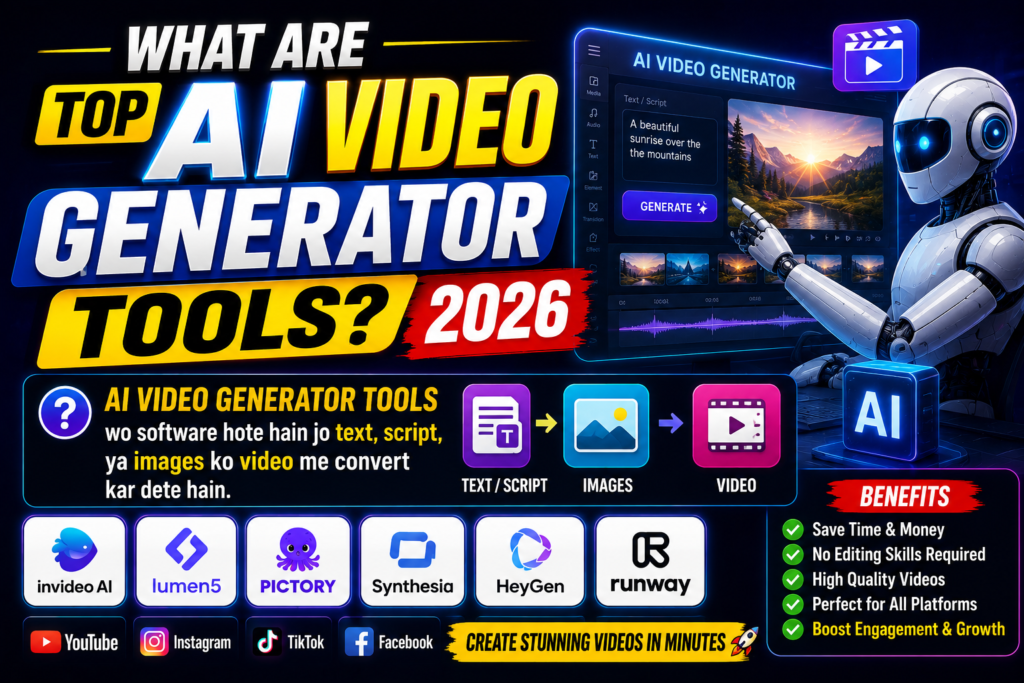
AI video generator tools are software applications that use artificial intelligence to create or edit videos from text prompts, scripts, images, or other inputs. Depending on the platform, they can automate several stages of the video production process.
Although AI can automate much of the video creation process, the final output often benefits from human review. Checking the script, visuals, branding, and factual accuracy helps ensure the video meets your quality standards.
Example:
You write:
“Ancient India documentary cinematic style”
Depending on the features available in the tool, the AI can automatically:
- Adds voiceovers
- Generates images
- Edits videos
- Adds music
The result is a draft video that you can review, customize, and export based on your requirements.
These platforms combine artificial intelligence, machine learning, and automation to simplify tasks such as scene creation, voice generation, subtitle creation, and video editing.
Not every AI video generator offers the same capabilities. Some tools focus on text-to-video creation, while others specialize in AI avatars, realistic voiceovers, marketing videos, or social media content. Comparing features before choosing a platform can help you find the right solution for your needs.
In 2026, AI video generators offer advanced features:
- Text to video
- Script to video
- AI voiceover
- Auto subtitles
- AI avatars
- Stock footage auto add
| Feature | What It Does | Best For |
|---|---|---|
| Text-to-Video | Converts text prompts or scripts into videos | Blogs, tutorials, social media |
| Script-to-Video | Turns a complete script into scenes with visuals | YouTube videos, presentations |
| AI Voiceover | Generates realistic narration without recording your own voice | Explainers, training videos |
| Auto Subtitles | Creates captions automatically | Social media, accessibility |
| AI Avatars | Uses virtual presenters to deliver content | Business and educational videos |
| Stock Media Integration | Adds royalty-free images, videos, or music automatically | Marketing and promotional content |
As a result, AI video generator tools have become valuable for content creators, businesses, educators, and marketers who want to produce videos more efficiently.
Why Top AI Video Generator Tools Matter
Video has become one of the most effective content formats for education, marketing, entertainment, and online communication because it combines visuals, audio, and storytelling in an engaging way.
Industry studies consistently show that businesses and creators continue to increase their investment in video content because it helps improve audience engagement and communication.
Unlike traditional video editing software, many AI video generators automate repetitive tasks such as script-to-video conversion, subtitle generation, AI voiceovers, scene creation, and media selection. This allows creators to spend more time improving content quality instead of performing manual editing.
- 90% of marketers use video.
- YouTube is one of the world’s largest search platforms, making video content an important way for people to discover information, products, tutorials, and entertainment.
If your audience regularly consumes video content, adding videos to your content strategy can help you reach more people across platforms such as YouTube, Instagram, Facebook, and TikTok.
AI video generators simplify the video creation process by reducing the time, effort, and technical skills required:
| Traditional Video Creation | AI Video Generator Workflow |
|---|---|
| Write a script manually | Generate or refine a script with AI |
| Record a voiceover | Use AI voice generation (if supported) |
| Search for stock media | AI suggests or adds media automatically |
| Edit scenes manually | AI generates scenes from text |
| Add subtitles manually | Auto-generate subtitles |
| Hours or days of editing | Faster draft creation with AI assistance |
Keep in mind that AI-generated videos usually work best as a first draft. Reviewing the script, visuals, branding, and factual accuracy before publishing helps produce a more professional and trustworthy final video.
Fast + Affordable + Easy
Previously:
- By hiring a video editor
- wait for days
- By paying high cost
Ab:
- Paste Script
- Generate Video
- Upload
Simple.
As a result, AI video generator tools have become valuable for content creators, educators, marketers, businesses, and freelancers who want to produce videos more efficiently while maintaining quality.
Top AI Video Generator Tools 2026
The following AI video generator tools are among the most popular options in 2026. Each platform offers different strengths, so the right choice depends on your budget, experience level, and the type of videos you want to create.
1. Pictory AI (Best for Bloggers & YouTubers)
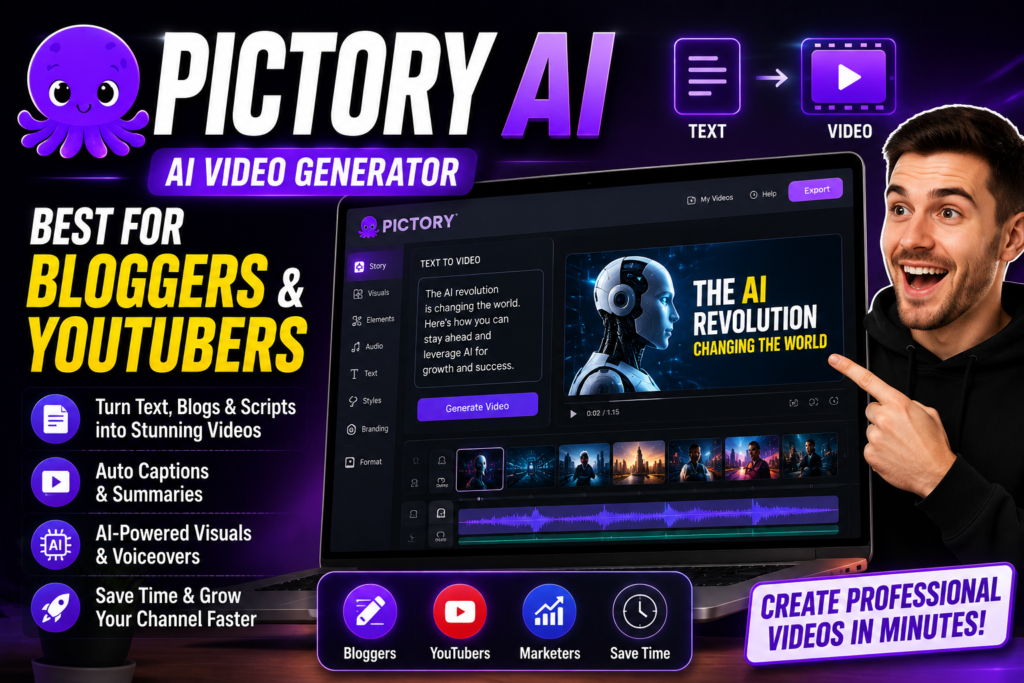
Pictory AI is a beginner-friendly AI video generator that can convert blog posts, articles, or scripts into videos with minimal manual editing.
Features:
- Blog to video
- Script to video
- Auto captions
- AI voiceover
Best For:
- YouTubers
- Bloggers
- Content creators
Why Pictory AI is Popular:
- Easy to use
- Fast video generation
- Professional output
2. Synthesia (Best AI Avatar Video Generator)
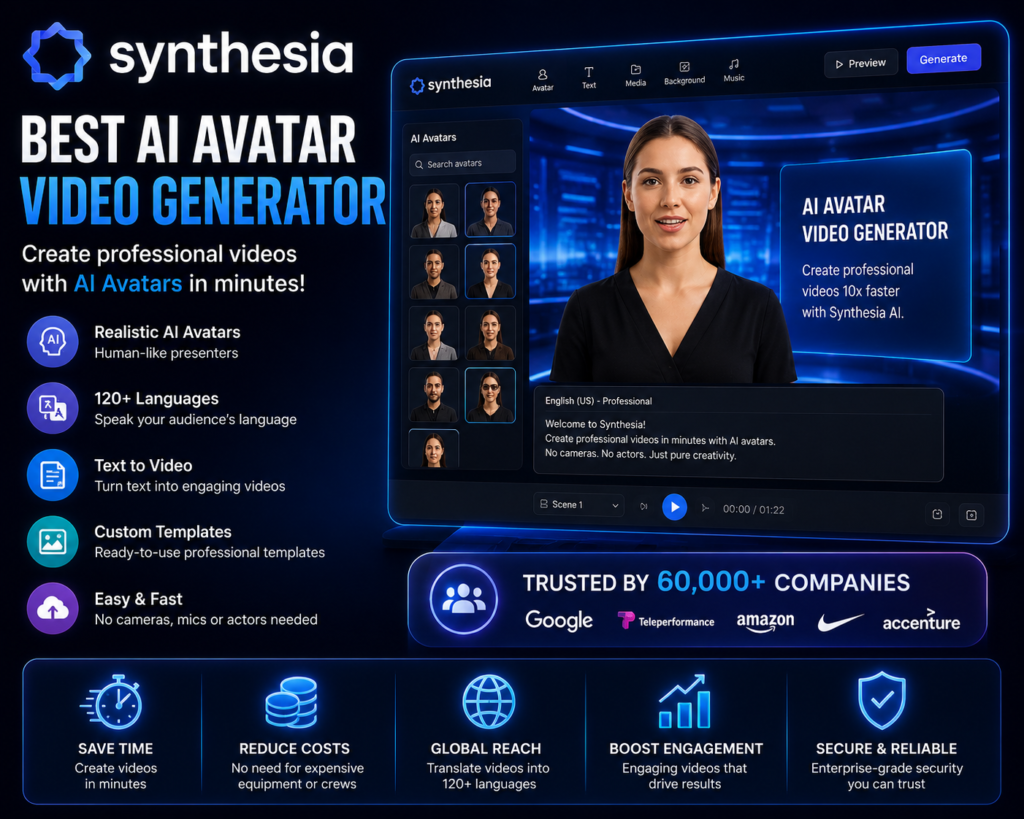
Synthesia AI avatar videos create karta hai.
Features:
- AI avatars
- Multiple languages
- Text to video
Best For:
- Business videos
- Training videos
- Marketing videos
VEED AI is particularly useful for creators who want both video editing and AI-powered features in a single platform, such as automatic subtitles, basic AI editing, and voice generation.
Example:
You write the text—and an avatar speaks it to create a video.
Note: Synthesia is designed primarily for AI avatar presentations and business communication rather than cinematic filmmaking. Before choosing it, compare its avatar features, language support, and pricing with other AI video generators.
3. Runway ML (Best AI Video Creator 2026)
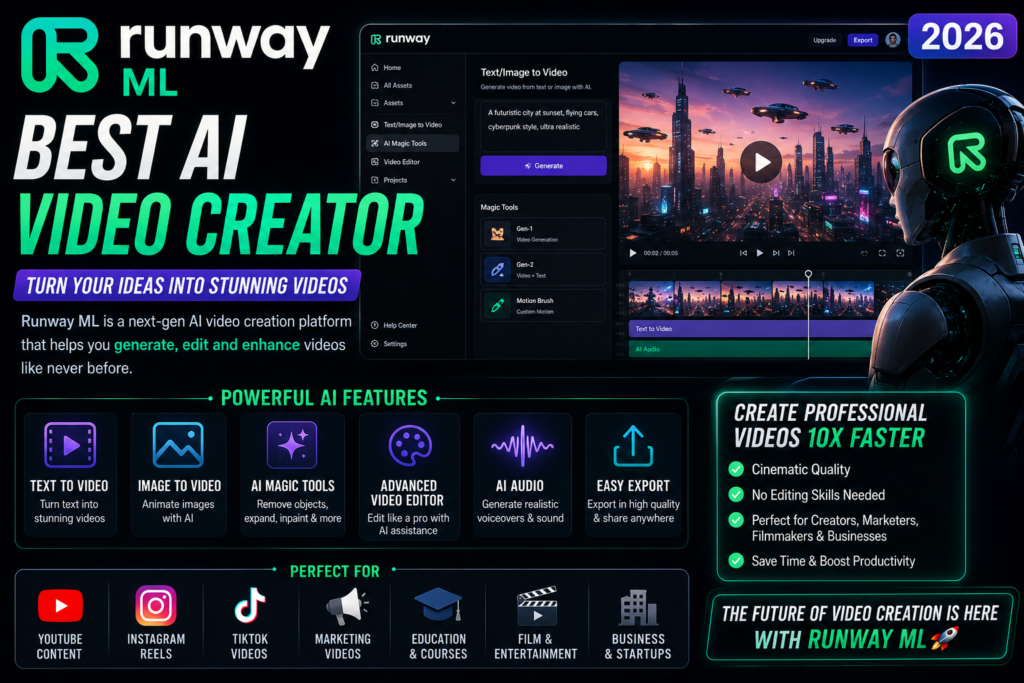
Runway ML powerful AI video generator hai.
Features:
- Text to video
- Video editing AI
- Motion graphics
Best For:
- Creators
- Filmmakers
- YouTubers
Runway ML is well known for its advanced AI video editing and creative tools, making it a strong option for creators who want greater control over cinematic-style videos.
4. InVideo AI (Best Free AI Video Generator)
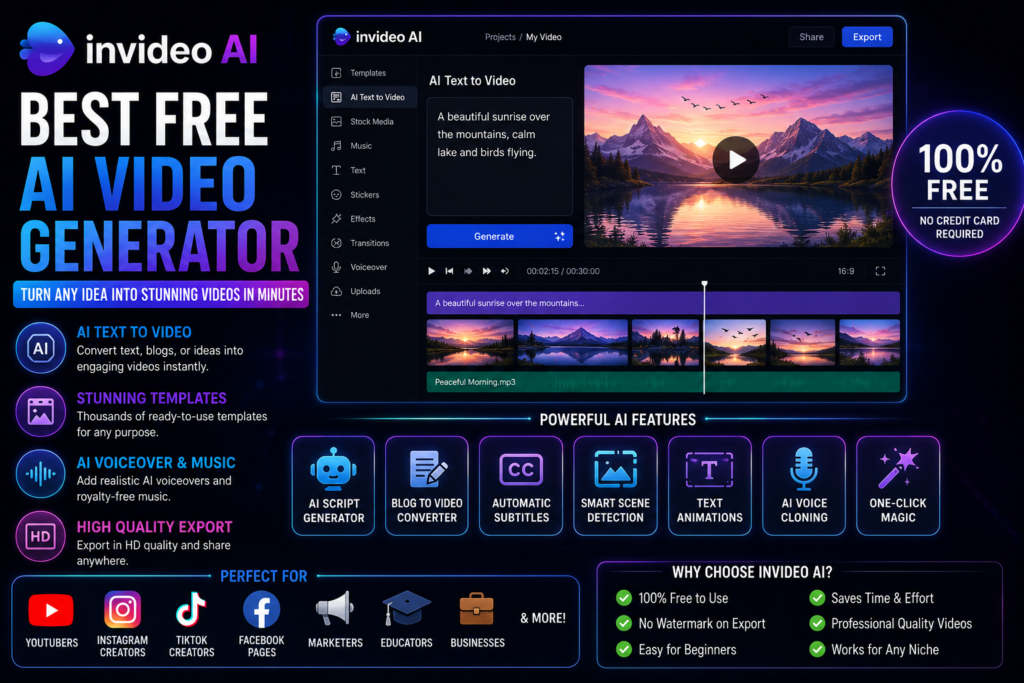
InVideo AI popular AI video generator hai.
Features:
- Text to video
- Templates
- AI voice
Best For:
- Social media videos
- YouTube videos
- Marketing content
InVideo AI offers a free plan with certain limitations, making it a practical option for users who want to explore its features before considering a paid subscription
5. Veed AI (Best AI Video Editor)
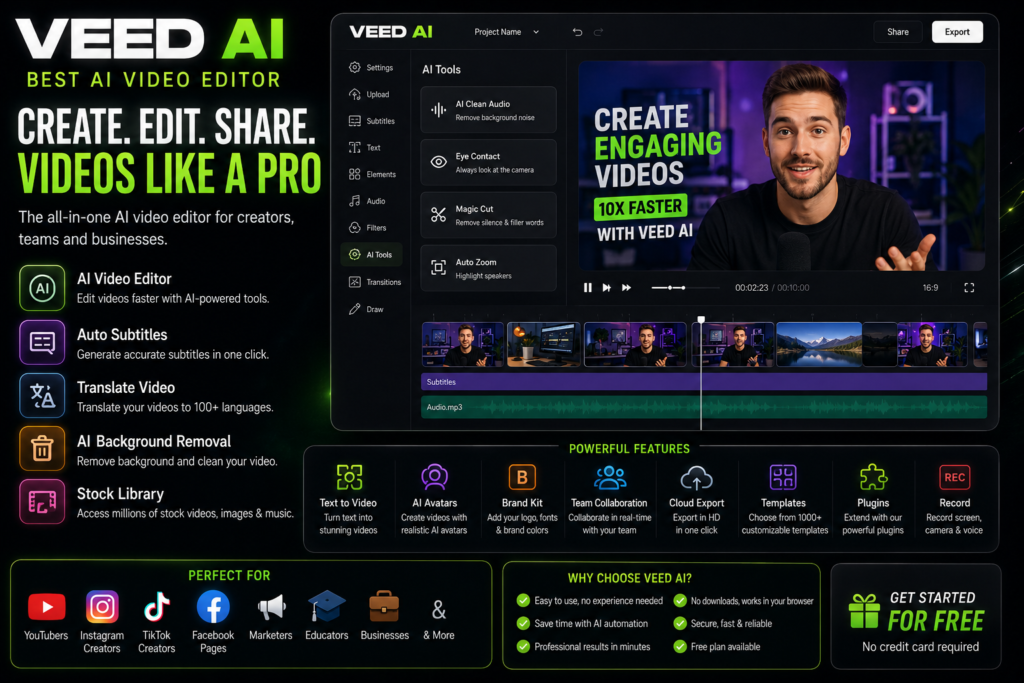
Veed AI editing + generation dono provide karta hai.
Features:
- Auto subtitles
- AI editing
- Voiceover
Best For:
- Content creators
- YouTubers
| Tool | Best For | Free Plan | Main Strength | Beginner Friendly |
|---|---|---|---|---|
| Pictory AI | Bloggers & YouTubers | Limited | Blog-to-video conversion | ⭐⭐⭐⭐⭐ |
| Synthesia | Business & Training Videos | Limited Trial | AI avatars | ⭐⭐⭐⭐☆ |
| Runway ML | Creative & Cinematic Videos | Limited | Advanced AI video editing | ⭐⭐⭐⭐☆ |
| InVideo AI | Social Media & Marketing | Yes (Limited) | Templates & text-to-video | ⭐⭐⭐⭐⭐ |
| VEED AI | Editing & Subtitles | Yes (Limited) | AI editing and captions | ⭐⭐⭐⭐⭐ |
Comparison Table – Best AI Video Generator Tools 2026
| Tool | Best For | Beginner Friendly | AI Avatars | Text-to-Video | Pricing |
|---|---|---|---|---|---|
| Synthesia | Business videos | Yes | Yes | Yes | Premium |
| Runway ML | Creative filmmaking | Medium | No | Yes | Medium |
| Pictory | Bloggers | Yes | Limited | Yes | Affordable |
| InVideo AI | Social media | Yes | No | Yes | Affordable |
| HeyGen | AI presenters | Yes | Yes | Yes | Medium |
| Veed.io | Quick editing | Yes | Limited | Limited | Affordable |
Tip: AI video generators continue to evolve rapidly. Before subscribing to any platform, check its latest features, pricing, supported AI models, and commercial usage terms on the official website, as these may change over time.
Benefits of Top AI Video Generator Tools
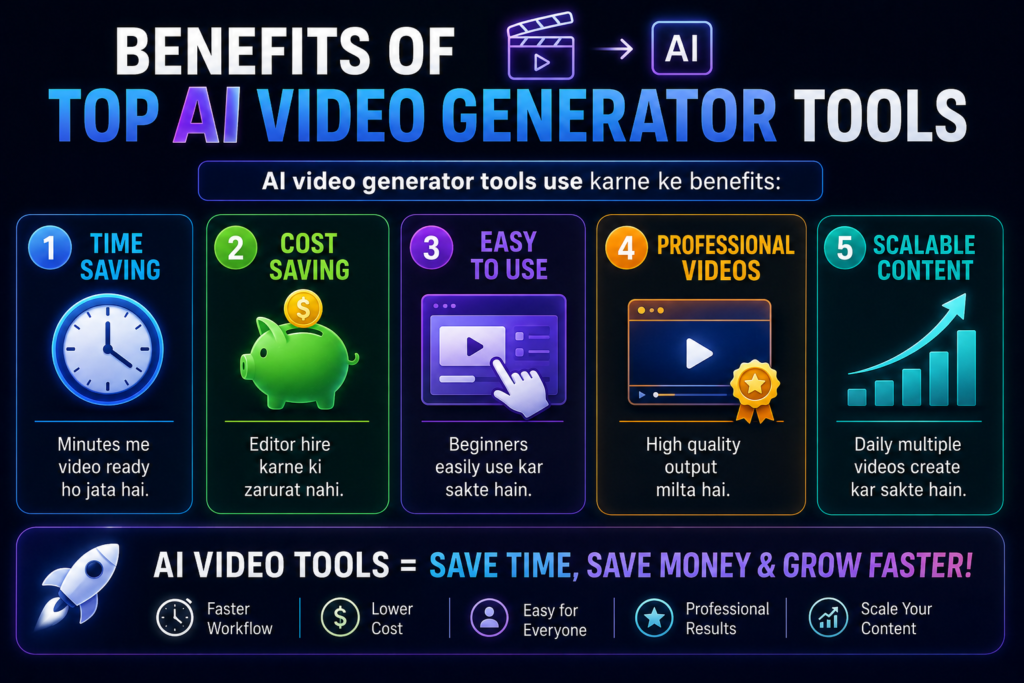
AI video generator tools offer several practical advantages for content creators, businesses, educators, and marketers. By automating many repetitive video production tasks, they help improve efficiency while reducing the time and effort required to create videos.
1. Time Saving
AI video generators automate tasks such as script-to-video conversion, subtitle generation, voiceovers, and scene creation, allowing creators to produce video drafts much faster than traditional editing methods.
2. Cost Saving
Many AI video generators reduce the need for outsourcing basic editing, voiceovers, or subtitle creation, helping individuals and small businesses lower production costs.
3. Easy to Use
Many AI video generators reduce the need for outsourcing basic editing, voiceovers, or subtitle creation, helping individuals and small businesses lower production costs.
4. Professional Videos
Many platforms offer AI voiceovers, subtitles, transitions, templates, and stock media, helping users create polished and professional-looking videos with minimal manual effort.
5. Scalable Content
Because much of the production process is automated, creators can produce multiple videos more efficiently, making it easier to maintain a consistent publishing schedule
| Benefit | How AI Helps | Best For |
|---|---|---|
| Time Saving | Automates scripting, subtitles, voiceovers, and scene creation | Content creators, marketers |
| Cost Saving | Reduces the need for basic editing and voiceover outsourcing | Freelancers, small businesses |
| Easy to Use | Provides templates and beginner-friendly workflows | New creators |
| Professional Output | Generates subtitles, AI voices, and polished visuals | YouTubers, educators |
| Scalability | Makes it easier to produce multiple videos consistently | Agencies, social media teams |
| Without AI Video Generator | With AI Video Generator |
|---|---|
| Write script manually | AI helps generate or refine scripts |
| Record voice manually | AI voiceover (if supported) |
| Add subtitles manually | Automatic subtitle generation |
| Search stock footage | AI suggests or adds media |
| Edit every scene manually | AI assists with scene generation and editing |
Best Practice: AI video generators work best as productivity tools rather than complete replacements for human creativity. Reviewing the final video, checking factual accuracy, and making small edits before publishing can significantly improve quality and viewer trust.
How AI Video Generators Work
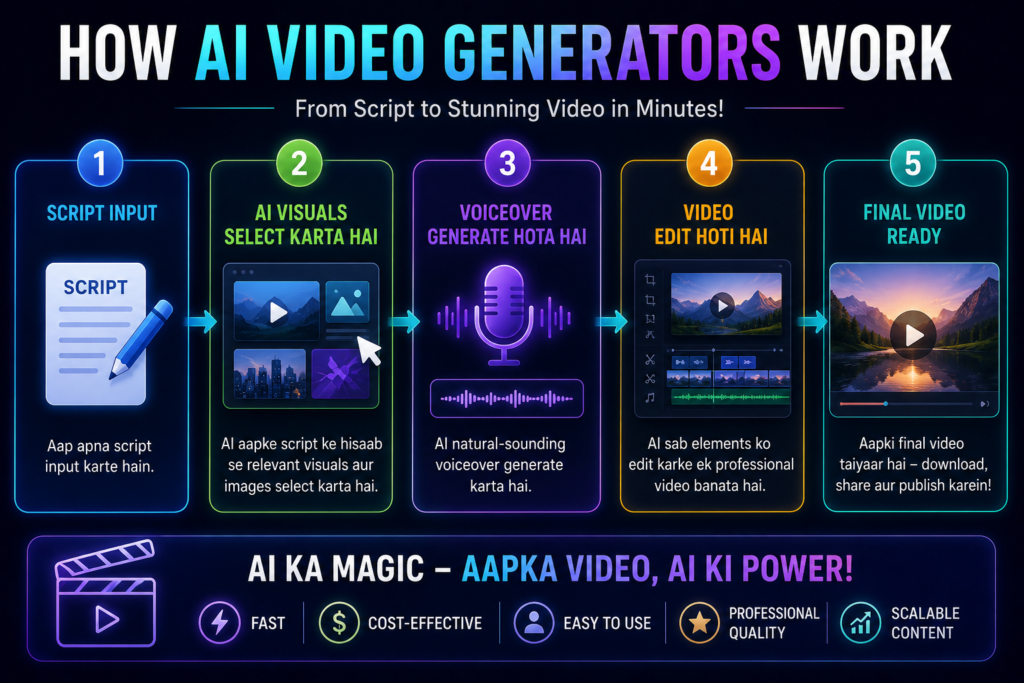
Most AI video generators follow a similar workflow. While the exact process varies by platform, the basic steps below explain how AI transforms a script or prompt into a video.
- Enter a script or text prompt that describes the content you want to turn into a video
- The AI selects or generates relevant visuals, images, video clips, or animations based on the script.
- If supported, the tool generates an AI voiceover in the selected language and voice style.
- The platform automatically arranges scenes, adds transitions, synchronizes audio, and prepares a draft video.
- Review the generated video, make any necessary edits, and export the final version.
| Step | What Happens |
|---|---|
| 1. Enter Script | Add a text prompt, article, or script. |
| 2. AI Understands the Content | The AI analyzes the text to identify the topic and key scenes. |
| 3. Generate Visuals | The tool selects or creates suitable visuals, stock media, or animations. |
| 4. Create Voiceover | If available, AI generates narration in the chosen language or voice. |
| 5. Assemble the Video | Scenes, subtitles, transitions, and background music are combined into a draft video. |
| 6. Review & Export | The user reviews the draft, makes edits if needed, and exports the final video. |
Depending on the platform, many modern AI video generators also include additional automation features such as:
- Auto background music
- Auto transitions
- Auto subtitles
| AI Feature | Purpose |
|---|---|
| Auto Background Music | Adds suitable royalty-free music automatically (where supported). |
| Auto Transitions | Creates smoother scene changes. |
| Auto Subtitles | Generates captions to improve accessibility and viewer engagement. |
| AI Voiceover | Produces narration without manual recording (if supported). |
| AI Scene Generation | Creates scenes based on the script or prompt. |
Example Workflow: Imagine you want to create a one-minute product promotion video. You provide a short script, the AI suggests visuals, generates a voiceover, adds subtitles and background music, and prepares a draft video. You can then review the output, make small edits if necessary, and export the final version.
Best Tips for Better AI Videos
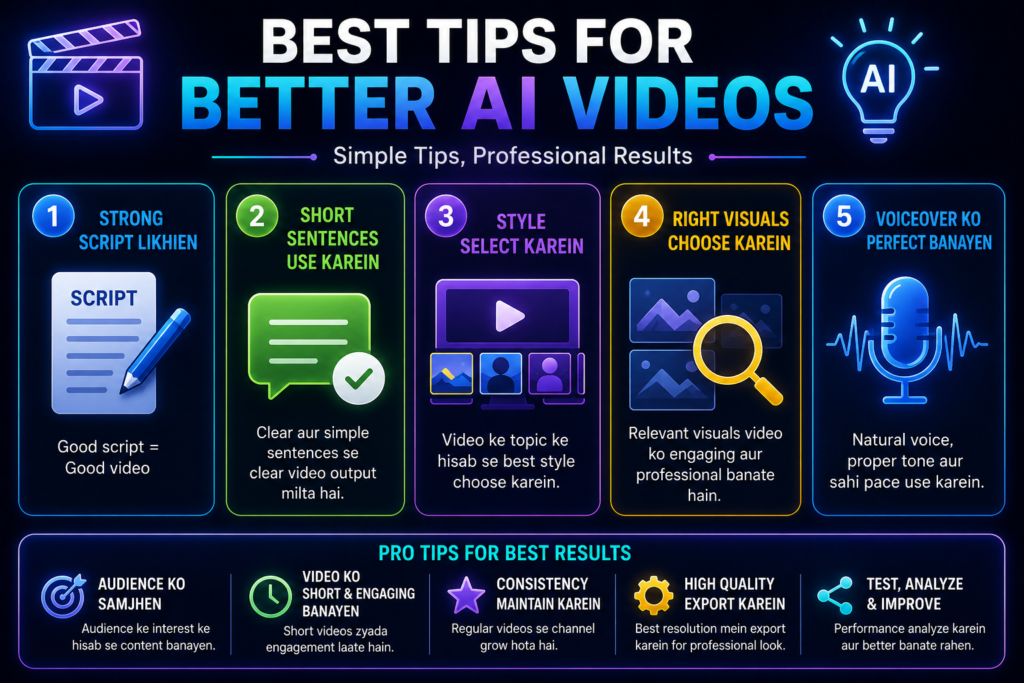
1. Write a Clear and Well-Structured Script
A well-organized script helps the AI understand your message more accurately, resulting in better scene selection, smoother narration, and a more coherent video
2. Use Short and Clear Sentences
Simple language and shorter sentences help AI generate more accurate visuals, voiceovers, and subtitles while reducing the chances of misinterpretation
3. Style Select Karein
Example:
- Documentary
- Cinematic
- Educational
Choose a style that matches your audience and content goals. For example, a documentary style works well for educational videos, while a cinematic style is better suited for storytelling or promotional content.
4. Select a Natural-Sounding AI Voice
Choose a voice that matches the language, tone, and audience of your video. A natural and clear voiceover improves viewer engagement and makes the content easier to understand.
Creating high-quality AI videos involves more than simply entering a prompt. The following best practices can help improve video quality, viewer engagement, and the overall effectiveness of AI-generated content.
| Best Practice | Why It Matters |
|---|---|
| Write a clear script | Helps AI generate more relevant visuals and narration |
| Use short sentences | Improves scene accuracy and subtitle quality |
| Choose the right style | Matches the video’s purpose and audience |
| Select a natural voice | Makes the video more engaging and easier to understand |
| Review before publishing | Helps catch errors and improve quality |
| Common Mistake | Better Approach |
|---|---|
| Using long, confusing prompts | Write short and structured prompts |
| Skipping manual review | Review and edit the final video before publishing |
| Choosing the wrong voice | Match the voice to the audience and content |
| Ignoring subtitles | Add subtitles to improve accessibility and engagement |
| Using low-quality visuals | Review AI-selected media and replace unsuitable scenes if needed |
Best Practice: AI video generators can produce high-quality drafts, but the best results usually come from combining AI automation with human creativity. Reviewing the final video, checking facts, refining visuals, and making small edits before publishing can significantly improve quality and viewer trust.
Common Mistakes to Avoid
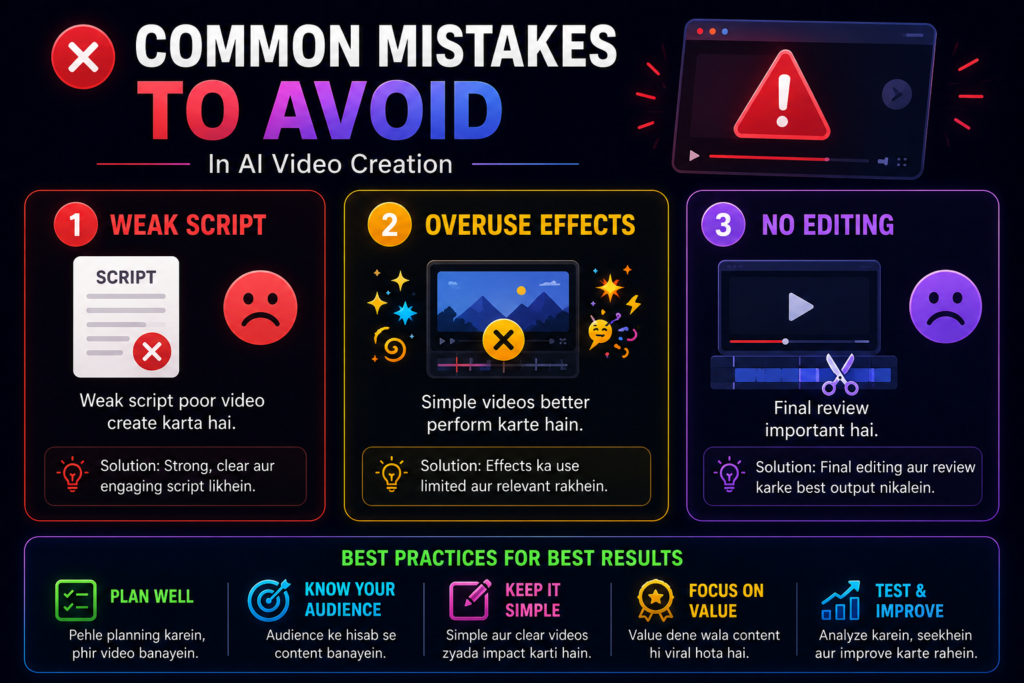
1. Weak Script
A weak or unclear script can make it difficult for the AI to generate relevant visuals, smooth transitions, and a clear storyline. Spending a little extra time improving the script usually leads to better video quality.
2. Overuse Effects
Avoid adding unnecessary effects or excessive animations. A clean and focused video is often easier for viewers to follow and keeps attention on the main message.
3. No Editing
Always review the final video before publishing. Check the script, visuals, subtitles, voiceover, and branding to correct any errors or inconsistencies
| Common Mistake | Why It Causes Problems | Better Approach |
|---|---|---|
| Weak script | AI may generate irrelevant scenes | Write a clear, structured script |
| Too many visual effects | Can distract viewers | Use effects only where they add value |
| Skipping final review | Errors may remain in the video | Review visuals, subtitles, and voiceover before publishing |
| Using the wrong AI voice | Reduces engagement | Match the voice to the audience and content |
| Ignoring subtitles | Lowers accessibility | Add accurate subtitles whenever possible |
Expert Tips for Better AI Videos
Experts ye tips follow karte hain:
- Use storytelling to make your videos more engaging and memorable.
- Start with a strong hook to capture viewers’ attention within the first few seconds.
- Add subtitles to improve accessibility and increase watch time on social media.
- Choose background music that matches the tone of your content without overpowering the voiceover.
- Review the final output and make manual edits where necessary to improve accuracy and quality.
Future of AI Video Generator Tools
AI video generation technology continues to evolve rapidly. Future improvements may include more realistic AI avatars, better text-to-video quality, enhanced video editing automation, multilingual voice generation, and smarter content personalization. However, the availability of these features will depend on individual platforms and future technological developments.
| Future Trend | Potential Benefit |
|---|---|
| Improved AI Avatars | More natural presentations and training videos |
| Better Text-to-Video Models | Higher-quality visuals from simple prompts |
| Smarter Video Editing | Faster production with less manual work |
| Multilingual Voice Generation | Easier global content creation |
| Personalized AI Content | Videos tailored to different audiences |
Final Tip: AI video generators are powerful productivity tools, but the best results come from combining AI automation with human creativity. A clear script, thoughtful editing, and a final quality review can make a significant difference in the overall quality of your videos.
AI Video Generator for YouTube Videos
Achieving success on YouTube is no easy feat in today’s landscape. Thousands of videos are uploaded every single day. The competition is fierce, and viewers’ expectations are even higher.
What is an AI Video Generator for YouTube?
An AI video generator is a software tool that helps create YouTube videos from text prompts, scripts, images, or other inputs. Depending on the platform, it can assist with tasks such as generating visuals, AI voiceovers, subtitles, transitions, and basic editing, reducing the amount of manual work required.
| Traditional YouTube Workflow | AI-Assisted Workflow |
|---|---|
| Write script manually | AI helps generate or refine scripts |
| Record voiceover | AI voiceover (if supported) |
| Search visuals | AI suggests or generates media |
| Edit scenes manually | AI assists with editing and scene creation |
| Add subtitles manually | Automatic subtitle generation |
| Export final video | Review and export the completed draft |
One of the biggest challenges for YouTube creators is the amount of time and effort required to produce high-quality videos consistently.
Creating videos is incredibly time-consuming.
Write the script
Record the voiceover
Edit the footage
Add images
Add music
Today, AI video generators help automate many parts of the video creation process, making it easier for creators to produce videos more efficiently.
Many AI video generators can convert a text prompt or script into a draft video by generating visuals, voiceovers, subtitles, and transitions. The available features vary depending on the platform.
Whether you’re a beginner or an experienced creator, AI video generators can reduce repetitive editing tasks and speed up video production. However, reviewing the final output and making manual improvements is still recommended for the best results.
In this article, we will take a detailed look at:
- What is an AI Video Generator?
- Best Tools
- Benefits
- Tips
- Mistakes
- Future
| What You’ll Learn | Why It Matters |
|---|---|
| What an AI Video Generator is | Understand how the technology works |
| Best AI Video Tools for YouTube | Choose the right platform |
| Benefits | Learn how AI can improve productivity |
| Best Practices | Create higher-quality videos |
| Common Mistakes | Avoid beginner errors |
| Future Trends | Understand how AI video technology is evolving |
Let’s explore how AI video generators work and find the right tool for your YouTube content creation workflow.
Note: AI video generators are designed to assist with video creation, not replace human creativity. Reviewing the script, visuals, branding, and factual accuracy before publishing helps ensure your YouTube videos are accurate, engaging, and aligned with your content goals.
What is AI Video Generator for YouTube Videos?
An AI Video Generator for YouTube is a software tool that uses artificial intelligence to help transform text prompts, scripts, articles, or ideas into video drafts. Depending on the platform, it can assist with tasks such as scene creation, AI voiceovers, subtitles, and basic video editing.
Example:
You write:
“Top 5 AI tools for content creators”
| Step | AI-Assisted Process |
|---|---|
| 1 | Enter a text prompt or script |
| 2 | AI analyzes the content |
| 3 | Generates visuals and scenes |
| 4 | Creates voiceover (if supported) |
| 5 | Adds subtitles, transitions, and music |
| 6 | Review, edit, and export the final video |
Important: Not every AI video generator includes all of these features. Some tools focus on text-to-video creation, while others specialize in AI avatars, advanced editing, or marketing videos. Always compare features before selecting a platform.
Depending on the platform and available features, the AI may:
- It will generate a script.
- It will add a voiceover.
- It will add images.
- It will add background music.
- It will edit the video.
| Feature | What It Does | Benefit for YouTube Creators |
|---|---|---|
| Text-to-Video | Converts a script into video scenes | Speeds up video production |
| AI Voiceover | Generates narration | No manual recording required (if supported) |
| AI Avatars | Creates virtual presenters | Useful for tutorials and business videos |
| Auto Subtitles | Generates captions | Improves accessibility and viewer engagement |
| Auto Editing | Arranges scenes and transitions | Reduces manual editing effort |
| Stock Media Integration | Suggests or adds royalty-free visuals | Saves time searching for media |
The result is a draft video that you can review, customize, and export before publishing on YouTube.
These tools combine artificial intelligence, machine learning, and automation to simplify different stages of the YouTube video creation process.
These features are found in AI video generator tools in 2026:
- Text to video
- AI voiceover
- AI avatars
- Auto subtitles
- Auto editing
- Stock footage auto add
As a result, AI video generators have become valuable tools for YouTube creators who want to produce videos more efficiently while still maintaining creative control over the final output.
Why AI Video Generator for YouTube Videos Matters
Consistency is crucial for growth on YouTube.
However, with manual video creation:
It is time-consuming
Editing is difficult
Costs are high
AI video generators can automate many repetitive video production tasks, helping creators reduce editing time and streamline their content creation workflow.
Benefits:
Faster Video Production – AI can automate repetitive tasks such as generating subtitles, voiceovers, and scene layouts, allowing creators to spend more time improving content quality.
Improved Publishing Consistency – Faster production makes it easier to maintain a regular upload schedule, which can help creators stay active on YouTube.
Professional-Looking Results – Many AI tools provide templates, transitions, AI voiceovers, and stock media that help create polished videos with less manual effort.
Beginner-Friendly Workflow – Many platforms are designed with simple interfaces and guided editing features, making them easier to use for people with limited editing experience.
Lower Production Costs – AI can reduce the need for outsourcing basic editing and voiceover tasks, making video creation more affordable for individuals and small businesses.
| Traditional YouTube Workflow | AI-Assisted Workflow |
|---|---|
| Write script manually | AI helps generate or improve scripts |
| Record voiceover | AI voice generation (if supported) |
| Edit scenes manually | AI assists with editing and scene creation |
| Add subtitles manually | Automatic subtitle generation |
| Search for visuals | AI suggests or generates media |
| Publish video | Review, refine, and export the final version |
| Benefit | Why It Matters for YouTube Creators |
|---|---|
| Faster Production | Spend less time editing and more time creating ideas |
| Consistent Uploads | Easier to maintain a publishing schedule |
| Lower Costs | Reduce basic production expenses |
| Beginner Friendly | Create videos without advanced editing knowledge |
| Improved Efficiency | Focus more on creativity than repetitive editing tasks |
Best Practice: AI video generators can significantly improve productivity, but they work best when combined with human creativity. Always review the final video, verify important information, and make manual edits where needed before publishing on YouTube
As AI video creation technology continues to improve, many YouTube creators use these tools to save time, simplify production, and publish content more consistently while still reviewing and refining the final output.
Best AI Video Generator for YouTube Videos
The following AI video generators are among the most popular options for YouTube creators. Each platform offers different strengths, so the right choice depends on your content type, editing needs, and budget.
1. Pictory AI (Best for YouTube Automation)
Pictory AI is a beginner-friendly platform that helps convert blog posts, articles, and scripts into videos, making it a practical option for many YouTube creators.
Features:
- Blog to video
- Script to video
- Auto captions
- AI voiceover
Best For:
- Faceless YouTube channels
- Educational videos
- Top list videos
2. Synthesia (Best AI Avatar Videos)
Synthesia AI avatar videos create karta hai.
Features:
- AI presenters
- Multiple languages
- Professional videos
Best For:
- Tutorial videos
- Business videos
- Educational content
Note: Synthesia is particularly suitable for AI avatar presentations, training videos, and business communication. If your primary goal is cinematic video editing or advanced visual effects, you may want to compare it with other AI video platforms.
3. InVideo AI (Best Beginner Friendly Tool)
InVideo AI is designed with beginner-friendly templates and AI-assisted workflows, making it a practical option for users who are new to video creation.
Features:
- Text to video
- Templates
- AI voice
Best For:
- Beginners
- YouTubers
- Social media creators
| Tool | Best For | Free Plan | Main Strength | Beginner Friendly |
|---|---|---|---|---|
| Pictory AI | Faceless YouTube channels | Limited | Blog-to-video & script-to-video | ⭐⭐⭐⭐⭐ |
| Synthesia | Tutorials & Business Videos | Limited Trial | AI avatars & multilingual support | ⭐⭐⭐⭐☆ |
| InVideo AI | Beginners & Social Media | Yes (Limited) | Templates & text-to-video | ⭐⭐⭐⭐⭐ |
| If You Want To… | Recommended Tool |
|---|---|
| Create faceless YouTube videos | Pictory AI |
| Make AI avatar presentations | Synthesia |
| Start creating videos as a beginner | InVideo AI |
| Repurpose blog content into videos | Pictory AI |
| Produce training or business videos | Synthesia |
Important: AI video generators continue to evolve, and their features, pricing, and free-plan availability may change over time. Before purchasing a subscription, review the latest information on the official website to ensure the platform meets your current requirements.
Benefits of AI Video Generator for YouTube Videos
1. Time Saving
AI video generators automate repetitive tasks such as subtitle creation, voiceovers, scene generation, and basic editing, helping creators prepare video drafts much faster than manual workflows.
2. Cost Saving
Many AI tools reduce the need to outsource basic editing or voiceover work, helping individuals and small businesses lower video production costs.
3. Professional Quality
Many AI video generators include templates, AI voiceovers, transitions, subtitles, and stock media that help users create polished, professional-looking videos with less manual effort.
4. Consistent Upload
Faster production workflows make it easier to maintain a consistent publishing schedule, which is important for many YouTube creators.
5. No Camera Required
Many AI video generators support AI voiceovers, stock media, and text-to-video workflows, making them useful for creators who want to produce faceless YouTube content.
| Benefit | How It Helps YouTube Creators |
|---|---|
| Faster Video Creation | Reduces time spent on scripting, editing, and subtitles |
| Lower Production Costs | Minimizes basic editing and voiceover expenses |
| Professional-Looking Videos | Provides templates, AI voices, and stock media |
| Consistent Upload Schedule | Makes it easier to publish content regularly |
| Faceless Content Creation | Supports AI voiceovers and text-to-video workflows |
| Step | AI-Assisted Process |
|---|---|
| 1 | Enter a script or prompt |
| 2 | AI analyzes the content |
| 3 | Generates visuals or selects media |
| 4 | Creates voiceover (if supported) |
| 5 | Adds subtitles, transitions, and music |
| 6 | Review, edit, and export the final video |
Example: Suppose you want to create a YouTube tutorial about productivity apps. You enter a short script into an AI video generator, which then suggests visuals, generates a voiceover, adds subtitles, and creates a draft video. After reviewing and making a few edits, you can export and upload the final version to your YouTube channel.
Best Practice: AI video generators are designed to speed up production, not replace human creativity. Reviewing the final video, checking factual accuracy, and refining visuals before publishing helps produce more professional and trustworthy YouTube content.
How AI Video Generator Works
Although the exact workflow varies by platform, most AI video generators follow a similar process:
- Script input karein
- AI visuals select kare
- Voiceover generate kare
- Video edit kare
- Final video ready
Benefits of AI Video Generator for YouTube Videos
1. Time Saving
AI automates repetitive tasks such as scene creation, subtitle generation, and voiceovers, helping creators produce draft videos much faster than traditional editing.
2. Cost Saving
Many AI video generators reduce the need to outsource basic editing and voiceover work, making video production more affordable for individuals and small businesses.
3. Professional Quality
Many AI tools provide templates, AI voiceovers, transitions, and stock media that help users create professional-looking videos with less manual effort.
4. Consistent Upload
Faster production workflows make it easier to maintain a consistent publishing schedule, especially for creators who upload videos regularly.
5. No Camera Required
Faster production workflows make it easier to maintain a consistent publishing schedule, especially for creators who upload videos regularly.
| Benefit | How It Helps YouTube Creators |
|---|---|
| Time Saving | Reduces manual editing work |
| Cost Saving | Lowers basic production expenses |
| Professional-Looking Videos | Uses templates, AI voices, and stock media |
| Consistent Uploads | Helps maintain a regular publishing schedule |
| Faceless Content Creation | Supports creators who don’t want to appear on camera |
| Step | What the AI Does |
|---|---|
| 1 | Analyzes your script or prompt |
| 2 | Selects or generates relevant visuals |
| 3 | Creates AI voiceover (if supported) |
| 4 | Adds subtitles, transitions, and music |
| 5 | Produces a draft video for review and export |
How AI Video Generator Works
Although the exact workflow varies by platform, most AI video generators follow a similar step-by-step process to transform a text prompt or script into a video.
Step 1: Enter a script, article, or text prompt describing the video you want to create.
Step 2: The AI analyzes your content and selects or generates relevant visuals, stock media, animations, or scenes based on the script.
Step 3: If the platform supports AI voice generation, it creates a voiceover using your selected language and voice style.
Step 4: The AI combines visuals, voiceovers, subtitles, transitions, and background music to prepare a draft version of the video.
Step 5: Review the generated video, make any necessary edits, and export the final version before publishing.
| Step | What the AI Does |
|---|---|
| 1 | Accepts a script or text prompt |
| 2 | Analyzes the content using AI |
| 3 | Generates or selects visuals |
| 4 | Creates AI voiceover (if supported) |
| 5 | Adds subtitles, transitions, and music |
| 6 | Produces a draft video for review and export |
| AI Feature | Purpose |
|---|---|
| Text-to-Video | Converts a script into video scenes |
| AI Voiceover | Generates narration automatically |
| Auto Subtitles | Creates captions for better accessibility |
| AI Scene Generation | Suggests or creates visuals based on the script |
| Auto Editing | Arranges scenes, transitions, and timing |
Example: Suppose you want to create a YouTube video about the latest AI tools. You enter a short script into an AI video generator. The platform analyzes the content, generates relevant visuals, creates an AI voiceover, adds subtitles, and prepares a draft video. After reviewing and making small edits, you can export the final version for publishing.
Best Practice: AI video generators are designed to speed up the production process, but they should not replace human review. Always check the final video for accuracy, branding, subtitles, and overall quality before publishing.
Conclusion: Top AI Video Generator Tools
AI video generator tools have simplified many stages of video production by automating repetitive tasks such as script-to-video conversion, AI voiceovers, subtitles, and basic editing. However, the best results still come from combining AI automation with human creativity and final review.
Top Picks:
- Pictory AI
- Synthesia
- Runway ML
- InVideo AI
- Veed AI
| Tool | Best For | Beginner Friendly |
|---|---|---|
| Pictory AI | Blog-to-video & Faceless YouTube | ⭐⭐⭐⭐⭐ |
| Synthesia | AI Avatar & Business Videos | ⭐⭐⭐⭐☆ |
| Runway ML | Advanced AI Editing | ⭐⭐⭐⭐☆ |
| InVideo AI | Beginners & Marketing | ⭐⭐⭐⭐⭐ |
| VEED AI | Editing & Subtitles | ⭐⭐⭐⭐⭐ |
If you regularly create YouTube videos, educational content, marketing videos, or social media content, testing different AI video generators can help you identify the platform that best fits your workflow, budget, and content goals.
Instead of only listing names, add one-line context:
- Pictory AI – Suitable for blog-to-video and faceless YouTube content.
- Synthesia – Best suited for AI avatar presentations and business videos.
- Runway ML – Ideal for advanced editing and cinematic-style content.
- InVideo AI – Beginner-friendly with templates and text-to-video features.
- VEED AI – Useful for editing, subtitles, and social media videos.
FAQ Section
1. Best AI video generator kaunsa hai?
Pictory AI aur Synthesia best AI video generators hain.
2. Free AI video generator kaunsa best hai?
InVideo AI free option provide karta hai.
3. Kya AI video generators beginners use kar sakte hain?
Yes, beginners easily use kar sakte hain.
4. AI video generator kaise use karein?
Script paste karein aur AI video generate karega.
5. AI video generators YouTube ke liye useful hain?
Yes, YouTube creators ke liye bahut useful hain.