
Best AI Image Generators 2026: Complete Beginner’s Guide
Introduction
Creating images with AI is no longer just a futuristic idea. In 2026, AI image generators allow users to create a wide range of visuals from simple text prompts. Depending on the tool, you can generate realistic images, illustrations, artwork, product concepts, social media graphics, and other creative visuals without traditional design software.
Whether you are a blogger, YouTuber, marketer, designer, student, or business owner, AI image generators can help simplify parts of the visual content creation process and reduce the time required for some design tasks.
A few years ago, creating certain types of digital artwork often required specialized software and design skills. Today, text-to-image tools can turn descriptions into visual concepts, making image creation more accessible to beginners.
However, many people still have questions:
- Which is the best AI image generator?
- How do AI image generators actually work?
- Can beginners use them without professional design experience?
- Which AI image generators offer free access?
- What should you consider before using an AI-generated image commercially?
In this beginner-friendly guide, we will explain how AI image generators work, explore the best AI image generators of 2026, compare their key features and use cases, and share practical tips for creating better AI-generated images.
What Is an AI Image Generator?
An AI image generator is a software tool that uses artificial intelligence to create images based on text prompts or other inputs. You provide a description, known as a prompt, and the AI generates a visual based on the instructions and capabilities of the model.
For example:
“A futuristic city at sunset, featuring flying cars and neon lights.”
The AI processes the prompt and generates an image based on elements such as the subject, environment, style, lighting, and other details described in the request.
Depending on the tool, AI image generators can create different types of visuals, including:
- Photorealistic images
- Anime-style artwork
- Digital illustrations
- Product concepts and mockups
- Social media graphics
- Website illustrations
- 3D-style artwork
- Fantasy scenes
Some tools can also assist with logos and text-based designs, although results can vary depending on the model and the complexity of the design.
Modern AI image generators have made visual content creation more accessible by allowing users to create and experiment with images without relying entirely on traditional design workflows..
Why Did AI Image Generators Become So Popular in 2026?
AI image generators have become increasingly popular because they can simplify several parts of the visual content creation process.
Traditional Design Challenges
Before AI image tools became widely available, creating certain types of graphics could require:
- Design software
- Technical design skills
- Manual editing
- Time for revisions
- Additional production costs, depending on the project
For beginners, individual creators, and small businesses, learning design software or managing a complete design workflow can take significant time and effort.
How AI Image Generators Can Help
AI image generators can simplify parts of this process by allowing users to describe the visual they want and generate an initial image from a prompt.
Depending on the tool, this can make visual creation:
- Faster for some tasks
- Easier to experiment with
- More accessible to beginners
- Useful for generating creative concepts
- Potentially more cost-effective for certain projects
However, AI-generated images may still require editing, revisions, fact-checking, or human design input, especially for professional or commercial work.
AI image generators are now used across areas such as:
- Blogging
- Marketing
- Social media
- YouTube
- Advertising
- Product visualization
- Education
- Business presentations
✅ “AI image generators can make visual creation more accessible, although professional results may still require editing and human input.”
Their growing accessibility has made AI-assisted image creation a practical option for many creators and businesses.
Best AI Image Generators 2026

Artificial intelligence has changed how many creators approach visual content. Instead of relying entirely on traditional design software or stock images, users can now generate and edit visuals with AI-powered image tools.
Depending on the platform, AI image generators can create realistic scenes, illustrations, product concepts, social media graphics, artwork, and other visual content from text prompts. Some tools also provide editing features that allow users to modify generated or existing images.
For example, you could enter a prompt such as:
“An ancient Indian temple in the golden morning light, with cinematic lighting.”
The AI can interpret the description and generate a visual based on the subject, environment, lighting, style, and other details included in the prompt. The generation time and final quality can vary depending on the tool, model, prompt, and selected settings.
AI image generators can be useful for:
- YouTube thumbnails and visuals
- Blog images
- Social media content
- Marketing concepts
- Product visualization
- Creative artwork
- Website graphics
- Educational visuals
In this guide, we will explore the best AI image generators of 2026, compare their key features and use cases, explain how these tools work, and help you choose an image generator based on your specific requirements.
What Are the Best AI Image Generators?
AI image generators are tools that use generative artificial intelligence to create visuals from text prompts, reference images, or other inputs. With text-to-image generation, you describe what you want to see, and the AI creates an image based on the prompt.
The basic process looks like this:
You describe an idea → The AI interprets the prompt → The model generates a visual
For example, you could enter prompts such as:
- “A futuristic city at night with neon lights.”
- “Krishna standing on a battlefield at sunrise.”
- “A modern office with AI robots working at computers.”
Depending on the tool and model, AI image generators can create different types of visuals, including:
- Realistic images
- Anime-style artwork
- Cinematic visuals
- 3D-style graphics
- Digital illustrations
- Photorealistic scenes
- Fantasy artwork
- Product concepts
- Social media graphics
Some platforms also provide controls for elements such as lighting, color, composition, aspect ratio, style, and image references. For example, Adobe Firefly supports text-to-image generation as well as image-to-image workflows for transforming existing visuals.
The exact image quality, resolution, styles, editing capabilities, and generation limits vary between AI image generators. Therefore, instead of choosing a tool simply because it claims to produce the highest-quality images, compare its capabilities with your actual requirements.
That is why the best AI image generator in 2026 depends on the type of images you want to create, your budget, the level of control you need, and whether you require features such as editing, reference images, commercial use, or specific visual styles.
Why Best AI Image Generators 2026 Matter
Visual content plays an important role in modern digital publishing, marketing, social media, and online communication. Research has found that images can influence how users interact with social media content, although the effect depends on the platform, audience, and characteristics of the visual.
For example, research published in the Journal of Marketing Research found a positive relationship between the presence of images and social media engagement in the datasets studied. Other research has also found that factors such as image composition and contrast can influence engagement.
Why Do AI Image Generators Matter?
AI image generators can help simplify parts of the visual content creation process.
1. Save Time
Instead of creating every visual element manually, creators can use prompts to generate an initial visual concept and then refine it.
2. Potential Cost Savings
For some projects, AI image generation can reduce the need for certain stock images or basic design work. However, professional projects may still require designers, editors, or other creative specialists.
3. Creative Experimentation
AI makes it easier to experiment with different styles, compositions, environments, and visual concepts without starting every design from scratch.
4. Generate Custom Visuals
Creators can generate visuals tailored to a specific article, video, campaign, or social media post instead of relying entirely on generic stock imagery.
5. Accessible to Beginners
Many AI image tools use simple text prompts, allowing beginners to experiment with visual creation without extensive design experience.
Traditional Workflow vs. AI-Assisted Workflow
Traditional workflow may involve:
- Finding or hiring a designer
- Learning design software
- Searching for suitable stock images
- Manual editing
- Multiple revisions
AI-assisted workflow can involve:
- Write a clear prompt
- Generate an initial image
- Review the result
- Make revisions or edits
- Export the final visual
AI does not eliminate the need for creative judgment or editing, but it can make visual experimentation and certain design tasks more accessible.
For this reason, the best AI image generators of 2026 can be useful tools for bloggers, YouTubers, marketers, designers, educators, and businesses.
Best AI Image Generators 2026
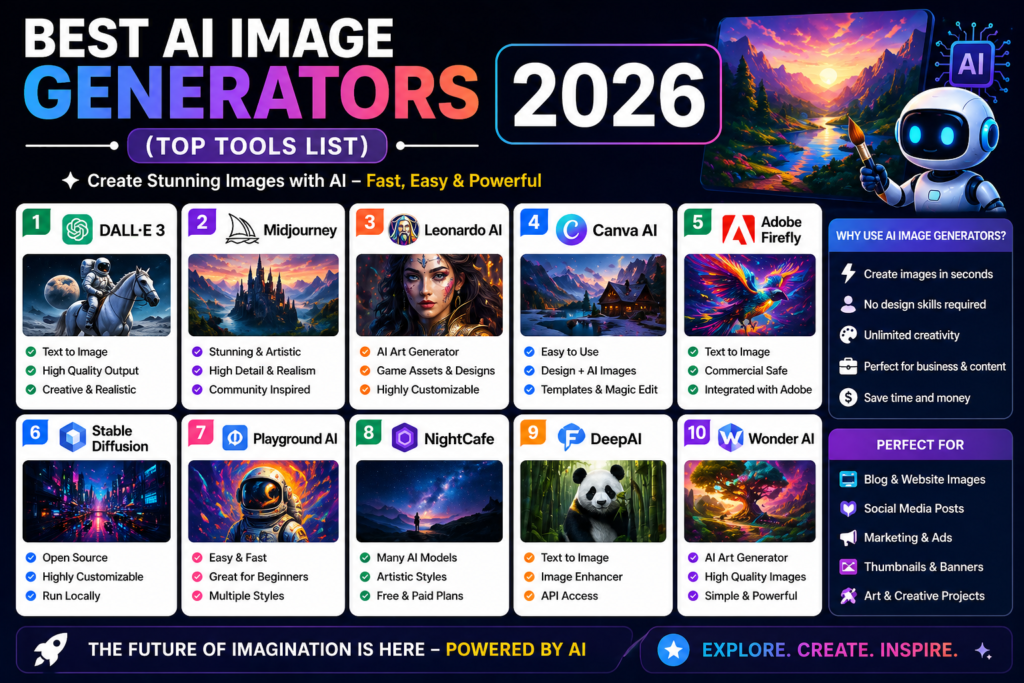
1. Midjourney – Best for Artistic and Cinematic Visuals
Midjourney is one of the leading AI image-generation platforms for creators who want detailed and highly stylized visuals. Its current tools provide controls for image quality, aspect ratio, stylization, personalization, and style references, giving users considerable control over the look of generated images
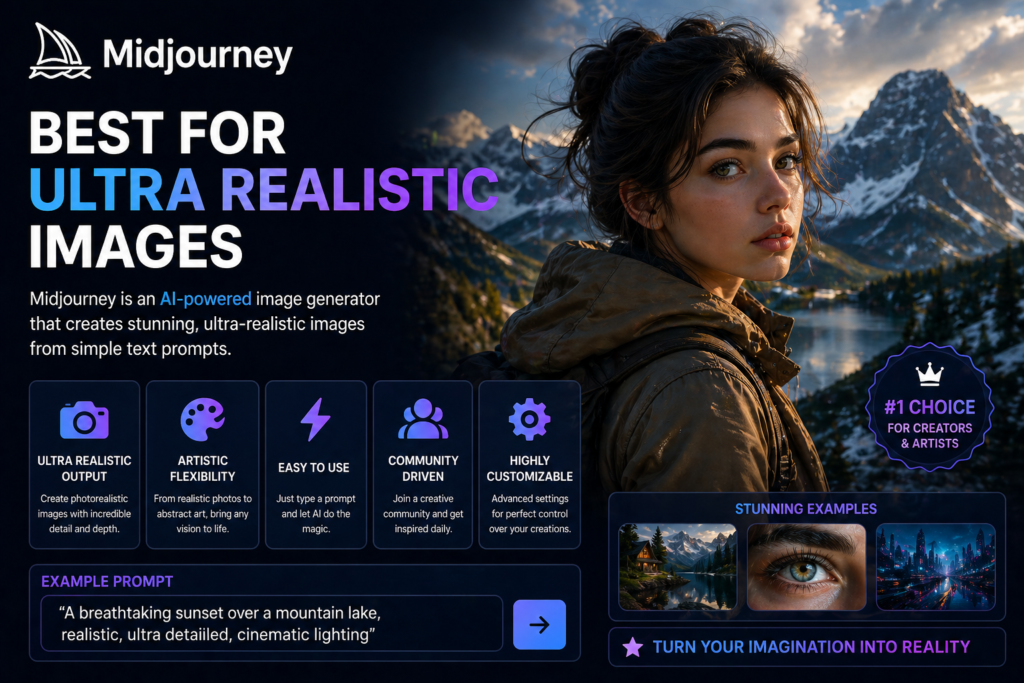
Midjourney remains one of the most powerful AI image generators, even in 2026.
Key Features:
- Detailed AI-generated images
- Cinematic and artistic visual styles
- Style Reference support
- Personalization controls
- Aspect-ratio controls
- Quality and generation settings
- Image and style references
Best For:
- YouTube thumbnails
- Blog visuals
- Cinematic concepts
- Creative artwork
- Concept art
- Social media visuals
Why Consider Midjourney?
Midjourney is particularly useful when visual style and creative control are important. Its Style Reference feature can help maintain a consistent visual direction, while parameters such as Stylize and Quality allow users to adjust how closely the output follows the prompt and how much artistic interpretation is applied.
If your priority is artistic, cinematic, and highly customized visuals, Midjourney is worth considering.
2. ChatGPT Images – Best for Easy Image Creation and Editing
ChatGPT Images is OpenAI’s current image-generation experience, designed to let users create and edit images using natural-language instructions. OpenAI’s current ChatGPT Images experience supports image generation, detailed editing, text rendering, background transparency, and different aspect ratios.
Key Features:
- Text-to-image generation
- Image editing and transformations
- Detailed instruction following
- Text rendering inside images
- Transparent background generation
- Different aspect ratios
- Image-to-image editing
Best For:
- Blog images
- Marketing creatives
- Social media graphics
- Concept development
- Image editing
- Beginner-friendly visual creation
Why Consider ChatGPT Images?
One of its main advantages is its natural-language workflow. Beginners can describe what they want in ordinary language and then refine the result through follow-up instructions instead of learning a complicated image-generation interface. OpenAI also recommends making small, targeted revisions when refining an image.
If you want an AI image tool that combines image generation with conversational editing, ChatGPT Images is a strong option to consider in 2026.
3. Leonardo AI – Best for Content Creators and Creative Workflows
Leonardo AI is an AI creative platform that supports text-to-image generation, image-to-image transformation, editing, image guidance, and other visual creation workflows. It also provides access to multiple AI models, giving creators different options for generating and refining visuals.
Key Features:
- Text-to-image generation
- Image-to-image transformation
- Character and style consistency
- Image guidance and references
- AI image editing
- Background removal
- Upscaling
- Multiple AI models
- Creative presets and workflows
Best For:
- YouTubers
- Bloggers
- Game designers
- Digital artists
- Marketers
- Social media creators
Why Consider Leonardo AI?
One of Leonardo’s strengths is the amount of creative control it provides. Users can start with a text prompt or reference image and then refine the result using editing, image guidance, styles, and other available controls. This makes it useful when you need more than a simple text-to-image workflow.
Leonardo also offers a free plan with a daily token allowance, while paid plans provide higher token limits, faster generation, and additional features.
If you want an AI image generator that combines image generation, editing, references, and creative control, Leonardo AI is worth considering.
4. Adobe Firefly – Best for Professional Creative Workflows
Adobe Firefly is a generative AI platform designed for image creation, editing, and broader creative workflows. It is particularly useful for designers, marketers, businesses, and creators who already work with Adobe’s creative ecosystem. Firefly features are integrated with tools such as Photoshop and Adobe Express.
Key Features:
- Text-to-image generation
- Generative Fill
- Generative Expand
- Generative Remove
- Background removal
- Generative Upscale
- Reference-based creative workflows
- Photoshop integration
- Adobe Creative Cloud integration
Best For:
- Designers
- Marketing teams
- Creative agencies
- Businesses
- Professional content creators
Why Consider Adobe Firefly?
One of Firefly’s major advantages is its integration with existing Adobe workflows. Users can generate images and then continue editing them in tools such as Photoshop and Adobe Express without completely changing their creative workflow.
Adobe states that its Firefly models are trained on licensed content and public-domain content where copyright has expired, and describes these models as commercially safe. However, if you use partner models available through Firefly, you should check the applicable terms and commercial-use conditions for those specific models.
If you already use Adobe’s creative tools or need AI generation combined with professional editing workflows, Adobe Firefly is worth considering.
5. Stable Diffusion – Best for Customization and Advanced Control
Stable Diffusion is a family of AI image-generation models developed by Stability AI. Unlike many hosted image-generation tools, Stable Diffusion models can be used through local or self-hosted workflows, giving advanced users more control over how the models are configured and used. Stable Diffusion 3.5 includes multiple model variants and supports customization and control workflows.
Key Features:
- Text-to-image generation
- Customizable workflows
- Local or self-hosted use
- Multiple model variants
- ControlNet support
- Integration with tools such as ComfyUI and Diffusers
Best For:
- Developers
- Advanced AI users
- Digital artists
- Researchers
- Users who want more control over image-generation workflows
Why Consider Stable Diffusion?
One of Stable Diffusion’s major advantages is flexibility. Advanced users can run models locally, experiment with different workflows, use custom configurations, and integrate image generation into their own applications or pipelines.
Stable Diffusion 3.5 models are available under Stability AI’s Community License. For individuals and organizations generating less than $1 million in annual revenue, Stability AI currently allows qualifying commercial use without a license fee, subject to the license terms. Organizations above that threshold need to review the enterprise licensing requirements.
If you want an AI image-generation ecosystem with strong customization and local-control options, Stable Diffusion is worth considering.t.
Benefits of Best AI Image Generators 2026
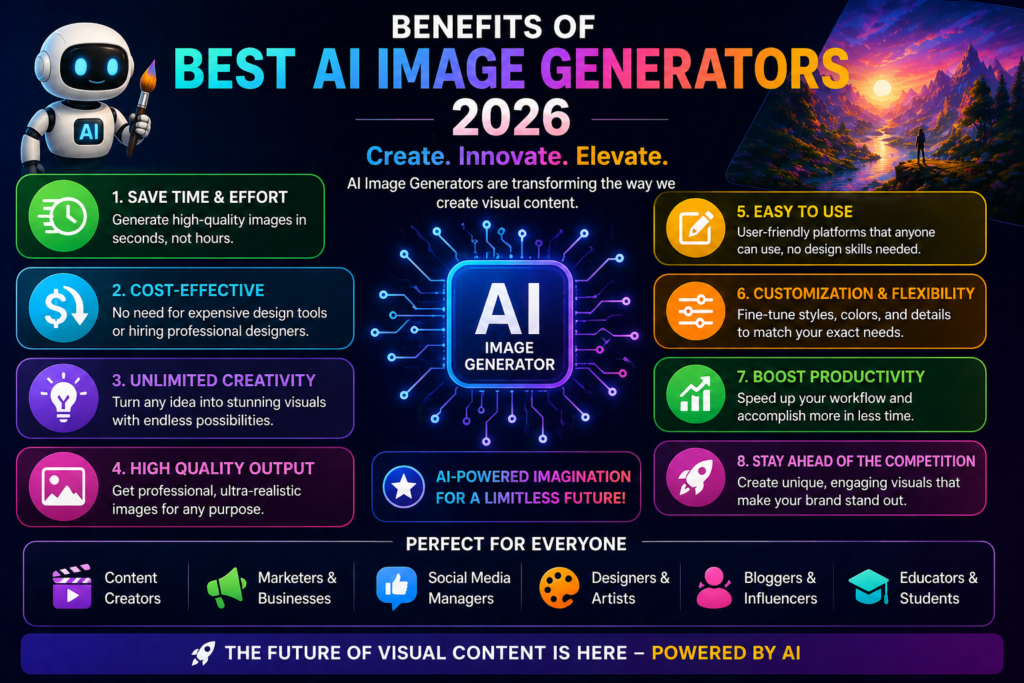
AI image generators can provide several practical benefits for creators, businesses, marketers, and other users who regularly need visual content. The exact benefits depend on the tool, model, and type of project.
1. Faster Visual Creation
AI image generators can reduce the time required to create an initial visual concept. Instead of designing everything manually from the beginning, users can generate an image from a text prompt and then refine it.
Generation time varies depending on the platform, model, prompt, and selected settings.
2. Potential Cost Savings
For some projects, AI image generation can reduce the need for stock images or certain types of basic design work.
However, professional projects may still require designers, editors, or other creative professionals.
3. More Creative Experimentation
AI allows users to quickly experiment with different:
- Styles
- Lighting
- Compositions
- Characters
- Environments
- Visual concepts
This can make it easier to explore ideas before creating the final design.
4. Different Image Styles and Formats
Depending on the platform, users may be able to generate different types of visuals, including realistic scenes, illustrations, 3D artwork, cinematic visuals, anime-style images, and product concepts.
Available resolution and export options vary between tools.
5. Custom Visual Creation
Instead of relying entirely on generic stock images, creators can generate visuals based on the specific subject, style, and composition they need.
This can be particularly useful for:
- Blog articles
- YouTube thumbnails
- Social media posts
- Marketing campaigns
- Presentations
- Educational content
6. More Accessible to Beginners
Many modern AI image generators use natural-language prompts, allowing beginners to experiment with visual creation without mastering complex design software first.
However, getting consistently good results still requires practice, prompt refinement, and human editing.
7. Copyright and Licensing Should Still Be Checked
AI-generated images do not automatically mean there are no copyright or licensing concerns.
Before using an AI-generated image commercially, check:
- The tool’s terms of service
- Commercial usage rights
- Model-specific licensing
- Restrictions on generated content
- Rights related to reference images or uploaded material
The legal treatment of AI-generated content can also vary by country and situation.
How AI Image Generators Work
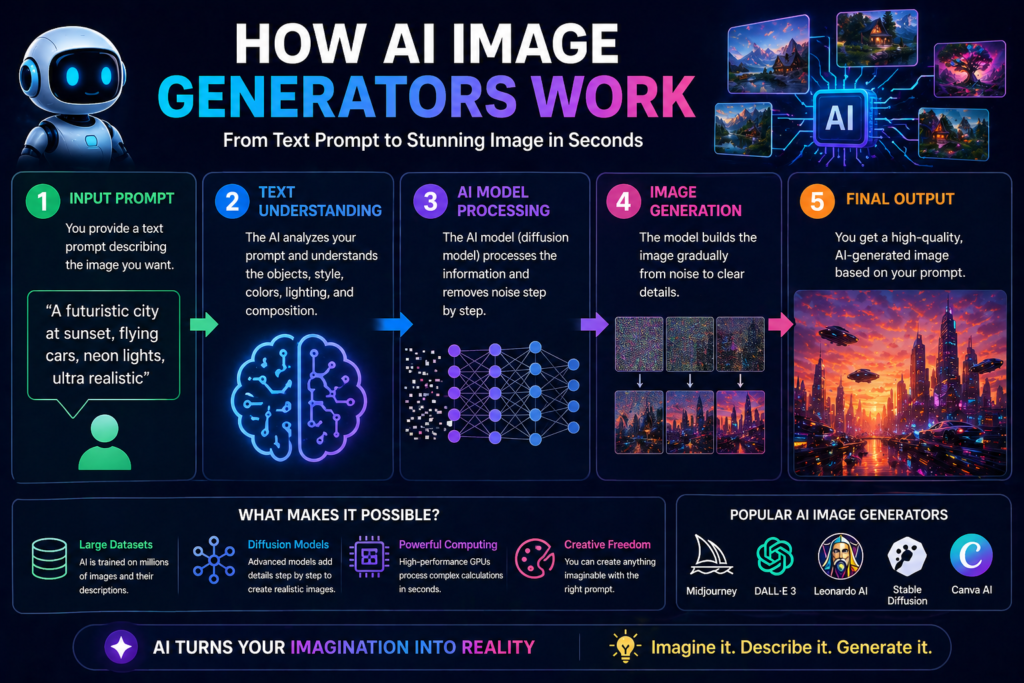
AI image generators use generative AI models to create images based on text prompts, reference images, or other inputs. Many modern image-generation systems use deep-learning techniques to learn visual patterns and relationships between text and images.
The basic process can be explained in four steps:
1. The User Provides a Prompt
You describe the image you want to create.
For example:
“A peaceful Indian village at sunrise with mountains in the background.”
2. The AI Processes the Prompt
The system analyzes the words and instructions in the prompt to identify important elements such as the subject, environment, style, composition, and other details.
3. The Model Generates the Image
The AI model uses the information from the prompt to generate a new visual that matches the requested description as closely as possible.
Depending on the tool, users may also provide reference images or adjust settings such as style, aspect ratio, lighting, and other visual characteristics.
4. The User Reviews and Refines the Result
After the image is generated, users can review it and make changes by modifying the prompt, using editing tools, or generating another variation.
How Does AI Learn to Generate Images?
AI image models are trained using large datasets containing images and other associated information. During training, the models learn patterns related to visual elements, styles, objects, composition, and relationships between text and images.
However, more training data does not automatically guarantee a more accurate image. The final result depends on factors such as the model architecture, training process, prompt quality, image complexity, and the capabilities of the specific AI tool.
This is why different AI image generators can produce noticeably different results from the same prompt.
Best Tips to Get Better AI Images
If you want better results from the Best AI Image Generators 2026, the quality of your prompt and the way you refine it can make a significant difference.
1. Write a Specific Prompt
A vague prompt gives the AI less information about what you want.
Basic Prompt:
“Temple”
More Specific Prompt:
“An ancient Indian temple surrounded by green trees at sunrise, warm golden light, detailed architecture, cinematic composition, realistic photography style.”
Instead of simply making the prompt longer, describe the subject, environment, style, lighting, composition, and important details you want in the image.
2. Mention the Visual Style
If you have a specific visual direction in mind, include it in the prompt.
For example:
- Cinematic
- Photorealistic
- 3D
- Anime
- Digital illustration
- Watercolor
- Minimalist
Different AI models may interpret style terms differently, so experiment with a few variations.
3. Describe the Lighting
Lighting can significantly change the mood and appearance of an image.
Examples:
- Golden-hour lighting
- Soft natural light
- Dramatic lighting
- Studio lighting
- Moody lighting
- Backlighting
Choose lighting that matches the subject and overall mood of the image.
4. Specify Composition and Camera Details
For realistic or photography-style images, you can describe elements such as:
- Close-up portrait
- Wide-angle shot
- Low-angle view
- Centered composition
- Shallow depth of field
- Background blur
These details can help communicate how you want the scene to be framed.
5. Use Quality Descriptions Carefully
Terms such as:
- High detail
- Detailed textures
- Sharp focus
- Photorealistic
- High-resolution
can help communicate the desired visual characteristics, but they do not guarantee a specific resolution or output quality.
Avoid assuming that adding terms such as “8K” will automatically produce an 8K image. Actual resolution and quality depend on the AI model and the tool’s available output settings.
6. Refine the Image Instead of Starting Over
If the first result is close but not perfect, modify the prompt and generate another variation.
For example:
“Keep the same temple architecture, but make the sunrise warmer and add soft mist in the background.”
Iterative prompting often works better than trying to describe every possible detail in one huge prompt.
Common Mistakes to Avoid
When using AI image generators, avoiding a few common mistakes can help you get more consistent results.
1. Using Overly Vague Prompts
A short prompt is not necessarily bad, but a prompt with too little useful information may produce an image that does not match your expectations.
Vague:
“Temple”
Better:
“An ancient Indian temple surrounded by green trees at sunrise, warm golden lighting, detailed architecture, cinematic composition.”
The goal is not to make every prompt extremely long. Instead, provide the details that actually matter to the image.
2. Putting Too Many Unrelated Ideas in One Prompt
A confusing prompt can make it harder for the model to determine which elements are most important.
For example, avoid combining unrelated subjects, styles, environments, and compositions without explaining how they should fit together.
Instead, organize your prompt around:
- Subject
- Environment
- Action
- Style
- Lighting
- Composition
3. Not Mentioning the Desired Style
If the visual style matters, include it in the prompt.
For example:
- Photorealistic
- Cinematic
- Anime
- 3D
- Digital illustration
- Watercolor
However, style terms can be interpreted differently by different AI models, so test a few variations to find the result you prefer.
4. Adding Too Many Unnecessary Quality Keywords
Adding words such as “8K,” “ultra HD,” or “masterpiece” does not guarantee a better image.
Instead, describe the actual visual qualities you want, such as:
- Detailed textures
- Sharp focus
- Natural lighting
- Realistic materials
- Clear composition
5. Not Refining the First Result
Your first generated image does not always need to be the final one.
If something is wrong, modify the prompt or use the tool’s editing features to improve specific elements rather than starting completely from scratch.
ExpExpert Tips for Better AI Image Results
If you want more consistent and controlled results from AI image generators, try combining specific visual details instead of relying on generic quality keywords.
1. Describe the Camera or Viewing Angle
For realistic or cinematic images, you can specify how the subject should be viewed.
Examples:
- Close-up shot
- Wide-angle view
- Low-angle shot
- Overhead view
- Eye-level composition
2. Add Lighting Details
Lighting can strongly influence the mood and appearance of an image.
Examples:
- Dramatic lighting
- Golden-hour light
- Soft natural lighting
- Backlighting
- Moody cinematic lighting
3. Specify the Visual Style
Tell the AI what kind of visual you want.
For example:
- Cinematic
- Photorealistic
- Digital art
- 3D
- Anime
- Documentary photography
4. Experiment With Different Prompt Variations
Don’t expect one prompt to produce the perfect result every time. Try changing the composition, lighting, camera angle, style, or environment and compare the results.
Example Prompt
“An ancient warrior standing on a vast battlefield at sunrise, dramatic cinematic lighting, low-angle composition, detailed traditional armor, atmospheric background, realistic photography style.”
This type of prompt provides the AI with information about the subject, environment, lighting, composition, and visual style, which can make the desired result easier to communicate.
However, prompt quality does not guarantee a professional-level image. The final output depends on the AI model, prompt interpretation, generation settings, and the complexity of the scene.
Future of AI Image Generators 2026
AI image generation is continuing to evolve, and future developments may make visual creation more interactive and capable.
Some areas to watch include:
1. Image-to-Video and Video Generation
AI tools may increasingly connect image generation with video creation, allowing creators to turn static concepts into short animated or video sequences.
2. 3D and Spatial Content
Future AI systems may provide more advanced support for creating 3D assets, objects, environments, and other spatial content.
3. More Interactive Editing
Image editing may become more conversational and responsive, allowing users to make targeted changes through natural-language instructions instead of manually editing every element.
4. Better Consistency
Future models may become better at maintaining the appearance of characters, objects, and visual styles across multiple generated images.
5. More Control Over Generated Images
Creators may get increasingly precise controls over composition, lighting, camera angles, objects, styles, and other visual elements.
What This Means for Creators
For bloggers, YouTubers, designers, marketers, and businesses, these developments could make AI-assisted visual production more flexible and efficient.
However, AI is unlikely to remove the need for human creative judgment. Prompt writing, visual direction, editing, fact-checking, and originality will continue to matter, especially when creating content for professional or commercial use.
Conclusion: Best AI Image Generators 2026
AI image generators have made visual content creation more accessible to creators, bloggers, marketers, designers, and businesses. They can help users generate visual concepts, experiment with different styles, and create custom images without relying entirely on traditional design workflows.
However, there is no single best AI image generator for everyone. The right tool depends on your specific requirements, budget, experience level, desired visual style, editing needs, and commercial-use requirements.
Our Top Picks
- Midjourney — Great for artistic and cinematic visuals
- ChatGPT Images — Great for easy image creation and conversational editing
- Leonardo AI — Great for creators who want more customization and creative controls
- Adobe Firefly — Great for professional Adobe-based creative workflows
- Stable Diffusion — Great for advanced users who want customization and local-control options
Before choosing a tool, compare its image quality, available features, pricing, usage limits, editing capabilities, licensing terms, and ease of use.
If you are new to AI image generation, starting with a free plan or trial can be a practical way to test different tools and understand which workflow suits you best.
AI can make visual creation easier, but the final quality still depends on your prompt, creative direction, editing, and judgment.
Pros and Cons of AI Image Generators
AI image generators offer several advantages, but they also have limitations. Understanding both sides can help you choose the right tool and use it effectively.
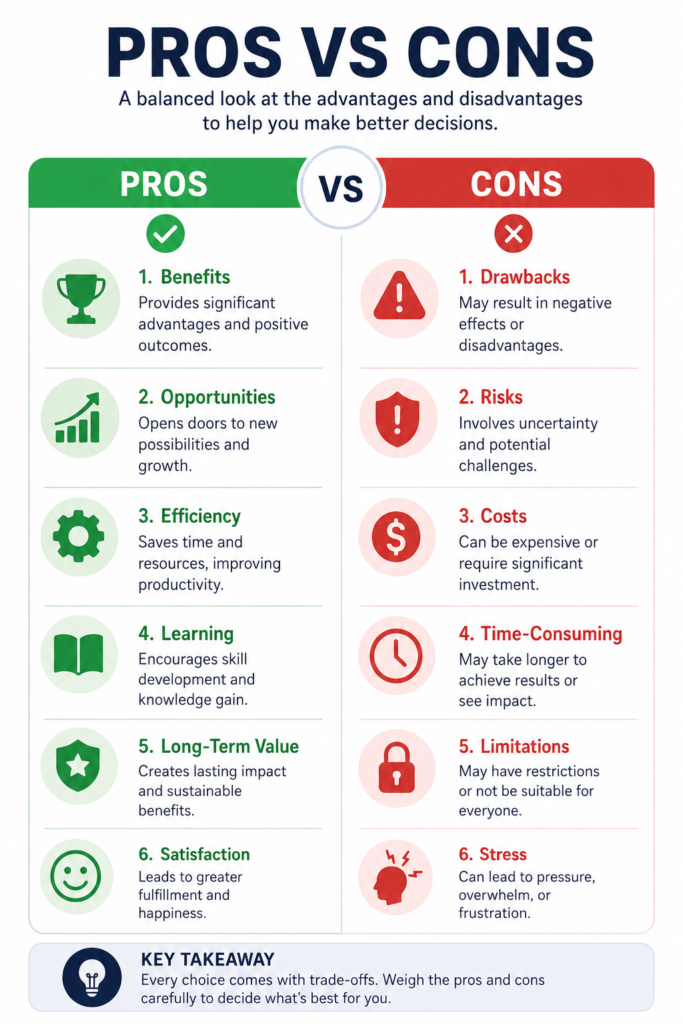
✅ Pros of AI Image Generators
1. Faster Visual Creation
AI can generate an initial visual concept much faster than many traditional design workflows.
2. Beginner Friendly
Many tools allow users to create images using simple text prompts without requiring advanced design skills.
3. Creative Experimentation
You can quickly test different styles, compositions, lighting, characters, and visual concepts.
4. Custom Visuals
AI can create visuals based on specific requirements instead of relying entirely on generic stock images.
5. Useful for Multiple Content Types
AI-generated images can be useful for:
- Blog posts
- YouTube thumbnails
- Social media
- Marketing campaigns
- Presentations
- Educational content
6. Multiple Styles
Depending on the tool, users can generate realistic, cinematic, anime, 3D, illustrated, and other visual styles.
❌ Cons of AI Image Generators
1. Results Are Not Always Consistent
The same prompt can produce different results, and some generations may require multiple attempts.
2. Text and Details Can Still Be Difficult
Some models may struggle with accurate text, hands, faces, complex objects, or highly detailed scenes.
3. Learning Curve for Better Results
Although basic generation is easy, creating consistently good images requires practice with prompting, references, and editing.
4. Free Plans Can Have Limitations
Free versions may include restrictions on credits, resolution, generation speed, features, or commercial usage.
5. Copyright and Licensing Require Attention
AI-generated content does not automatically mean that every image is free from copyright or licensing concerns. Always check the tool’s terms and the rights associated with any reference material you use.
6. Human Editing May Still Be Necessary
For professional or commercial projects, AI-generated images may require additional editing, retouching, design work, or quality checks.
FAQ Section
1. What is the best AI image generator in 2026?
There is no single best AI image generator for everyone. Midjourney, ChatGPT Images, Leonardo AI, Adobe Firefly, and Stable Diffusion each have different strengths. Your choice should depend on the type of images you want to create, your budget, editing requirements, and level of control.
2. What is the best free AI image generator?
Several platforms offer free access or free usage options, but their features and limits vary. Leonardo AI and Stable Diffusion can be useful options for users looking for accessible or customizable image-generation workflows. Always check the current pricing, usage limits, and licensing terms before choosing a tool.
3. Are AI-generated images copyright-free?
Not necessarily. Creating an image with AI does not automatically mean that the image is free from copyright or licensing concerns.
Before using an AI-generated image commercially, check:
- The AI tool’s terms of service
- Commercial-use permissions
- Model-specific licensing
- Rights related to uploaded reference images
- Applicable laws in your country
4. How do I use an AI image generator?
Most text-to-image tools follow a simple workflow:
- Open the AI image-generation tool.
- Enter a clear description of the image you want.
- Choose available settings such as style or aspect ratio.
- Generate the image.
- Review and refine the result if necessary.
The exact process varies between platforms.
5. Can beginners use AI image generators?
Yes. Many modern AI image generators are designed to be accessible to beginners. You can start with simple prompts and gradually learn how to improve results using details such as style, lighting, composition, camera angle, and environment.
You do not need advanced design skills to start experimenting, although creating consistently high-quality results takes practice.