
Artificial Intelligence (AI) is transforming content creation by making it easier to generate images, videos, audio, and other digital content with the help of machine learning. In recent years, AI video generators have become increasingly popular because they can simplify many parts of the video creation process.
What is Pika AI? Pika AI is an AI-powered video generation platform that allows users to create short videos from text prompts, images, and other creative inputs. It is designed to help creators, marketers, educators, and businesses produce visual content with less manual editing. :contentReference[oaicite:0]{index=0}
If you have recently heard about Pika AI and want to understand how it works, this guide will explain:
- What Pika AI is
- Its key features
- How it works
- Pricing and available plans
- Benefits and limitations
- Beginner’s guide to using Pika AI
- Popular alternatives
By the end of this guide, you will have a clear understanding of whether Pika AI is suitable for your content creation needs and how to get started effectively.
What is Pika AI?
Pika AI is an AI-powered video generation platform that enables users to create short videos using text prompts, images, and other creative inputs.
Instead of editing videos manually frame by frame, users can describe the type of video they want, and Pika AI generates one or more video outputs based on that prompt.
Example
Prompt:
“Ancient temple in the mountains with cinematic lighting, morning fog, and slow camera movement.”
Based on the prompt, Pika AI may generate a video that includes visual elements, animation, camera motion, and cinematic effects. The final output depends on the prompt, selected settings, and available AI models.
Pika AI is commonly used by:
- YouTubers
- Content creators
- Bloggers
- Marketers
- Social media creators
- Designers
- AI enthusiasts
The platform is designed to simplify video creation and help users produce creative visual content with less manual editing.
Why is Pika AI Becoming Popular?
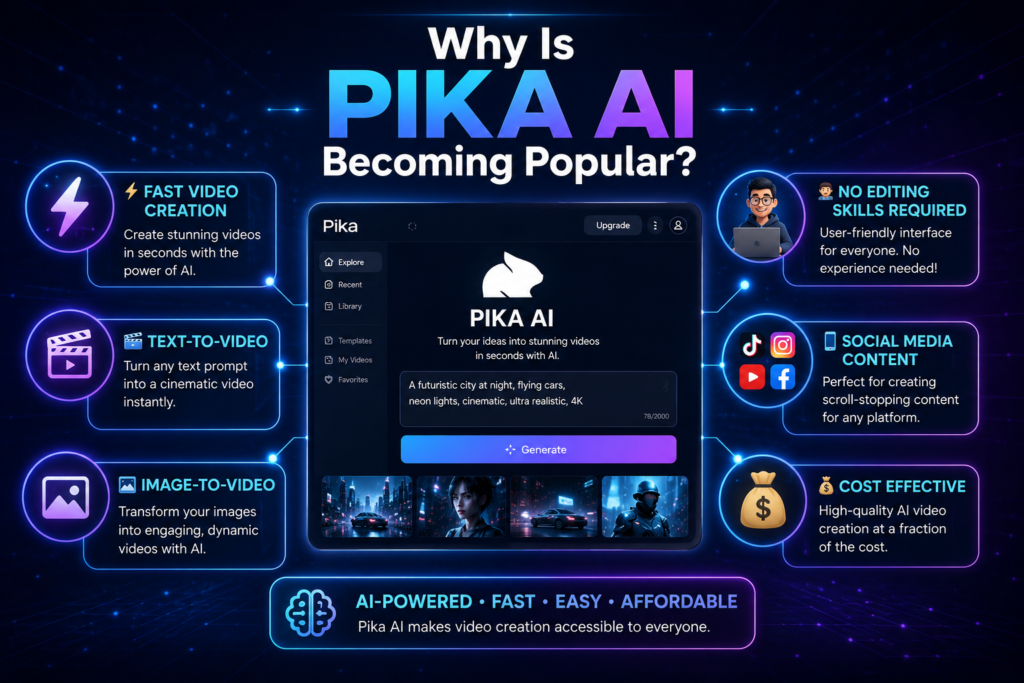
Pika AI has gained attention because it makes AI-assisted video creation more accessible for beginners and experienced creators alike. Instead of creating videos manually from scratch, users can generate short video concepts by providing text prompts or images.
Some common ways people use Pika AI include:
AI-Generated Videos
Create short videos from text descriptions without manually animating every scene.
Animated Scenes
Generate simple animated sequences for storytelling, presentations, and creative projects.
Cinematic Clips
Produce videos with cinematic camera movement, lighting, and visual effects, depending on the selected prompt and available features.
Social Media Content
Generate short videos for platforms such as Instagram, TikTok, YouTube Shorts, and other social media channels.
Product Videos
Create product demonstrations and promotional visuals for marketing and e-commerce projects.
Marketing Visuals
Generate creative video concepts that can be refined for advertising campaigns and promotional content.
Creative Storytelling
Experiment with visual storytelling by turning written ideas into animated video concepts.
Overall, Pika AI helps reduce the amount of manual editing required for many creative projects, although the quality of the final output depends on the prompt, selected settings, and available AI features.
Who Should Use Pika AI?”
Example:
- YouTubers – Short intros and video concepts.
- Marketers – Promotional videos.
- Educators – Simple educational animations.
- Social Media Creators – Short-form content.
- Businesses – Product showcases.
The Problem Traditional Video Creation Faces
Before AI video generators became popular, creating videos often involved:
- Learning complex software
- Purchasing expensive tools
- Spending hours editing
- Hiring professional editors
- Managing multiple assets
These challenges can make video production difficult for beginners, freelancers, and small businesses that may not have the time, budget, or technical experience required for traditional video editing workflows.
For beginners, these challenges can feel overwhelming.
Imagine spending several days learning video editing software just to create a 30-second social media clip.
This is where Pika AI can help.
Instead of spending most of their time on technical editing tasks, users can focus more on planning ideas, writing prompts, and developing creative content. Pika AI assists with parts of the video generation process, helping reduce manual work for many common creative projects.
Why Pika AI Matters
Video content has become an important part of digital communication across social media, education, marketing, and online business. Many creators and organizations now use video to explain ideas, promote products, and engage their audiences.
However, traditional video production can still present several challenges:
- Learning professional editing software.
- Spending significant time editing videos.
- Managing visual assets, effects, and timelines.
- Creating videos with limited budgets or resources.
Pika AI aims to simplify parts of this process by allowing users to generate short videos from text prompts and images.
Some potential benefits include:
- Faster video creation for many projects.
- Reduced manual editing for certain workflows.
- Easier access for beginners learning AI-assisted video creation.
- AI-powered tools that support creative experimentation.
As AI video generation technology continues to evolve, platforms such as Pika AI may play an increasingly important role in helping creators produce visual content more efficiently.
The actual experience and output quality will depend on the prompt, selected settings, available features, and the type of project you are creating.
How Does Pika AI Work?
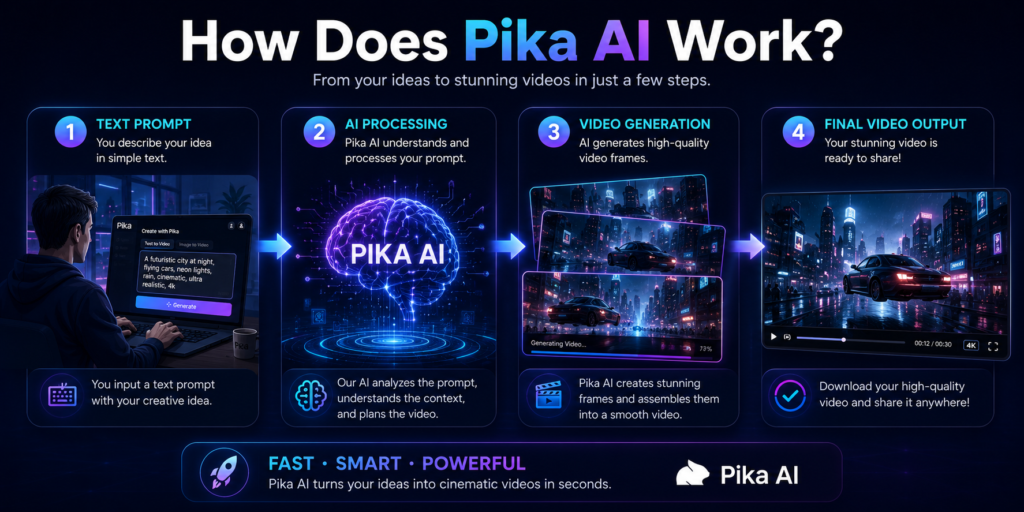
Pika AI uses artificial intelligence models trained on large datasets to generate short videos based on text prompts, images, and other creative inputs.
The system attempts to generate visual elements that align with the prompt provided by the user.
Step 1: Understands Your Prompt
AI analyzes your description.
Example:
“A dragon flying over snow-capped mountains at sunset.”
Step 2: Generates Visual Elements
The system creates visuals that match the prompt.
Step 3: Creates Motion
Unlike image generators, Pika AI adds movement and animation.
Step 4: Produces the Video
The final output becomes a short AI-generated video clip.
If the generated video does not fully match your expectations, you can modify the prompt, adjust the settings, or regenerate the video to create a different result.
The time required to generate a video can vary depending on the prompt, selected settings, available AI models, and current system load.
Pika AI Features
Pika AI offers several AI-powered tools that help users generate, animate, and edit videos for different creative projects. Below are some of its key features.
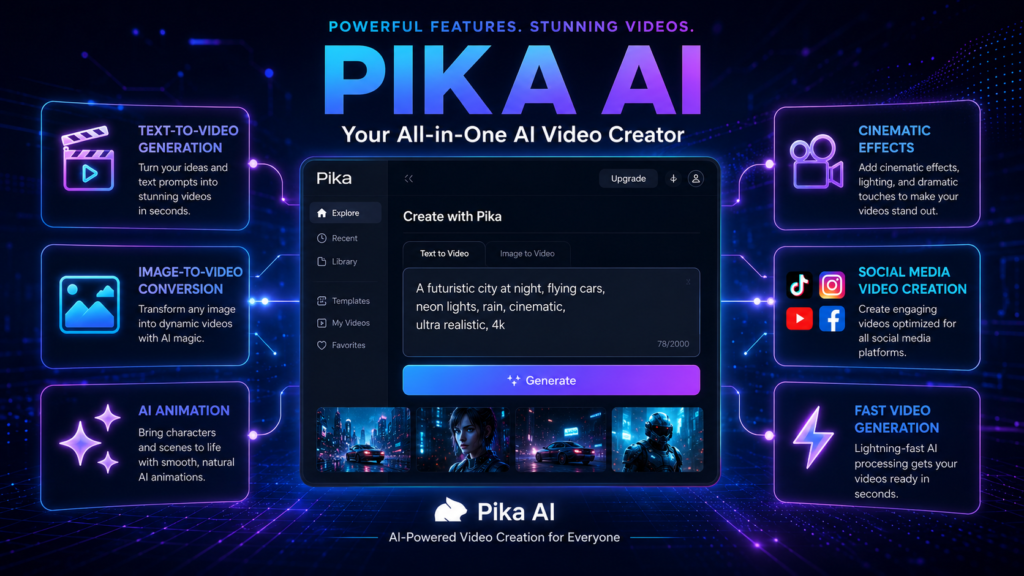
1. Text to Video Generation
Sabse powerful feature hai Text to Video.
Describe the type of video you want using a text prompt, and Pika AI will generate one or more video outputs based on your description.
Example prompts:
- Cinematic sunset in mountains
- Historical war battlefield
- futuristic city animation
The generated video may include animated motion and visual effects depending on the prompt and selected settings.
Best For:
- YouTube Shorts
- Instagram Reels
- Marketing videos
2. AI Animation Creation
Pika AI animated videos bhi create karta hai:
- Cartoon style
- Cinematic animation
- Realistic animation
- Motion graphics
This feature can be useful for YouTubers, educators, marketers, and social media creators who want to create animated content more efficiently.
3. Image to Video Conversion
Aap image upload karo aur Pika AI usko video me convert karega.
Example:
- Static image → Animated video
- Photo → Cinematic motion
- Artwork → Video animation
This feature is useful for creators who want to transform existing images into short animated video concepts.
Best For:
- Product showcases
- Portfolio animations
- Social media posts
4. Cinematic Video Creation
Pika AI cinematic effects add karta hai:
- Camera motion
- Lighting effects
- Depth effects
- Visual animation
The final visual quality depends on the prompt, selected AI model, generation settings, and any additional edits applied after generation.
5. AI Video Editing
Pika AI automatic editing karta hai:
- Scene generation
- Motion creation
- Animation control
- Visual effects
Pika AI can reduce the amount of manual editing required for many projects, although understanding basic video editing concepts can still help improve the final result.
Best For:
- Content creators
- Freelancers
- Small businesses
Note: The availability of specific features may vary depending on your subscription plan, platform updates, and the AI models currently offered by Pika AI.
How to Use Pika AI (Step-by-Step)
Step 1: Enter Your Prompt
Describe the type of video you want to create.
Example:
“Ancient temple surrounded by fog with cinematic lighting and slow camera movement.”
Step 2: Review the Settings
Select the available AI model, aspect ratio, duration, or other generation settings, depending on the options provided by the platform.
Step 3: Generate the Video
Click the Generate button. Pika AI will create one or more video outputs based on your prompt. The generation time may vary depending on the selected settings and current system load.
Step 4: Review and Download
Preview the generated video. If needed, refine your prompt or adjust the settings to generate another version before downloading or sharing the final result.
Note: The available generation options, AI models, and editing features may vary depending on your account type and future platform updates.
Tip: Small improvements to your prompt can often produce better results than repeatedly generating the same prompt without making changes.
Benefits of Pika AI
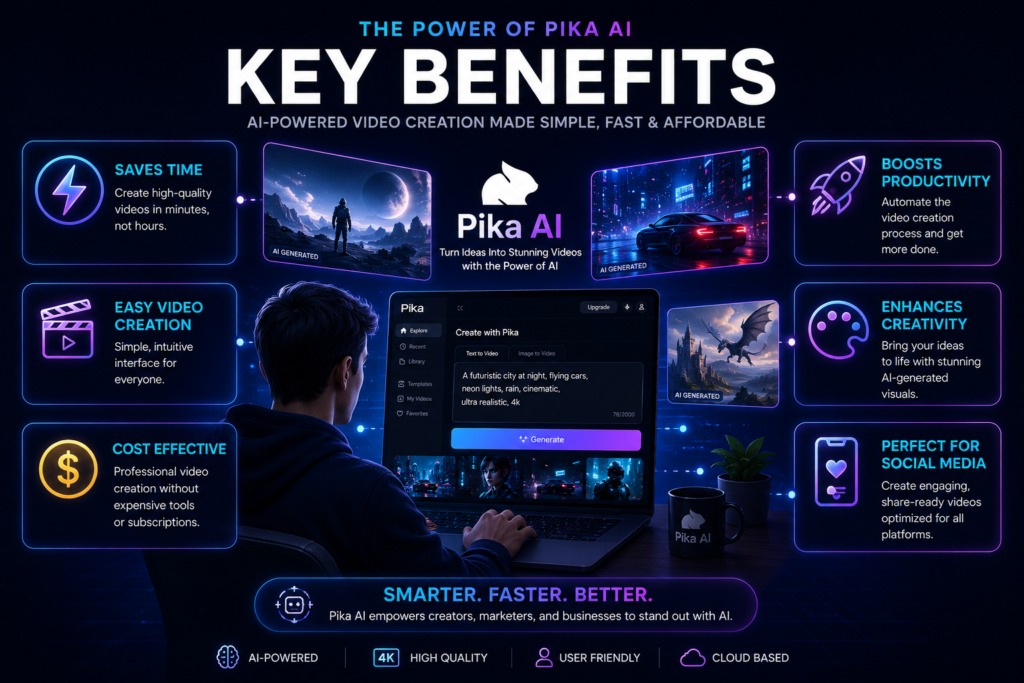
Benefits of Pika AI
Pika AI offers several advantages for creators who want to produce AI-generated videos more efficiently.
1. Faster Video Creation
Instead of creating videos manually from scratch, Pika AI can generate video concepts from text prompts or images, helping reduce the time required for many creative projects.
2. Beginner-Friendly
The platform is designed with an easy-to-use interface, allowing beginners to start creating AI-generated videos without extensive video editing experience. Learning effective prompt writing can further improve the results.
3. Cost-Effective for Many Projects
For certain creative workflows, AI-generated videos can reduce the need for expensive production resources, although some advanced features may require a paid subscription.
4. High-Quality Video Generation
Depending on the prompt, selected AI model, and generation settings, Pika AI can create videos suitable for presentations, social media, educational content, and marketing projects.
5. Multiple Creative Use Cases
Pika AI can be used for a variety of projects, including:
- YouTube videos
- Instagram Reels
- TikTok content
- Marketing videos
- Product demonstrations
- Educational content
- Social media campaigns
Tip: For better results, use clear prompts, experiment with different settings, and review the generated videos before publishing them. Small prompt improvements can significantly influence the final output.
Note: The final video quality depends on the prompt, selected AI model, generation settings, and any edits made after generation.
Who Should Use Pika AI?
Pika AI can be useful for a wide range of users who want to create AI-assisted video content more efficiently.
Content Creators
Generate short videos, visual concepts, and creative content for different online platforms with less manual editing.
YouTubers
Create video concepts, intros, promotional clips, and Shorts using text prompts or images.
Marketers
Produce promotional videos, product showcases, advertising concepts, and social media campaigns.
Bloggers
Create short videos to complement blog posts, tutorials, product reviews, and website content.
Generate videos for Instagram Reels, TikTok, Facebook, LinkedIn, and other short-form content platforms.
Social Media Creators
Educators
Create simple educational animations and visual explanations for learning materials and presentations.
Freelancers and Small Businesses
Use AI-assisted video generation to create marketing content, client projects, and business presentations more efficiently.
Note: The suitability of Pika AI depends on your project requirements, available features, and the type of content you want to create.
Choosing the right AI video tool depends on the type of content you create, your workflow, and the features you need for your projects.
Pika AI Pros and Cons
Like any AI video generation platform, Pika AI has both advantages and limitations. Understanding these can help you decide whether it fits your creative workflow.
Pros
Easy to Use
The platform provides a beginner-friendly interface that makes it easier to start generating AI videos without extensive editing experience.
AI-Assisted Video Generation
Users can create short video concepts from text prompts or images, reducing the amount of manual work required for many projects.
Multiple Creative Features
Pika AI supports features such as text-to-video, image-to-video, animation, and AI-assisted editing, depending on the available platform features.
Suitable for Different Creators
The platform can be useful for content creators, marketers, educators, freelancers, and businesses creating digital content.
Cons
Limited Free Plan
Some features, generation limits, or usage quotas may be restricted on the free plan.
Generation Time May Vary
The time required to generate videos can vary depending on server load, prompt complexity, selected settings, and available AI models.
Advanced Features May Require a Paid Plan
Some premium tools and higher usage limits may only be available with paid subscriptions.
AI Output May Need Refinement
Generated videos may require prompt adjustments or additional editing to better match your creative requirements.
Note: Features, usage limits, pricing, and AI capabilities may change over time as Pika AI continues to update its platform.
Who Should Consider Alternatives?
Example:
- If you need advanced professional video editing, a traditional video editor may still be more suitable.
- If you only create occasional short AI videos, the free plan may be sufficient.
- If you require higher generation limits or premium features, a paid plan may be worth considering.
Pika AI Pricing
Pika AI generally offers both free and paid subscription options. The available plans, features, and pricing may change over time as the platform continues to evolve.
Free Plan
The free plan allows users to explore the platform and generate AI videos with certain usage limits. It can be a practical option for beginners who want to learn the basics before considering a paid subscription.
Paid Plans
Paid plans may include additional benefits such as:
- Higher video generation limits
- Access to premium AI features
- Higher-resolution exports (where available)
- Faster generation or priority processing
- Additional creative tools and customization options
The exact features available depend on the subscription plan you choose.
Important: Pricing, subscription plans, usage limits, and included features may change over time. Always check the official Pika AI website for the latest pricing information before purchasing a subscription.
Add Note : Before choosing a paid plan, compare the latest pricing, included features, usage limits, and licensing terms on the official Pika AI website to ensure the plan matches your requirements.
Pika AI Alternatives
If Pika AI does not fully meet your requirements, there are several other AI video generation platforms you can explore. Each tool offers different features and may be better suited to specific workflows.
Runway AI
Runway AI is widely used for AI-assisted video editing, image generation, and creative visual effects. It is suitable for creators who need more advanced editing capabilities.
Kaiber AI
Kaiber AI focuses on generating artistic and animated videos. It is often used for music videos, creative storytelling, and stylized visual projects.
Pictory AI
Pictory AI is designed to convert text, articles, or scripts into videos, making it useful for bloggers, educators, and businesses creating informational content.
Synthesia AI
Synthesia AI specializes in AI avatar videos and is commonly used for training materials, educational videos, product demonstrations, and business presentations.
Which one should you choose?
- Choose Pika AI if you want to create AI-generated videos from prompts or images with an easy-to-use interface.
- Choose Runway AI if you need more advanced AI editing features.
- Choose Kaiber AI for artistic and animated video styles.
- Choose Pictory AI for converting written content into videos.
- Choose Synthesia AI if you need AI avatar-based presentations and training videos.
| Tool | Best For |
|---|---|
| Pika AI | AI-generated videos from prompts and images |
| Runway AI | Advanced AI video editing |
| Kaiber AI | Artistic animations |
| Pictory AI | Text-to-video content |
| Synthesia AI | AI avatar videos |
The best choice depends on your project requirements, budget, preferred workflow, and the features you need.
Best Tips to Use Pika AI
Using clear prompts and experimenting with different settings can help you generate videos that better match your creative ideas.
1. Write Detailed Prompts
Include important details such as the subject, environment, camera movement, lighting, mood, and visual style. More descriptive prompts generally provide the AI with better context for generating videos.
Basic Prompt
Temple
Improved Prompt
Ancient stone temple surrounded by morning fog, cinematic lighting, dramatic atmosphere, slow camera movement, highly detailed.
2. Use Descriptive Style Keywords
You can include style-related keywords to guide the visual appearance of the generated video.
Examples:
- Cinematic
- Realistic
- Highly Detailed
- Animated
- Fantasy
- Cyberpunk
Keep in mind that the final result also depends on the selected AI model and generation settings.
3. Experiment with Different Styles
Try different visual styles to see which one best matches your project.
Examples:
- Realistic videos
- Animated scenes
- Cinematic storytelling
- Fantasy concepts
- Sci-fi environments
4. Refine Your Prompt
If the first generated video does not match your expectations, adjust the prompt by adding or changing details instead of repeating the same prompt. Small improvements can often produce noticeably different results.
Pro Tip: Review the generated video carefully and make prompt adjustments when necessary. AI-generated content often benefits from experimentation and refinement.
Remember that AI-generated videos often require experimentation. Adjusting the prompt, visual style, or generation settings can significantly influence the final output.
Common Mistakes to Avoid
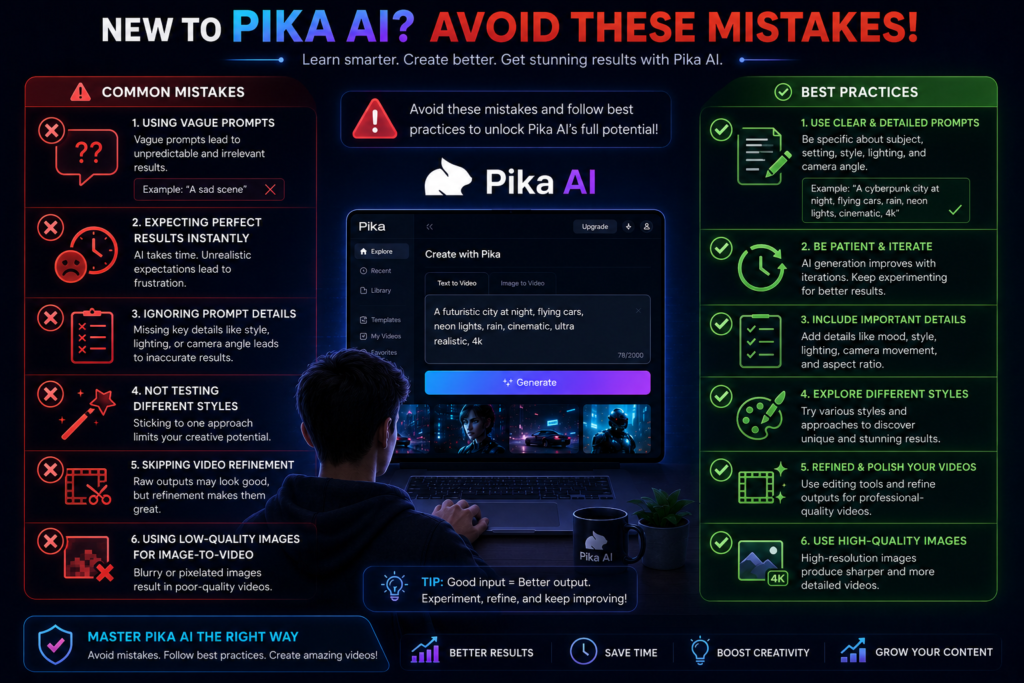
1. Using Very Short Prompts
Short prompts may not provide enough information for the AI to generate the type of video you expect. Include details about the subject, style, lighting, camera movement, and overall mood whenever possible.
2. Not Experimenting with Different Prompts
If the first generated video does not match your expectations, try modifying the prompt or changing the visual style instead of repeatedly using the same prompt.
3. Ignoring Generation Settings
Available settings such as aspect ratio, duration, AI model, and other generation options can influence the final output. Reviewing these settings before generating a video can help produce better results.
Future of Pika AI
AI video generation technology continues to evolve, and platforms such as Pika AI regularly introduce new features and improvements.
Some developments that may become more common in the future include:
- More realistic video generation
- Faster processing and generation times
- Improved animation quality
- More advanced editing and customization tools
- Better AI-assisted creative workflows
As AI technology develops, the features and capabilities of Pika AI may also continue to evolve. Users who regularly explore new updates and improve their prompt-writing skills are likely to make better use of AI video generation tools.
Pika AI vs Traditional Video Editing
| Feature | Pika AI | Traditional Editing |
|---|---|---|
| Learning Curve | Generally Easier for Beginners | Difficult |
| Editing Skills Needed | Lower for Basic AI-Assisted Workflows | High |
| Time Required | Generally Faster for Basic Projects | Can Take More Time Depending on Project Complexity |
| Equipment Needed | Basic | Powerful Hardware |
| Cost | May Reduce Production Costs for Some Projects | Costs Depend on Software, Hardware, and Workflow |
| Creativity | High | High |
| Manual Control | Limited | Extensive |
Note: AI-generated videos and traditional video editing are not direct replacements for each other. Many creators use both approaches together, depending on the type of project and the level of creative control required.
Which Option Should You Choose?
Both Pika AI and traditional video editing have their own advantages, and the right choice depends on your goals and workflow.
- Choose Pika AI if you want to generate short AI-assisted videos quickly, experiment with creative ideas, or create content without spending significant time on manual editing.
- Choose Traditional Video Editing if you need complete creative control, advanced editing tools, precise timeline adjustments, professional color grading, or complex post-production workflows.
For many creators, combining AI-generated content with traditional editing software can provide greater flexibility and help refine the final video.
How to Use Pika AI: Step-by-Step Guide
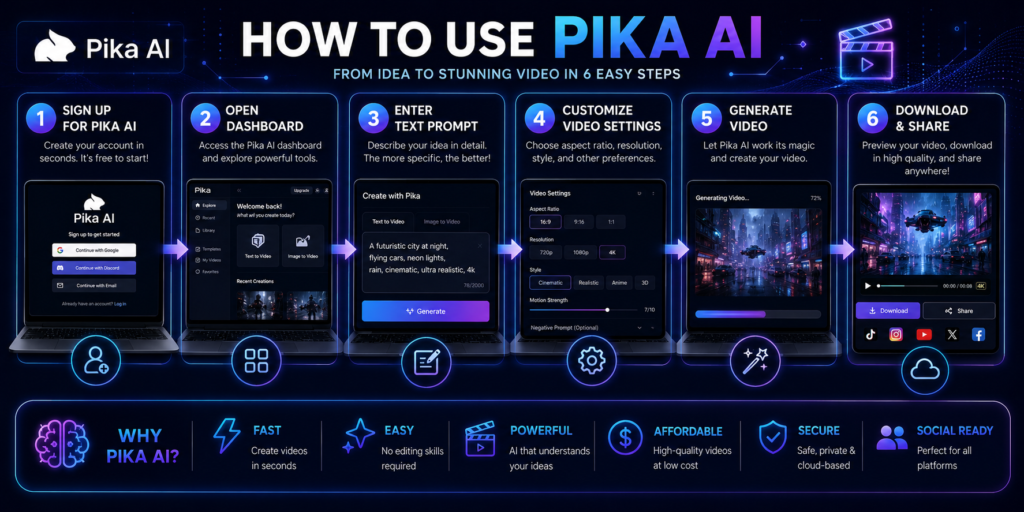
Step 1: Create an Account
Sign up for a Pika AI account using your email address.
After registration, you’ll gain access to the dashboard.
Step 2: Look at the interface.
Most AI video generators offer these features:
- Prompt box
- Upload options
- Video settings
- Generation controls
Take a few minutes to understand the layout.
Step 3: Write a Prompt
Your prompt determines the final result.
Example:
“Modern office workspace with people working on laptops, cinematic lighting.”
More detailed prompts generally provide the AI with more context, which can improve the relevance of the generated output.
Weak prompt
“Office”
Better Prompt
“Modern startup office with creative professionals, realistic style, cinematic camera movement.”
Step 4: Select Settings
Depending on available options, users may choose:
- Video style
- Motion intensity
- Duration
- Aspect ratio
Step 5: Generate Video
Click on ‘Generate’ and wait for the processing to complete.
Step 6: Review and Refine
If needed:
- Modify prompts
- Adjust settings
- Generate again
It is common to refine prompts several times to achieve the desired result.
Conclusion
Pika AI is an AI-powered video generation platform that allows users to create videos from text prompts and images with the help of artificial intelligence.
Throughout this guide, you learned:
- What Pika AI is
- How it works
- Its key features
- Benefits and limitations
- Pricing options
- Popular alternatives
- How to use it effectively
Pika AI can be a useful option for content creators, marketers, educators, businesses, and anyone interested in exploring AI-assisted video generation.
If you are new to AI video creation, the free plan can be a practical way to explore the platform before deciding whether its advanced features meet your requirements.
As with any AI tool, review the generated videos carefully, refine your prompts when needed, and check the latest platform features, pricing, and licensing terms before using AI-generated content in professional or commercial projects.
Keep in mind that AI video generation technology continues to evolve. Features, pricing, and platform capabilities may change over time, so it is always a good idea to review the latest information on the official Pika AI website.
Frequently Asked Questions (FAQ)
Q1. What is Pika AI?
Pika AI is an AI-powered video generation platform that allows users to create short videos from text prompts, images, and other creative inputs. It is designed to simplify parts of the video creation process using artificial intelligence.
Q2. Is Pika AI free?
Yes. Pika AI offers a free plan with certain usage limits. Additional features, higher usage limits, or premium capabilities may require a paid subscription.
Q3. Can beginners use Pika AI?
Yes. Pika AI is designed with a user-friendly interface that makes it suitable for beginners. Learning how to write clear prompts can help improve the generated results.
Q4. What can you create using Pika AI?
Pika AI can be used to create various types of AI-generated videos, including:
- Social media videos
- YouTube content
- Marketing videos
- Product demonstrations
- Educational videos
- Animated visual concepts
The available output depends on the platform’s features and your prompts.
Q5. Is Pika AI better than other AI video generators?
There is no single AI video generator that is best for every user. The right choice depends on your workflow, required features, budget, and the type of content you want to create. Comparing multiple platforms before making a decision is generally recommended.