

Creating high-quality content takes time. Whether you are writing a blog post, social media caption, product description, email, video script, or marketing copy, the process often involves research, planning, writing, editing, and fact-checking.
AI writing tools can help make parts of this workflow faster. They can assist with tasks such as brainstorming ideas, creating outlines, improving drafts, rewriting text, summarizing information, generating marketing copy, and supporting editing workflows.
In 2026, AI writing assistants are available in many different forms. Some are designed for general-purpose writing, while others focus on marketing copy, long-form content, grammar and editing, SEO workflows, or team collaboration.
However, choosing the right AI writing tool can be difficult. Features, free access, pricing, output quality, and available workflows can vary significantly between platforms.
This guide explores the best AI writing tools in 2026 and compares their key features, ideal use cases, free or limited-access options, and potential limitations.
Whether you are a blogger, content creator, student, freelancer, marketer, or business owner, you will learn how to choose an AI writing assistant that fits your workflow and content requirements.
It is also important to remember that AI-generated content should still be reviewed by a human. Important facts, statistics, quotations, and other claims should be verified before publishing.
In This Guide, You Will Learn
- What AI writing tools are
- The best AI writing tools to consider in 2026
- Free and beginner-friendly AI writing options
- AI tools for blogging, marketing, SEO, and editing
- How to choose the right AI writing tool
- How to use AI writing tools effectively
- Common mistakes and limitations to understand
Why Are AI Writing Tools So Popular?
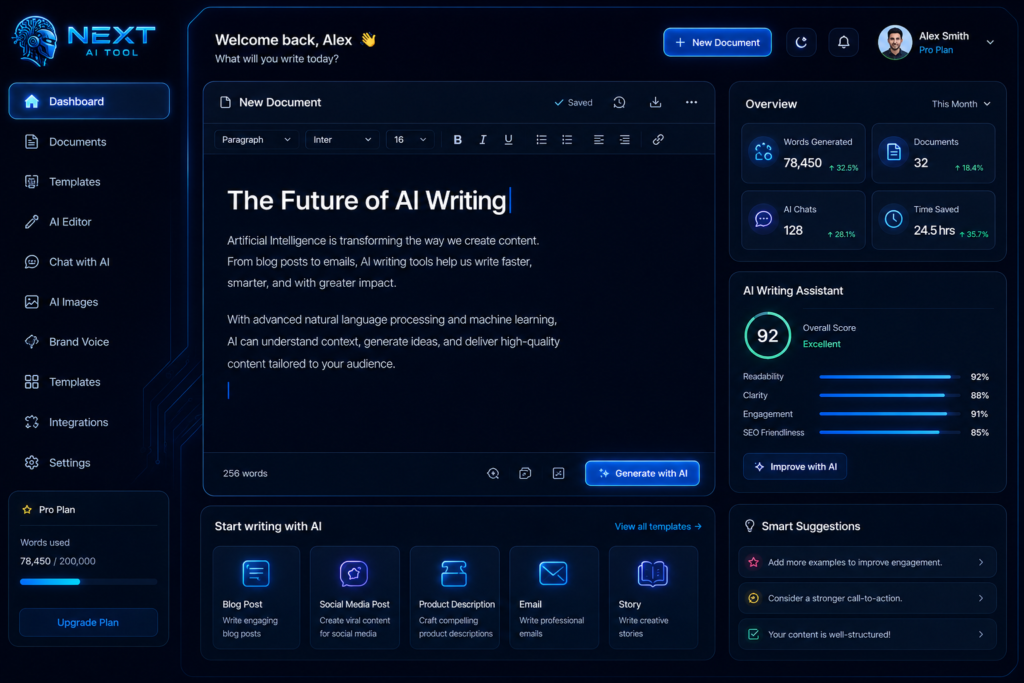
Writing content online has changed significantly over the last few years. Creating a useful article, marketing campaign, video script, or social media post often involves brainstorming, research, planning, drafting, editing, and fact-checking.
AI writing tools can help speed up some parts of this process. Depending on the platform, they can assist users with tasks such as generating ideas, creating outlines, drafting content, rewriting sentences, improving clarity, and supporting editing workflows.
In 2026, AI writing tools are being used by different types of users, including:
- Bloggers creating articles and content ideas
- Students improving writing and understanding topics
- Businesses preparing marketing and product content
- Freelancers managing writing tasks more efficiently
- YouTubers developing scripts and content ideas
- Social media creators drafting captions and post ideas
However, with hundreds of AI-powered writing tools and features available, choosing the right option can be confusing for beginners.
Common questions include:
- Which AI writing tool is suitable for blogging?
- Which tools offer useful free access?
- Can AI tools support an SEO content workflow?
- Which tools are useful for long-form writing?
- Which AI writing tools produce natural and readable drafts?
The answer depends on your specific needs. A tool that works well for marketing copy may not be the best choice for long-form blog writing, academic assistance, or grammar editing.
In this guide, we explore the best AI writing tools to consider in 2026, including their key features, benefits, common use cases, advantages, and potential limitations. You will also learn how beginners can use these tools more effectively while reviewing and improving AI-generated content before publishing.
Whether you are a content creator, student, blogger, business owner, marketer, or freelancer, the right AI writing tool can help reduce time spent on repetitive tasks and support a more efficient writing workflow.
Why Are AI Writing Tools Becoming So Popular?

Creating content consistently can be challenging. A single piece of content may require idea generation, research, planning, drafting, editing, and fact-checking before it is ready to publish.
AI writing tools are becoming popular because they can help users speed up some of these tasks and reduce the time spent on repetitive parts of the writing process.
Depending on the tool, AI writing assistants can help with:
- Generating content ideas
- Creating outlines
- Suggesting headlines
- Drafting or rewriting text
- Improving grammar and clarity
- Optimizing readability
- Summarizing information
- Creating different versions of marketing copy
The main benefit is not that AI can completely replace the writing process. Instead, it can act as an assistant that helps users start faster, explore ideas, improve drafts, and handle repetitive writing tasks more efficiently.
For example, a blogger might use AI to create an initial outline, a marketer may use it to generate multiple ad-copy variations, and a YouTuber might use it to brainstorm video ideas or create a first script draft.
However, AI-generated content should still be reviewed carefully. Important facts, statistics, quotations, and claims should be checked, while human editing can help ensure that the final content is accurate, relevant, and useful for the intended audience.
How AI Writing Tools Can Save Time
AI writing tools can reduce the time spent on certain parts of the content creation process, particularly brainstorming, outlining, drafting, rewriting, and editing.
For example, instead of starting from a blank page, a creator can use AI to generate initial ideas or a structured first draft. However, the total time required to create a high-quality piece of content still depends on factors such as research, topic complexity, editing, fact-checking, and adding original insights.
AI should assist creativity—not completely replace human thinking.
The strongest content often combines:
- Human experience and expertise
- Original ideas and creativity
- Context and judgment
- Careful editing and fact-checking
- AI assistance for repetitive or time-consuming tasks
When used this way, AI can support a more efficient writing workflow while human judgment remains essential for producing content that is accurate, useful, and relevant to readers.
The Limitations of AI Writing Tools
Not every AI writing tool is suitable for every type of content or workflow. The quality of AI-generated output can vary depending on the platform, the task, the instructions provided, and the amount of human review applied afterward.
Some AI-generated drafts may:
- Sound repetitive or generic
- Require improvements in tone and readability
- Include inaccurate or outdated information
- Miss important context
- Produce content that needs significant editing before publication
- Have limited features or usage restrictions in free plans
These limitations are particularly important for bloggers, marketers, and businesses that want to build reader trust and publish useful content for organic search visitors.
An AI tool itself does not automatically create an SEO problem. However, publishing large amounts of unedited, repetitive, inaccurate, or low-value content can result in a poor user experience and may make it harder to build a useful, trustworthy website.
That is why choosing the right tool matters—but the final quality of your content also depends on your prompts, research, editing, fact-checking, and original input.
How We Evaluated These AI Writing Tools
Different AI writing tools are designed for different types of users and workflows. Rather than assuming that one tool is the best choice for everyone, we evaluated the tools in this guide based on several practical factors.
1. Writing Quality
We considered whether the tool can help generate clear, readable drafts, follow instructions, adapt to different writing tasks, and provide output that can be effectively reviewed and improved.
2. Ease of Use
A useful AI writing tool should have a reasonably accessible interface and workflow, particularly for beginners who may not have experience with advanced AI tools.
3. Features and Use Cases
We looked at the types of tasks each tool can support, such as blog writing, marketing copy, brainstorming, rewriting, editing, grammar improvement, long-form drafting, or other content workflows.
4. SEO and Content Workflow Support
For bloggers and website owners, we considered whether a tool can support tasks such as keyword-based content planning, outlining, content optimization, or other parts of an SEO workflow. This does not mean that using an AI tool automatically improves search rankings.
5. Free Access and Pricing Options
Where available, we considered whether users can access a free plan, limited free usage, or a trial. Pricing and available features can change over time, so users should check the official website before making a purchase.
6. Productivity and Workflow Efficiency
We considered whether the tool can help reduce time spent on repetitive tasks such as brainstorming, outlining, drafting, rewriting, and editing. Actual time savings will vary depending on the user’s workflow and the complexity of the task.
7. Limitations and Overall Value
We also considered potential limitations, including usage restrictions, learning curves, feature availability, output consistency, and whether the tool provides value for its intended users.
Important Note
The recommendations in this guide are based on different use cases rather than a single universal ranking. The best AI writing tool for you will depend on the type of content you create, your budget, your preferred workflow, and the features you actually need.
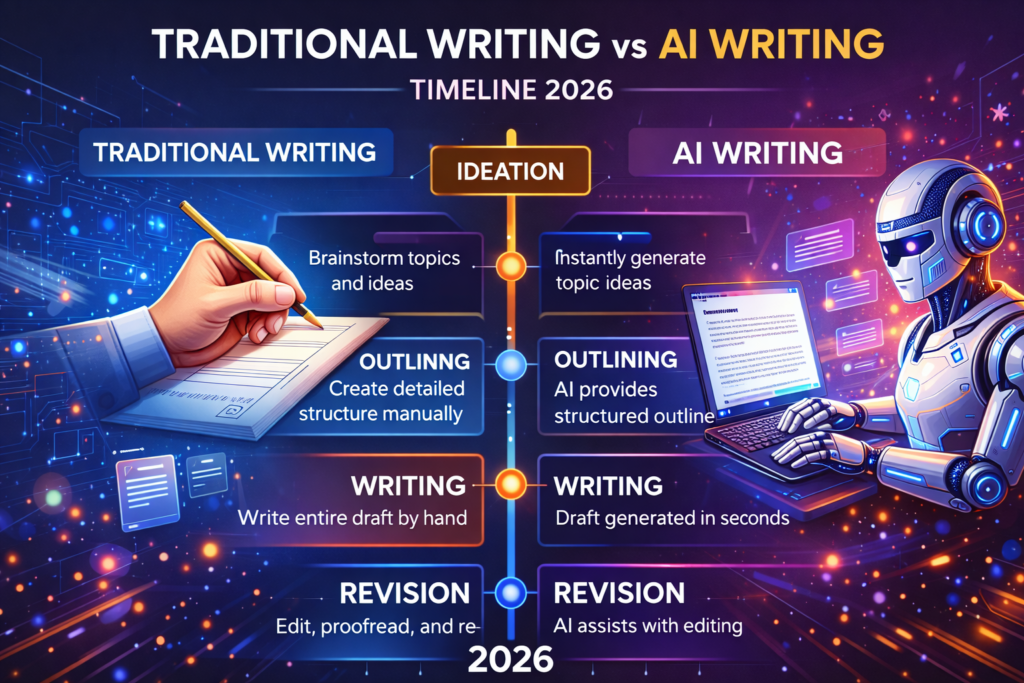
What Are AI Writing Tools and How Can They Help?
AI writing tools are software applications that use artificial intelligence to assist with creating, rewriting, editing, organizing, and improving text. Depending on the platform, they may help users brainstorm ideas, create outlines, draft content, improve grammar and clarity, summarize information, or support specific writing and content workflows.
In 2026, AI writing tools are used for a wide range of tasks, including blog writing, marketing copy, email drafting, social media content, script development, editing, and content planning. However, not every tool offers the same capabilities. Some focus on general-purpose writing, while others specialize in grammar, marketing, SEO workflows, long-form content, or team collaboration.
For bloggers, freelancers, and content creators, AI writing tools can be useful because they may help:
- Speed up brainstorming, outlining, and first-draft creation
- Support Hindi, English, or multilingual writing workflows, depending on the tool
- Improve or rewrite existing content
- Assist with content planning and organization
- Provide different access options, including free plans, limited free usage, or paid subscriptions
Some AI and SEO platforms can also support keyword research or content optimization, but this capability is not available in every AI writing tool. Using AI does not automatically improve search rankings; content still needs to be accurate, useful, original, and relevant to the reader. Google continues to emphasize valuable, unique content and established SEO best practices.
AI can help speed up certain parts of the writing process, but the total time required to create a high-quality article still depends on factors such as research, topic complexity, editing, fact-checking, and the addition of original insights.
Now that you understand what AI writing tools can help with, let’s look at the different tools and the types of users they may be best suited for.
Top AI Writing Tools to Consider in 2026
There is no single AI writing tool that is the best choice for every user. Some platforms are better suited to marketing and brand-focused content, while others are more useful for general writing, editing, SEO workflows, creative writing, or brainstorming.
The tools in this guide are compared based on factors such as:
- Writing and editing capabilities
- Primary use cases
- Ease of use
- Available features
- Free access or trial options, where available
- Pricing structure
- Potential limitations
For each tool, we will look at its main features, ideal users, advantages, limitations, and available pricing information. Pricing and features can change over time, so it is a good idea to check the official website before purchasing a subscription.
The goal is not to declare one universal winner. Instead, this comparison will help you understand which AI writing tool may be the best fit for your specific workflow and content needs.
1. Jasper AI – Best for Brand-Focused Marketing Workflows
Jasper AI – is an AI platform designed primarily for marketing teams and businesses that need to create and manage content while maintaining a consistent brand voice.
One of Jasper’s key features is Brand Voice, which allows users to provide examples of their existing content so the platform can analyze elements such as tone, style, and writing characteristics. This brand context can then be used across different writing workflows.
Key Features
- Brand Voice and brand knowledge features
- AI agents for marketing workflows
- Content creation for blogs, emails, campaigns, and social media
- SEO, GEO, and other marketing-focused workflows
- Writing and visual content capabilities
- Integrations with tools such as Zapier, Make, Google Docs, Google Sheets, and others
- Collaboration and content management features for teams
Best For
Jasper may be a suitable option for:
- Marketing teams
- Businesses managing multiple content campaigns
- Brands that want greater consistency in tone and messaging
- Users who need AI-powered workflows and integrations
- Teams working collaboratively on marketing content
Pricing
According to Jasper’s official pricing page, the Pro plan is listed at $69 per month when billed monthly or $59 per month per seat when billed annually. Jasper also offers a 7-day free trial, while Business pricing is customized based on organizational requirements. Pricing and plan features may change, so check the official website before subscribing.
Pros
- Strong focus on brand consistency
- Marketing-specific AI workflows and agents
- Useful integrations for connected workflows
- Supports collaborative content creation
- Includes both text and visual content capabilities
Potential Limitations
- Pricing may be less suitable for beginners or users with occasional writing needs
- Some advanced features are designed primarily for business or team workflows
- AI-generated content should still be reviewed for factual accuracy and relevance before publication
Who Should Consider Jasper?
Jasper is most suitable for users who need more than a simple AI chatbot and want a platform focused on brand-aware marketing content, workflows, collaboration, and integrations.
Tip for Indian users: Jasper supports multiple languages, but the quality of Hindi or Hinglish output can vary depending on the prompt and task. Test the tool with your own content requirements before choosing a paid plan.
2. Writesonic – Best for SEO and AI Search Content Workflows
Writesonic – is an AI-powered platform that combines content creation with SEO tools, site audits, keyword-related workflows, and AI search visibility features.
Unlike a general-purpose AI chatbot, Writesonic is designed for users who want to manage multiple parts of a content and search workflow from one platform. Depending on the plan, its features can include AI article generation, content strategy tools, site audits, AI search visibility tracking, brand writing styles, and integrations with tools such as Google Search Console and WordPress.
Key Features
- AI Article Writer
- SEO and content strategy workflows
- Keyword research and analysis tools
- SEO site audits
- Brand voice or writing-style options
- AI search visibility tracking
- Generative Engine Optimization (GEO) features
- Google Search Console and WordPress integrations on supported plans
What Is GEO?
GEO, or Generative Engine Optimization, focuses on understanding and improving how a brand or website appears in AI-powered search experiences. Writesonic’s GEO tools are designed to monitor visibility across supported AI platforms, with platform availability depending on the subscription level.
Best For
Writesonic may be useful for:
- Bloggers managing SEO content workflows
- Content marketers
- Website owners who need content and site-audit tools
- Users interested in AI search visibility
- Teams combining content creation with SEO research and planning
Pricing
Writesonic’s pricing and plan structure can change. At the time of checking its official pricing page, the listed plans included Starter at $79/month, Basic at $199/month, Growth at $399/month, and Enterprise with custom pricing, with free trial access available for listed plans. Features and limits vary by subscription. Always check the official pricing page before subscribing.
Pros
- Combines AI content creation with SEO workflows
- Includes site-audit capabilities
- Offers AI search visibility and GEO features
- Supports integrations with external tools
- Suitable for users managing larger content workflows
Potential Limitations
- Pricing may be high for beginners or occasional users
- Advanced SEO and AI search features may not be necessary for every blogger
- Available features vary significantly between plans
- AI-generated content still requires human editing and fact-checking before publication
Who Should Consider Writesonic?
Writesonic may be a good fit if you want a platform that combines AI content creation, SEO workflows, site auditing, and AI search visibility tools. However, if you only need occasional assistance with writing or brainstorming, a simpler and less expensive AI writing tool may be sufficient.
3. Rytr – A Budget-Friendly AI Writing Tool for Beginners
Rytr – is an AI writing assistant designed for users who want help with common writing tasks without the complexity of a large enterprise-focused platform. It offers a range of use cases for content creation, editing, marketing, and other writing workflows.
Rytr may be particularly useful for beginners, freelancers, bloggers, and small content creators who need assistance with shorter content tasks, rewriting, brainstorming, and everyday writing.
Key Features
- 40+ writing use cases and templates
- Content generation and rewriting tools
- Grammar and text improvement features
- AI autocomplete and paragraph generation
- Personalized tone-of-voice features on supported plans
- Chrome extension
- Plagiarism checking on eligible paid plans
- Multilingual writing support, depending on the subscription plan
Best For
Rytr may be suitable for:
- Freelancers
- Beginner content creators
- Bloggers with lighter writing needs
- Social media content creation
- Email and marketing copy
- Rewriting and improving existing drafts
Pricing
Rytr offers a free plan with 10,000 characters per month. According to its official pricing page, the Unlimited plan is listed at $9 per month, while annual billing shows a lower effective monthly price. A Premium plan is also available for users who need additional features, including broader language access and more personalized tone options. Pricing and plan limits can change, so check the official pricing page before subscribing.
Pros
- Free plan available
- Lower-priced paid options compared with many business-focused AI writing platforms
- A broad selection of writing use cases
- Useful for rewriting and short-form content
- Personalized tone features on eligible plans
- Chrome extension for writing assistance across supported websites
Potential Limitations
- Advanced SEO research and optimization features are more limited than dedicated SEO platforms
- Some multilingual and advanced features depend on the selected plan
- It may be less suitable for users who need complex enterprise workflows
- AI-generated content still requires editing and fact-checking before publication
Who Should Consider Rytr?
Rytr may be a good option for beginners, freelancers, and individual creators looking for a relatively affordable AI writing assistant for brainstorming, short-form content, rewriting, and everyday writing tasks. Its free plan can also help users test the platform before deciding whether a paid subscription fits their workflow
4. Copy.ai – Best for Business and GTM Content Workflows
Copy.ai – is an AI platform designed for go-to-market teams, sales, marketing, and business workflows. In addition to generating content, it supports AI-powered workflows that can combine research, content generation, and integrations.
It can be used for tasks such as:
- Marketing content
- Product descriptions
- Sales outreach
- Blog content
- Account research
- Workflow automation
- Business process support
Best For
- Marketing teams
- Sales teams
- Businesses
- GTM workflows
- Users who need customizable AI workflows
Pricing
Copy.ai offers different plans for individual and business users. According to its official pricing information, its Chat plan is listed at $29 per month with monthly billing or $24 per month when billed annually, while larger workflow-focused plans have different pricing structures. A free option may also be available. Pricing and features can change, so check the official website before subscribing.
Pros
- Supports multiple AI models
- Useful for marketing and GTM workflows
- Customizable workflows
- Research and content generation capabilities
- Business-oriented integrations
Potential Limitations
Pricing and credits can depend on the selected workflow
Advanced workflow features may be unnecessary for individual bloggers
Some plans are designed primarily for teams and businesses
5. Surfer – Best for SEO Content Optimization and AI Visibility
Surfer is an SEO-focused platform designed to support content planning, optimization, keyword research, auditing, and AI visibility workflows.
Instead of functioning only as a general AI writing assistant, Surfer focuses on helping users improve and manage search-focused content workflows.
Key Features
- Content optimization
- Keyword research
- Content auditing
- AI writing tools
- SEO content planning
- AI Visibility features
- Content-related automation
Best For
- Bloggers
- SEO professionals
- Content marketers
- Agencies
- Website owners managing multiple articles
Pricing
Surfer’s plans and pricing structure can change over time. Its current plan lineup includes Discovery, Standard, Pro, and higher-level options, depending on the user’s needs. New accounts may receive a 7-day free trial, according to Surfer’s official documentation. Always check the official pricing page before purchasing.
Pros
- SEO-focused workflow
- Content optimization tools
- Keyword and content research support
- AI writing capabilities
- AI visibility features
Potential Limitations
- May have a learning curve for beginners
- Advanced features may be unnecessary for small websites
- SEO recommendations should not replace human judgment or original research
6. Claude – Best for Long-Form Writing and Complex Tasks
Claude is an AI assistant that can help with writing, editing, analysis, brainstorming, document-related tasks, and complex instructions.
It can be particularly useful when you need to work with longer pieces of text or maintain context across a detailed conversation.
Key Features
- Long-form writing assistance
- Text analysis
- Editing and rewriting
- Document analysis
- Research features on supported plans
- Projects and organizational tools on paid plans
- Web search on supported experiences
Best For
- Writers
- Students
- Researchers
- Professionals
- Users working with longer documents
Pricing
Claude offers a free plan with usage limits. Its Pro plan is listed at $20 per month with monthly billing, with discounted annual pricing available. Higher-capacity Max plans are also available.
Pros
- Strong support for long-context tasks
- Useful for writing and analysis
- Handles detailed instructions
- Free plan available
Potential Limitations
AI-generated information should still be verified before publication
No dedicated built-in SEO suite comparable to specialized SEO platforms
Usage limits apply
7. ChatGPT – Best for General-Purpose Writing and Content Workflows
ChatGPT is a general-purpose AI assistant that can support a wide range of writing and productivity tasks.
Users can use it for brainstorming, outlining, drafting, rewriting, research assistance, summarization, coding, and other content-related workflows.
Depending on the available plan and features, users may also be able to create customized assistants or use specialized configurations for specific workflows.
Best For
- Beginners
- Bloggers
- Content creators
- Students
- Freelancers
- General research and writing tasks
Pros
- Supports many different writing tasks
- Useful for brainstorming and outlining
- Can assist with rewriting and editing
- Supports customized workflows and specialized assistants on supported plans
- Additional capabilities may include voice, file analysis, web research, and other tools depending on the plan
Potential Limitations
- AI can generate inaccurate or misleading information
- Important facts should always be verified
- Output quality depends heavily on the instructions and context provided
- Advanced features and model access can vary by subscription
8. Grammarly – Best for Editing and Improving Existing Content
Grammarly is primarily designed to help users improve writing through grammar checking, spelling corrections, clarity suggestions, tone feedback, and AI-assisted writing features.
It can be particularly useful during the editing stage after a first draft has already been created.
Key Features
- Grammar and spelling checks
- Clarity suggestions
- Tone detection
- Writing improvements
- AI-assisted drafting and rewriting
- Plagiarism-related features on eligible plans
Best For
- Bloggers
- Students
- Professionals
- English-language writers
- Editing existing drafts
Pros
- Easy to use
- Useful for proofreading
- Helps improve clarity and tone
- Supports AI-assisted writing tasks
Potential Limitations
- Strongest for English-focused writing workflows
- Some advanced features require a paid plan
- It cannot independently guarantee factual accuracy
9. Frase – Best for SEO Content Research and Briefs
Frase is an AI-powered SEO content platform that can help users research search results, create content briefs, build outlines, and optimize content.
It may be useful for bloggers and marketers who want to organize the research and planning stages of their content workflow.
Key Features
- Content research
- SERP analysis
- Content briefs
- AI-assisted outlines
- Content optimization
- Writing support
Best For
- Bloggers
- SEO content writers
- Content marketers
- Users creating structured content briefs
Potential Limitations
- SEO tools require learning and interpretation
- SERP-based recommendations should not be copied blindly
- Original experience and unique information are still important for creating useful content
10. Sudowrite – Best for Creative Writing and Fiction
Sudowrite is an AI writing tool designed primarily for creative writing. It can assist authors with brainstorming, story development, scene expansion, character ideas, rewriting, and overcoming writer’s block.
Unlike SEO-focused AI writing platforms, Sudowrite is aimed more toward fiction and storytelling workflows.
Best For
- Fiction writers
- Novelists
- Screenwriters
- Story creators
- Writers looking for creative brainstorming assistance
Pros
- Focused on creative writing
- Useful for brainstorming story ideas
- Can help expand or rewrite scenes
- Designed around storytelling workflows
Potential Limitations
- Not primarily designed for SEO content
- May be unnecessary for bloggers focused only on informational articles
- AI-generated creative content should still be reviewed and shaped by the author
Quick Comparison: Which AI Writing Tool Is Best for You?
- Budget-Friendly: Rytr
- SEO Content Workflows: Surfer and Frase
- Long-Form Writing and Complex Instructions: Claude
- Marketing Workflows and Integrations: Jasper
- General-Purpose AI Writing: ChatGPT
- Editing and Proofreading: Grammarly
- Business and GTM Workflows: Copy.ai
- Creative Writing and Fiction: Sudowrite
Important Note
Most AI writing tools offer different plans, features, and usage limits. The best option depends on your budget, content requirements, and workflow. Free plans can be useful for testing a platform, while paid plans may provide higher usage limits or additional features.
Comparison Table: Best AI Writing Tools 2026
| AI Tool | Best For | Free Access | Beginner Friendly |
|---|---|---|---|
| ChatGPT | General-purpose writing and brainstorming | Yes | Yes |
| Grammarly | Grammar, editing, and writing improvement | Yes | Yes |
| Claude | Long-form writing and complex tasks | Yes | Yes |
| Jasper | Brand-focused marketing workflows | Trial / Limited | Moderate |
| Copy.ai | Business and GTM content workflows | Yes | Yes |
| Writesonic | SEO and AI search content workflows | Trial / Limited | Moderate |
| Notion AI | Productivity and workspace assistance | Limited | Moderate |
| QuillBot | Paraphrasing and rewriting | Yes | Yes |
| Rytr | Budget-friendly everyday writing | Yes | Yes |
| Sudowrite | Creative writing and fiction | Trial / Limited | Moderate |
Important Note
Free access, trial availability, pricing, usage limits, and features can change over time. Before choosing a paid AI writing tool, check the official website and test the available free or trial option to determine whether it fits your workflow.
How to Create Content and Automate Tasks Using AI Writing Tools: A Step-by-Step Guide
Best AI Writing Tools 2026
Now for the practical part. This section is like a tutorial:
AI writing tools can help speed up different parts of the content creation process. However, the best results usually come from combining AI assistance with keyword research, human editing, fact-checking, and original insights.
Here is a practical workflow you can follow.
Step 1: Research Your Topic and Keywords
Start by identifying a topic that is relevant to your audience.
You can use keyword research tools such as Ahrefs, Semrush, Google Keyword Planner, or other SEO tools to explore:
- Search intent
- Estimated search demand
- Keyword difficulty
- Related questions
- Long-tail keywords
- Competing pages
For example, instead of targeting only:
AI Writing Tools
You could explore more specific topics such as:
- Best AI writing tools for bloggers
- Free AI writing tools for students
- AI writing tools for content creators
- AI content writing tools for beginners
Do not choose a keyword based only on search volume or keyword difficulty. Also consider whether your website can provide useful and original information that genuinely answers the user’s search intent.
Step 2: Create a Helpful Content Outline
Once you have selected a topic, you can use an AI tool such as Claude, ChatGPT, or an SEO-focused platform to help create an initial outline.
For example, you could use a prompt like:
Create a detailed outline for an article about “Best AI Writing Tools 2026.” Include sections that help beginners understand how the tools work, who each tool is suitable for, important limitations, pricing considerations, and practical use cases.
Review the generated outline before writing.
Remove unnecessary sections and add questions or insights that are specifically useful for your audience.
Step 3: Create a First Draft With AI Assistance
You can use AI writing tools to help create an initial draft.
For example:
- ChatGPT or Claude for brainstorming and drafting
- Writesonic for SEO-focused content workflows
- Jasper for brand-focused marketing workflows
- Rytr for shorter and simpler writing tasks
Do not publish the first AI-generated draft without reviewing it.
AI can misunderstand your instructions, repeat information, or generate inaccurate details.
Step 4: Add Human Experience and Original Value
This is one of the most important steps.
Instead of trying to make AI content “bypass AI detectors,” focus on making the article genuinely more useful.
You can add:
- Your own experience using the tool
- Screenshots or original examples
- Practical tips
- Personal observations
- Comparisons based on your research
- Clear explanations for beginners
- Limitations that other articles may not mention
For example, instead of simply writing:
This AI writing tool is easy to use.
You could explain:
Beginners may find the interface easier to understand because the workflow starts with a simple prompt. However, users who need advanced SEO analysis may need additional tools.
This provides more context and helps readers make an informed decision.
Step 5: Edit and Fact-Check the Content
Before publishing, review the article carefully.
Check:
- Grammar and spelling
- Repetitive sentences
- Incorrect facts
- Outdated pricing
- Unsupported claims
- Broken links
- Tool features
- Readability
You can use tools such as Grammarly or other editing software for assistance, but important facts should be verified using reliable and official sources
Step 6: Add Internal Links and Helpful Resources
Where relevant, link to other useful articles on your website.
For example, an article about AI writing tools could internally link to related topics such as:
- Best AI SEO Tools
- Best AI Image Generators
- Best AI Voice Generators
- How to Use AI for Blogging
- AI Tools for Students
Internal links should be added when they genuinely help readers discover relevant information. Avoid adding links only for the purpose of SEO.
Step 7: Automate Repetitive Tasks Carefully
AI and automation tools can help reduce repetitive work.
For example, you might create workflows that:
- Collect approved content ideas in a spreadsheet or database.
- Send the topic to an AI tool for an initial outline.
- Create a draft for human review.
- Notify you when the draft is ready.
- Move approved content to the next stage of your workflow.
Tools such as Zapier, Make, Notion, and AI platforms with supported integrations can help automate parts of this process.
However, it is better to keep human review before publication, especially when content contains factual claims, pricing information, product recommendations, or advice.
Example AI Content Workflow
A simple workflow could look like this:
Keyword Research → Topic Selection → Content Outline → AI-Assisted Draft → Human Research → Editing → Fact-Checking → Internal Linking → Final Review → Publish
This approach allows AI to handle repetitive tasks while you remain responsible for the quality, accuracy, and usefulness of the final article.
Pro Tip for Indian Content Creators
If your audience uses Hindi or Hinglish, write prompts in the language your audience understands best.
For example:
Write a beginner-friendly explanation in simple Hinglish for Indian bloggers. Avoid overly technical language, explain difficult terms clearly, and use practical examples.
After generating the content, review Hindi spellings, English terminology, and the natural flow of the sentences before publishing.
Key Takeaway
AI writing tools can make research, planning, drafting, and editing faster. However, automation should support your workflow—not replace human judgment.
The strongest content is usually created by combining:
- AI efficiency
- Original research
- Human experience
- Accurate information
- Clear structure
- Careful editing
Best Guides and Tutorials for Learning AI Writing Tools
If you are new to AI writing tools, the best place to start is usually the official documentation and learning resources provided by each platform.
1. Official Learning Resources
Most AI writing platforms provide guides, documentation, tutorials, or educational resources to help users understand their features.
You can start with:
- Jasper’s official learning resources
- Writesonic’s official documentation and tutorials
- Surfer’s knowledge base and blog
- ChatGPT’s official help resources
- Claude’s official documentation
- Grammarly’s writing guides
Official resources are particularly useful because product features, pricing, and workflows can change over time.
2. YouTube Tutorials
YouTube can also be useful for practical demonstrations.
Search for terms such as:
- AI writing tools tutorial 2026
- How to use AI for blogging
- AI content writing tutorial for beginners
- AI writing tools Hindi tutorial
When watching tutorials, check the publication date because AI tools can change significantly over time.
3. Free Guides and Blog Resources
Many AI and SEO platforms publish free educational content on topics such as:
- AI-assisted content creation
- SEO writing
- Content optimization
- Keyword research
- AI workflows
- Content automation
Before following a guide, check whether it is recent and whether the information still matches the current version of the tool.
4. Test Tools Before Paying
If a platform offers a free plan or trial, use it to test whether it fits your workflow.
Try completing a small project, such as:
- Creating a blog outline
- Generating a first draft
- Rewriting an existing paragraph
- Checking grammar and readability
- Comparing the output with another AI tool
This can help you understand the strengths and limitations of each platform before purchasing a subscription.
Add Note
Do not subscribe to every AI tool immediately.
Start with one or two tools that solve your most important problem. For example:
- Writing and brainstorming: ChatGPT or Claude
- Editing: Grammarly
- SEO workflows: Surfer or Frase
- Marketing workflows: Jasper
- Creative writing: Sudowrite
As your workflow grows, you can explore integrations and automation tools where they genuinely save time.
Potential Benefits of Using AI Writing Tools
When used carefully, AI writing tools may help you:
- Reduce repetitive writing tasks
- Generate ideas faster
- Create initial outlines and drafts
- Improve editing workflows
- Organize content production
- Save time on repetitive processes
However, better search rankings, higher traffic, or income are not guaranteed. These results depend on factors such as content quality, originality, search intent, competition, website authority, user experience, and your overall publishing strategy.
Final Tip
The best approach is to use AI as an assistant rather than an automatic publishing system.
A practical workflow is:
Research → Plan → AI-Assisted Draft → Add Original Insights → Fact-Check → Edit → Publish
Common Mistakes Avoid Karo
- Pure AI copy mat publish karo – Google penalize kar sakta hai.
- Plagiarism check hamesha.
- Mobile + voice features use karo for on-the-go.
Best AI Writing Tools for Different Users
Different AI writing tools are designed for different workflows. The best choice depends on what type of content or work you need help with.
| User Type | Recommended Tools | Why It May Be Useful |
|---|---|---|
| Bloggers | ChatGPT, Writesonic, Surfer | Writing, content planning, and SEO workflows |
| Students | Grammarly, QuillBot, ChatGPT | Editing, rewriting, and learning assistance |
| Businesses | Jasper, Copy.ai | Brand-focused content and business workflows |
| Researchers | Claude, ChatGPT | Long documents, analysis, and research assistance |
| Creative Writers | Sudowrite, Claude | Storytelling, brainstorming, and creative writing |
| Productivity Users | Notion AI, ChatGPT | Notes, organization, and everyday productivity tasks |
| Freelancers | Rytr, ChatGPT | Budget-friendly writing and multiple content tasks |
| Content Marketers | Jasper, Copy.ai, Writesonic | Marketing content and structured workflows |
Important Note
These recommendations are based on the general strengths and intended use cases of each tool. The best option for you may vary depending on your budget, workflow, language requirements, and the specific features you need.
For research, academic work, or factual content, AI-generated information should always be reviewed and verified using reliable sources before it is published or submitted.
Conclusion: Best AI Writing Tools in 2026
AI writing tools have become useful assistants for bloggers, students, content creators, marketers, freelancers, and businesses. They can help with tasks such as brainstorming, creating outlines, drafting content, rewriting text, improving grammar, and organizing parts of a content workflow.
However, there is no single AI writing tool that is best for everyone.
The right choice depends on your specific needs:
- ChatGPT – for general-purpose writing and brainstorming
- Claude – for long-form writing and complex tasks
- Rytr – for budget-friendly everyday writing
- Jasper – for brand-focused marketing workflows
- Writesonic – for SEO and AI search content workflows
- Surfer and Frase – for SEO-focused content research and optimization
- Grammarly – for editing and improving written content
- Sudowrite – for creative writing and storytelling
If you are a beginner, start by testing a tool with a free plan or available trial. Use it for a real project and compare the results with your existing workflow before paying for a subscription.
The most effective approach is to use AI as an assistant rather than a replacement for human judgment. AI can help speed up repetitive tasks, but you should still review important information, fact-check claims, add original insights, and make sure the final content genuinely helps your audience.
Ultimately, the best AI writing tool is the one that fits your budget, workflow, content requirements, and level of experience.
Use AI to work more efficiently—but let human research, experience, creativity, and judgment shape the final result.