
Introduction
Best AI Plugins for WordPress
Artificial Intelligence (AI) has become an essential part of modern WordPress websites, helping website owners automate repetitive tasks, improve content quality, optimize SEO, and enhance user experience. Today, it has become an essential component of modern websites, particularly those built on WordPress. Whether you run a personal blog, an affiliate website, an online store, a business website, or manage multiple client projects, AI-powered WordPress plugins can automate repetitive work and improve overall efficiency, business owner, affiliate marketer, freelancer, or agency owner, AI can help you save time, boost productivity, and accelerate your website’s growth.
AI plugins can help with content creation, SEO optimization, image generation, customer support, workflow automation, internal linking, translations, and website management—allowing WordPress users to automate repetitive tasks while improving productivity and efficiency.
However, with hundreds of AI plugins available for WordPress, choosing the right one can be challenging.
In this guide, you will learn about the best AI plugins for WordPress in 2026, covering their features, pricing, pros, cons, and real-world applications. By the end of this article, you will know exactly which AI plugin is the best fit for your website.
What is an AI Plugin for WordPress?
An AI plugin is a WordPress extension that uses artificial intelligence to automate or enhance tasks such as writing content, improving SEO, generating images, assisting visitors through chatbots, and streamlining website management.
In this guide, we compare AI plugins based on ease of use, features, pricing, compatibility, performance, and practical use cases so you can choose the right solution for your specific needs.
Quick Summary
If you want to automate content creation, improve SEO, generate images, or increase productivity inside WordPress, AI plugins can save hours of manual work. This guide compares the best AI plugins available in 2026 to help you choose the right option.
Example: A blogger can use an AI plugin to generate article outlines, optimize SEO, create featured images, and improve readability directly inside the WordPress editor, reducing the time required to publish high-quality content.
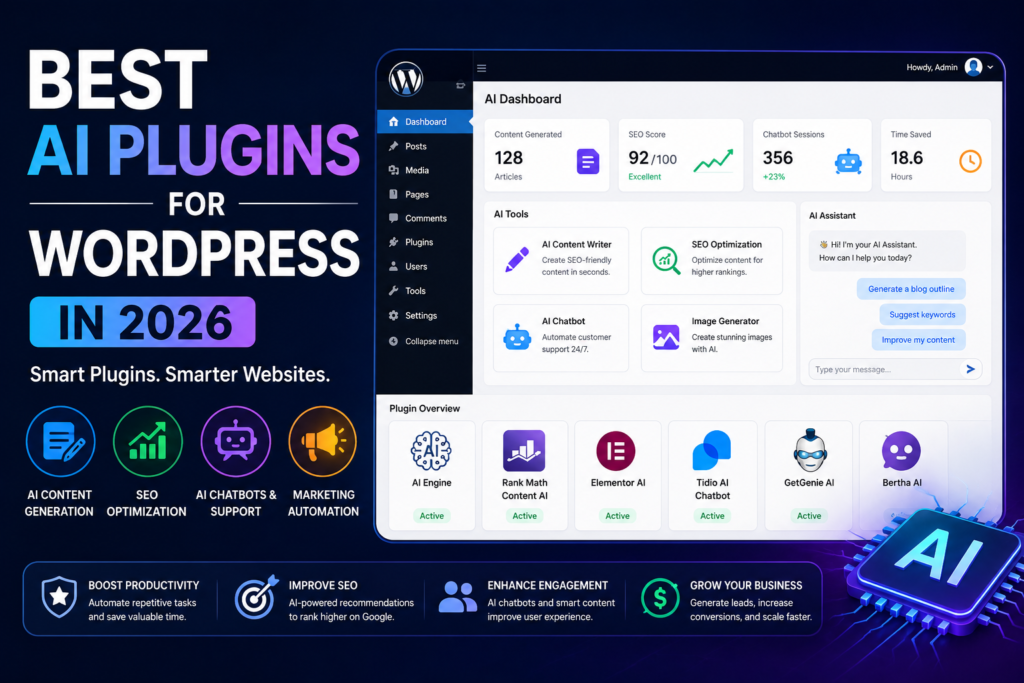
What Are AI Plugins for WordPress?
AI plugins for WordPress are software extensions that use artificial intelligence (AI) to automate, simplify, and improve various tasks on a WordPress website. Depending on the plugin, they can help create content, optimize SEO, generate images, answer customer queries, improve website performance, and automate repetitive workflows—saving time while increasing productivity.
Unlike traditional WordPress plugins that perform fixed functions, AI-powered plugins can analyze information, generate content, make intelligent suggestions, and adapt to different tasks based on user input. This makes them valuable tools for bloggers, businesses, online stores, and agencies looking to work more efficiently.
Example: An AI SEO plugin can suggest keyword improvements for a blog post, while an AI writing plugin can generate article drafts directly inside the WordPress editor.
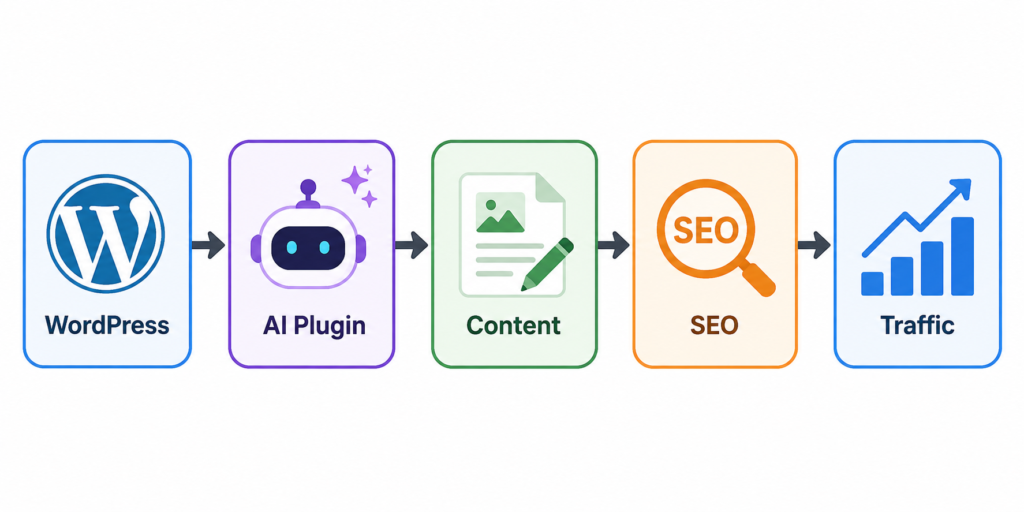
These plugins can help with:
- Content writing
- SEO optimization
- Image generation
- Chatbots and customer support
- Email marketing
- Lead generation
- Website personalization
- Analytics and automation
By automating repetitive tasks, AI plugins can significantly reduce manual effort, improve workflow efficiency, and help website owners focus on creating better content, growing their business, and enhancing the overall user experience.
Example: A blogger can use an AI writing plugin to generate a blog outline, an AI SEO plugin to optimize keywords, and an AI image plugin to create featured images—all without leaving the WordPress dashboard.
| Traditional Workflow | AI-Powered Workflow |
|---|---|
| Write content manually | AI generates a first draft |
| Optimize SEO manually | AI suggests improvements |
| Design images separately | AI creates images |
| Reply to visitors manually | AI chatbot provides instant responses |
Why are AI plugins becoming essential for WordPress websites?
The online competition is growing every year.
Website owners need to:
- Publish content faster
- Improve SEO rankings
- Increase conversions
- Reduce operational costs
- Deliver better user experiences
AI helps website owners automate repetitive tasks, improve efficiency, and accomplish more with their existing resources. While it doesn’t replace human expertise, it can significantly reduce the time spent on routine work.
Whether you run a personal blog, an online store, a business website, or a digital agency, AI plugins can streamline everyday tasks and allow you to focus on strategy, content quality, and business growth rather than repetitive manual work.
| Without AI Plugins | With AI Plugins |
|---|---|
| Manual content creation | AI-assisted content drafting |
| Manual SEO optimization | AI SEO suggestions |
| Manual customer replies | AI chatbot support |
| Time-consuming workflows | Automated repetitive tasks |
Important: AI plugins work best when combined with human review and expertise. They can improve efficiency, but content quality, accuracy, and final decisions should always be reviewed by the website owner.
For example:
- Bloggers: Generate article outlines, improve readability, and optimize content for SEO. eCommerce
- Stores: Provide instant customer support, write product descriptions, and personalize Recommendations.
- Business Websites: Optimize landing pages, automate repetitive tasks, and improve visitor engagement.
Quick Answer: AI plugins have become essential for WordPress websites because they automate repetitive tasks, improve productivity, support SEO, and enhance the user experience—allowing website owners to manage and grow their sites more efficiently.
Key Takeaway: AI plugins are not designed to replace website owners or developers. Instead, they automate repetitive tasks such as content creation, SEO optimization, and customer support, allowing you to spend more time on strategy, creativity, and business growth.
Key Features to Look for in AI WordPress plugins
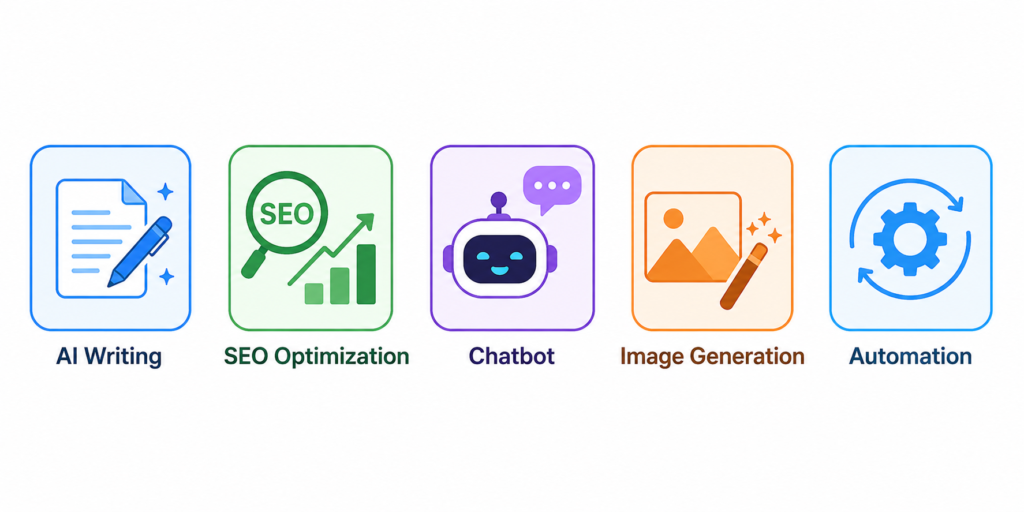
Not every AI WordPress plugin offers the same capabilities. Before installing one, evaluate its features carefully to ensure it matches your website’s goals, workflow, and long-term requirements.
1. Content Generation
A good AI plugin should help create high-quality blog posts, product descriptions, landing pages, email campaigns, and other content while allowing you to edit and customize the output before publishing.
2. SEO Optimization
Look for plugins that provide keyword suggestions, readability improvements, internal linking recommendations, meta tag assistance, and on-page SEO guidance to help optimize your content.
3. Automation
The plugin should automate repetitive tasks such as content generation, publishing workflows, image creation, or routine website management, helping you save time and improve efficiency.
4. Ease of Use
Choose a plugin with a simple interface, clear documentation, and an easy setup process so that even beginners can start using it without technical expertise.
5. Integration
Compatibility with popular tools, such as:
- Elementor
- WooCommerce
- Rank Math
- Yoast SEO
- Mailchimp
Strong integration with popular WordPress plugins and page builders helps ensure a smoother workflow and reduces compatibility issues.
6. Impact on Performance
Choose an AI plugin that is optimized for performance and does not noticeably slow down your website. Always test new plugins on a staging site or monitor website speed after installation.
| Feature | Why It Matters |
|---|---|
| Content Generation | Speeds up content creation |
| SEO Optimization | Improves search visibility |
| Automation | Reduces repetitive work |
| Ease of Use | Saves learning time |
| Integrations | Works with existing tools |
| Performance | Keeps your website fast |
Tip: Avoid installing multiple AI plugins with overlapping features, as they may increase complexity or affect your website’s performance. Choose only the plugins that genuinely fit your workflow.
Quick Summary: The best AI WordPress plugins should offer useful features such as content generation, SEO optimization, automation, easy integration, and strong performance without negatively affecting your website’s speed or user experience.
Best AI Plugins for WordPress in 2026
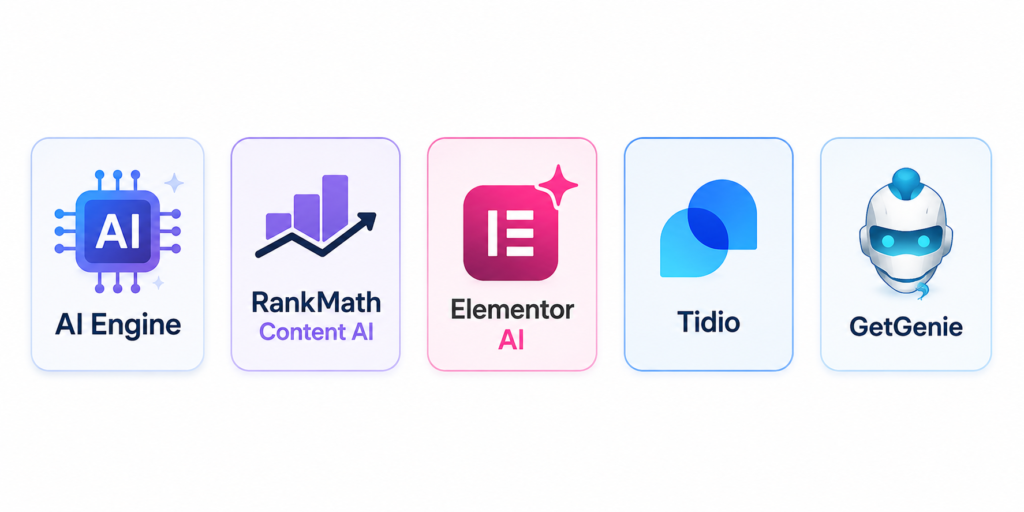
1. AI Engine
Free Version
✅ Yes (with optional premium upgrades)
AI Engine is one of the most popular WordPress AI plugins that integrates advanced AI capabilities directly into your website.
Features
- AI chatbot creation
- Content generation
- Image generation
- Custom AI assistants
- OpenAI integration
Best For
Bloggers, agencies, and business websites.
Pros
- Highly customizable
- Multiple AI features
- Regular updates
Cons
- Advanced features require setup
- Premium version can become expensive
Example: A blogger can use AI Engine to generate article drafts, create an AI chatbot for visitors, and produce AI-generated images directly from the WordPress dashboard.
- Performance: The plugin’s impact on website performance depends on its
- configuration, the hosting environment, and the AI features being used.
2. Rank Math Content AI
Rank Math has become one of the most widely used SEO plugins, and its Content AI feature helps users optimize content for search engines.
Features
- Keyword suggestions
- SEO recommendations
- Content optimization
- Competitor insights
Best For
SEO-focused websites and bloggers.
Pros
- Works directly inside WordPress
- Excellent SEO guidance
- Beginner-friendly
Cons
- Focused primarily on SEO
Example: While writing a blog post, Rank Math Content AI can suggest relevant keywords, improve content optimization, and help refine headings before publishing.
3. Elementor AI
Elementor AI combines website building with artificial intelligence.
Features
- AI text generation
- Code generation
- Image creation
- Design assistance
Best For
Website designers and freelancers.
Pros
- Integrated inside Elementor
- Fast content creation
- Improves workflow
Cons
- Requires Elementor ecosystem
Performance Tip: Keep only the features you actively use enabled, and regularly test your website speed after adding new plugins.
4. Tidio AI Chatbot
Tidio provides AI-powered customer support and live chat functionality.
Features
- AI chatbot
- Live chat
- Lead generation
- Customer support automation
Best For
Online stores and service businesses.
Pros
- Improves customer engagement
- Easy setup
- Saves support costs
Cons
- Advanced automation requires paid plans
Example
An online store can answer common customer questions instantly using an AI chatbot, even outside business hours.
5. Bertha AI
Bertha AI focuses on content generation within WordPress.
Features
- Blog writing
- Product descriptions
- Headlines
- Marketing copy
Best For
Content creators and marketers.
Pros
- Easy to use
- Fast content creation
Cons
- Limited compared to all-in-one AI platforms
6. GetGenie AI
GetGenie combines AI writing with SEO optimization.
Features
- AI article generation
- Keyword analysis
- Competitor research
- SEO scoring
Best For
Bloggers and affiliate marketers.
Pros
- Content and SEO in one platform
- Good workflow automation
Cons
- Learning curve for beginners
Which Plugin Should You Choose?
| If You Need… | Best Plugin |
|---|---|
| SEO | Rank Math Content AI |
| AI Writing | GetGenie AI |
| AI Chatbot | Tidio |
| Website Builder | Elementor AI |
| All-in-One AI | AI Engine |
Comparison Table
| Plugin | Main Purpose | Free Plan | AI Writing | SEO Features | Chatbot |
|---|
| AI Engine | All-in-One AI | Yes | Yes | Limited | Yes |
| Rank Math Content AI | SEO | Limited | Yes | Excellent | No |
| Elementor AI | Website Building | No | Yes | Limited | No |
| Tidio | Customer Support | Yes | Limited | No | Yes |
| Bertha AI | Content Creation | Trial | Yes | Limited | No |
| GetGenie AI | Content + SEO | Yes | Yes | Strong | No |
Benefits of Using AI Plugins for WordPress
Save Time
AI plugins can automate repetitive tasks such as drafting content, optimizing SEO, generating images, and responding to common customer queries, allowing website owners to save time and focus on higher-value work.
Improve SEO
Many AI plugins provide keyword suggestions, readability improvements, internal linking recommendations, and on-page SEO guidance, helping website owners create more search-friendly content.
Increase Productivity
By reducing manual work, AI plugins allow individuals and teams to spend more time on content strategy, website growth, customer engagement, and business development.
Better User Experience
AI-powered chatbots, personalized recommendations, and faster customer support can improve the overall visitor experience, increase engagement, and help users find information more quickly.
Lower Costs
AI plugins can reduce the time spent on routine tasks, allowing businesses to handle more work efficiently. However, they complement human expertise rather than replace it.
Example: A small business owner can use an AI writing plugin to draft blog posts, an AI SEO plugin to optimize content, and an AI chatbot to answer common customer questions—all from within the WordPress dashboard.
| Without AI Plugins | With AI Plugins |
|---|---|
| Manual content writing | AI-assisted content drafting |
| Manual SEO checks | AI SEO suggestions |
| Delayed customer replies | AI chatbot support |
| Repetitive workflows | Automated tasks |
Important: AI plugins can improve efficiency, but the final review of content, SEO decisions, and customer communication should always be handled by a human to ensure accuracy and quality.
Quick Summary: AI plugins help WordPress users save time, improve SEO, automate repetitive tasks, enhance the user experience, and increase productivity. When combined with human oversight, they can make website management more efficient and scalable.
Who Benefits Most?
| Website Type | Main Benefit |
|---|---|
| Bloggers | Faster content creation |
| Affiliate Websites | Better SEO optimization |
| WooCommerce Stores | AI-powered customer support |
| Business Websites | Workflow automation |
| Agencies | Time savings across multiple client sites |
Step-by-step guide to installing the AI plugin
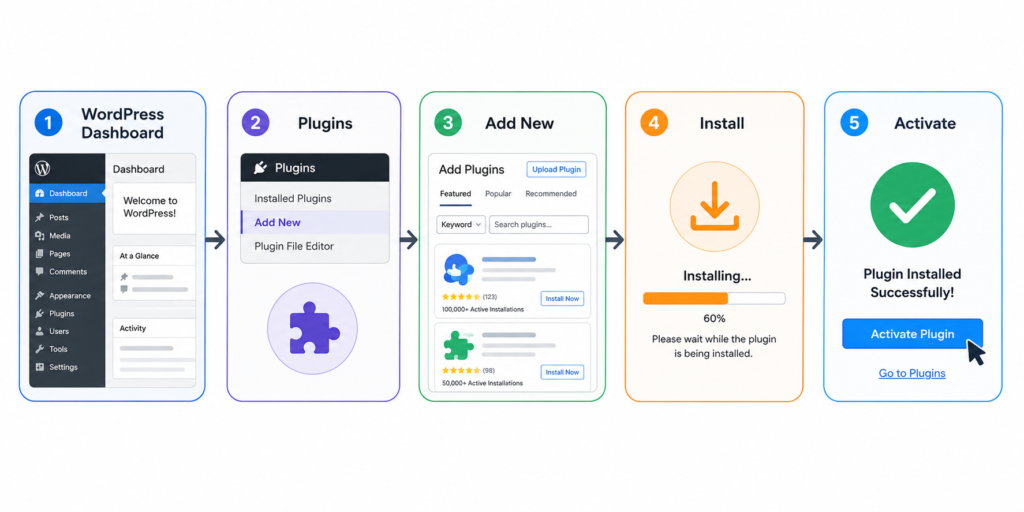
Installing an AI plugin in WordPress is straightforward and usually takes only a few minutes. Follow these steps to install, activate, and configure your chosen plugin correctly.
Step 1
Log in to your WordPress admin dashboard using an account with administrator privileges.
Step 2
From the left-hand menu, go to Plugins → Add New Plugin and open the WordPress plugin directory.
Step 3
Search for the name of the AI plugin you want to install, then verify that it is published by the correct developer before proceeding.
Step 4
Click Install Now and wait for WordPress to complete the installation.
Step 5
Once the installation is complete, click Activate to enable the plugin on your website.
Step 6
If the plugin requires an API key or account connection, follow the setup instructions provided by the plugin developer to complete the integration.
Step 7
Review the plugin settings and customize features such as AI models, content preferences, automation options, or integrations based on your website’s requirements.
Step 8
Test the plugin with a small task—such as generating a blog outline or optimizing an existing page—to ensure it is configured correctly before using it across your website.
Before You Install
- Update WordPress to the latest stable version.
- Create a full website backup.
- Check plugin compatibility with your theme and other plugins.
- Read recent user reviews and update history.
After Installation Checklist
✔ Test the plugin.
✔ Monitor website speed.
✔ Review AI-generated content before publishing.
✔ Keep the plugin updated.
✔ Remove unused plugins.
Important: Avoid installing multiple AI plugins that perform the same function, as this may create conflicts, duplicate features, or unnecessary resource usage.
Quick Summary: Most AI WordPress plugins can be installed directly from the WordPress Plugin Directory. After installation, configure the settings, connect any required accounts or API keys, and test the plugin before using it on a live website.
✅ Best Practices
- Install plugins only from trusted developers.
- Test new plugins on a staging site whenever possible.
- Keep plugins, themes, and WordPress updated.
- Review AI-generated content before publishing.
- Monitor website performance after enabling AI features.
Real-world use cases
Blogging
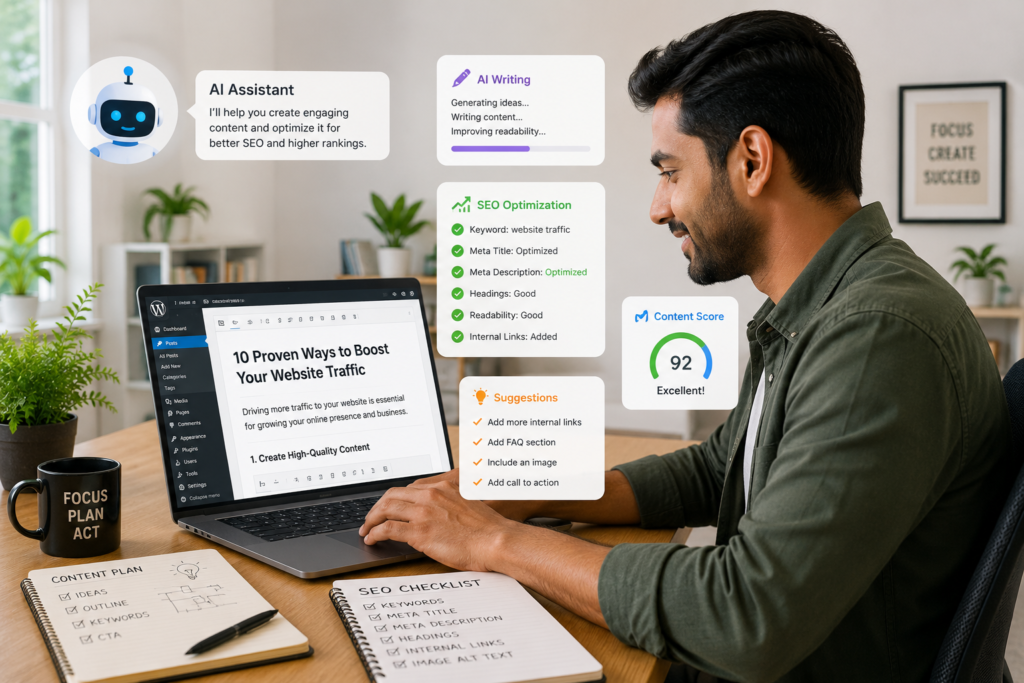
Blogging: AI plugins can help bloggers generate article outlines, create SEO-friendly titles, improve readability, suggest keywords, and optimize content before publishing, making the writing process faster and more efficient.
Affiliate Marketing
Affiliate Marketing: AI plugins can assist with drafting product reviews, comparison articles, buying guides, and SEO-optimized content, helping affiliate marketers publish high-quality content more consistently.
eCommerce
eCommerce: Online stores can use AI plugins to generate product descriptions, answer frequently asked customer questions, create marketing copy, and improve customer support through AI-powered chatbots.
Agencies
Agencies: Digital agencies can use AI plugins to speed up content creation, manage multiple client websites, streamline repetitive workflows, and improve overall team productivity.
Local Businesses
Local Businesses: Restaurants, clinics, service providers, and other local businesses can use AI chatbots to answer common customer questions, collect leads, and provide support outside business hours.
Educational Websites
AI plugins can help educational websites generate learning materials, optimize course pages, answer student queries, and improve content organization.
| Website Type | How AI Plugins Help |
|---|---|
| Blog | Content creation & SEO |
| Affiliate Site | Reviews & comparison articles |
| eCommerce Store | Product descriptions & chatbots |
| Agency | Workflow automation |
| Local Business | Customer support & lead generation |
Important: AI-generated content should always be reviewed and edited before publishing to ensure accuracy, originality, and alignment with your brand voice.
Quick Summary: AI WordPress plugins can benefit bloggers, affiliate marketers, eCommerce stores, agencies, and local businesses by automating content creation, improving SEO, enhancing customer support, and streamlining everyday workflows.
Who should use which plugin?
| Website Goal | Recommended Plugin Type |
|---|---|
| Write Blog Posts | AI Writing Plugin |
| Improve SEO | AI SEO Plugin |
| Sell Products | AI eCommerce Plugin |
| Answer Customer Queries | AI Chatbot Plugin |
| Automate Tasks | AI Workflow Plugin |
Pricing Information
| Plugin | Starting Price |
| AI Engine | Free + Premium Plans |
| Rank Math Content AI | Subscription Based |
| Elementor AI | Subscription Based |
| Tidio | Free + Paid Plans |
| Bertha AI | Monthly Plans |
| GetGenie AI | Free + Premium Plans |
Best AI Tools That Work Well with WordPress
If a dedicated WordPress AI plugin doesn’t meet your requirements, you can use standalone AI platforms alongside WordPress. These tools help with content creation, SEO optimization, marketing, and research before publishing content to your website.
| Tool | Best For | Works with WordPress? |
|---|---|---|
| ChatGPT | Content writing, brainstorming, coding | ✅ Yes (copy content into WordPress or use integrations) |
| Jasper AI | Marketing copy and long-form content | ✅ Yes |
| Copy.ai | Marketing and social media content | ✅ Yes |
| Writesonic | Blog writing and landing pages | ✅ Yes |
| Surfer SEO | Content optimization and SEO | ✅ Yes |
| Frase | Content briefs and SEO research | ✅ Yes |
| Scalenut | AI writing with SEO workflows | ✅ Yes |
Which Alternative Should You Choose?
| If You Need… | Recommended Tool |
|---|---|
| Blog Writing | ChatGPT or Writesonic |
| SEO Optimization | Surfer SEO or Frase |
| Marketing Copy | Jasper AI or Copy.ai |
| All-in-One AI Assistant | ChatGPT |
| SEO + AI Writing | Scalenut |
Important: These tools are primarily standalone AI platforms rather than native WordPress plugins. They can complement your WordPress workflow, but you should choose the one that best matches your content, SEO, or marketing needs.
Frequently Asked Questions (FAQ)
Which is the best AI plugin for WordPress?
AI Engine is one of the best all-around AI plugins because it combines content generation, chatbots, and AI automation in one solution.
Are AI plugins safe for WordPress?
Yes, reputable AI plugins are generally safe when downloaded from trusted sources and updated regularly.
Can AI plugins improve SEO?
Yes. Tools like Rank Math Content AI and GetGenie provide SEO recommendations that can help improve rankings.
Do I need coding skills to use AI plugins?
No. Most modern AI plugins are designed for beginners and require little to no coding knowledge.
Are there free AI plugins available?
Yes. Many plugins offer free versions with limited features.
Conclusion
AI plugins are transforming the WordPress ecosystem. Whether your goal is to create content quickly, improve SEO, boost conversions, or automate customer support, there is an AI plugin tailored to your needs.
For most users, AI Engine offers the best balance of flexibility and functionality. Bloggers focused on SEO should consider Rank Math Content AI or GetGenie, while business owners might benefit more from Tidio and Elementor AI.
The most important thing is to choose a plugin that solves your biggest challenge, rather than simply picking the one with the most features.
Key Takeaways
- AI plugins can automate content creation, SEO, and customer support tasks.
- AI Engine is one of the most feature-rich AI plugins for WordPress.
- Rank Math Content AI is ideal for SEO-focused websites.
- Tidio helps businesses provide automated customer support.
- GetGenie combines AI writing and SEO features in one platform.
- Always choose an AI plugin based on your website goals and budget.
- AI tools work best when combined with human creativity and expertise.